PSV5000_OwnersManual.pdf - 第133页
Handle r Com put er Handler Computer Air Filter PSV5000 O wner ’s M anual - 129 - Handl er Comp uter The mai n PSV 5000 Machine compu ter, or H and ler Co mputer, is at the left side of t he machine and requir es lit…
Maintenance ■ The Laser Module and Shuttle
- 128 - Data I/O ■ 096-0465-001C
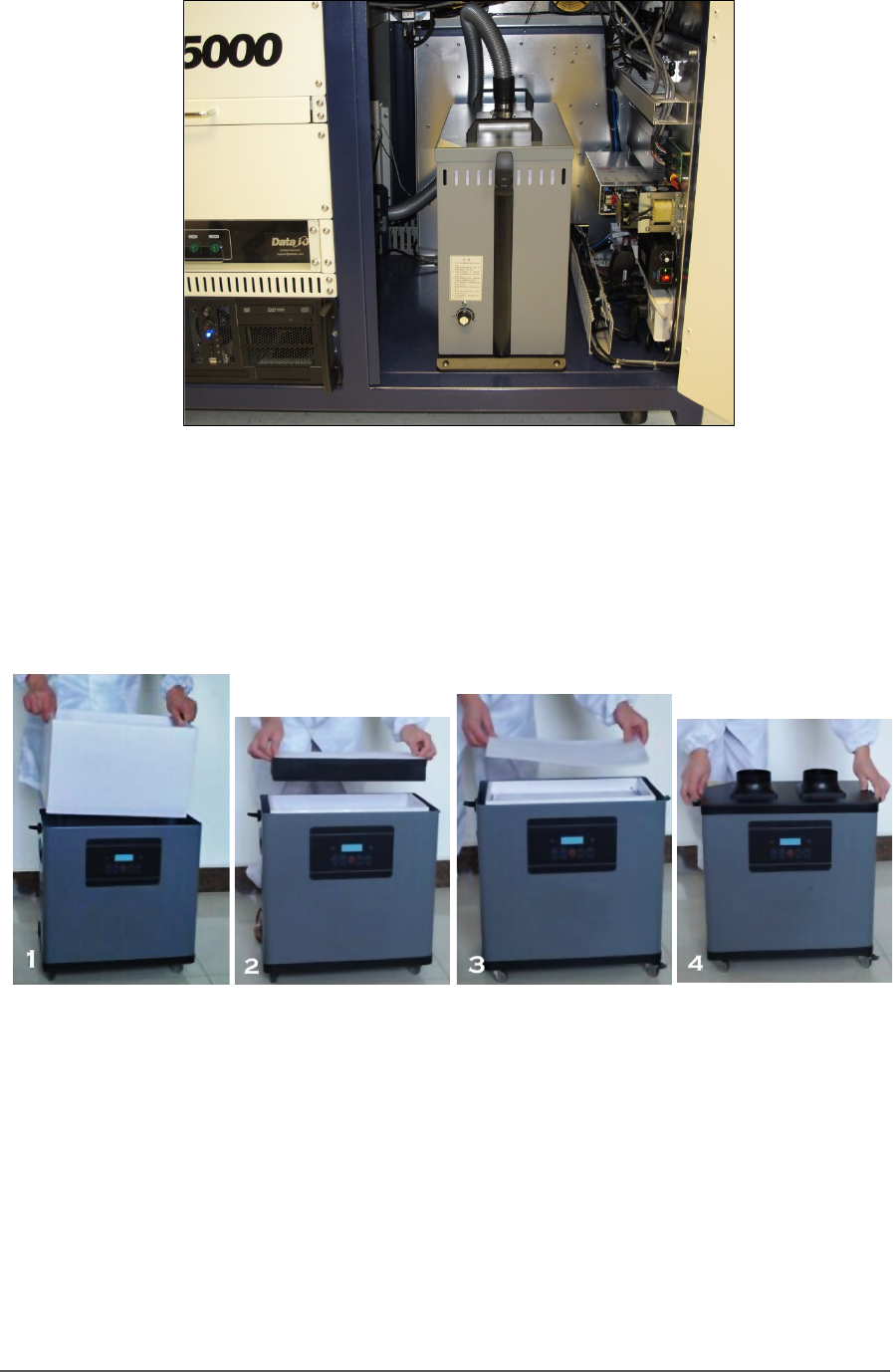
Figure 77: The Fume Extractor inside the front of the PSV5000.
4. To continue, see the replacement instructions and part numbers of
the UpperHand pre-filter and main filter in the UpperHand Fume
Extractor Operation Manual (that came with PSV5000).
Figure 78: These four steps show filter replacement. Refer to the
Fume Extractor Operation Manual.
To finish, place the filters and your gloves in the bag and seal the bag and
dispose of as hazardous waste. Close the access door.
Handler Computer Handler Computer Air Filter
PSV5000 Owner’s Manual - 129 -
Handler Computer
The main PSV5000 Machine computer, or Handler Computer, is at the
left side of the machine and requires little maintenance.
Handler Computer Air Filter
The Handler Computer has an air filter that requires periodic cleaning or
replacing.
To remove the air filter:
1. Properly shut off the PSV5000 sub-systems and machine power. See
Shutting Down the PSV5000 System on page 38.
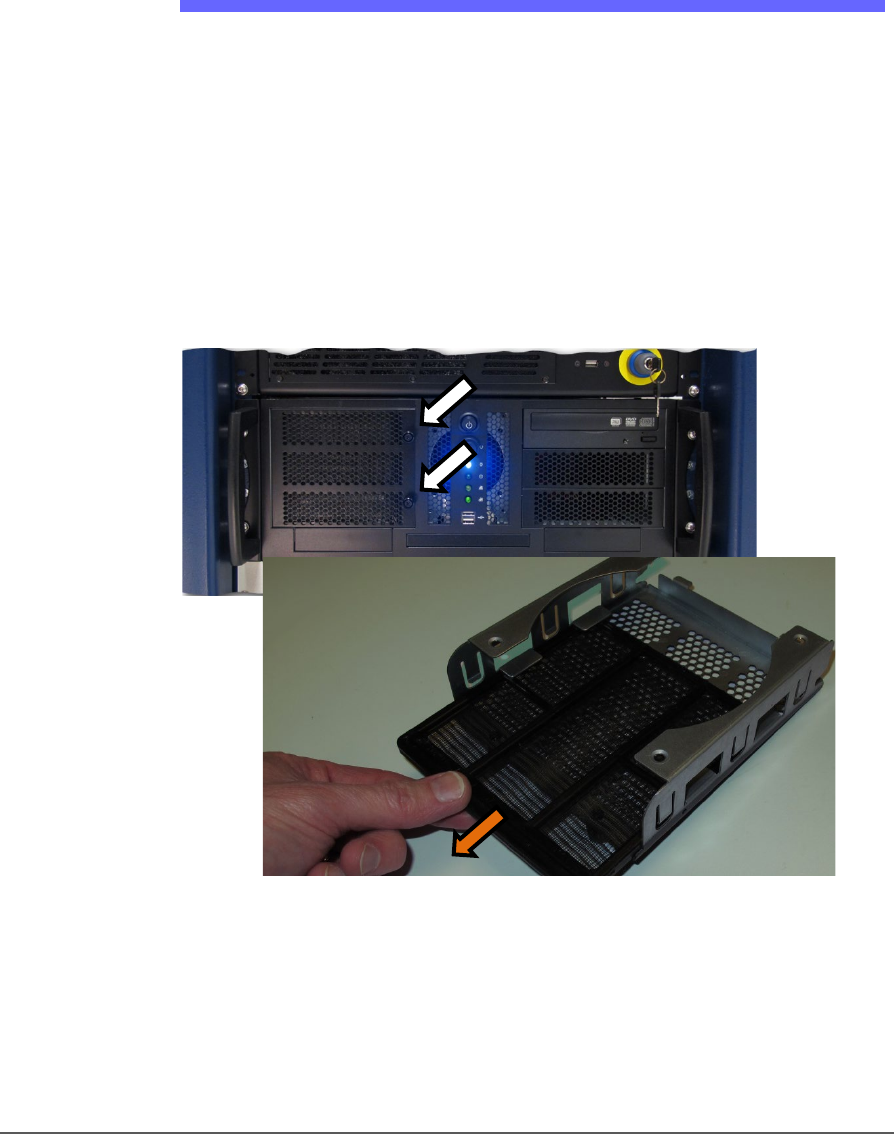
2. Open the filter door by unscrewing the two knurled knobs. The
Handler Computer filter door has two knurled knobs (white arrows).
The filter (screen) slides out.
Figure 79: The Handler Computer filter door has two knurled knobs
(white arrows). The filter (screen) slides out.
3. Open the filter door or lift it out.
4. Pull out the filter tray out of the door.
5. Clean filter as necessary such as with a light-duty vacuum.

Maintenance ■ Handler Computer
- 130 - Data I/O ■ 096-0465-001C
Installing CH700 Software Updates
CH700 Software updates are periodically published with improvements.
Delivery depends on contract options.
To install new CH700 Updates on the Handler Computer, insert the
CH700 CD and follow instructions in the Instructions.rtf
file.
NOTE: Your existing
winAH400.ini
will not be replaced so all your settings
will remain the same.
NOTE: Updating TaskLink (FC) and Job Runner or Job Creator (LX) require
different CDs than the CH700 updates. For more information, see the
online Help for TaskLink or Job Runner or Job Creator.
NOTE: PSV5000 System algorithms are updated periodically and are
available depending on your maintenance plan. For more information
about update kits or the support agreement plan go to
http://www.dataio.com/Support/Software-Firmware
Algorithms are updated via TaskLink (FC) and Job Creator (LX). For more
information see TaskLink Help or Job Creator Help. To search for specific
device support visit our Device Search web page:
www.dataio.com/Support/Device-Support/Device-Search
An
APS
is our
Annual
Programmer
Support
Agreement.