PSV5000_OwnersManual.pdf - 第144页
Maint enance ■ T ape Output Syst em Main te nance - 140 - Data I/O ■ 096 - 0 465 - 00 1C Your PSV 5 000 Sy stem wil l continue to ope rate as n ormal on the backup drive . However, the failed drive m ust be replaced for …
Troubleshooting Tray Feeder Problems
PSV5000 Owner’s Manual - 139 -
Tray Feeder Problems
Lamp Color Error Messages Possible Resolution
Yellow
• The Run window
indicates a tray is
present on the Tray
Feeder when there is
no tray there, or vice
versa.
• Navigate to the System > MISC I/O window
and verify that the Tray Present Sensor = ON.
None
• Probe miss-picks or
misplaces devices at
the trays.
• Probe hits devices in a
tray hard at one end
and not the other.
• Check that the tray feeder is level. Adjust the
outside mounting bar if necessary.
Handler Computer Failure
If the Handler computer drive fails, its behavior or a message indicates
that a computer has crashed.
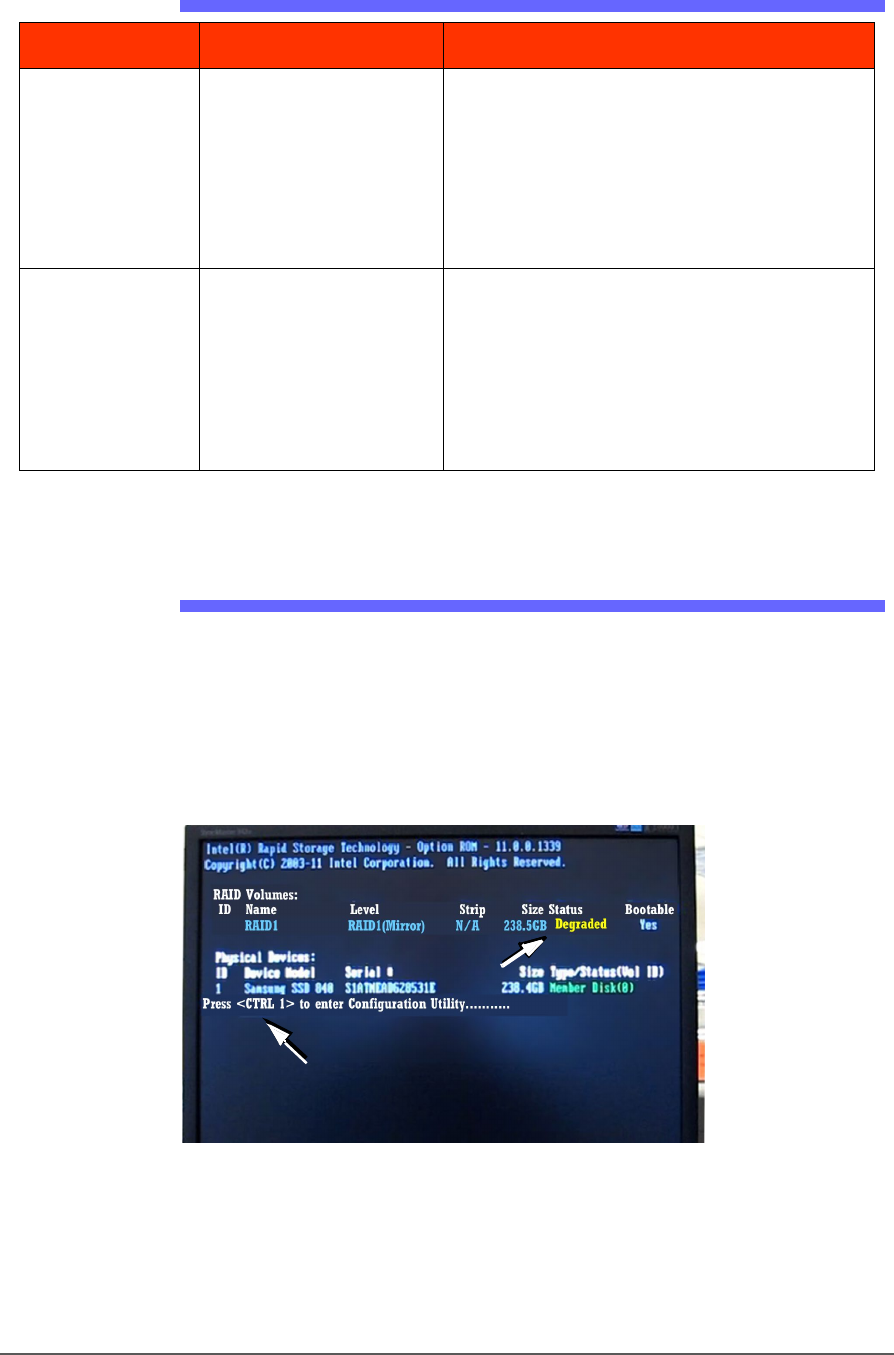
Your PSV5000 System is equipped with a mirror-backup system called
RAID that creates a real-time ghost image. You will see an error message
display for a few seconds at system start-up.
Figure 80: This message, DEGRADED, will display for about seven
seconds at startup if a Handler drive has failed.
Maintenance ■ Tape Output System Maintenance
- 140 - Data I/O ■ 096-0465-001C
Your PSV5000 System will continue to operate as normal on the
backup drive. However, the failed drive must be replaced for
continued safety.
After the failed drive is identified and replaced, the message on-screen
will read REBUILDING. After it has rebuilt, the next time you start up it
will read NORMAL.
Contact Data I/O Support or your nearest Data I/O representative.
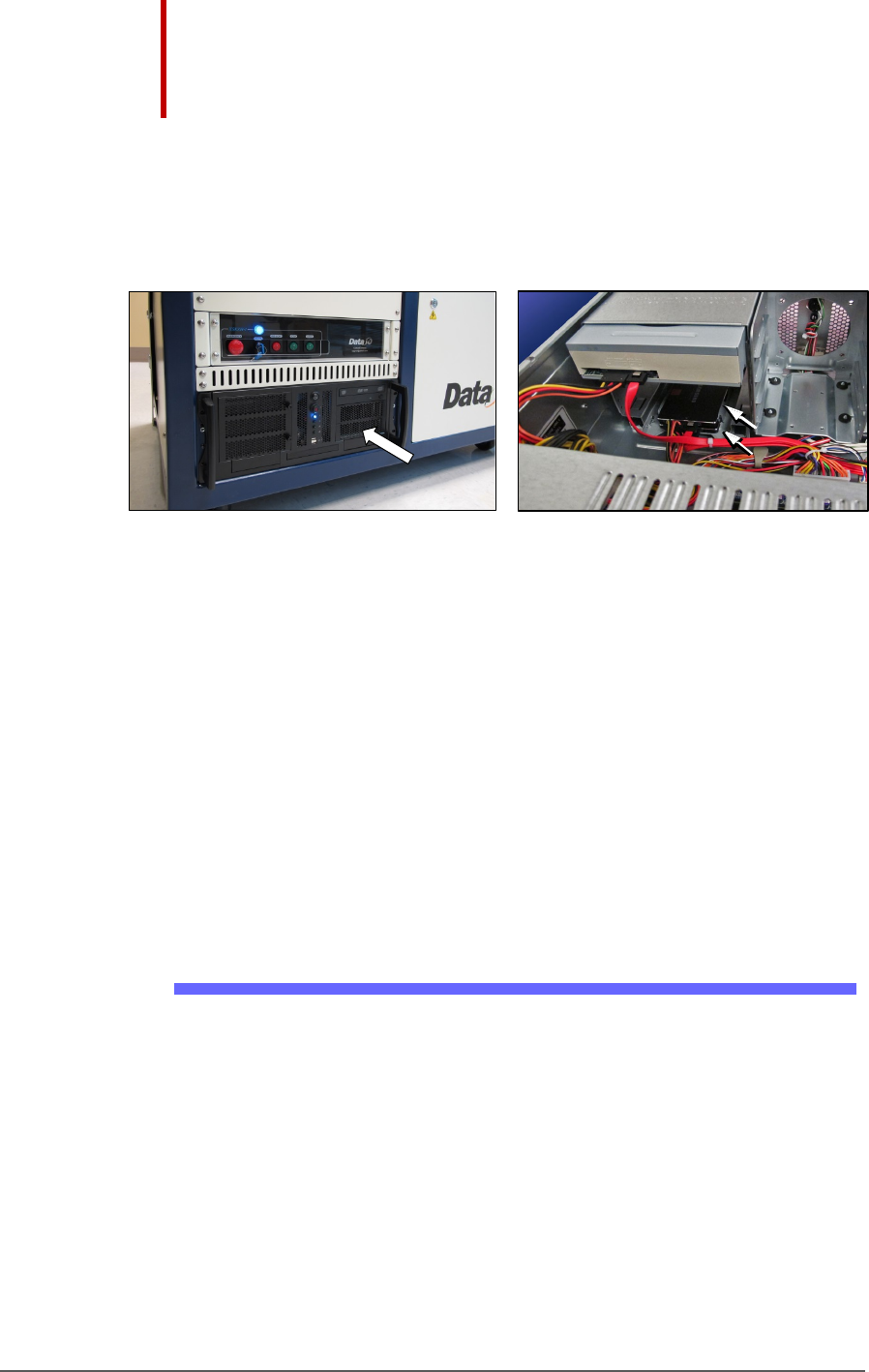
Figure 81: The RAID solid state hard drives are inside the Handler
PC case. The Handler PC must be removed to access the RAID
backup drives. In image B, the Handler PC cover has been
removed: this image is a representation only for reference.
Tape Output System Maintenance
The Tape Output System is an optional system for placing and taping
programmed devices into device tape.
Items not covered here can be found in the TM-50 Taping Module User’s
Guide that came with your PSV5000 System.
Cleaning the Pressure Seal
The Pressure Seal Tape Output System requires cleaning to prevent
problems with breaking the device tape or tearing the tape sprocket
holes. Cleaning removes build up from the cover tape application rollers
and the drive sprocket top pressure idler wheel.
CLEANING TOOLS REQUIRED
• Dry or damp shop towel
• A reel of empty device tape (carrier tape)
• A reel of cover tape
B
Tape Output System Maintenance Cleaning the Pressure Seal
PSV5000 Owner’s Manual - 141 -
To clean the Pressure Seal Tape Output System:
1. Turn ON the PSV5000 System power and air.
2. Start TaskLink.
3. Select a job that requires the use of the tape output.
4. Click Run (and Yes or OK to subsequent dialogs), which opens
CH700 automatically.
5. Click Start.
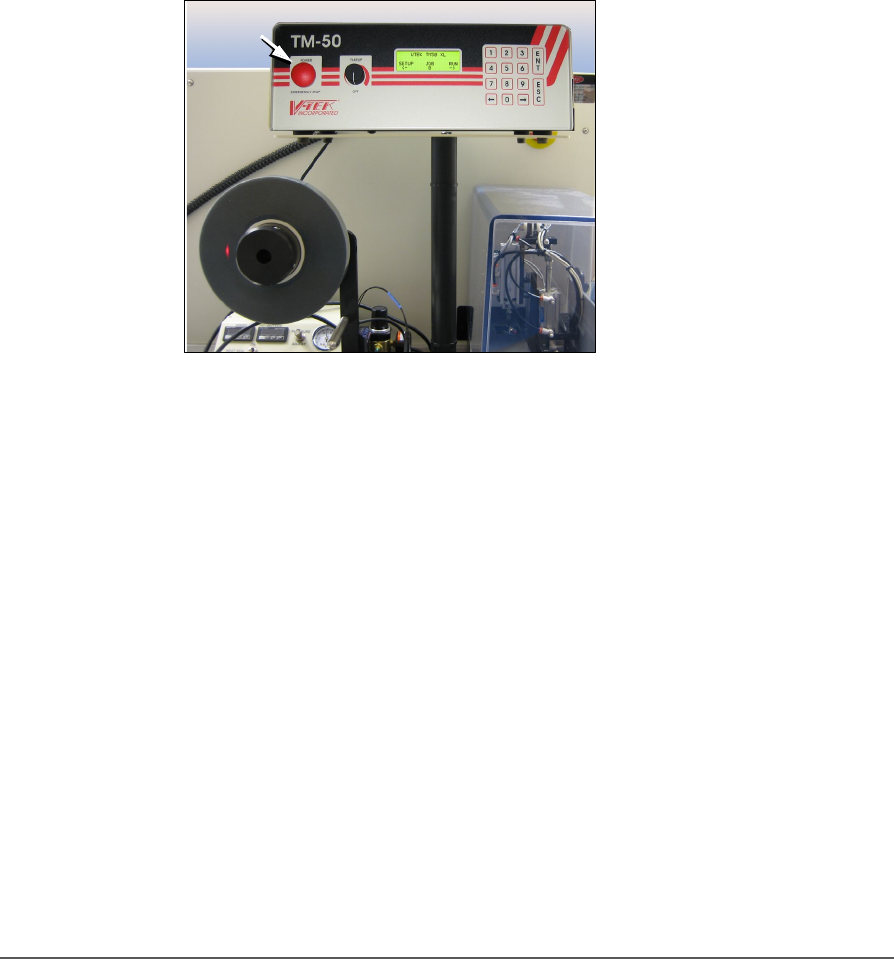
6. Turn on the Tape Output Controller by pushing the red Power
button. Refer to the figure below.
7. At the V-TEK start-up screen, select Setup by pressing the left arrow
button.
Figure 82: Tape Output Module Controller. The arrow points to the
Power On/Off button which is also the Emergency-Stop (for the
Tape-Out Module only!).
8. Configure the Tape Output Controller by setting the following: