PSV5000_OwnersManual.pdf - 第15页
■ Snapshot of PSV5 000 □ Sett ing the L anguage PSV5000 O wner ’s M anual - 11 - 1. Opent th e ini file i n No tepad or Ultra Edit. ( Do n ot us e Micro soft Wo rd or oth er wor d proce ssor. ) 2. Find “Lang uage Settin …
Introduction ■ Snapshot of PSV5000
- 10 - Data I/O ■ 096-0465-001C
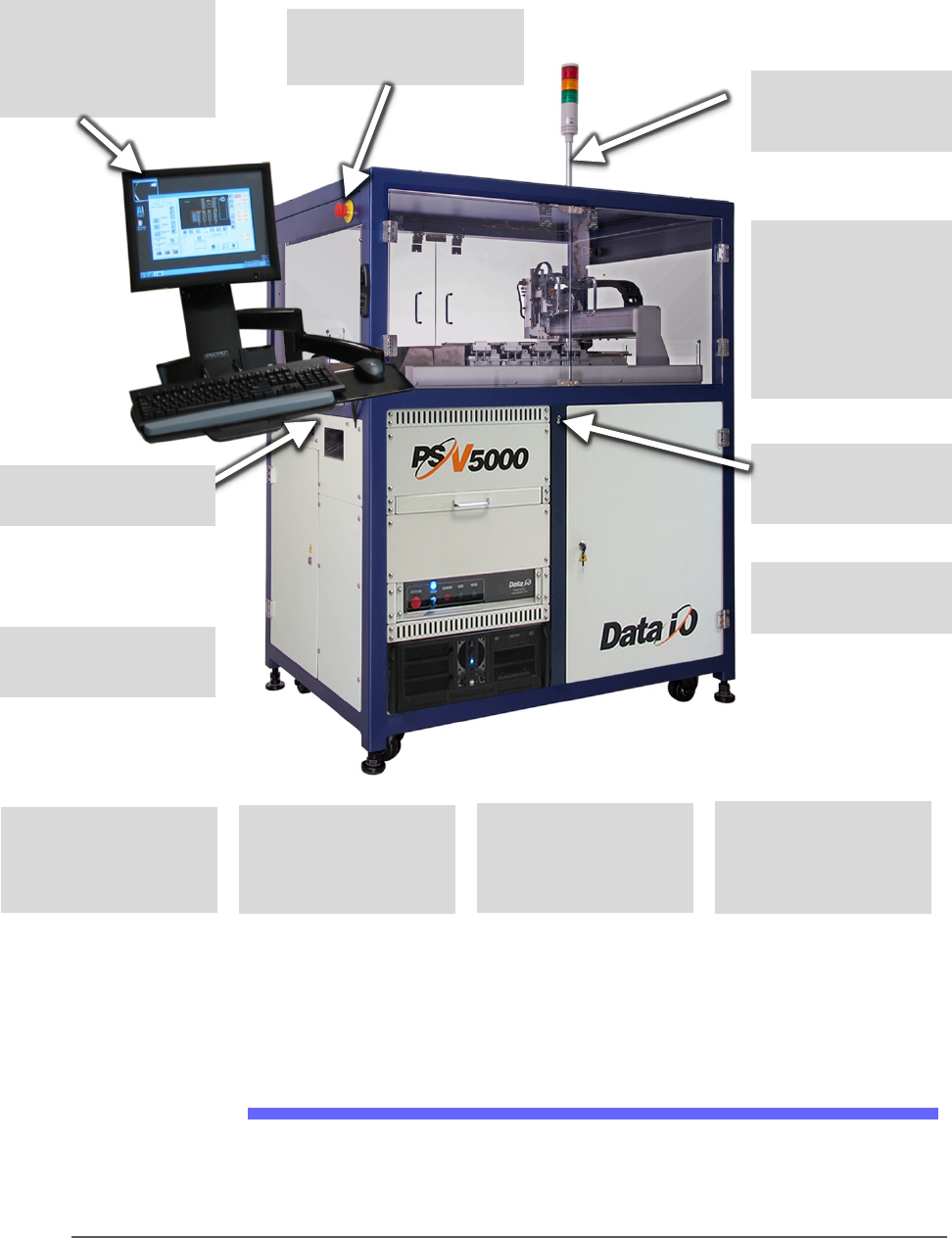
Snapshot of PSV5000
Figure 1: Features of PSV5000. For a more detailed image with
components labeled, see the Operator’s Manual. For component
descriptions see Component Descriptions on page19.
Setting the Language
Several other languages are available for the application interface. To
change the language, edit the
C:\CH700\winAH400.ini file as follows:
Touchscreen monitor
which displays real
time processes and
online Help.
E-Stop button on each
side (at front left & right
rear).
Replaceable
programmer modules
Software options
include a Serial
Number Server
Built-in mounts for
optional Tray Feeder
and Tape Output
Module
Clear safety doors
(front and back)
Adjustable feet for
leveling, and wheels
for ease of setup and
relocation.
Light tower displays
machine status
Flexible options for
input & output:
• static tray,
• automatic tray
feeder
• laser marking
• tape out
ESD ground
connection (front)
Mount for a Tape-In
Module (Tape Feeder)
Utility drawer
(front and back)
■ Snapshot of PSV5000 □ Setting the Language
PSV5000 Owner’s Manual - 11 -
1. Opent the ini file in Notepad or UltraEdit. (Do not use Microsoft Word
or other word processor.)
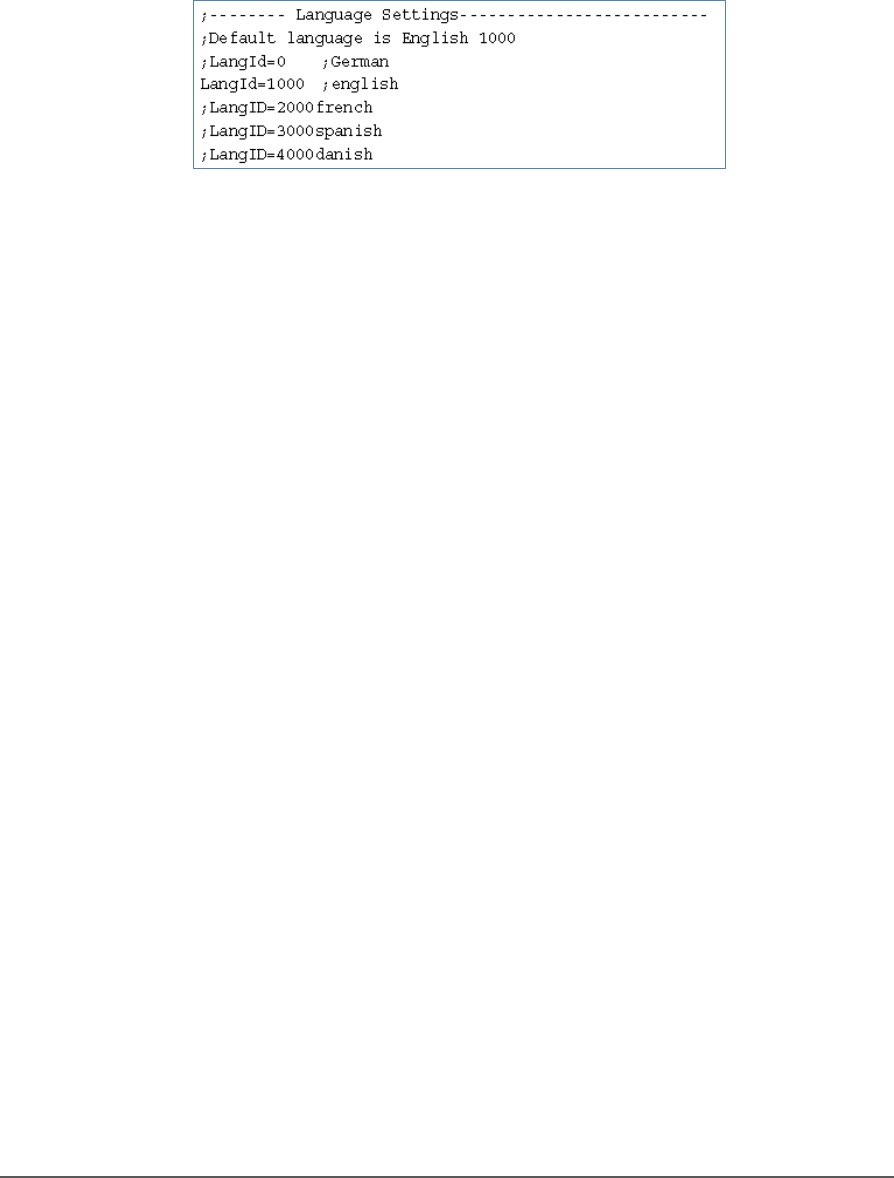
2. Find “Language Settings” section.
3. Add a semicolon to the line for the current language.
4. Remove the semicolon from the line for desired language.
Figure 2: Sample from the winAH400.ini file. The language in this
sample is set to English.
5. Save the file.
6. Restart CH700 Software for the changes to take effect.
Introduction ■ System Description
- 12 - Data I/O ■ 096-0465-001C
Left Side
Right Side
System Description
Safety Systems
The PSV5000 System moves devices from input media through a
programming and optional marking process to output media for delivery
to the next phase of the production process. The machine includes a
grounding connection to prevent static electricity (ESD).
The PSV5000 System has several safety systems to prevent personal
injury and system damage. These systems include E-Stops and safety
doors. If your system has a Laser Marking Module, it comes with a fume
extractor.
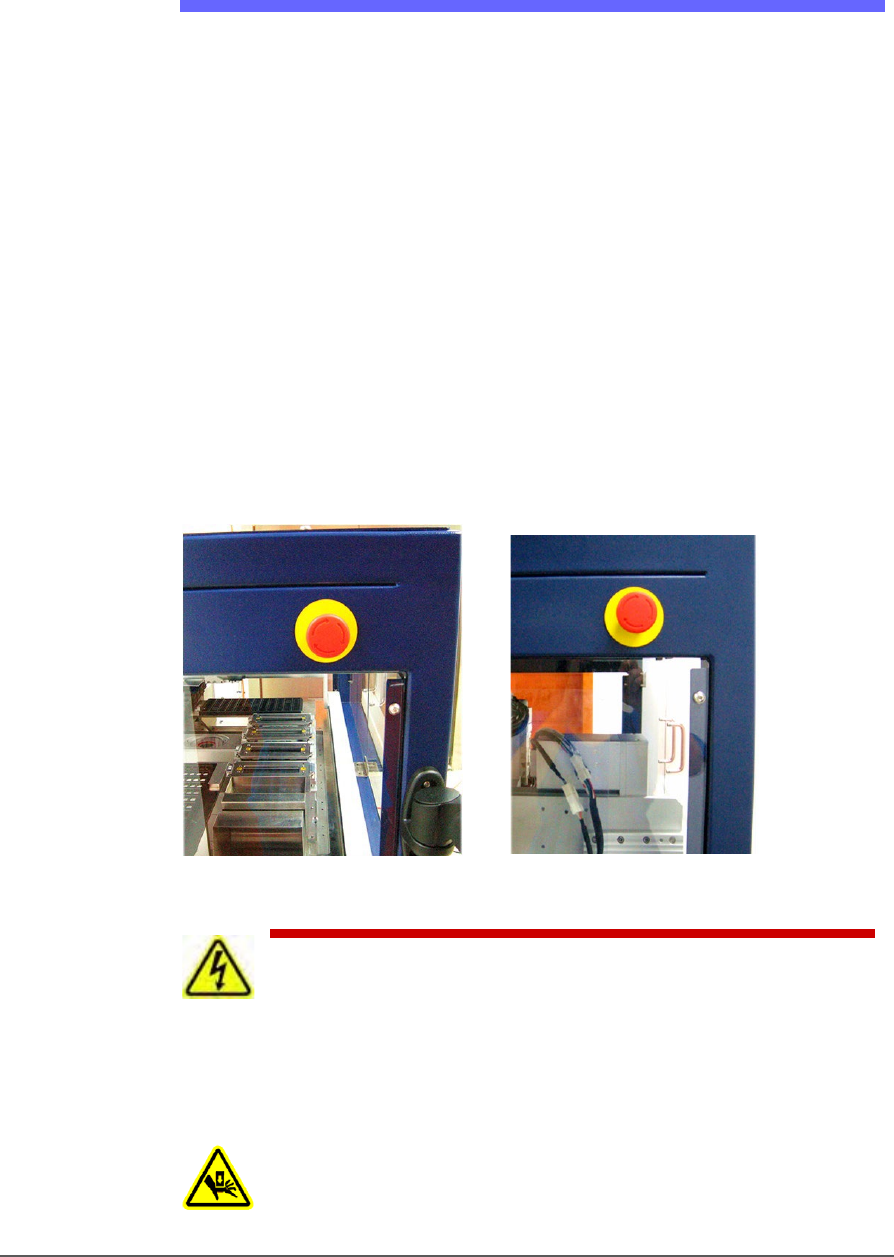
EMERGENCY STOP (E-STOP) BUTTONS
Two large, red Emergency Stop buttons are located near the top of the
PSV5000 System, one on either side of the machine. When an E-Stop
button is pressed, the gantry stops moving immediately. See caution
notice below.
Figure 3: Two Emergency Stop (E-Stop) buttons.
WARNING: Shock hazard! Pressing an E-Stop button removes
power from the motion controller (gantry) only, and power off the
Laser Marking Module. It does not remove electrical power from PSV5000
or any optional equipment installed. Turn the main power OFF before
opening metal doors.
WARNING: Pinch hazard! The E-Stop does not shut off air.