PSV5000_OwnersManual.pdf - 第150页
Maint enance ■ T ape Output Syst em Main te nance - 146 - Data I/O ■ 096 - 0 465 - 00 1C T he T ra c k J am se n so r Lamp Color Error M essages Poss ible Resolu tion None T RACK J AM S ENSOR Tape Out Unit error message …

Tape Output System Maintenance Troubleshooting the Tape Output System
PSV5000 Owner’s Manual - 145 -
Figure 84: Optical Fiber Amplifiers: Cover Tape Present and Empty
Pocket, respectively. Amplifier doors are open in the right side
view.
Fr ont Vi ew
Right Side View
Maintenance ■ Tape Output System Maintenance
- 146 - Data I/O ■ 096-0465-001C
The Tra ck Jam sensor
Lamp Color Error Messages Possible Resolution
None
TRACK JAM SENSOR
Tape Out Unit error message
displays and a red LED
lights in the Device Jam
Sensor.
• Use a vacuum tool to seat the device in
the device tape pocket.
• Re-seat the device tape in the Adjustable
Loading Track.
• Use air to blow any debris out of the
Device Jam sensor path.
• Adjust the Device Jam Sensor Controller.
See Track Jam Sensor and Controller
on page 146.
None
COVER TAPE SENSOR
AND
AMPLIFIER
Error message on the Tape
Out Unit displays and a red
LED is illuminated in the
Cover Tape Sensor amplifier
(left amplifier).
• Replace the empty cover tape reel with a
full one.
• If the reel still contains cover tape, adjust
the Cover Tape Sensor Controller. See
Track Jam Sensor and Controller
• on page 146.
None
POCKET EMPTY SENSOR
AND
AMPLIFIER
A Tape Out Unit error
message displays and a red
LED is illuminated on the
Pocket Empty Sensor
amplifier.
• Adjust the pocket-Empty Sensor. See
“Adjust the Pocket-Empty Sensor as
follows:
” on the next page
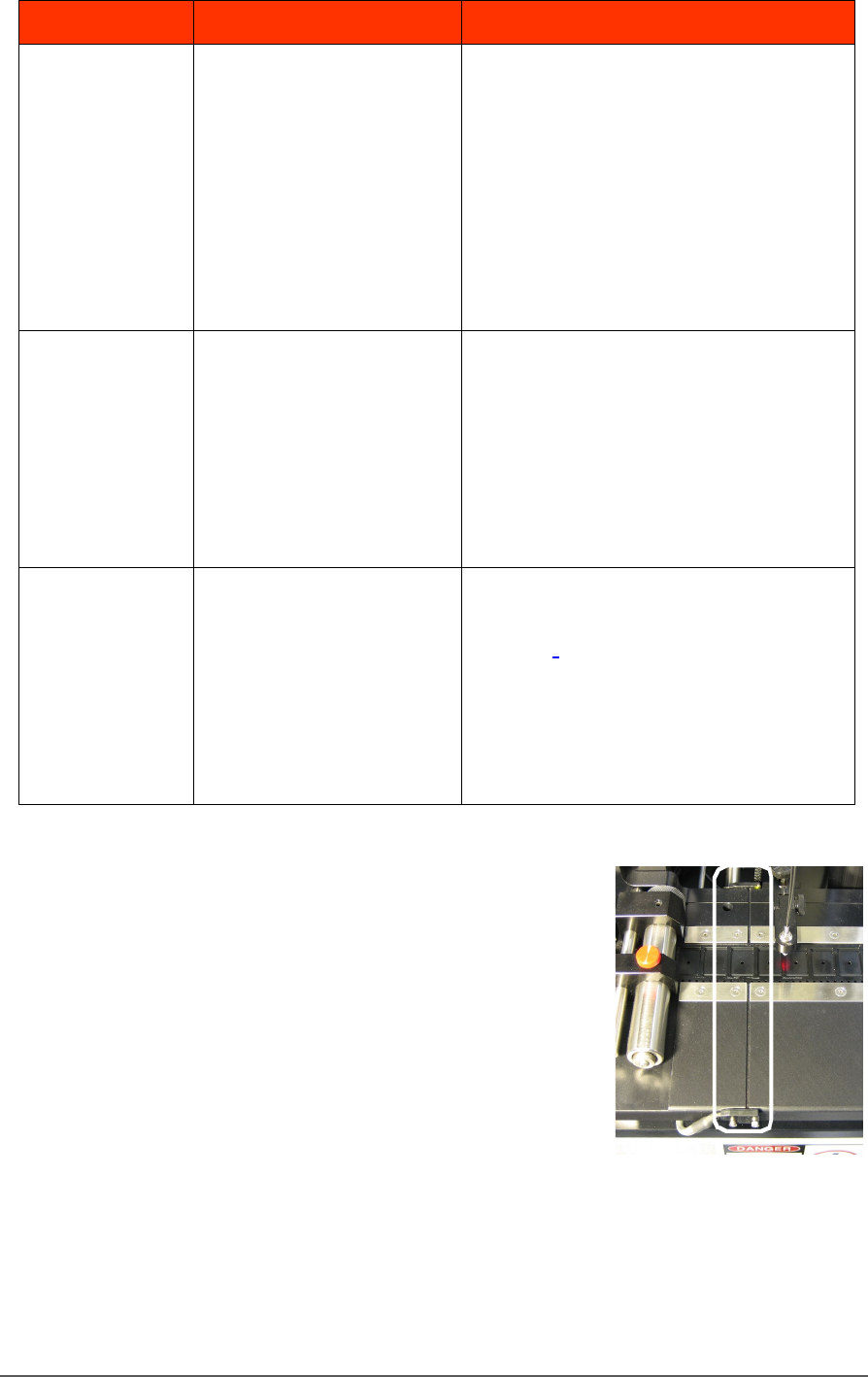
TRACK JAM SENSOR AND CONTROLLER
The Track Jam sensor detects when a
device is not properly seated in the pocket.
This sensor is located on the Adjustable
Loading Track immediately before the
carrier tape enters the cover taping area.
COVER TAPE SENSOR AND AMPLIFIER
The Cover Tape sensor detects when there
is no cover tape on the reel. When the Cover Tape sensor is triggered, a
red LED is illuminated in the Cover Tape Sensor Controller.

Tape Output System Maintenance Troubleshooting the Tape Output System
PSV5000 Owner’s Manual - 147 -
ADJUSTING THE COVER TAPE SENSOR CONTROLLER
1. Ensure that the Output Selector
mode is set to D.ON by pressing
the Mode button. (There may be
an L/D ON button or toggle to
change the mode.)
2. Install a roll of cover tape onto
the spindle.
3. Press and release the SET button
in the left amplifier.
4. Remove the cover tape.
5. Press and release the SET button again.
NOTE: If an error occurs or the sensor fails to detect the cover tape after
switching from a different type of cover tape, then the Cover Tape sensor
may need to be re-taught to sense that particular type of cover tape.
POCKET EMPTY SENSOR AND AMPLIFIER
The Pocket Empty sensor alerts the operator when a pocket is empty as
the device tape approaches the cover taping location.
ADJUST THE POCKET-EMPTY SENSOR AS FOLLOWS:
1. Set the track width for the target device tape
A) loosen the two Track Width Lock knobs,
B) pull or push the side nearest the operator to correct
width,
C) tighten lock knobs.
2. Load a roll of device tape onto the spindle and into the track.
3. Loosen the knob on the left side of the Pocket Empty Sensor
bracket to adjust the height above the tape. Retighten.
4. Loosen the knob on top to center the sensor on the tape.
Retighten.
5. Advance the tape until a pocket with a device in it is centered
under the sensor.
6. Ensure that the Output Selector mode on the middle amplifier is
set to D.ON by pressing the Mode button. (There may be an L/D
ON button or toggle to change the mode.)
7. Press and release the SET button in the right amplifier.
8. Remove the device from the tape pocket.