PSV5000_OwnersManual.pdf - 第28页
Introduction ■ Machine Co m ponents - 24 - Data I/O ■ 096 - 0 465 - 00 1C emp ty po ckets on the ca rrier t ape. The carrier tape a dvances thro ugh either a h eat seal or pressure se al unit that appli es cover tape to …
■ Machine Components □ Optional Equipment Descriptions
PSV5000 Owner’s Manual - 23 -
Numerous hardware options can be purchased with PSV5000, most of
which are the various input and output modes. The non-input/output
option is laser marking for devices.
LASER MARKING DEVICES
The Laser Marking System uses a compact Laser to mark devices. The
laser applies a customer-defined mark. MarkingMate is supplied with
the laser for creating marking files. The laser marking system operates
as a Class 1 laser system, with a class 4 embedded laser (CDRH
classification), and therefore uses integrated interlocks to prevent the
laser from firing while any cover is open. The laser should never be
operated without safety covers in place. Observe all warnings regarding
laser usage.
For additional safety information, see Laser Safety on page 27.
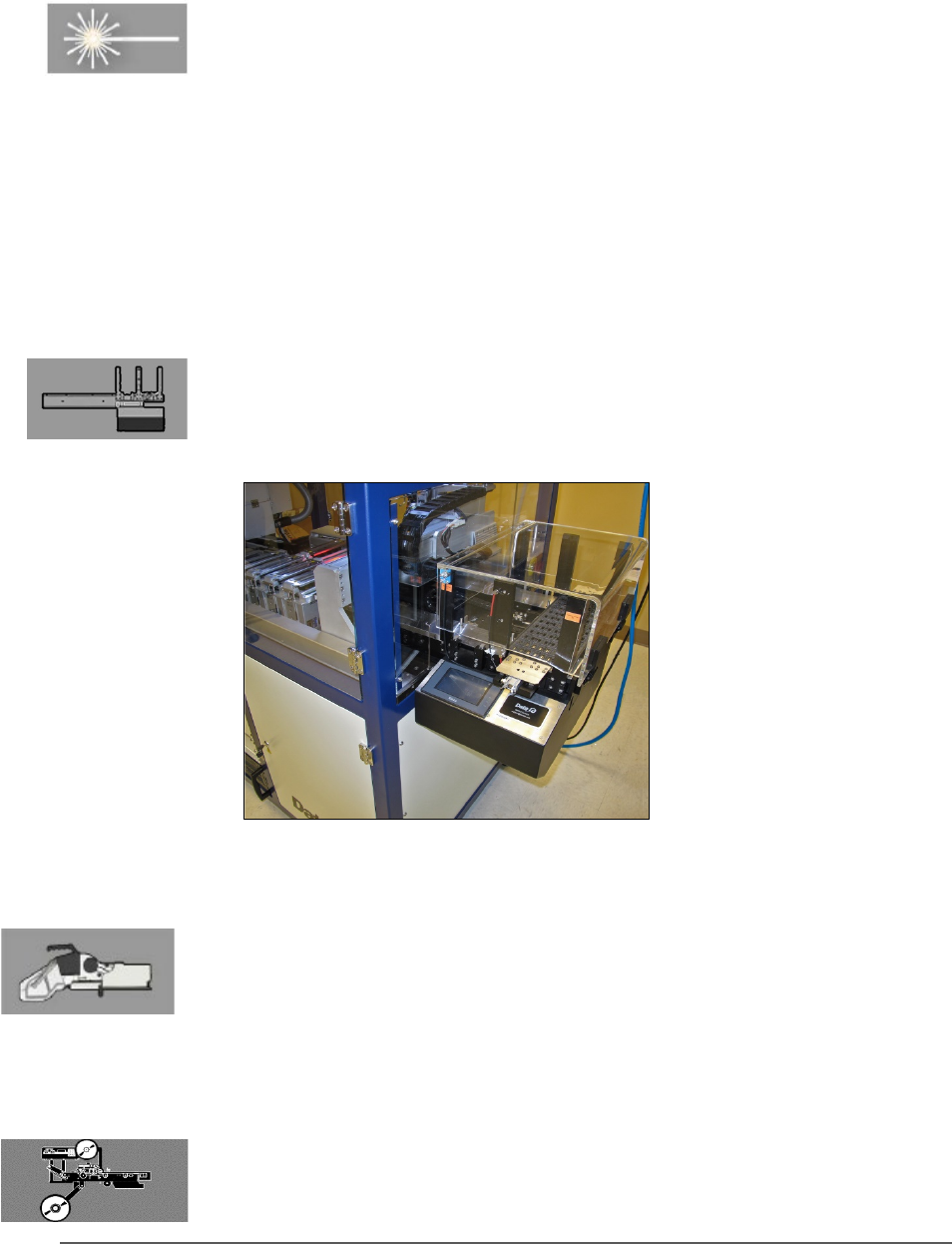
(OPTIONAL) AUTOMATIC TRAY FEEDER
Designed to automatically supply trays full of devices to the PSV5000
System, the Tray Feeder CB accepts up to twenty thin or thick JEDEC
trays.
Figure 11: The Tray Feeder.
(Optional) Tape Input Module
The tape input module is a mount and communication accommodating
a chip feeder which provides devices for programming. Use the
appropriate size tape width/feeder. Each device is picked from a carrier
tape pocket and placed into a programming socket.
(Optional) Tape Output Module
The tape output module, mounts onto the left side of the machine and
uses a reel of empty carrier tape to hold devices after they are
programmed. It supports all widths. Programmed devices are placed into

Introduction ■ Machine Components
- 24 - Data I/O ■ 096-0465-001C
empty pockets on the carrier tape. The carrier tape advances through
either a heat seal or pressure seal unit that applies cover tape to the
carrier tape.
■ Software □ Optional Equipment Descriptions
PSV5000 Owner’s Manual - 25 -
Software
Software resides in the Handler Computer. The primary log-on for the
Handler Computer is Microsoft Client. The current operating system (at
time of this publication) is Windows 7.
CAUTION: Possible machine damage! Adding software to the
PSV5000 System can cause damage or cause the system to
operate improperly. Adding software without specific instruction from Data
I/O Customer Support will void the warranty and may incur service
charges if subsequent service is required.
CAUTION: Possible machine damage! Microsoft Windows system
parameters and network parameters should not be changed
unless instructed to do so by Data I/O Customer Support. Changing
parameters can cause failure and/or damage to systems or cause improper
programming.
SUPPLIED SOFTWARE
The PSV5000 System should never have other software added without
consulting with Data I/O Customer Support.
ANTIVIRUS SOFTWARE
Customer-supplied antivirus software can be installed on the Handler
Computer and is recommended.
CAUTION: Possible loss of support or time! Check with Data I/O
Customer Support to ensure that your software is compatible with the
programming system, otherwise the warranty may be voided.
Ensure that the antivirus software does not scan during a job run.
STATISTICAL PROCESS CONTROL SOFTWARE
Customer-supplied Statistical Process Control software can be installed
on the Handler Computer. See Statistical Process Control Software on
page 73 for more information.