PSV5000_OwnersManual.pdf - 第30页
Introduction ■ Software - 26 - Data I/O ■ 096 - 0465 - 00 1C Job C reation Software for Flash CORE TaskL ink ™ f or Win dows ® is Data I/O’s v ersatile ap plication for creating jobs to run on the PSV5000 Syste m with Fl…
■ Software □ Optional Equipment Descriptions
PSV5000 Owner’s Manual - 25 -
Software
Software resides in the Handler Computer. The primary log-on for the
Handler Computer is Microsoft Client. The current operating system (at
time of this publication) is Windows 7.
CAUTION: Possible machine damage! Adding software to the
PSV5000 System can cause damage or cause the system to
operate improperly. Adding software without specific instruction from Data
I/O Customer Support will void the warranty and may incur service
charges if subsequent service is required.
CAUTION: Possible machine damage! Microsoft Windows system
parameters and network parameters should not be changed
unless instructed to do so by Data I/O Customer Support. Changing
parameters can cause failure and/or damage to systems or cause improper
programming.
SUPPLIED SOFTWARE
The PSV5000 System should never have other software added without
consulting with Data I/O Customer Support.
ANTIVIRUS SOFTWARE
Customer-supplied antivirus software can be installed on the Handler
Computer and is recommended.
CAUTION: Possible loss of support or time! Check with Data I/O
Customer Support to ensure that your software is compatible with the
programming system, otherwise the warranty may be voided.
Ensure that the antivirus software does not scan during a job run.
STATISTICAL PROCESS CONTROL SOFTWARE
Customer-supplied Statistical Process Control software can be installed
on the Handler Computer. See Statistical Process Control Software on
page 73 for more information.
Introduction ■ Software
- 26 - Data I/O ■ 096-0465-001C
Job Creation Software for FlashCORE
TaskLink™ for Windows
®
is Data I/O’s versatile application for creating
jobs to run on the PSV5000 System with FlashCORE programmers.
TaskLink resides on the Handler Computer.
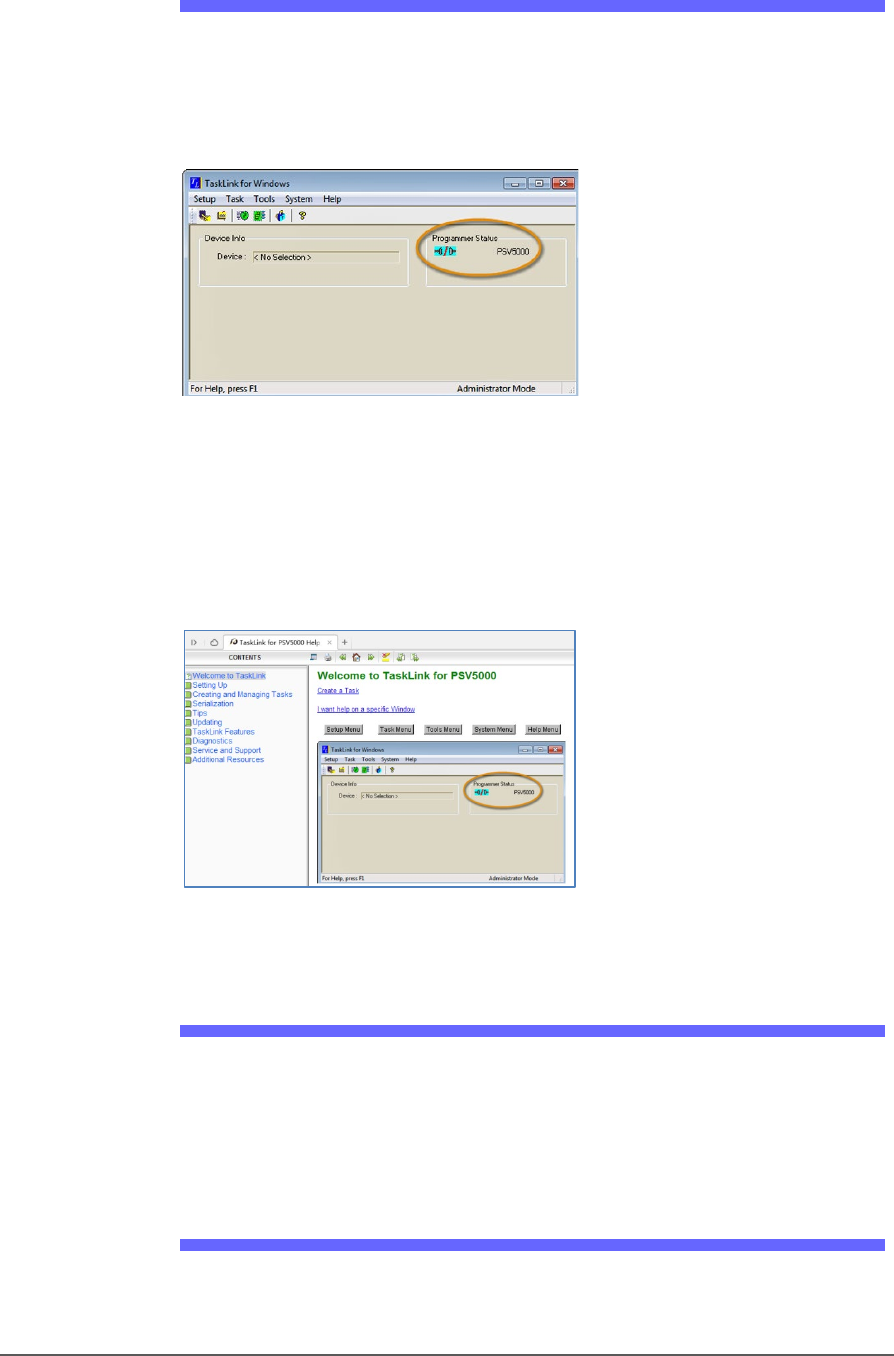
Figure 12: TaskLink’s main window displays the selected
programming system. Jobs created or edited will be for this
system.
TaskLink online Help is available by clicking Help > Help Topics. It offers
procedural steps as well as general information.
Figure 13: TaskLink online Help. It includes update instructions.
Job Creation Software for LumenX
Job Runner and Job Creator are Data I/O’s latest applications for
creating and managing jobs to run on the PSV5000 with LumenX
programmers. The software resides on the Handler Computer.
Updates and Algorithm Support
Updates, includes algorithm updates, are generally acquired through
our APS Agreement (Annual Programmer Support). See APS Agreement
■ Software □ CH700 Application
PSV5000 Owner’s Manual - 27 -
on our website under the SUPPORT tab. For more information, see
TaskLink online Help or Job Runner/Job Creator online Help.
CH700 Application
Data I/O’s Automated Handler software is a Microsoft
®
Windows
®
-based
application for setting up and programming integrated circuits (devices)
on PSV5000 Systems. It offers a selection of many PSV5000 System
options such as input/output configurations, labeling options, and
statistical feedback methods. The CH700 application software resides in
the Handler Computer.
For updates to CH700 Software see Software and Firmware
on our web
site under the SUPPORT tab. Then look for PSV5000 under Download
the Latest Firmware.
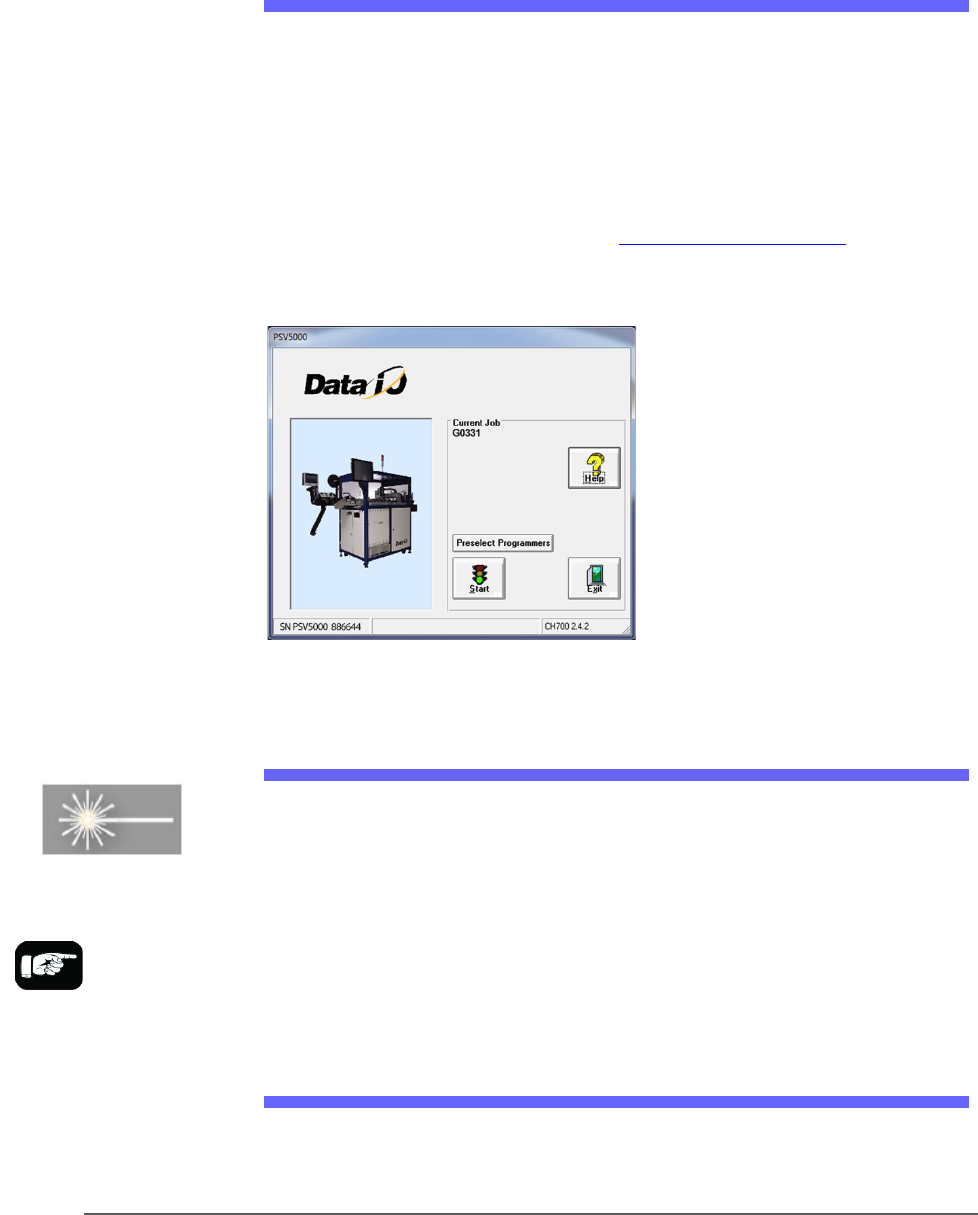
Figure 14: CH700 Start-up window for PSV5000.
Laser Software
The Laser software is a Windows-based application that allows creating
parameters required for laser marking jobs as well as initiating laser
marking. This MarkingMate software is on the Handler computer.
When the Laser Marking System is set up and initialized, it receives
commands from the CH700 which starts the marking sequence.
For more information please refer to the MarkingMate software help.
Laser Safety
The PSV5000 Laser option is designed in accordance with the following
safety guidelines:
For more information
about the Laser System,
see Setting Up the Laser
Marking Module on page
55 and (Optional)
Creating a Laser Marking
File on page 81.