PSV5000_OwnersManual.pdf - 第47页
■ Setting Up Input and Output Media □ Setting Up an Automatic Tray Feeder PSV5000 O wner ’s M anual - 43 - Figure 20: Tw o possible workspa ce confi guration s with tr ays on the left. A re ject tray and an a uxilia ry t…
Setup ■ Setting Up Input and Output Media
- 42 - Data I/O ■ 096-0465-001C
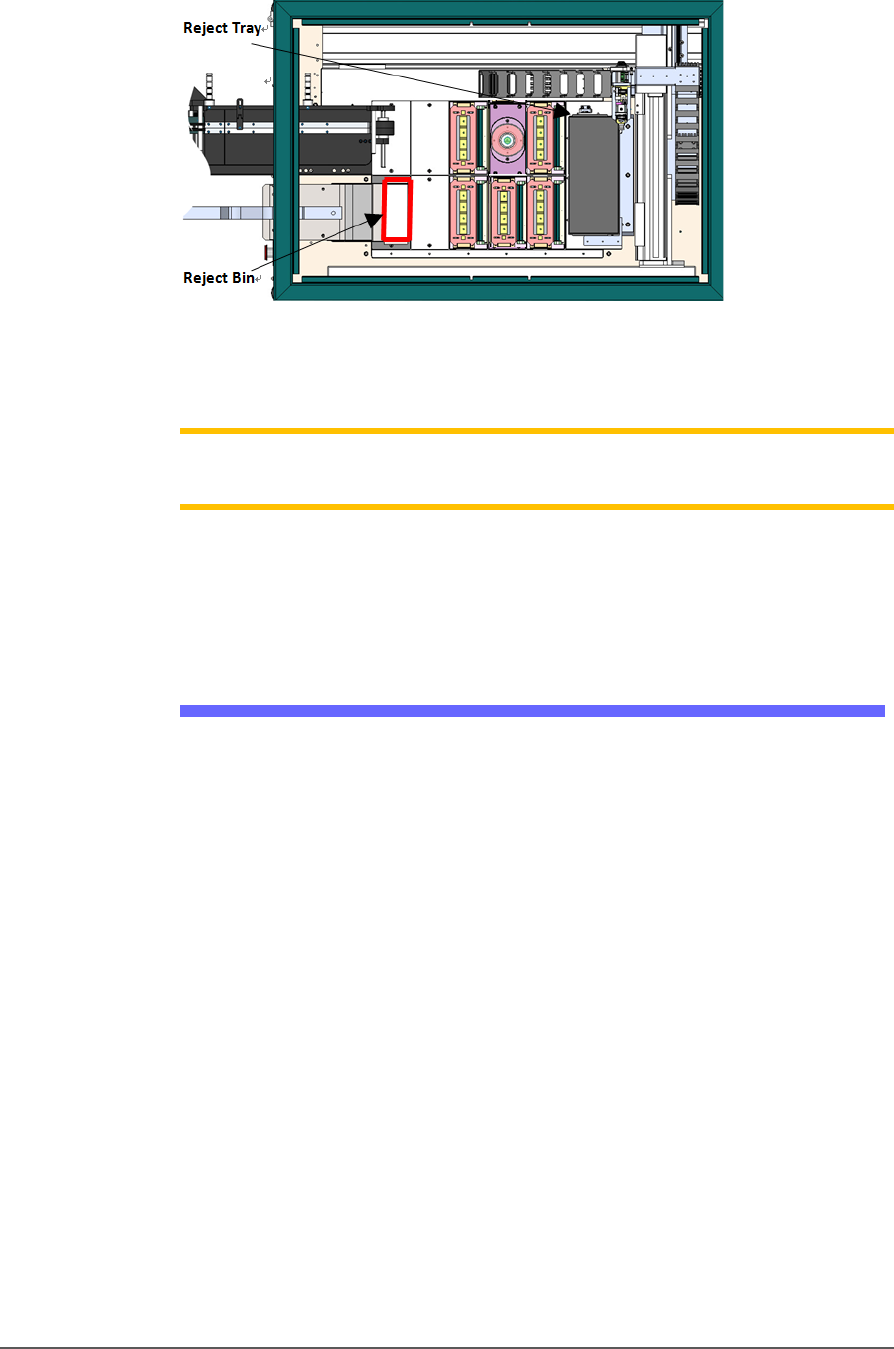
Figure 19: Common locations for the reject tray and bin with Tape
Input and Tape Output. Only one is necessary. The reject bin
that comes with the PSV5000 should be placed as shown.
Note: On the Gantry window, the reject bin or tray is associated with a
yellow position label that reads RTr.
The reject bin just lifts in and out by hand.
A tray may be used as a reject container instead of a bin.
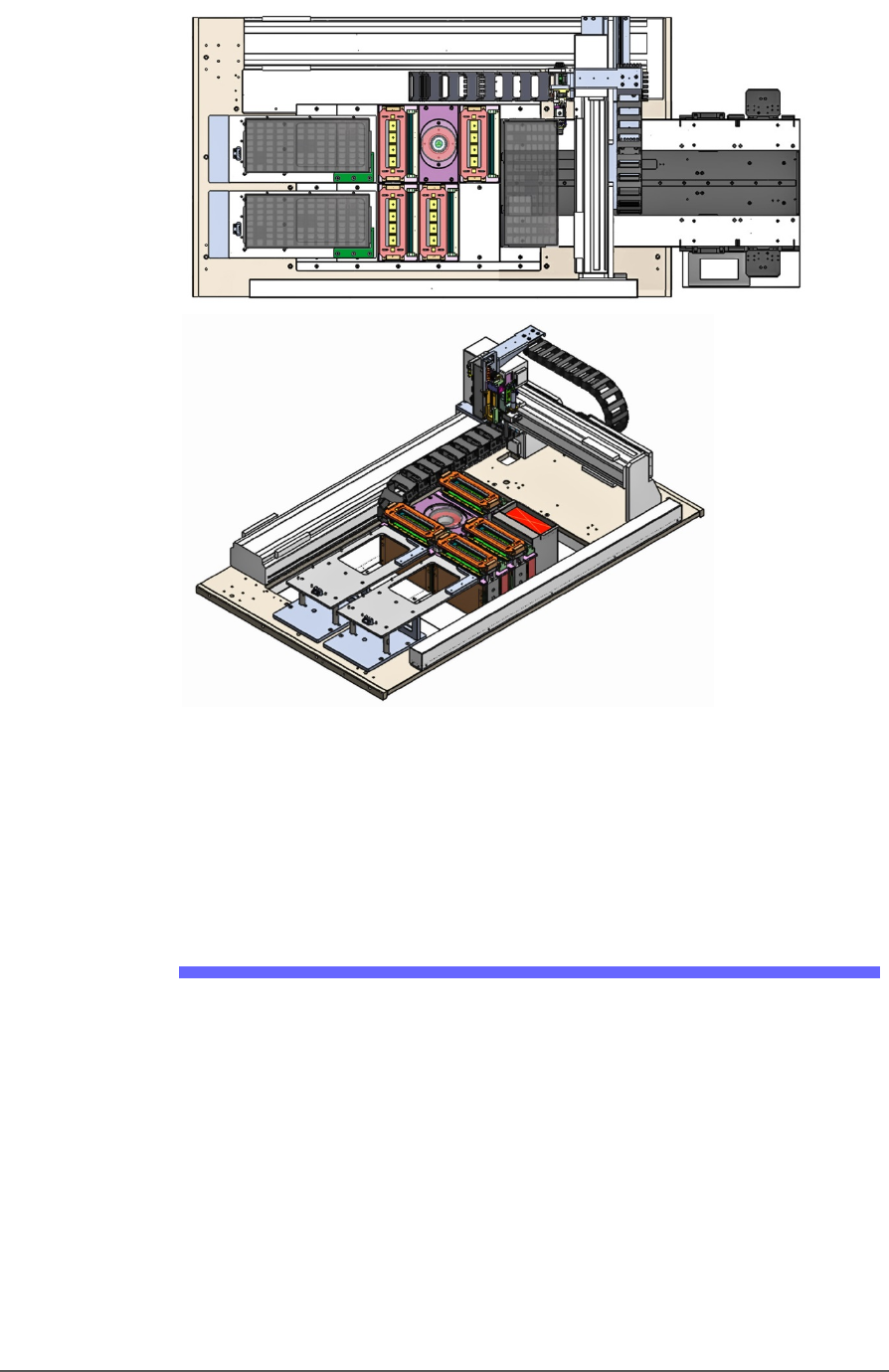
Auxiliary Tray
If a reject tray and an auxiliary tray is used as shown below, the
mounting plate for the Tape-In Module must be removed as well as the
mounting bracket for the reject bin. Contact Data I/O Support for
instructions.
■ Setting Up Input and Output Media □ Setting Up an Automatic Tray Feeder
PSV5000 Owner’s Manual - 43 -
Figure 20: Two possible workspace configurations with trays on the
left. A reject tray and an auxiliary tray with Auto Tray Feeder
(top) and a Tray to Tray with a reject bin (trays not shown)
(bottom). Two tray mounts must be installed on the left for these
configurations.
Setting Up an Automatic Tray Feeder
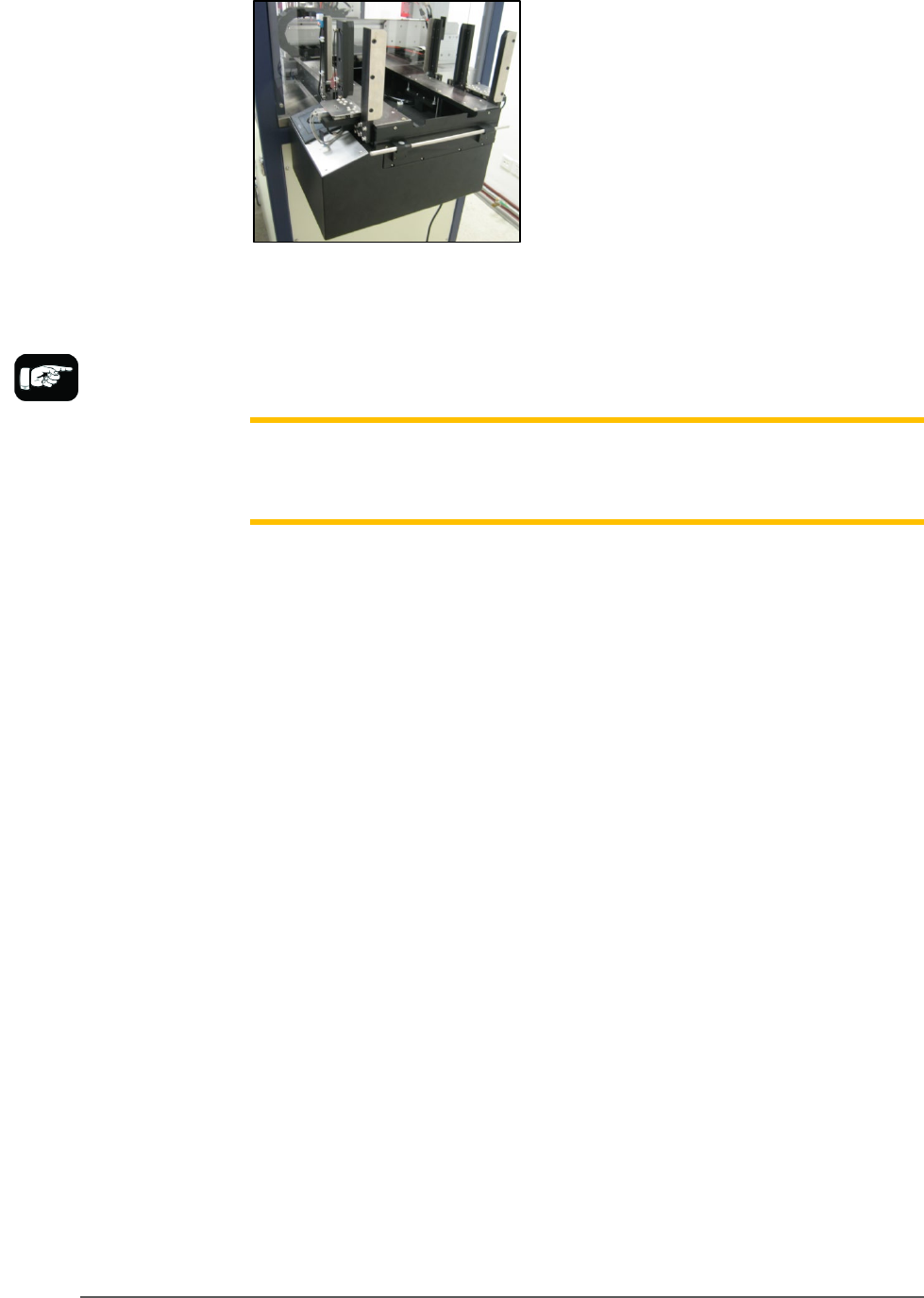
The PSV5000 System can be configured with an Automatic Tray Feeder.
The Tray Feeder must be level to the Gantry and square to the PSV5000
Machine. For general information about setting it up, see the Tray
Feeder Owner’s Manual that came with your system. Look for the
heading Installation.
Setup ■ Setting Up Input and Output Media
- 44 - Data I/O ■ 096-0465-001C
Prior to editing the
winAH400.ini file, make
a backup copy.
Figure 21: Tray Feeder mounted on PSV5000.
The winAH400.ini file requires editing prior to using a Tray Feeder if
your PSV5000 Machine has not already been set up for one at the factory.
See the CH700 on-screen Help file for topic Editing the winAH400.ini file.
Note: When your winAH400.ini file is set to run an Automatic Tray Feeder,
before you can run static trays again, the file will need to be changed back
to ModelTray1=STD.
INSTALLING THE TRAY FEEDER
The Tray Feeder can only be installed if your PSV5000 was set up for it at
the factory or by a Data I/O Service Technician.
REQUIREMENTS
•
Two people to lift it
•
Metric hex key set
•
Key to access door
To install the Tray Feeder:
1. Shut OFF PSV5000 power. See Shutting Down the PSV5000 System
on page 38.
2. Remove the Input and Output static tray mounts, if installed.
Refer to Removing Tray Platforms on page 40.
3. On the right side of the machine, locate the clear rectangular shield
covering the Tray Feeder opening and remove the left screw with a
4 mm hex key.