PSV5000_OwnersManual.pdf - 第54页
Setup ■ S etting Up In put and Output Media - 50 - Data I/O ■ 096 - 0465 - 00 1C Figure 27: Tape - Output Mo dule moun ting screws (circled) . Three more mou nting locatio ns are on back sid e (hidde n in this view). Ref…
■ Setting Up Input and Output Media □ The Tape Output Setup and Operation
PSV5000 Owner’s Manual - 49 -
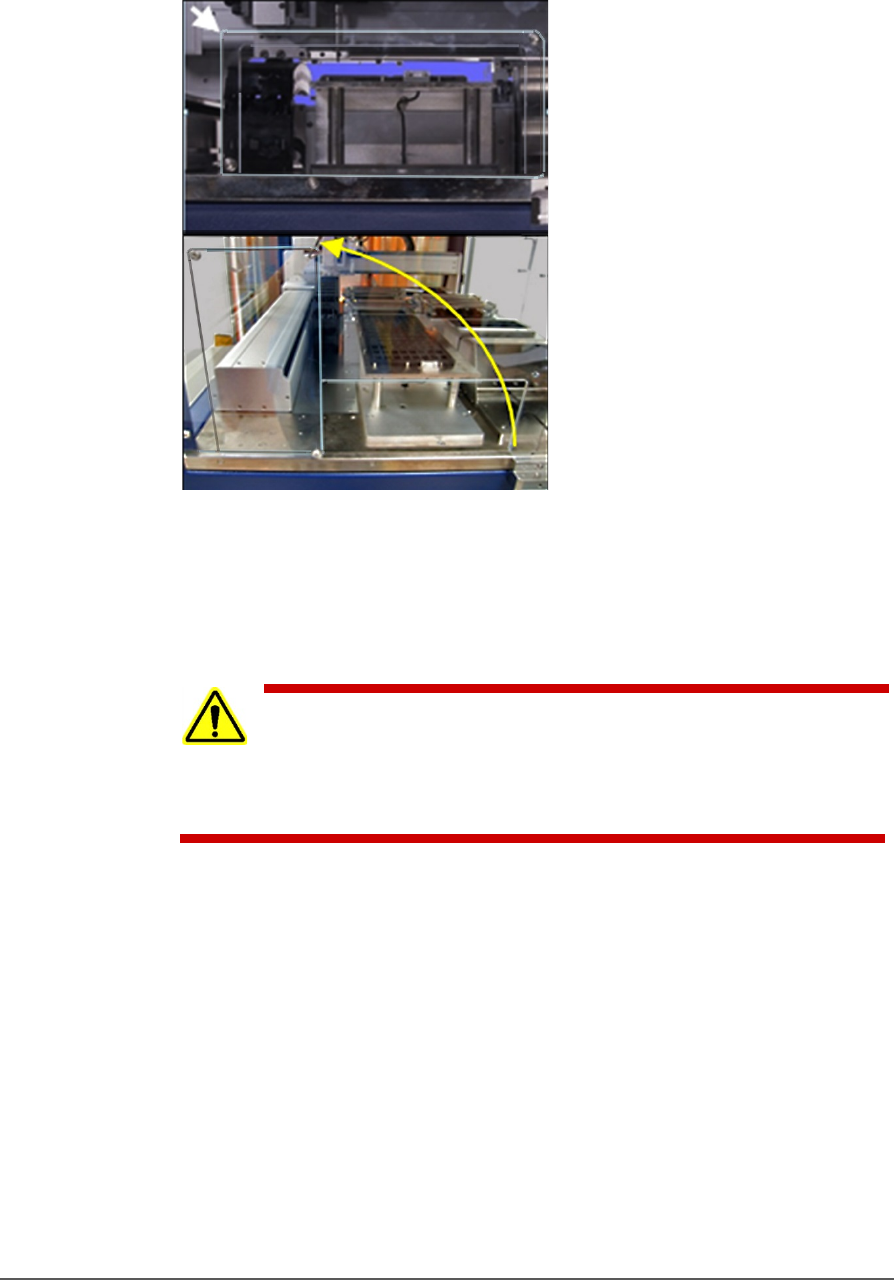
c. Rotate the rectangular shield counterclockwise 90°to the
‘storage’ position and screw it to the fixed safety shield with
the screw you just removed. Refer to the figure below.
Figure 26: To install the Tape Output Module, Shield rotates
counterclockwise 90°.
2. Unscrew the five screws that secure large fixed safety shield
(4 mm
hex key).
WARNING: Possible injury or property damage! The Tape
Output
Module is heavy. Use caution. Two people are
required to lift this
equipment. Approximate weight: 47.63 kg
(105 lbs.). A third person may be
required to bolt it into place.
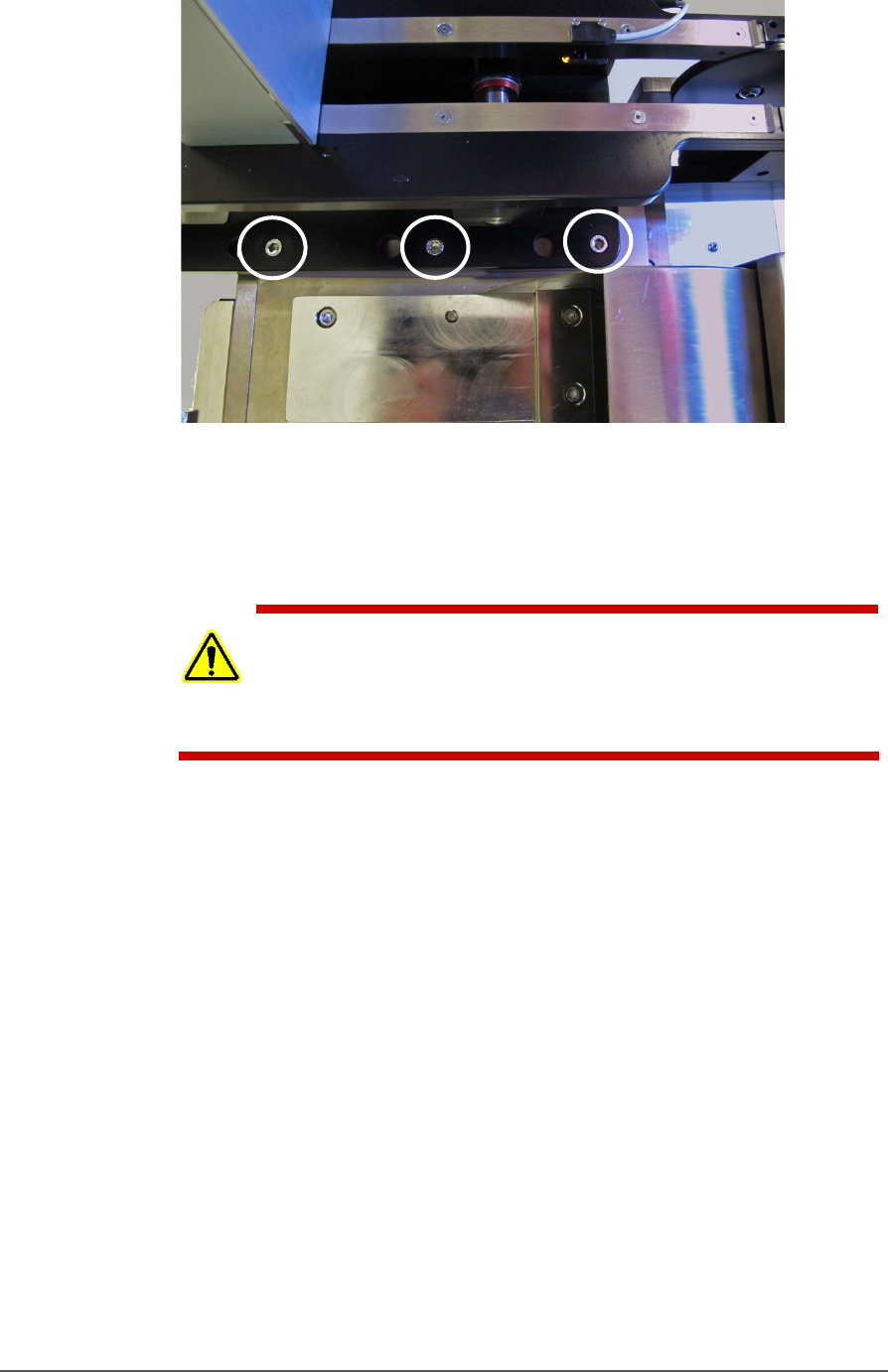
3. Install the Tape Output Module onto the plate in the PSV5000
workspace and screw it down with six screws (5 mm hex key). See
the figure below.
Setup ■ Setting Up Input and Output Media
- 50 - Data I/O ■ 096-0465-001C
Figure 27: Tape-Output Module mounting screws (circled). Three
more mounting locations are on back side (hidden in this view).
Ref: The Tape-In mount and chute are in the foreground.
SETTING UP THE TAPE OUTPUT MODULE
CAUTION: Possible tape damage from excessive heat! Improper routing
of the device tape may cause enough heat to melt the tape. Ensure the
correct routing path is followed. See the TM-50 Tape Output System
User’s Guide.
To set up the Tape Output System:
1. Edit the winAH400.ini file for Tape Output—
1a. Using Windows Explorer, locate C:\CH700\winAH400.ini
and make a backup copy, for example,
winAH400backup.ini.
1b. Open the original file with Microsoft Notepad.
1c. Locate the line: TapeOutPutInstalled=FALSE and change it
to True: TapeOutputInstalled=TRUE
1d. Save the winAH400.ini file and exit Windows Explorer.
2. The Tape Output Module gets power and air from the PSV5000
System. Connect the compressed air, electrical power, and
communication (Just right below the Tape Output System).
3. Ensure the PSV5000 System air is connected and power is ON.
4. Switch the Tape Output Module ON by pressing the power switch.
■ Setting Up Input and Output Media □ The Tape Output Setup and Operation
PSV5000 Owner’s Manual - 51 -
5. Set the taping job parameters at the controller. For more
information see the TM-50 Tape Output System User’s Guide.
6. Pull the nearest half of the track (table) out to the desired track
width. It stops at detents set to specific tape widths.
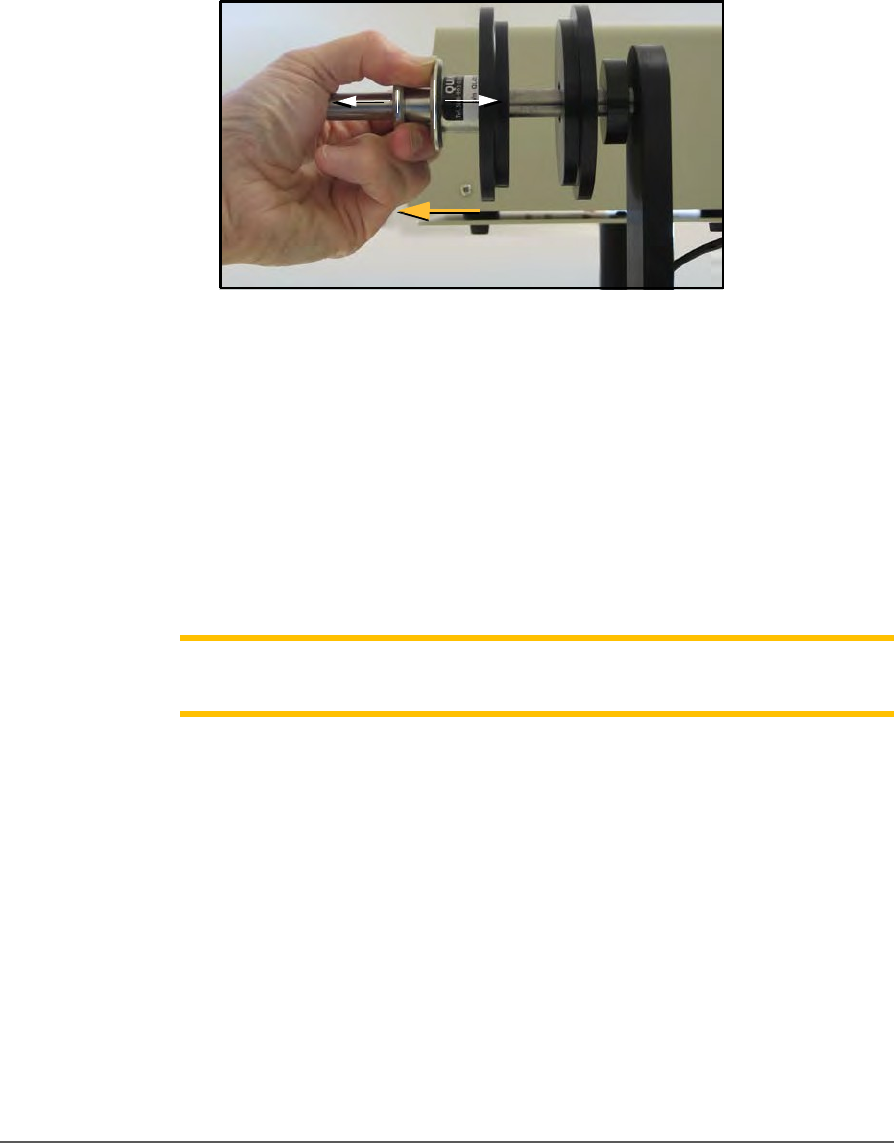
7. Mount the carrier tape reel—
7a. Remove the carrier tape quick lock from the carrier tape
spindle.
Figure 28: Removing the spindle.
7b. Mount the bulk carrier tape reel on the right spindle so the
tape unwinds from the top.
7c. Replace the quick lock.
7d. Trim the end of the carrier tape so it is clean and straight.
8. Route the carrier tape—
8a. Guide the carrier tape into the loading track. It should feed
right to left through the loading track easily.
Note: Lowering the feed reel support arm can reduce drag if the
angle at
which the carrier enters the loading track is too steep.
8b. Bring the end of the carrier tape past the sealer and engage the
sprocket holes on the teeth of the drive sprocket.
9. Mount the cover tape—
9a. Place a reel of cover tape of the correct width to match the
carrier tape on the cover tape spindle. The tape should
unwind to the right from the bottom of the reel.
9b. Set the width of the cover tape guide assembly for your size
tape.