PSV5000_OwnersManual.pdf - 第6页
Preface ■ Saf ety Symbols - 2 - Data I/O ■ 096 - 0 465 - 00 1C Safety S ymbols Sa fet y symbo ls in thi s manual mean this: Crus h Point (Pi nch Poi nt) Warni ng Crush (punto de pellizco) DVERTENCIA Crush (Pri se Punkt )…

PSV5000 Owner’s Manual - 1 -
P
Preface
This chapter covers
• Using this Manual
• Safety symbols and symbols for specific equipment
• Contact information
• Service information
Using this Manual
Knowing the conventions used in this manual helps
make it easy find
information, as well as to make the
PSV5000 machine easy-to-use and
keep the operator
safe.
Warnings and Cautions
Special paragraphs with red lines are safety warnings as follows:
WARNING: A warning message like this has red text and
calls your
attention to potentially hazardous situations and
practices that might
injure people or cause serious monetary
loss.
CAUTION: A caution message like this has black text and calls
your attention to
potentially hazardous situations and practices that might damage equipment.
The potential loss is not as serious
as a warning.
Definition of a Warning.
Definition of a Caution.
Preface ■ Safety Symbols
- 2 - Data I/O ■ 096-0465-001C
Safety Symbols
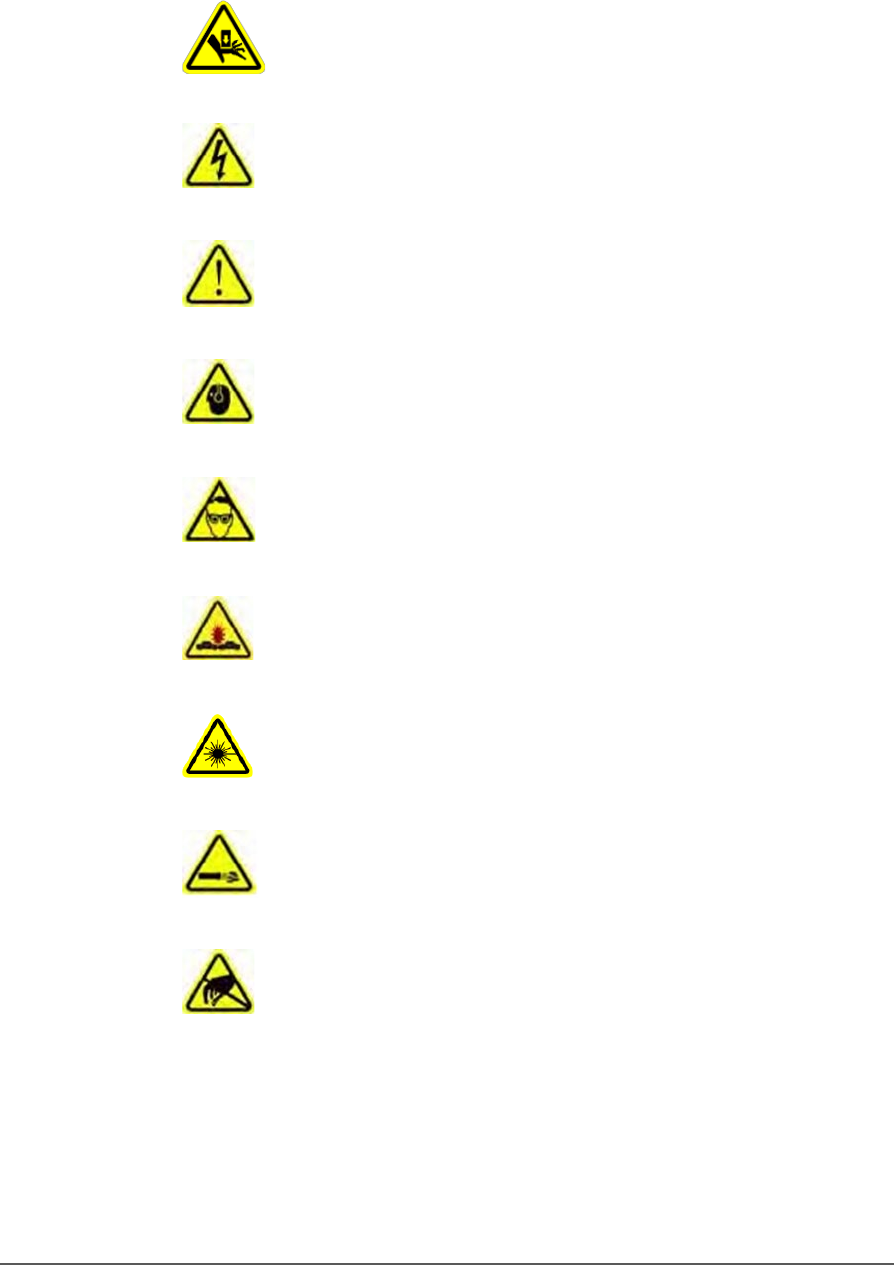
Safety symbols in this manual mean this:
Crush Point (Pinch Point) Warning
Crush (punto de pellizco) DVERTENCIA
Crush (Prise Punkt) Warnung
Electric Shock Warning
ADVERTENCIA de descarga eléctrica
Elektroschock Warnung
General Hazard Warning
ADVERTENCIA de peligro general
General Hazard Warning
Noise Warning; may be over 85 db
ADVERTENCIA de ruido; puede ser más de 85 decibeles
Crush (Prise Punkt) Warnung
Eye Hazard Warning
ADVERTENCIA de peligro del ojo
Auge Hazard Warning
Collision Warning
ADVERTENCIA de colisión
Collision Warning
Laser Hazard Warning
ADVERTENCIA de peligro del laser
Laser-Hazard Warning
Compressed Air Warning
ADVERTENCIA de aire comprimido
Druckluft‐Warnung
Electrostatic Discharge Warning (ESD)
ADVERTENCIA de descarga electrostática
Elektrostatische Entladung Warnung
■ Symbols for Specific Models & Options □ Precaution List
PSV5000 Owner’s Manual - 3 -
Symbols for Specific Models &
Options
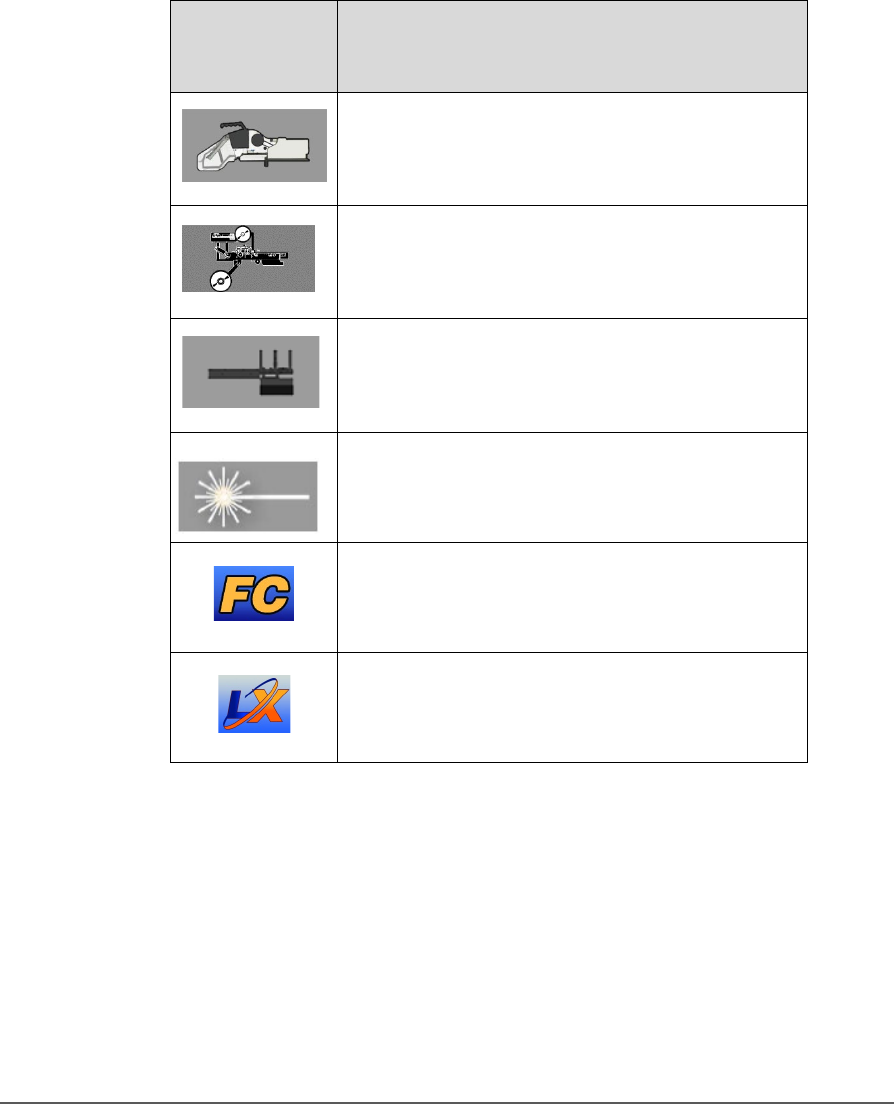
The following symbols appear in the side bar next to paragraphs or
procedural steps that are limited to a specific model or piece of optional
equipment. If the symbol is next to a heading, the entire content under
that heading is limited to the equipment indicated.
This Symbol
Means…
Adjacent information is limited to this optional
equipment:
Tape-In Module (Tape Feeder)
Only Tape Output Systems
Only Auto‐Tray Feeder
Fiber Laser Marking System.
FlashCORE (FC) programmers
Lumen™X (LX) programmers