PSV5000_OwnersManual.pdf - 第65页
Setting U p t he Lase r Mar king Module ≡ CH700 Configur ation PSV5000 O wner ’s M anual - 61 - Creating a J ob — Adminis trator Funct ions at a Glan ce Figure 36: Detailed A dminist rator Func tions begi n on the nex …

PSV5000 Owner’s Manual - 60 -
Chapter Three 3 —
Administrative Functions
The two primary levels of operation of PSV5000 are •
Operator functions, and • Administrator functions.
Only Administrator functions are covered in this manual.
Operator functions are covered in the separate PSV5000 Operators
Manual, although Administrators should be familiar with all operator
functions.
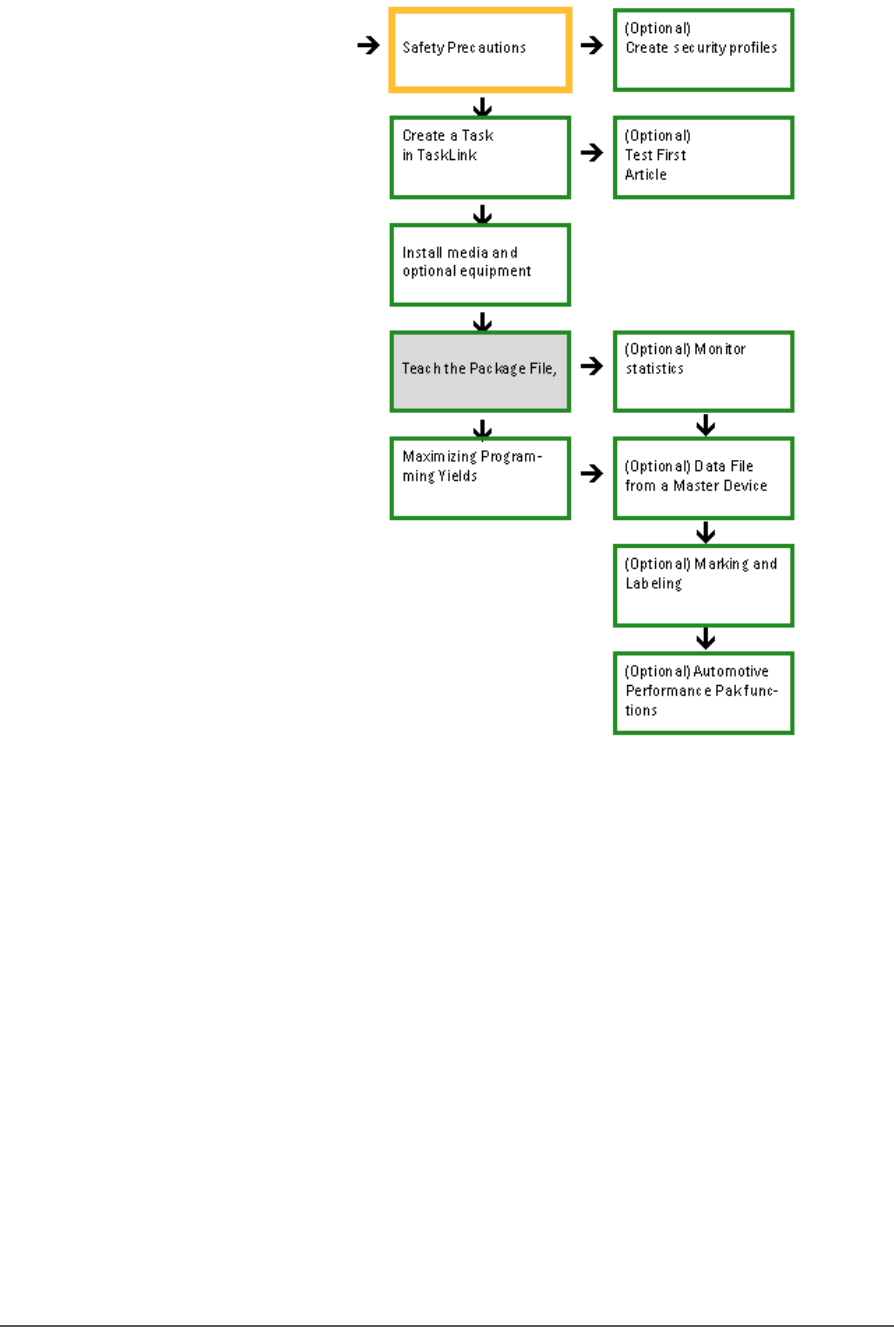
Administrators generally follow the sequence on the next page to create
a job:
Setting Up the Laser Marking Module ≡ CH700 Configuration
PSV5000 Owner’s Manual - 61 -
Creating a Job—Administrator Functions at a Glance
Figure 36: Detailed Administrator Functions begin on the next
page. Shaded boxes are activities that are performed once per
package type.

Administrative Functions ■ Safety Message and Precautions
- 62 - Data I/O ■ 096-0465-001C
Safety Message and Precautions
For your safety and preventing loss of time and damage to equipment,
this manual uses special symbols, paragraphs, and color to call your
attention to hazardous situations and recommend safe practices to help
avoid them.
Refer to Using This Manual on page - 1 - (in the Preface) for symbols and
fonts used for safety messages.
Refer to Safety Systems on page 12 for safety regarding Emergency Stops,
the safety doors, and ESD.