PSV5000_OwnersManual.pdf - 第92页
Ad minist rativ e F unctions ■ Mark ing Option - 88 - Data I/O ■ 096 - 0465 - 00 1C Figure 54: If la ser is activated, there will be a red sp ot at location of the ar row . 8. Save th e changes in the Mar kingMat e softw…
Marking Option ≡ Verifying Proper Laser Operation
PSV5000 Owner’s Manual - 87 -
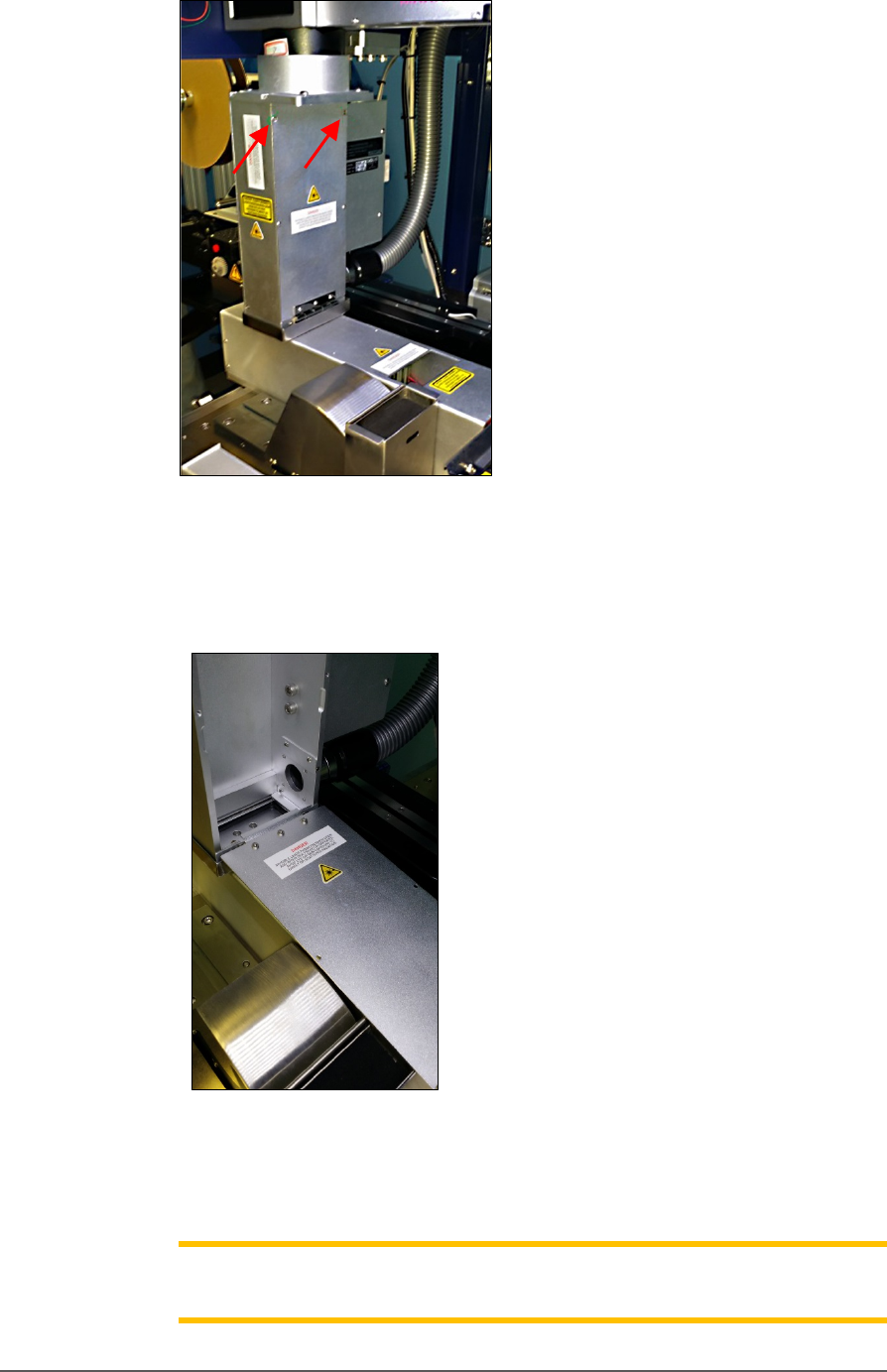
Figure 52: Fasteners on the laser inspection door (arrows).
6. Open the inspection door, which is hinged at the buttom, to view the
laser position (red rectangle).
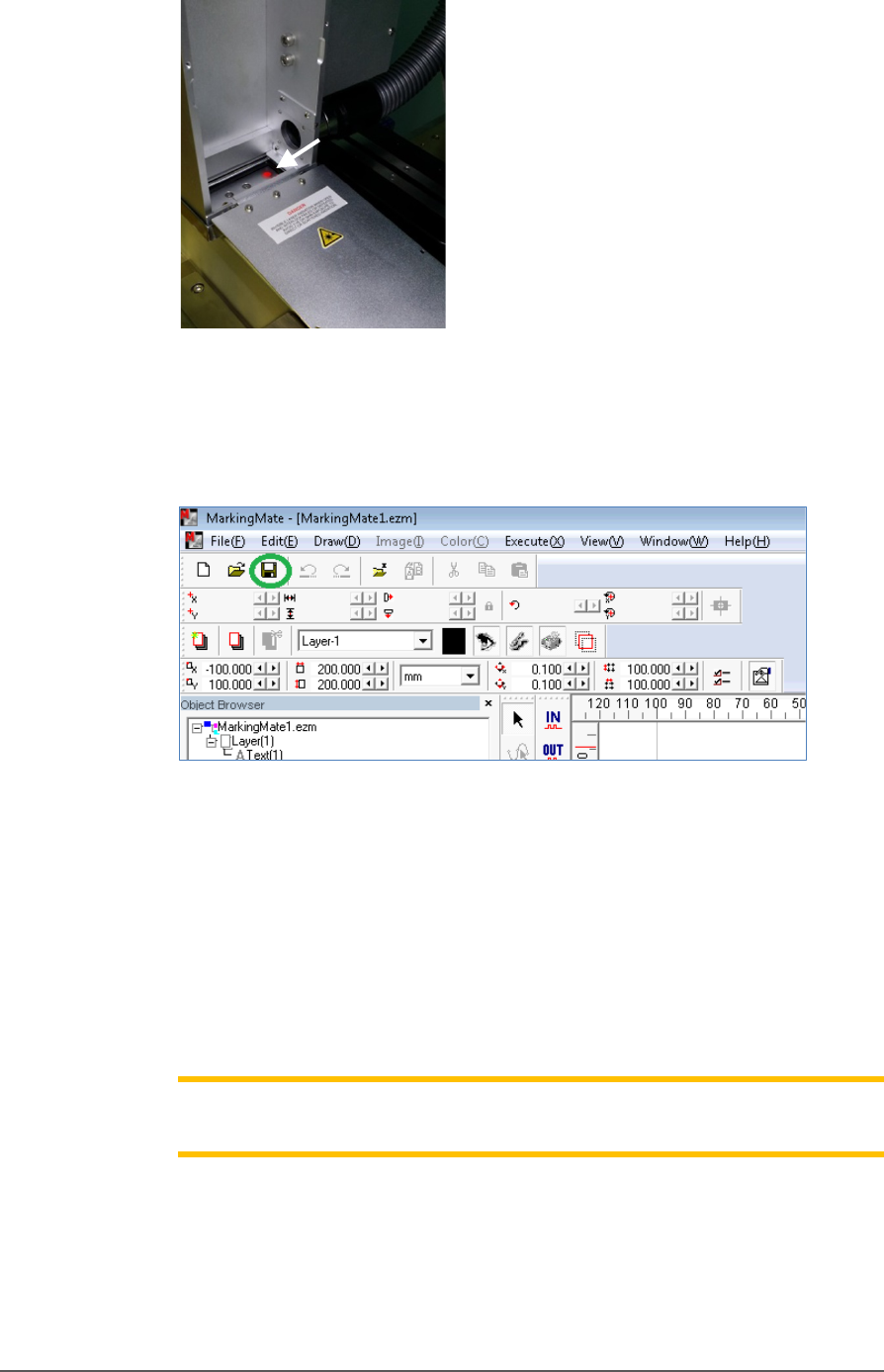
Figure 53: Inspection door in the open position.
7. Use arrow key on the keyboard to move the laser position (red
rectangle) to the desired position, lift the door open and recheck.
Note: If the rectangle can’t move, make sure the laser pattern in the
MarkingMate software is selected.
Administrative Functions ■ Marking Option
- 88 - Data I/O ■ 096-0465-001C
Figure 54: If laser is activated, there will be a red spot at location of
the arrow.
8. Save the changes in the MarkingMate software.
Figure 55: Save icon in MarkingMate software.
9. Install the inspection door to the previous position.
10. Turn off the Laser Switch in the Laser power control panel.
11. Retry marking device. Refer to the previous heading.
If all appears correct and still there is no mark, contact Data I/O
Customer Support.
Note: The Laser rotor has been leveled at the factory. If you experience
trouble, contact Data I/O Customer Support.
Additional Features ≡ Automotive Performance Pak
PSV5000 Owner’s Manual - 89 -
Additional Features
Automotive Performance Pak
Data I/O offers several utilities that are especially useful to certain
industries. These utilities, labeled the Automotive Performance Pak (AP
Pak), are described below. If your PSV5000 System does not have this
feature, it can be ordered and installed.
Contact Data I/O Sales.
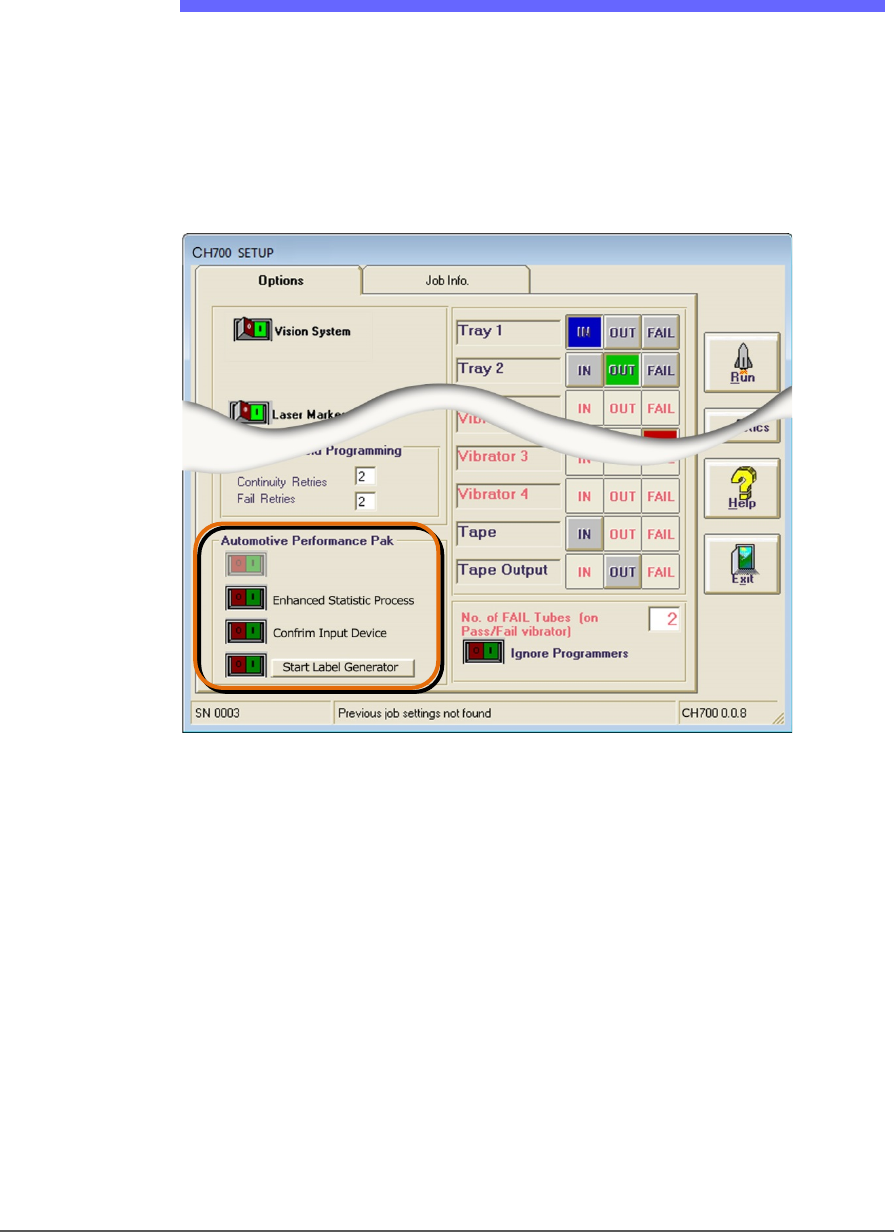
Figure 56: The Automotive Performance Pak features appear in the
Setup window.
AUTOMOTIVE PERFORMANCE PAK SOFTWARE DESCRIPTIONS
The Automotive Performance Pak (AP Pak) includes the following
software and hardware components.
ENHANCED STATISTICS
The Enhanced SPC (Statistical Process Control) application is a
standard feature on CH700 and allows precise tracking of machine
behavior such as uptime, downtime, yields, and throughput. It produces
job log files that are readable with Microsoft® Excel and Access software
to graph the data. (Excel and Access required.)