PSV5000_OwnersManual.pdf - 第93页
Ad ditional F eatures ≡ A utomot ive Perf ormance P ak PSV5000 O wner ’s M anual - 89 - Additional Fe atures Automo tive P erfor mance Pak Data I/O off ers several ut ilities that are especially useful t o certain indu…
Administrative Functions ■ Marking Option
- 88 - Data I/O ■ 096-0465-001C
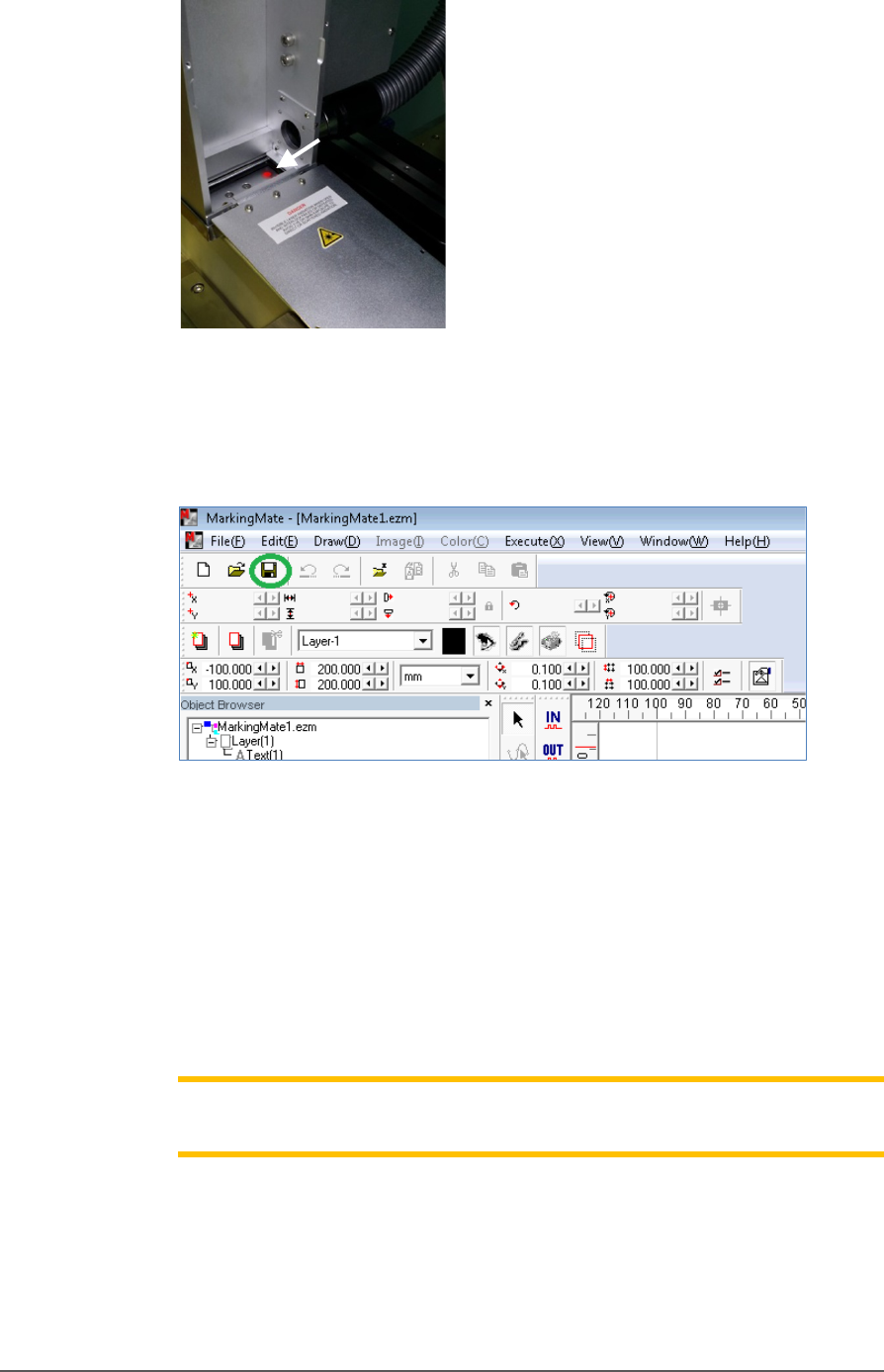
Figure 54: If laser is activated, there will be a red spot at location of
the arrow.
8. Save the changes in the MarkingMate software.
Figure 55: Save icon in MarkingMate software.
9. Install the inspection door to the previous position.
10. Turn off the Laser Switch in the Laser power control panel.
11. Retry marking device. Refer to the previous heading.
If all appears correct and still there is no mark, contact Data I/O
Customer Support.
Note: The Laser rotor has been leveled at the factory. If you experience
trouble, contact Data I/O Customer Support.
Additional Features ≡ Automotive Performance Pak
PSV5000 Owner’s Manual - 89 -
Additional Features
Automotive Performance Pak
Data I/O offers several utilities that are especially useful to certain
industries. These utilities, labeled the Automotive Performance Pak (AP
Pak), are described below. If your PSV5000 System does not have this
feature, it can be ordered and installed.
Contact Data I/O Sales.
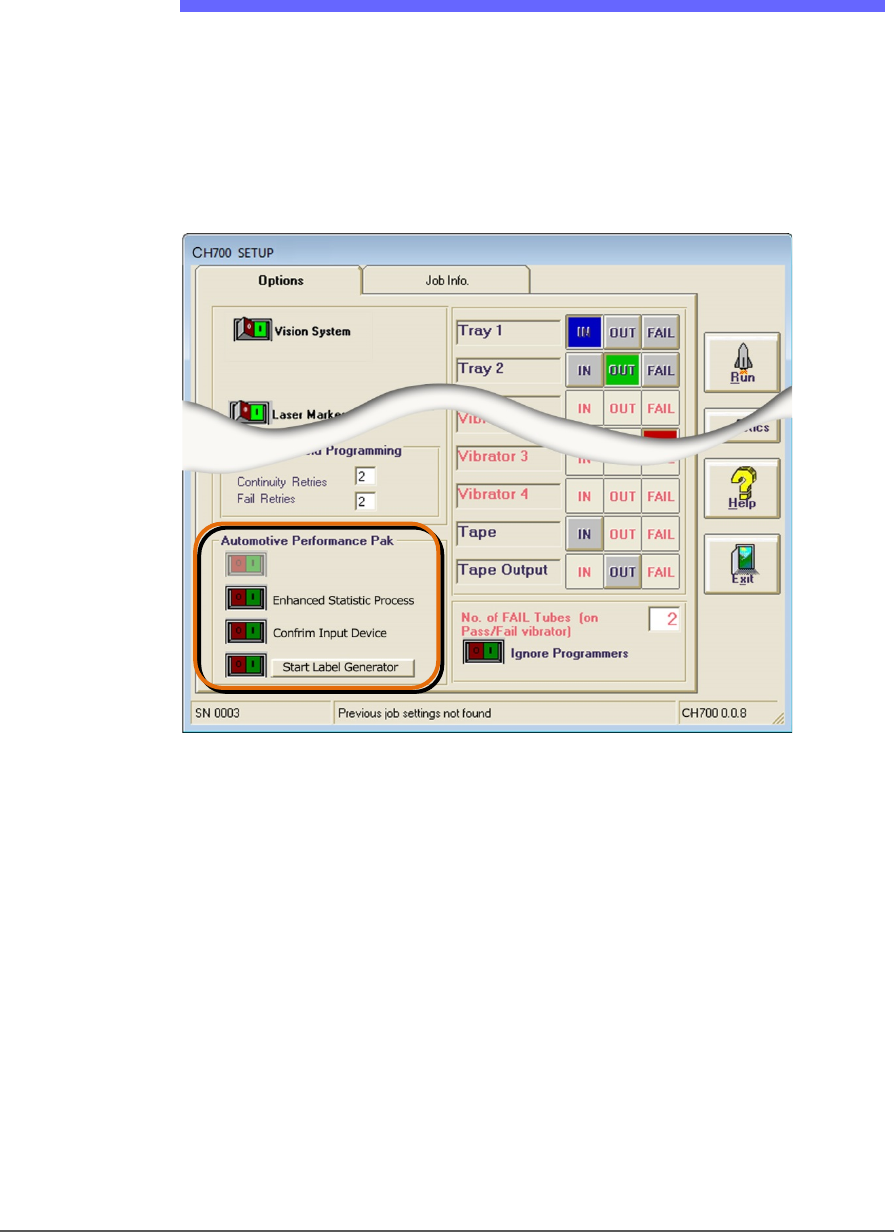
Figure 56: The Automotive Performance Pak features appear in the
Setup window.
AUTOMOTIVE PERFORMANCE PAK SOFTWARE DESCRIPTIONS
The Automotive Performance Pak (AP Pak) includes the following
software and hardware components.
ENHANCED STATISTICS
The Enhanced SPC (Statistical Process Control) application is a
standard feature on CH700 and allows precise tracking of machine
behavior such as uptime, downtime, yields, and throughput. It produces
job log files that are readable with Microsoft® Excel and Access software
to graph the data. (Excel and Access required.)

Administrative Functions ■ Additional Features
- 90 - Data I/O ■ 096-0465-001C
CONFIRM INPUT DEVICE (AP PAK OPTION)
This safety enhancement checks that the input device is the correct one
for the job each time the input media is changed. When a job starts or
when the input media (such as Tape-In or Tray Feeder) is empty, a
barcode must be scanned to continue. This barcode must match the
value setup in the TaskLink task. Typically, it is the raw material part
number of the devices.
LABEL GENERATOR (AP PAK OPTION)
This separate application is a utility for designing labels for reels of
device tape or other media. Choose size, number of fields, and layout.
Call up variables from TaskLink or enter new content. Print on-demand
or automatically after each reel of devices.
ORDERING AND INSTALLING
Ordering the AP Pak involves sending Data I/O a number from the Setup
window in CH700 with your purchase order. Data I/O will send a security
file via return e-mail. Complete instructions along with the installation
procedure are in the CH700 online Help: find Automotive Performance
Pak in the online Help index.