Maintenance Manual.pdf - 第181页
AV131 MAINTENANCE MANUAL 8.2 I nserti on Head Un i t D79MEC-W 1-M 00-A0 8.2- 2 11. Check the clear ance between the f ix ed bl ade and movable blade. =SPEC I FICA TION= Clearan ce: 0. 00 - 0 . 03 mm 12. Check the gap bet…
AV131
MAINTENANCE MANUAL
8.2 Insertion Head Unit
D79MEC-W1-M00-A0
8.2-1
8.2. Insertion Head Unit
D79MEC-W1-M00-A0
8.2.1 Insertion Unit Consumable Parts Replacement
Unit No. 1087110000
8.2.1 Insertion Unit Consumable
Parts Replacement
Insertion Unit Consumable Parts
Replacement
8.
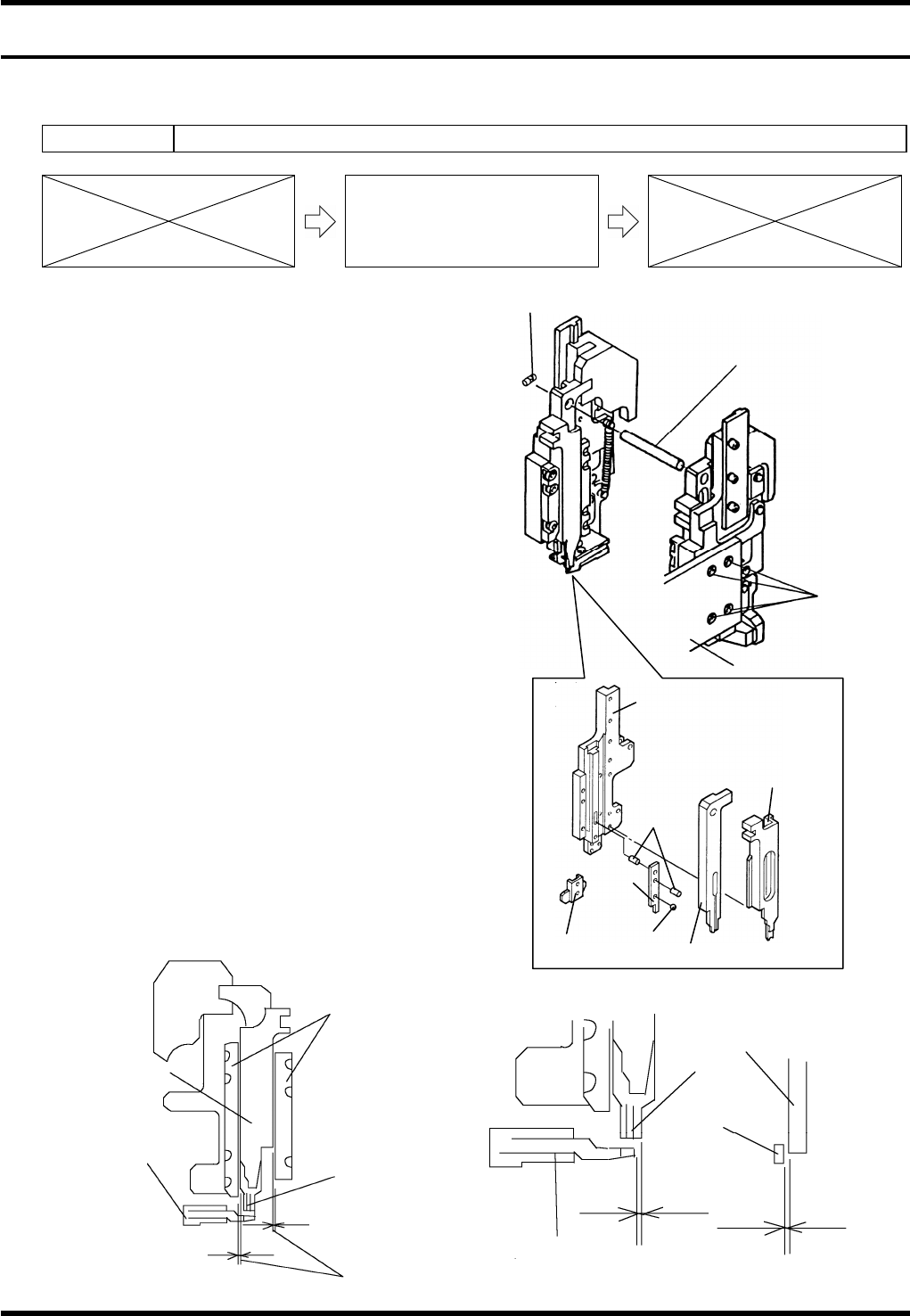
1. Turn the power ON and return to origin.
2. Rotate the handwheel to set the cycle timer to 0°.
3. Turn the power OFF.
4. Remove the bolts (4 pcs.).
5. Loosen the set screw and pull out the shaft.
6. Remove the insertion unit.
7. Replace the insertion guide, cutter and pusher.
8. Check the clearance between the pusher and guide
plates.
=SPECIFICATION=
Clearance: 0.01 - 0.03 mm
9. Check the clearance between the insertion guide
and bending die.
=SPECIFICATION=
Clearance: 0.01 - 0.03 mm
10. Check the gap between the insertion guide side
face and bending die end face.
=SPECIFICATION=
Gap: 0 ± 0.02 mm
Pusher
Bending die
Clearance
Insertion
guide
Guide plate
Insertion
guide
Bending
die
Bending die
Gap
Clearance
Bolt
Set screw
Shaft
Guide base
Insertion guide
Cutter
Pin
Steel ball
Pusher
Insertion unit drive
Cutter
AV131
MAINTENANCE MANUAL
8.2 Insertion Head Unit
D79MEC-W1-M00-A0
8.2-2
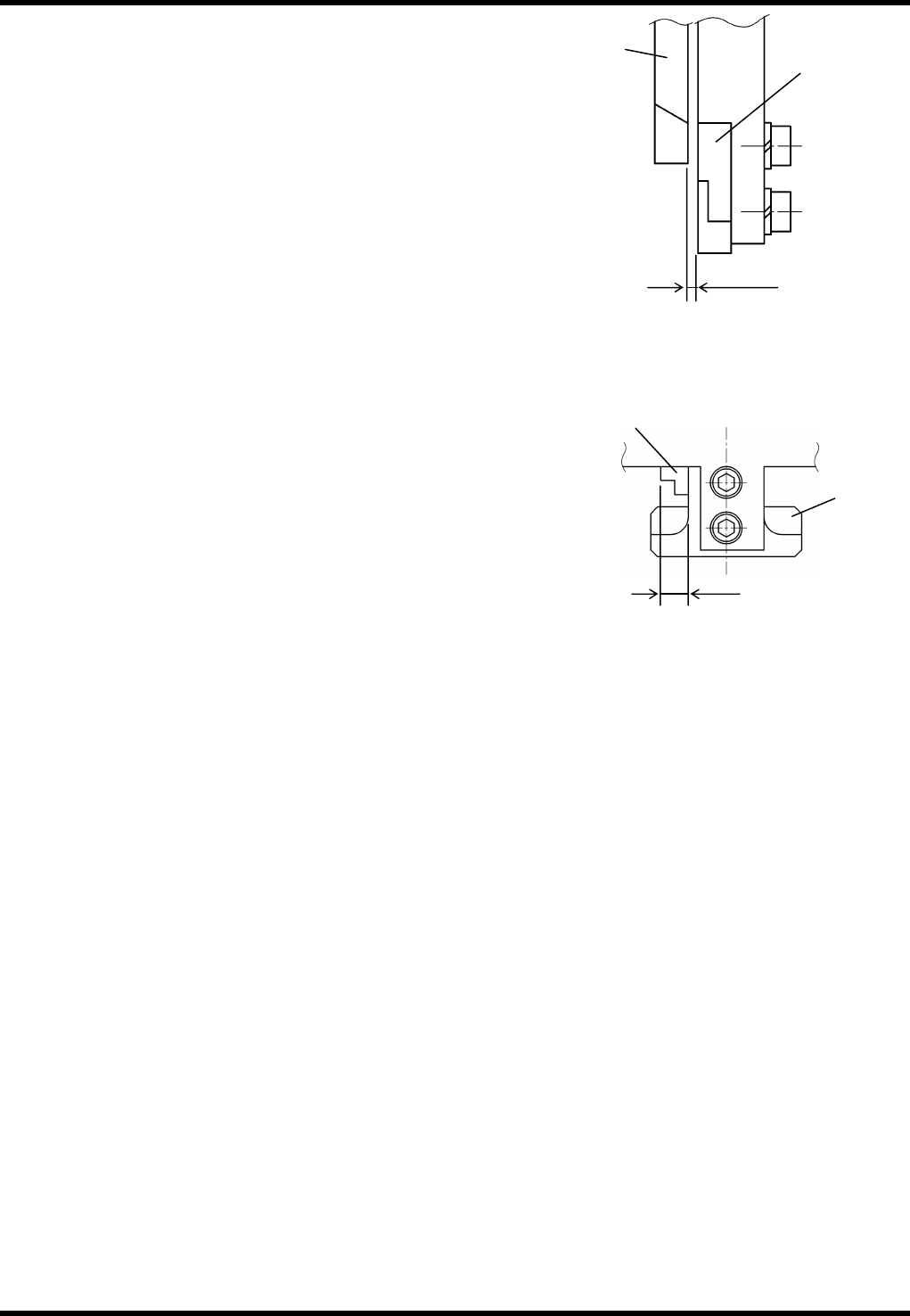
11. Check the clearance between the fixed blade and movable
blade.
=SPECIFICATION=
Clearance: 0.00 - 0.03 mm
12. Check the gap between the fixed blade side face and
movable blade side face.
=SPECIFICATION=
Gap: 3.58 - 3.62 mm
=REMARKS=
Be sure to replace the steel ball and pins if they are
worn or damaged.
Fixed blade
Movable
blade
Clearance
Gap
Fixed
blade
Movable
blade
AV131
MAINTENANCE MANUAL
8.2 Insertion Head Unit
D79MEC-W1-M00-A0
8.2-3
8.2.2 Insertion Guide Height Adjustment
Unit No. N610052012AA / 1087110000 / N610052020AA
8.2.2 Insertion Guide Height
Adjustment
=PREPARATION=
1. PCB 1.6 mm thick
Insertion Guide Height Adjustment
9.
1. Turn the power ON and return to origin.
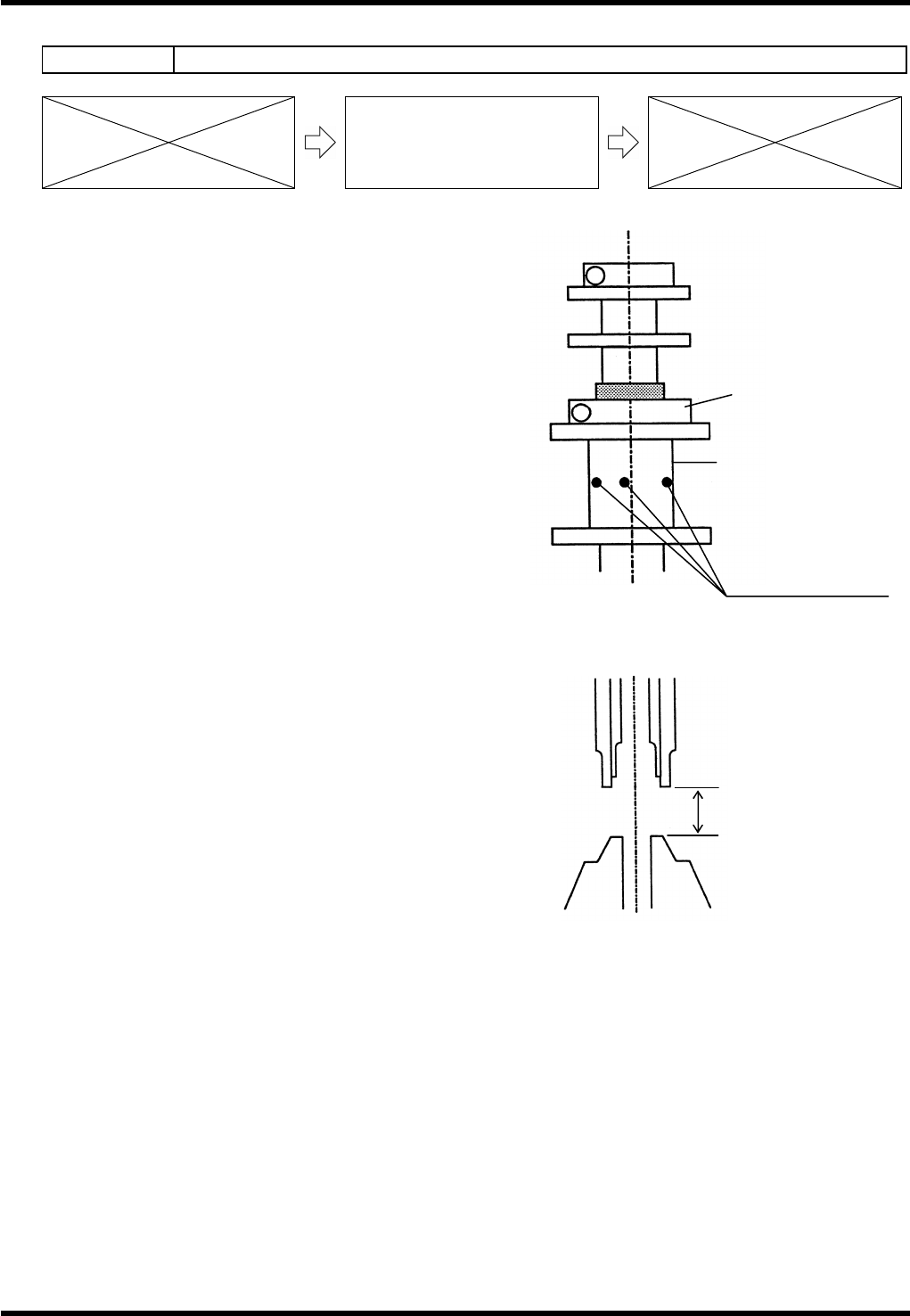
2. Check that the X-Y table rail is not located below the
insertion head.
If located, move the X-Y table rail to a position where it
will not interfere with the head even when the head is
lowered.
3. Open the front cover.
4. Turn the maintenance switch ON.
5. Press “START” on the main control panel.
Make sure the red lamp of the signal tower flashes.
6. Turn the “SERVO” switch OFF.
7. Turn the “HEAD BRAKE” switch OFF (RELEASE).
8. Rotate the handwheel to set the cycle timer to 233°.
9. Turn the “HEAD BRAKE” switch ON (LOCK).
10. Combine thickness gauges properly and check that the gap
between the head and anvil is within the range of PCB
thickness + 0.25.
=REMARKS=
Check the clearance at two consecutive cycles because
a 2-cycle cam is incorporated.
11. If there is some clearance or if the PCB is being pressed down, loosen the nut bolt and rotate the slide
block to adjust the insertion guide height. (Insert an Allen wrench in the hole of the slide block and rotate it
to make adjustment.)
12. When adjustment is completed, tighten the nut bolt.
Nut
Slide block
Holes for rotating
slide block
(PCB thickness +0.25)
±
0.05