Maintenance Manual.pdf - 第193页
AV131 MAINTENANCE MANUAL 8.6 Cont roll er D79MEC-W 0-600- A0 8.6- 2
AV131
MAINTENANCE MANUAL
8.6 Controller
D79MEC-W0-600-A0
8.6-1
8.6. Controller
D79MEC-W0-600-A0
8.6.1 Cleaning the CPU Box Fan Filter
Unit No.
8.6.1 Cleaning the CPU Box Fan
Filter
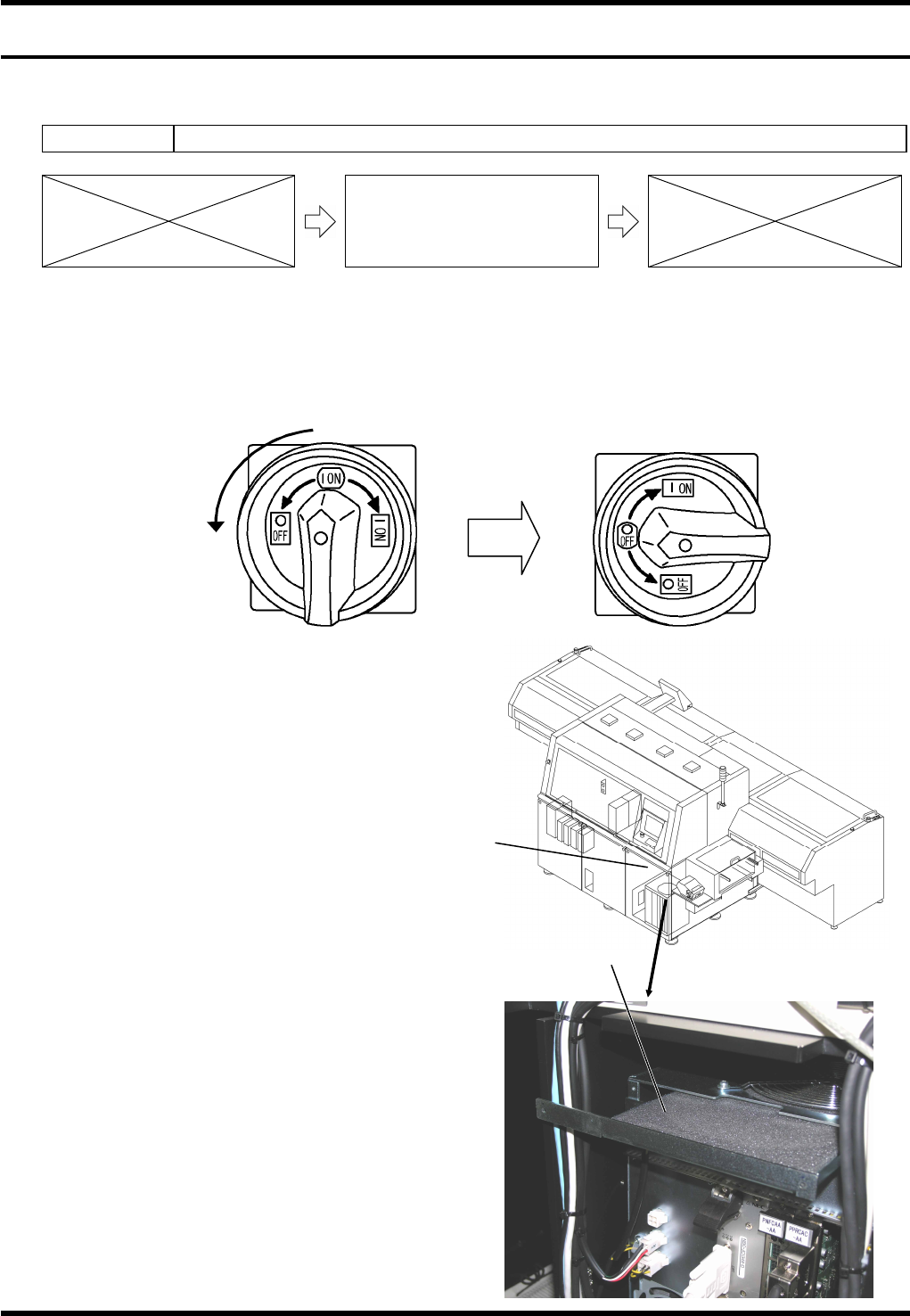
Procedure for Cleaning the Fan Filter
=PREPARATION=
1. Allen wrench
2. Phillips screwdriver
20.
1. Set the main switch to OFF.
2. Remove the front cover.
3. Clean the fan filter.
=REMARKS=
When reinstalling the filter after cleaning,
turn ON the main switch once and check
the unit for any abnormal sound to make
sure that the fan and filter do not interfere
with each other.
In doing so, check also that the fan turns
properly.
After checking, turn OFF the main switch
again immediately.
4. Reattach the front cover.
1.
Turn
Front cover
CPU box fan filter

AV131
MAINTENANCE MANUAL
8.6 Controller
D79MEC-W0-600-A0
8.6-2

AV131
MAINTENANCE MANUAL
9. SYSTEM CHECK FUNCTIONS
D79MEC-71-000-A0
9-1
9. SYSTEM CHECK FUNCTIONS