Maintenance Manual.pdf - 第196页
AV131 MAINTENANCE MANUAL 9.1 M o v ement Check D79MEC- 71-010-A0 9.1- 1 9.1. Movement Check D79MEC -71- 010-A0 Thi s f unc tion allows you t o check each axi s f or proper m o v ement under m anual contr o l . N C a x i …

AV131
MAINTENANCE MANUAL
9. SYSTEM CHECK FUNCTIONS
D79MEC-71-000-A0
9-2
D79MEC-71-000-A0
9. SYSTEM CHECK FUNCTIONS
This chapter describes the functions for maintenance operations in the engineer mode.

AV131
MAINTENANCE MANUAL
9.1 Movement Check
D79MEC-71-010-A0
9.1-1
9.1. Movement Check
D79MEC-71-010-A0
This function allows you to check each axis for proper movement under manual control.
NC axis jog (Æ 9.1.2)
NC axis move (Æ 9.1.3)
Width adjust axis jog (Æ 9.1.4)
Width adjust axis move (Æ 9.1.5)
Before making checks, perform origin re-turn. (Æ 9.1.1)
AV131
MAINTENANCE MANUAL
9.1 Movement Check
D79MEC-71-010-A0
9.1-2
9.1.1 Origin Return
Be sure to return all axes to their origins before moving axes.
Operating procedure
1.
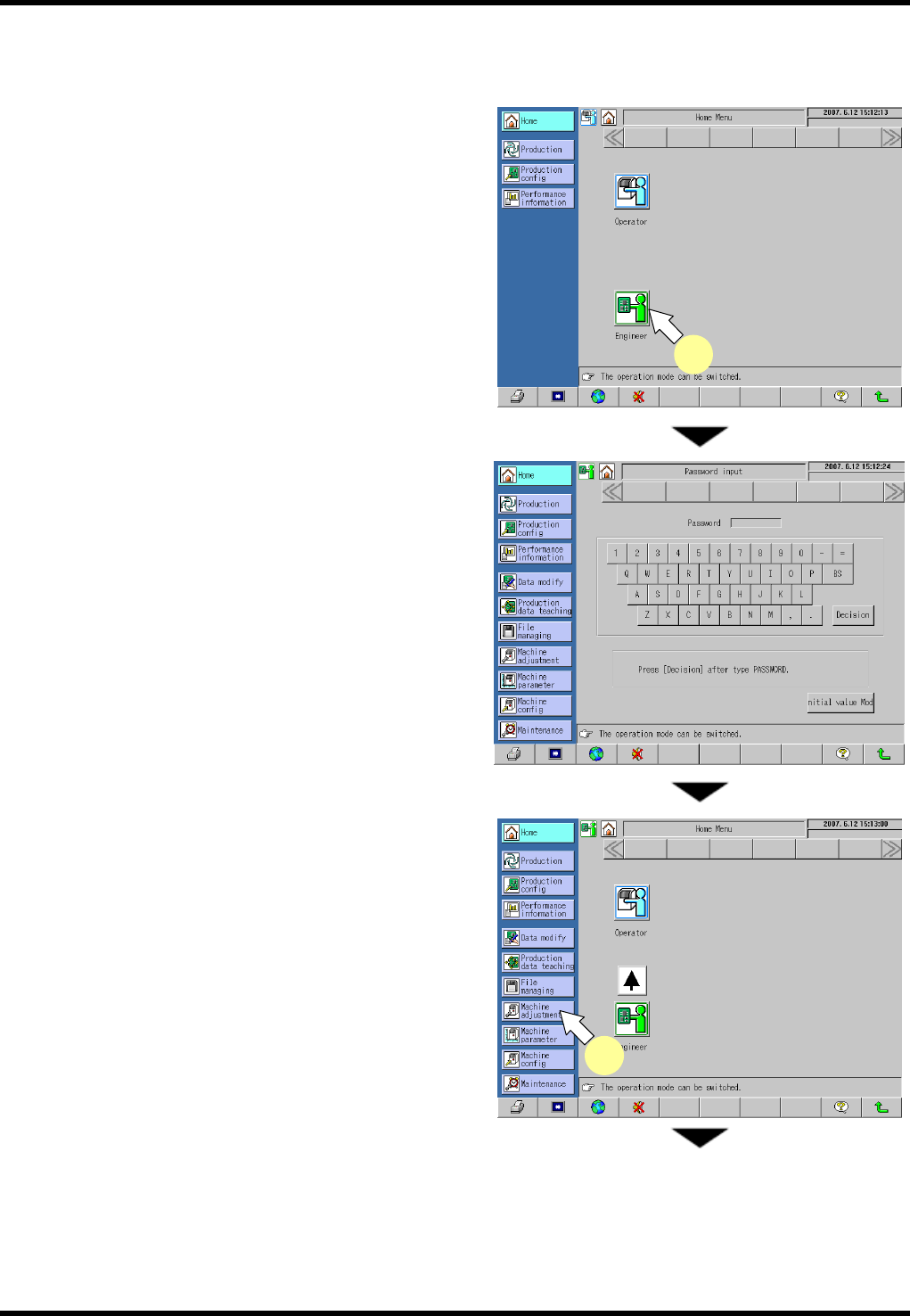
1. Press [Engineer] on the “Home Menu” screen in
the operator mode.
The mode changes to the engineer.
Enter the password on the “Password input”
screen to change the mode to the engineer.
2. Select [Machine Adjustment] from the main menu.
The “Machine adjustment menu” screen
appears.
1
2