Maintenance Manual.pdf - 第198页
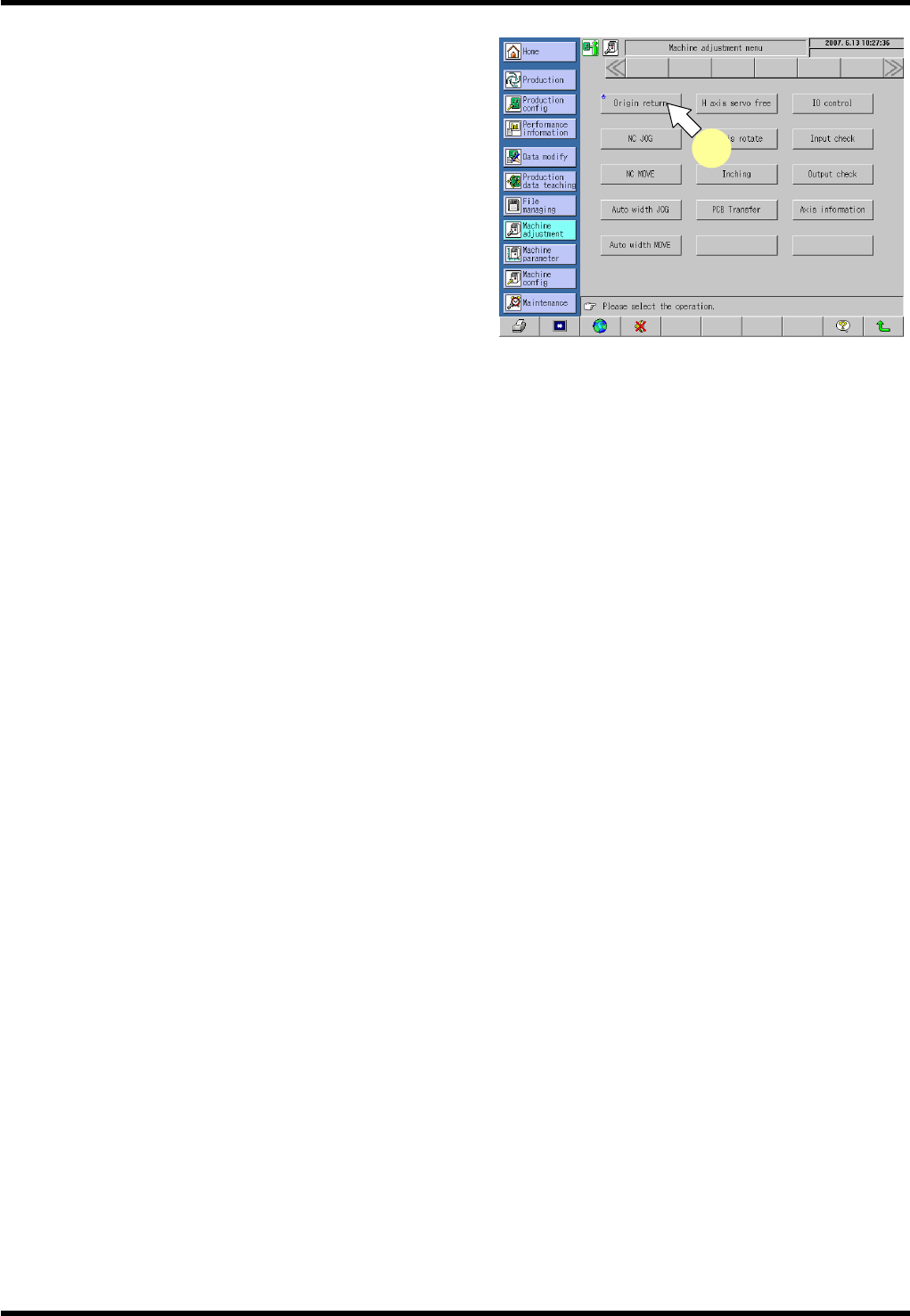
AV131 MAINTENANCE MANUAL 9.1 M o v ement Check D79MEC- 71-010-A0 9.1- 3 3. P res s <EN ABL ING > + [Orig in retu rn] . T his ret urns all axes to thei r ori g i ns. 3
AV131
MAINTENANCE MANUAL
9.1 Movement Check
D79MEC-71-010-A0
9.1-2
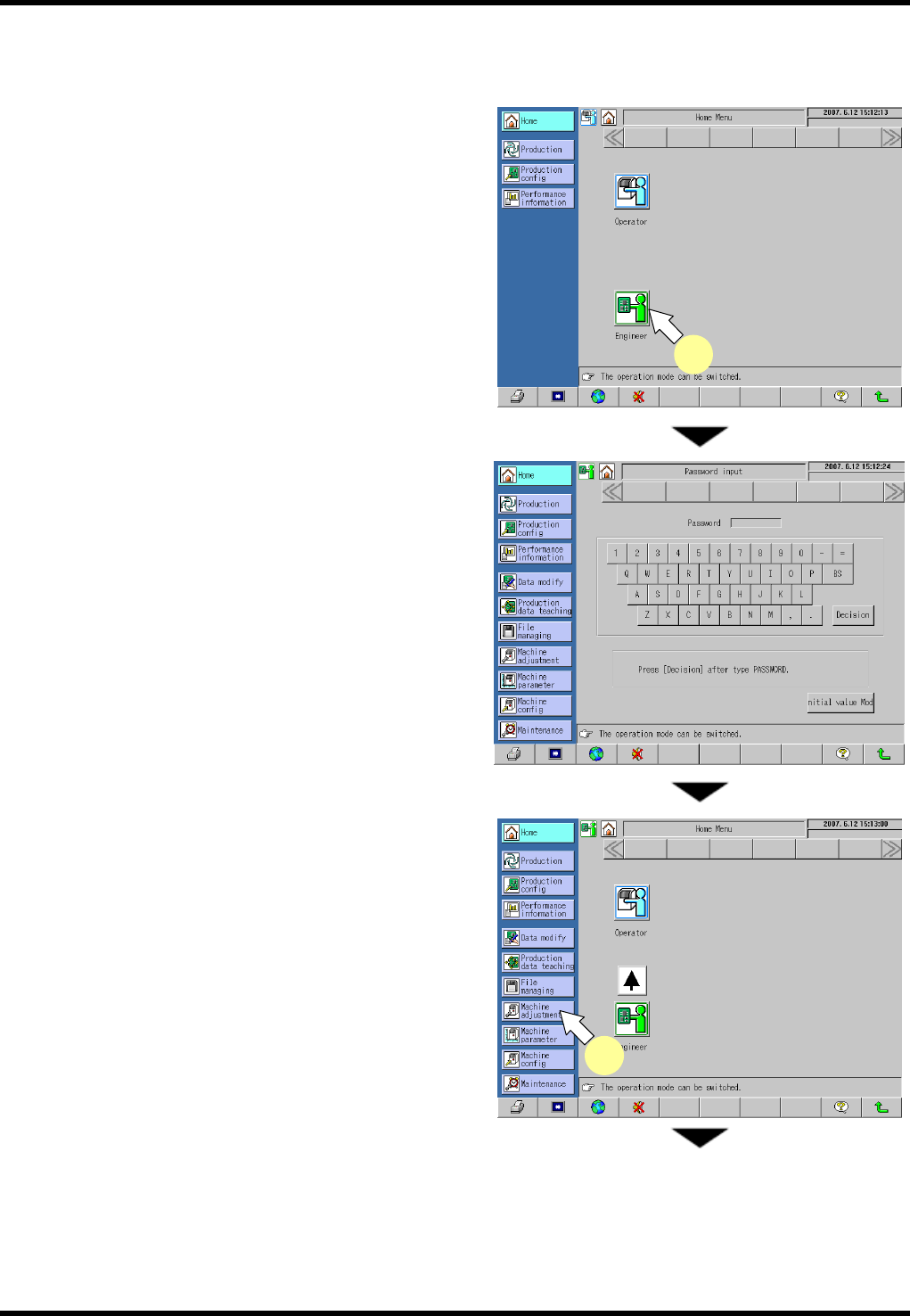
9.1.1 Origin Return
Be sure to return all axes to their origins before moving axes.
Operating procedure
1.
1. Press [Engineer] on the “Home Menu” screen in
the operator mode.
The mode changes to the engineer.
Enter the password on the “Password input”
screen to change the mode to the engineer.
2. Select [Machine Adjustment] from the main menu.
The “Machine adjustment menu” screen
appears.
1
2
AV131
MAINTENANCE MANUAL
9.1 Movement Check
D79MEC-71-010-A0
9.1-3
3. Press <ENABLING> + [Origin return].
This returns all axes to their origins.
3
AV131
MAINTENANCE MANUAL
9.1 Movement Check
D79MEC-71-010-A0
9.1-4
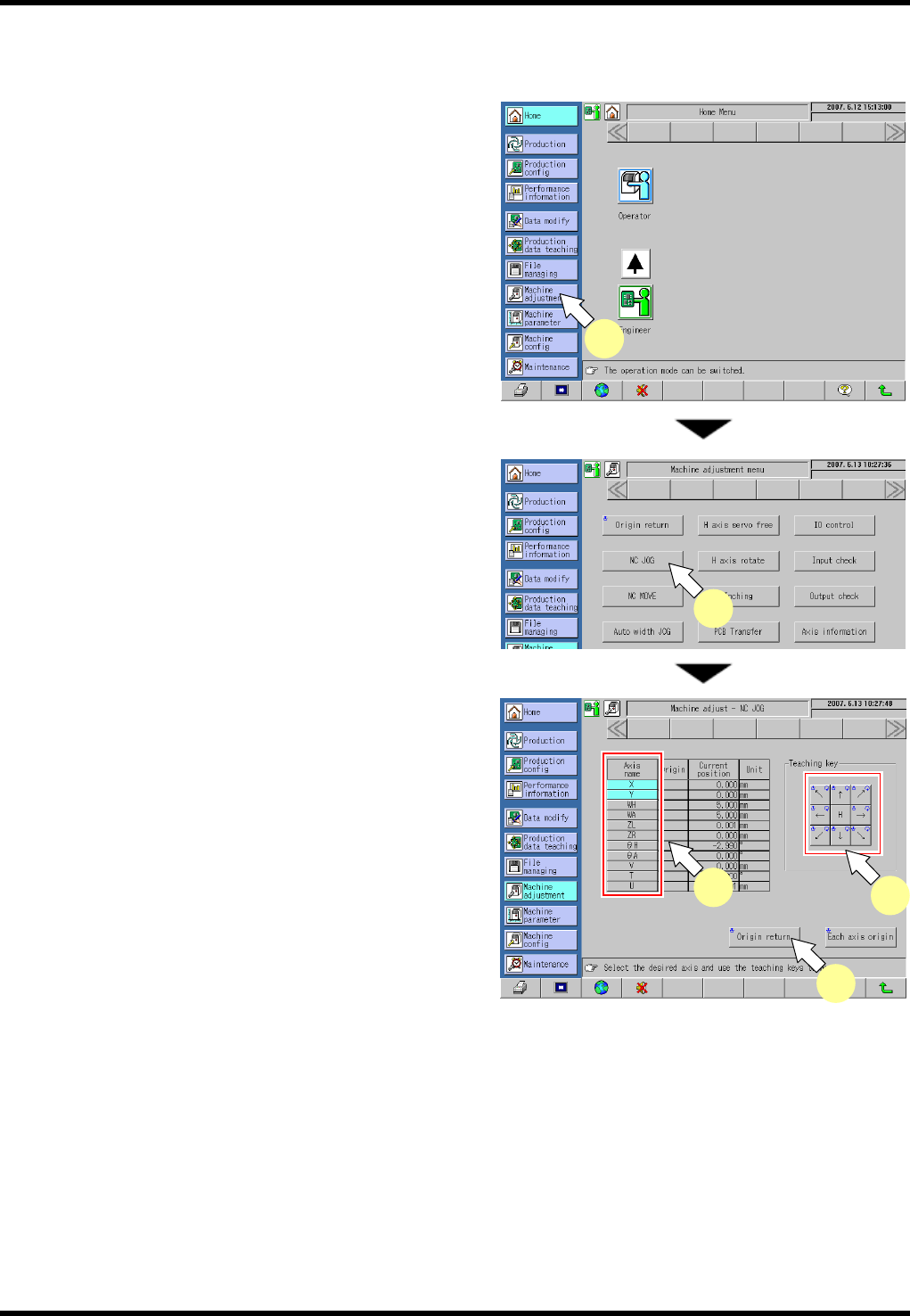
9.1.2 NC Axis Jog Check
Be sure to return all axes to their origins before moving axes.
2.
1. Select [Machine Adjustment] from the main menu.
The “Machine adjustment menu” screen appears.
2. Press [NC JOG].
The “NC JOG” screen appears.
3. Select the NC axis to be moved.
4. Press <ENABLING> + teaching keys to move each
axis.
=REMARKS=
Press any teaching key for the desired
direction.
Care should be taken because the selected
axis moves.
The rotary chucks rotate in the following
increments by one switch operation:
T axis: 0.012°
θH axis: 0.018°
θA axis: 0.09°
Axes other than these move in 0.01 mm increments.
(The current positions of the axes are displayed rounded off to two decimal places.)
=HINT=
Pressing [H] (high speed) in advance enables the axis to be moved faster.
When the [H] key is ON, the selected axis moves at a speed ten times the pulse of normal jog.
5. Press <ENABLING> + [Origin return] after completing movement check.
1
2
3
4
5