Maintenance Manual.pdf - 第38页
AV131 MAINTENANCE MANUAL 2.3 M aintenance F uncti on D79MEC- 10-030-A0 2.3- 3 2.3.3 Function Condition Mai nt enance sw i tc h is provided on t he front of t he machi ne. Thi s sw it ch di sable t he sa f ety i n t erl…
AV131
MAINTENANCE MANUAL
2.3 Maintenance Function
D79MEC-10-030-A0
2.3-2
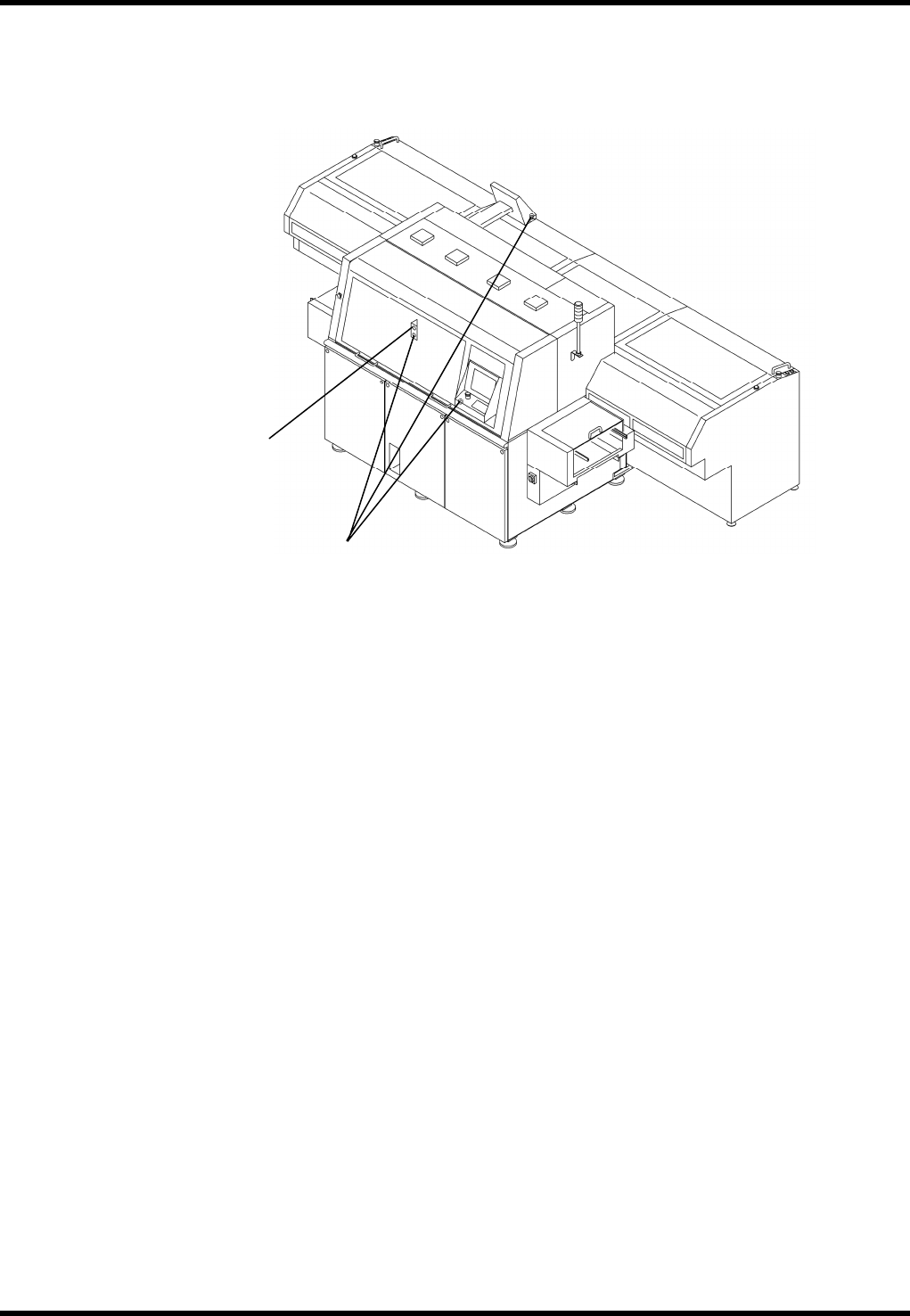
2.3.2 Locations of Switches
Maintenance switch
Enabling switch
AV131
MAINTENANCE MANUAL
2.3 Maintenance Function
D79MEC-10-030-A0
2.3-3
2.3.3 Function
Condition
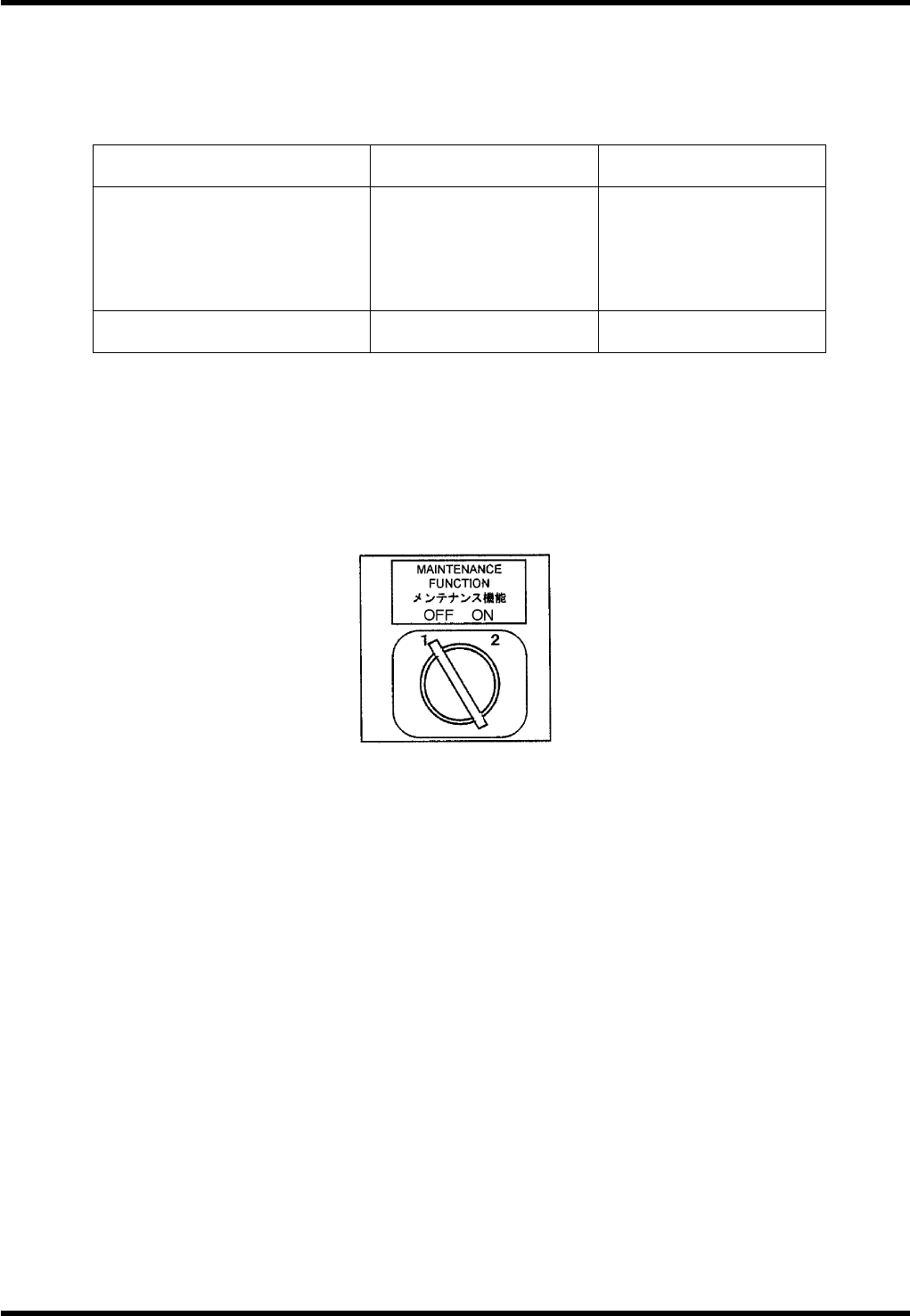
Maintenance switch is provided on the front of the machine.
This switch disable the safety interlock switch to perform maintenance work.
Maintenance SW ON
ON with safety stop
error cleared
Front
Safety interlock SW
(Front cover)
Rear
Safety interlock SW
(Rear cover)
Disabled
Enabled
Enabled
Enabled
Screen message During maintenance
Maintenance switch
abnormal
Only NC axis jog movement is allowed during maintenance. (NC movement will be disabled.)
Maintenance Switch
=REMARKS=
When the maintenance switch is in the ON position, it is not possible to switch to the rear control panel.
SW: TM3-8222EZ / S-N
AV131
MAINTENANCE MANUAL
2.3 Maintenance Function
D79MEC-10-030-A0
2.3-4
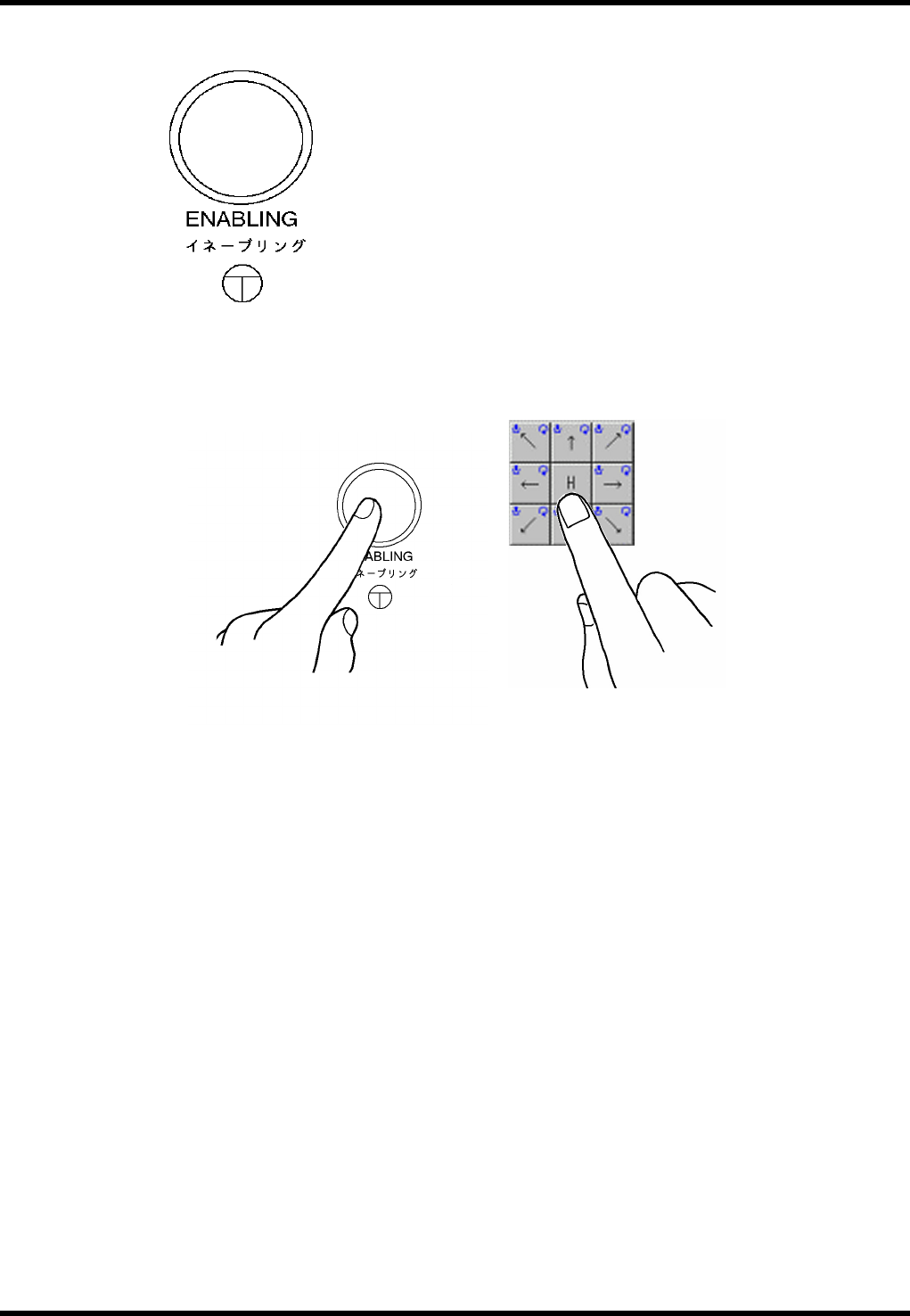
Enabling Switch
To execute jog operation of each NC axis from the control panel during maintenance, operate with one
hand while pressing the enabling switch with the other hand for safety reason.
SW: LW6MB-M1C2MLG (IDEC)