X-Serie S_705 - 第52页
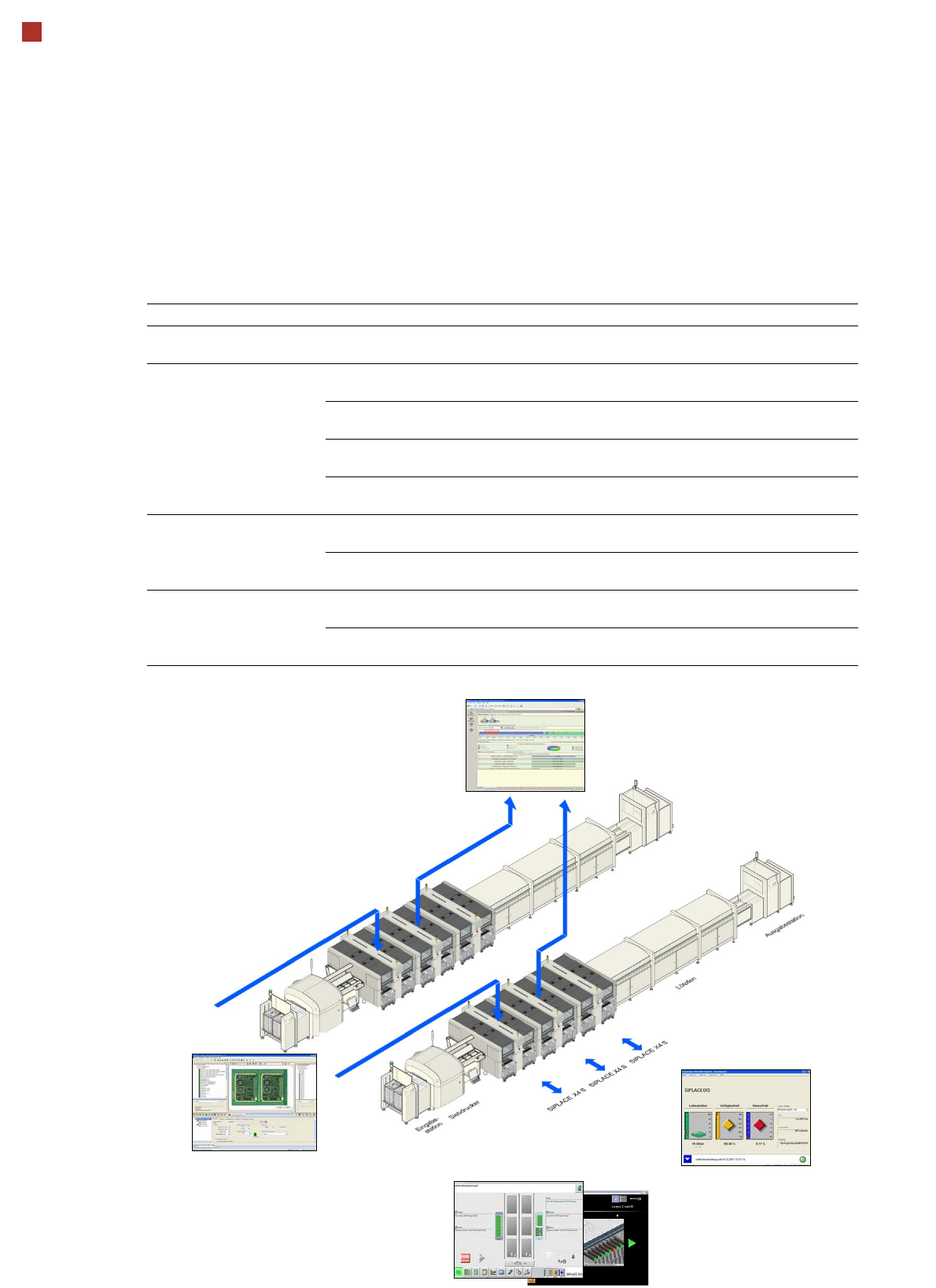
52 SIPLACE software suite Overview Production monitoring: SIPLACE Explorer Product definition: SIPLACE Pro Station control: SIPLACE station software with SMART GUI SIPLACE software product Standard Option S tation operat…

51
SIPLACE software suite
General
SIPLACE provides compre-
hensive solutions based on
modular software tools for
SMT machines, lines and
production management: the
SIPLACE software suite.
Product definition, optimi-
zation and line control
Fast, fault-free introduction
of products and optimum uti-
lization of production lines
are essential to maximize
production output. The pro-
grams from the SIPLACE
software suite allow you to
easily program products,
fine-tune the programs you
have created and then find
the balance for them within
your SMT production lines.
Production monitoring &
process control
To achieve the production
targets that are set, it is
important to constantly moni-
tor and check the production
facilities. The SIPLACE Soft-
ware Suite contains monitor-
ing products tailored to suit
the user group. These signal
immediately if limits are
exceeded on the machine or
the production line.
Setup verification &
traceability
Setup errors lead to series
errors. The user-friendly
SIPLACE software programs
help you to avoid such
errors, and thus ensure high
quality in your electronics
production.
The benefits of the
SIPLACE software suite at
a glance:
• User-friendly
• Simple operation
• Fast programming and
error detection
• Reduces changeover
times and stoppages
• Ensures optimum utiliza-
tion of your production
line's productivity
• Real-time information
from the production area
• Incredibly fast distribution
of information
• Optimum use of resources
• Timely notification when
production materials need
to be re-ordered
• Coordination of mainte-
nance
52
SIPLACE software suite
Overview
Production monitoring:
SIPLACE Explorer
Product definition:
SIPLACE Pro
Station control:
SIPLACE station software with SMART GUI
SIPLACE software product Standard Option
Station operation and con-
trol
SIPLACE station software with SMART GUI X
Product definition,
optimization and line con-
trol
SIPLACE Pro
One application for all programming tasks
X
SIPLACE ASCII Centroid Import Wizard
Fast and easy data conversion
X
SIPLACE SiCluster Professional
Fully automatic product grouping
X
SIPLACE EDM
Convenient data management for placement programs
X
Production monitoring &
process control
SIPLACE OIS
Operator Information System
X
SIPLACE Explorer
Line monitoring system
X
Setup verification & trace-
ability
SIPLACE Setup Center
Avoid setup errors with reliable setup verification
X
SIPLACE Traceability
Traceability of the placement processes
X
Station monitoring:
SIPLACE OIS
53
SIPLACE software suite
SIPLACE station software
General
The diversity of functions and
applications in the station
software version 707.1 illus-
trates the extreme flexibility
of the SIPLACE X-Series.
This software supports oper-
ators in their daily work, help-
ing them to simplify
processes on the machine
and to increase productivity
along the line. Four different
user levels ensure that each
operator has access to the
information and options
required to perform his spe-
cific work on the machine.
The benefits of the station
software 707.1 at a glance:
• Simple and innovative
user guidance, ideal for
both inexperienced users
(-> Smart GUI) and
experts
• Fast, direct access to all
machine functions and
systems, as required.
• "Best in Class" NPI fea-
tures
• Very user-friendly
• Highly robust in the place-
ment process
User-friendly "new product
introduction" process
The further enhanced
options for quick and easy
new product introduction
(NPI) on the line is one of the
key features in the SIPLACE
station software 707.1.
New products need to be
produced error-free right
from the very first board. The
SIPLACE station software
satisfies this requirement by
supporting users during
product introduction with a
range of functions, including
the following.
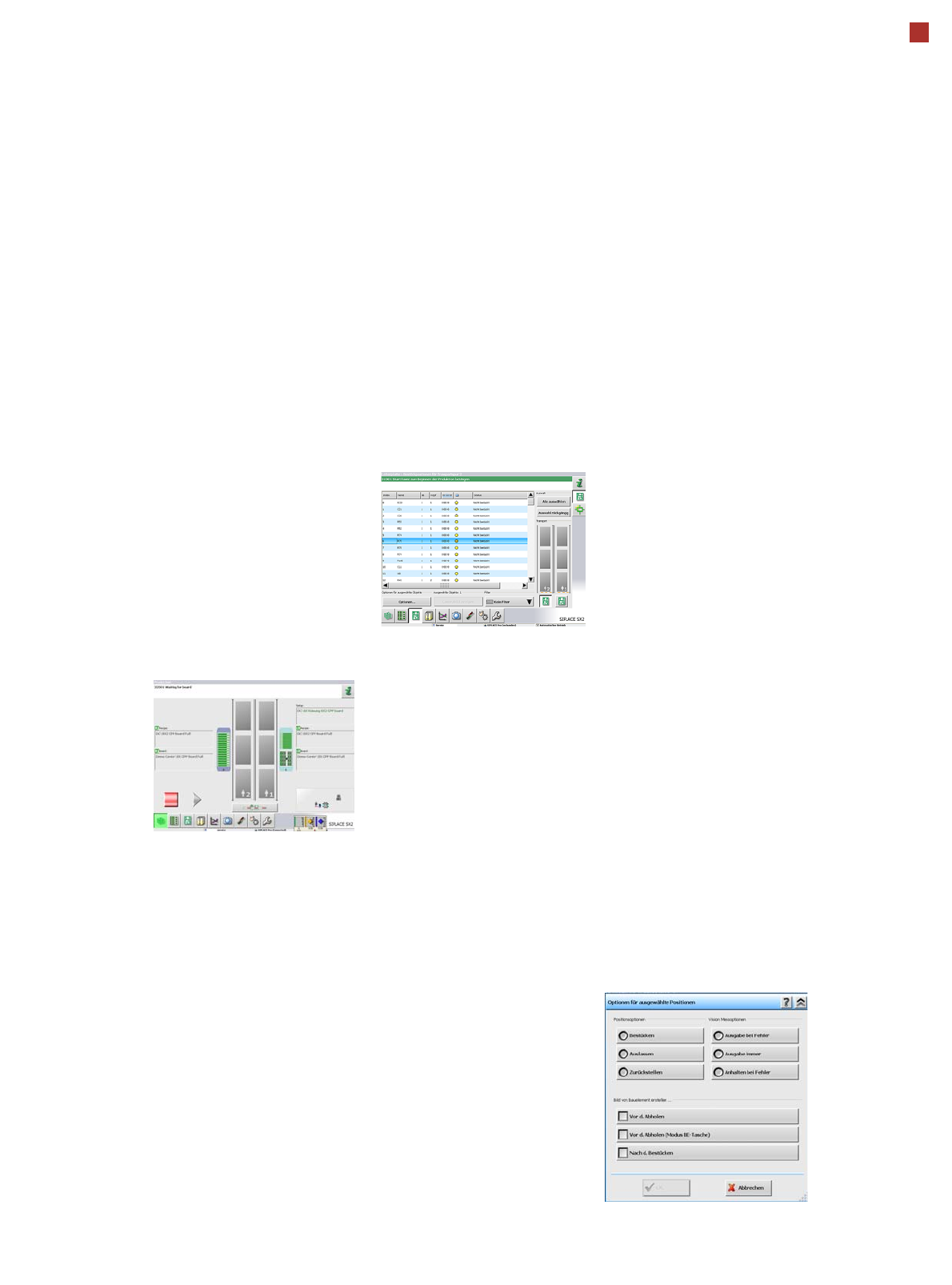
Placement list at the sta-
tion
The station always shows
the placement list for the
board currently being pro-
cessed. This placement list
includes the following infor-
mation:
• The placements in the
selected placement area
• The order in which the
components are placed
• The placement head
which places the compo-
nents
• The feeder module from
which the components are
picked up
• The status of the place-
ment position.
The status of the placement
positions can be changed
online at the station. If certain
components on the line are
to be omitted, the user can
delay placement of these
and perform it at a later time.
The status of the placement
position is divided into the
following categories (position
options):
•Place
• Skip (The placement posi-
tion will not be placed.
This status can either be
selected for the current
board or for the complete
job. This component will
then be ignored on the fol-
lowing boards until a new
job is sent to the line.)
• Postpone. (The compo-
nent will be placed at the
end of the placement
cycle.)