00193910_Install_SQL2000Server_manual.pdf - 第12页
Installation of SQL Server 2000 Edition 10/2005 US The following dialog appea rs: 12 / 24 Fig. 3-12: Services Accounts → Select the radio buttons Use the same accoun t for each servi ce and Use the local System account .…
Installation of SQL Server 2000 Edition 10/2005 US
The following dialog appears:
11 / 24
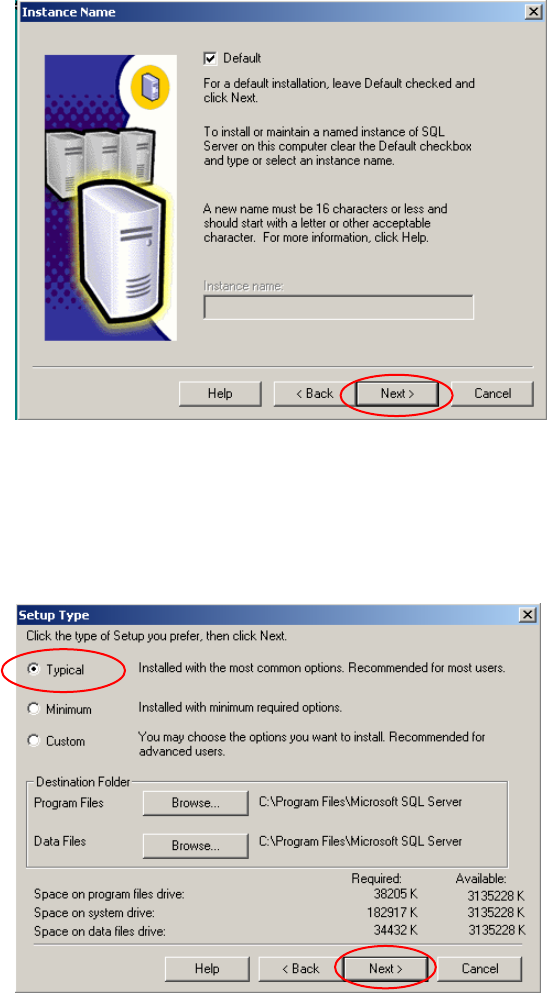
Fig. 3-10: Instance Name
→ Select Default.
→ Click the button Next >.
The following dialog appears:
Fig. 3-11: Setup Type
→ Select the radio button Typical.
→ Click the button Next >.
Installation of SQL Server 2000 Edition 10/2005 US
The following dialog appears:
12 / 24
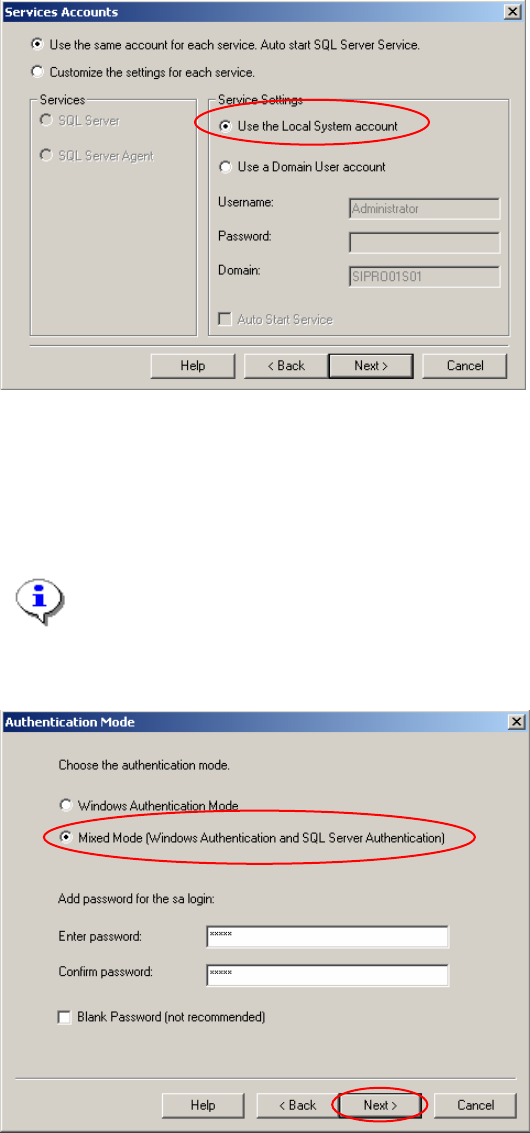
Fig. 3-12: Services Accounts
→ Select the radio buttons Use the same account for each service and Use the local System
account.
→ Click the button Next >.
The following dialog appears:
Note:
The default password is allocated to the administrator. Please contact our Administrator to
receive the password.
We recommend that the ultimate administrator enters a new password.
2
Fig. 3-13: Authentication Mode
→ Select the radio button Mixed Mode.
→ Enter the password for the “sa” account.
→ Click the button Next >.
Installation of SQL Server 2000 Edition 10/2005 US
The following dialog appears:
13 / 24
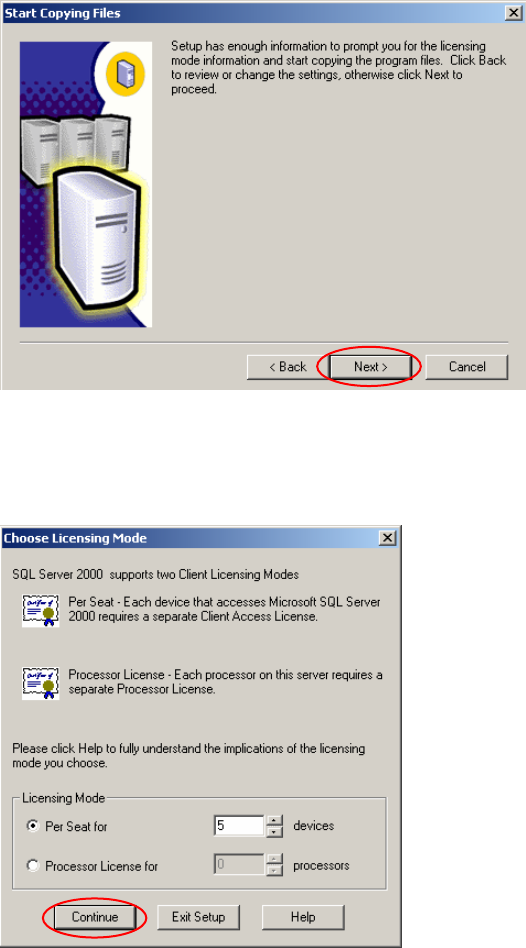
Fig. 3-14: Start Copying Files
→ Click the button Next >.
The following dialog appears:
Fig. 3-15: Configure purchased licenses
→ Enter the number of licenses.
→ Click the button Continue.