00193910_Install_SQL2000Server_manual.pdf - 第16页
Installation of SQL Server 2000 Edition 10/2005 US → Wait until the installation files will be ex tracted in the directory you specified. 16 / 24 Fig. 3-19: Message The files have been extracted and store d in the direct…
Installation of SQL Server 2000 Edition 10/2005 US
3.2 Installation of Service Pack 4 for SQL Server 2000
You must install the latest service pack for SQL Server 2000.
Note:
You can find the software on the Microsoft SQL Server 2000 SP4 CD under the directory
SQL Server 2000\SP4.
→ Start the Program SQL2000-SP4.EXE. This is the package with the Service Pack 4 for SQL
Server 2000.
The following dialog appears:
15 / 24
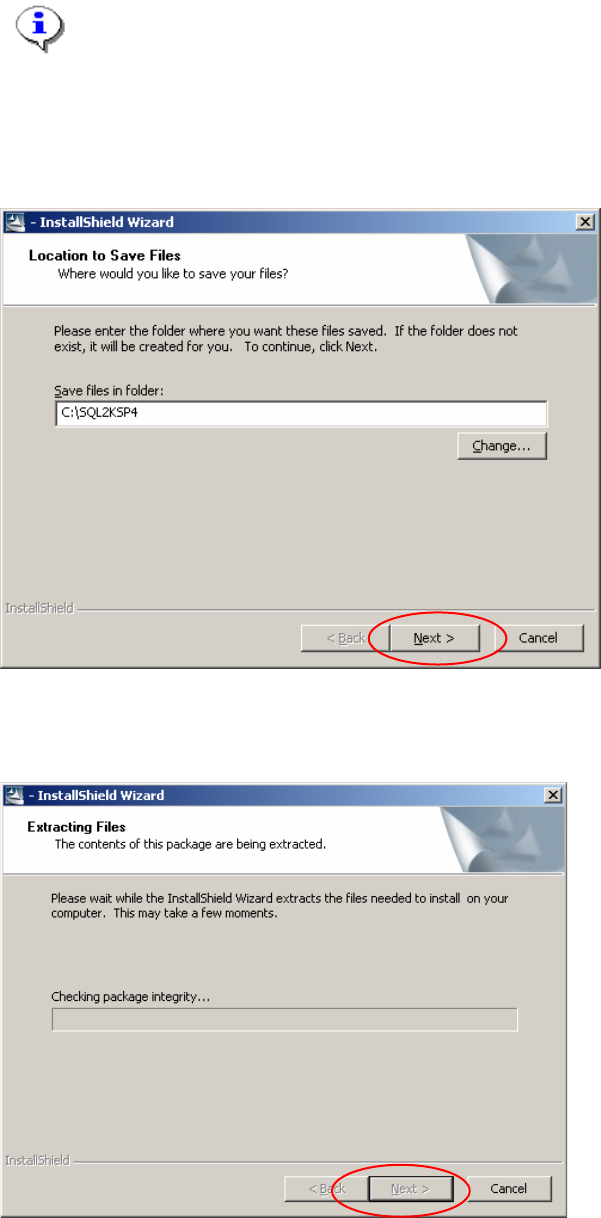
Fig. 3-17: Welcome screen
→ Select the Installation Folder.
→ Click the Finish button.
2
Fig. 3-18: Reading Package
Installation of SQL Server 2000 Edition 10/2005 US
→ Wait until the installation files will be extracted in the directory you specified.
16 / 24
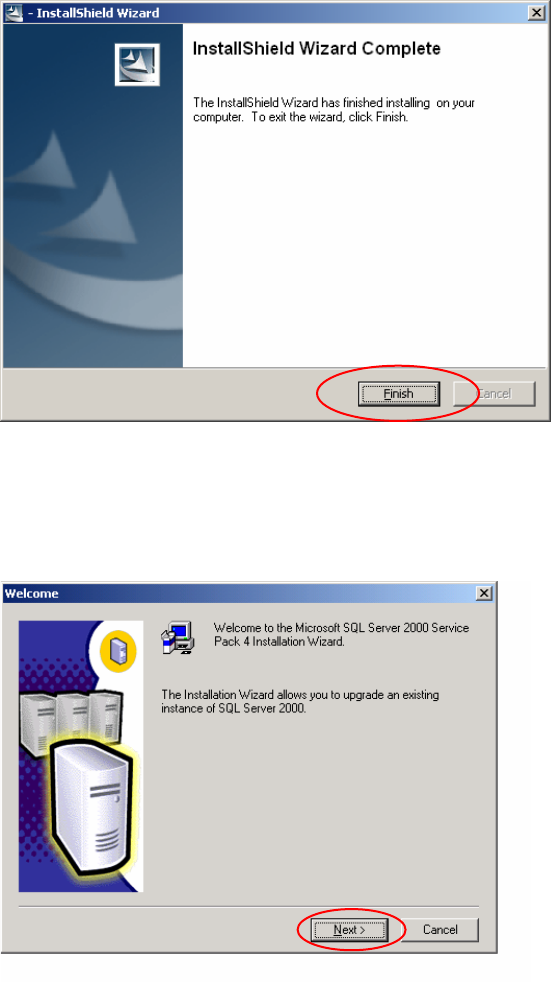
Fig. 3-19: Message
The files have been extracted and stored in the directory.
2
→ Change to the directory c:\sql2ksp4 and start the setup.bat program.
→ Wait until you see the welcome screen.
Fig. 3-20: Welcome Screen
→ Click the Next > button.
Installation of SQL Server 2000 Edition 10/2005 US
17 / 24
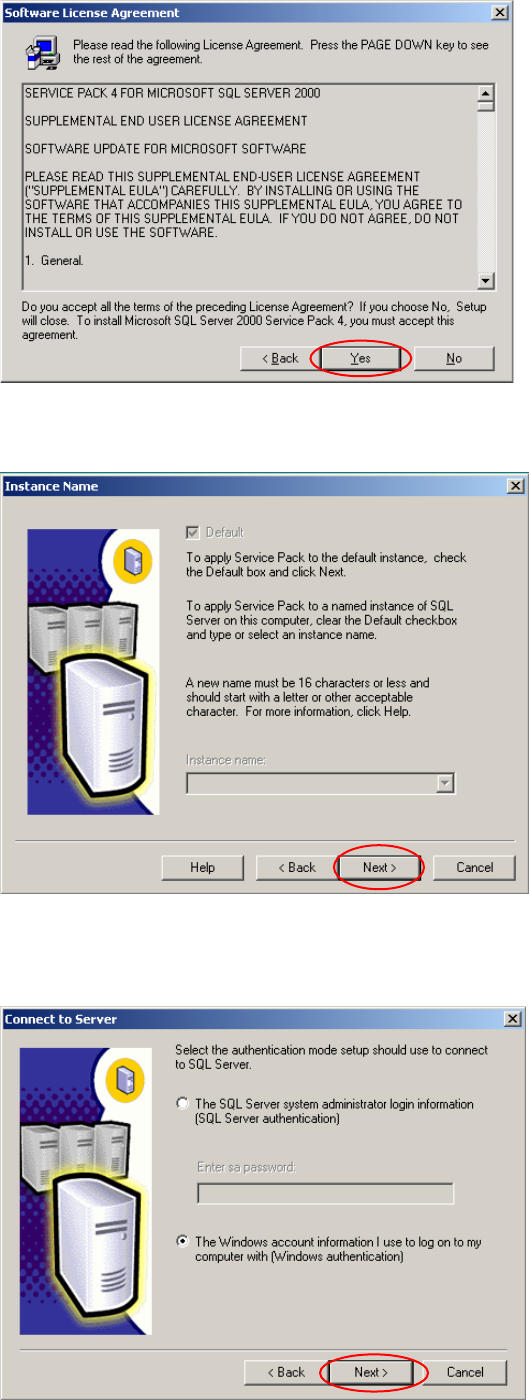
Fig. 3-21: License agreement
→ Accept the software license agreement. Click the Yes button.
Fig. 3-22: Instance Name
→ Normally you have only one SQL Server Instance. In this case you can continue with the Next >
button.