00193910_Install_SQL2000Server_manual.pdf - 第9页
Installation of SQL Server 2000 Edition 10/2005 US The following dialog appea rs: 9 / 24 Fig. 3-6: User Information → Enter the Name and the Company . → Click the button Next > . The following dialog appea rs: Fig. 3-…
Installation of SQL Server 2000 Edition 10/2005 US
The following dialog appears:
8 / 24
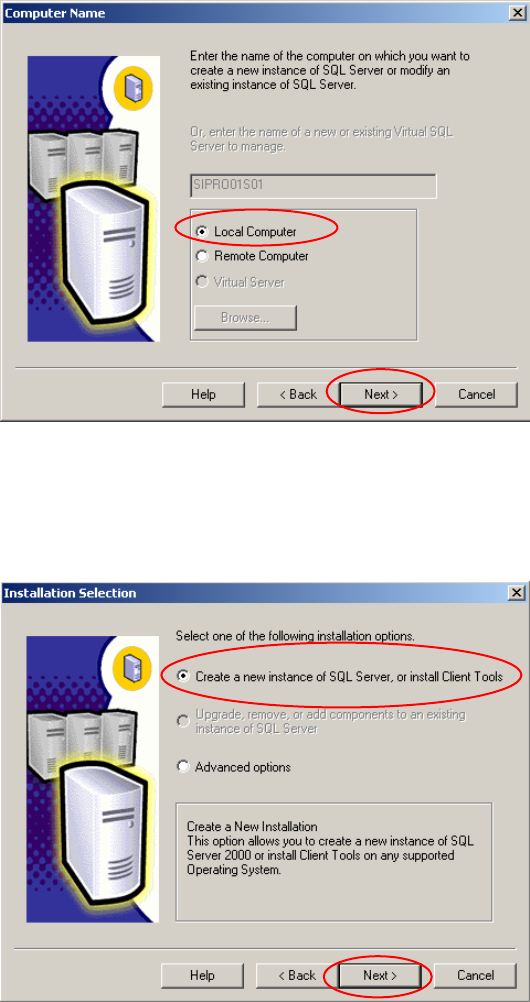
Fig. 3-4: Computer Name
→ Select the radio button Local Computer.
→ Click the button Next >.
The following dialog appears:
Fig. 3-5: Installation Selection
→ Select the radio button Create a new instance of SQL Server, or install Client Tools.
→ Click the button Next >.
Installation of SQL Server 2000 Edition 10/2005 US
The following dialog appears:
9 / 24
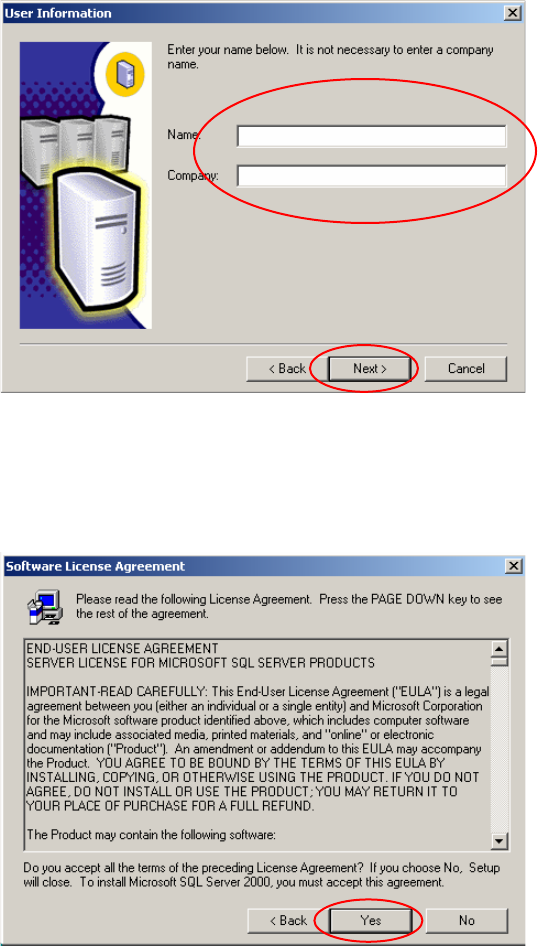
Fig. 3-6: User Information
→ Enter the Name and the Company.
→ Click the button Next >.
The following dialog appears:
Fig. 3-7: Software License Agreement
→ Read the "Software License Agreement".
→ Click the button Yes.
Installation of SQL Server 2000 Edition 10/2005 US
The following dialog appears:
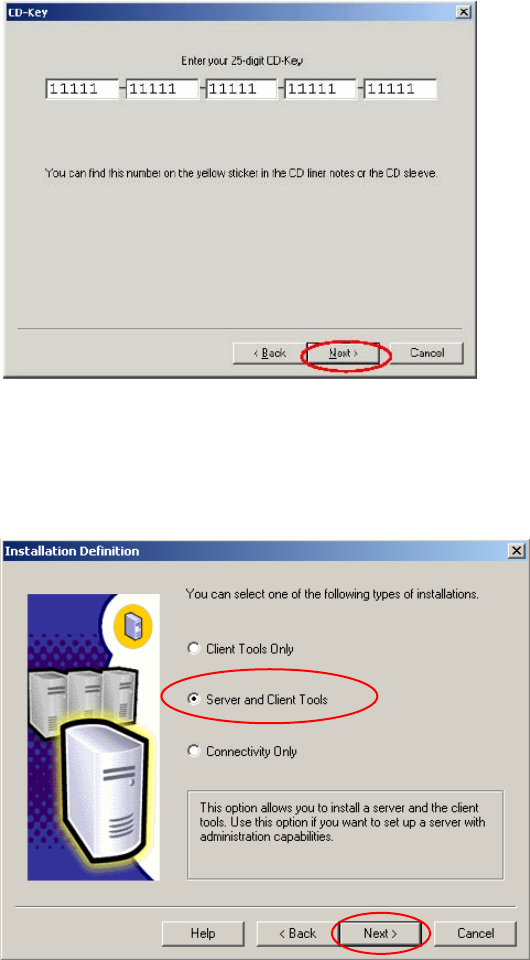
Fig. 3-8: CD-Key
→ Enter the CD-Key.
→ Click the button Next >.
The following dialog appears:
Fig. 3-9: Installation Definition
→ Select the radio button Server and Client Tools.
→ Click the button Next >.
10 / 24