Application Backflush 1-0 to SAP Data Converter.pdf - 第24页
1 Installationsanleitung Application Backfl ush 1.0 to SAP Data Converter Application Ausgabe 04/2006 24 1.8.4 Deinstallation Eine Deinstallation kann über S tart/Settings/Con tro lPanel/Add-Remove Programs, mar kieren d…
Application 1 Installationsanleitung Application Backflush 1.0 to SAP Data Converter
Ausgabe 04/2006
23
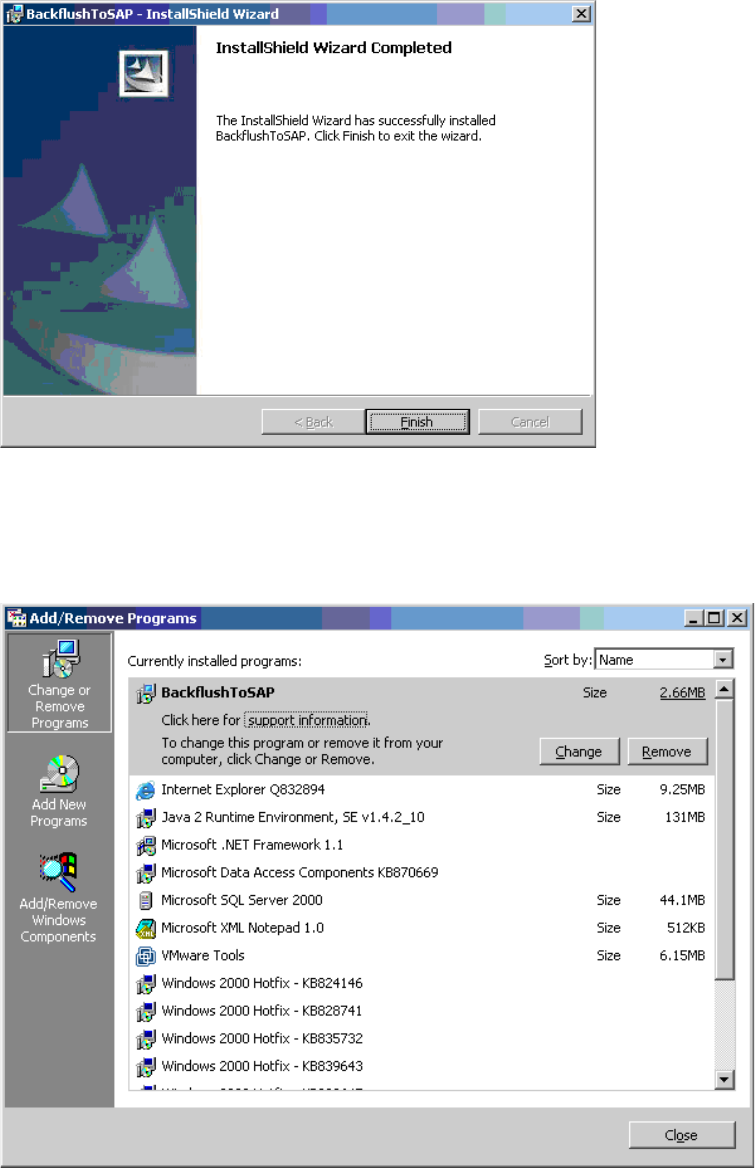
Step 6: 1
Dies ist der Abschlußbildschirm, der mit Finish beendet wird. 1
1
Step 7: 1
Nach der Installation finden Sie das installierte Programm unter
„Start/Settings/ControlPanel/AddRemove“. 1
1
1 Installationsanleitung Application Backflush 1.0 to SAP Data Converter Application
Ausgabe 04/2006
24
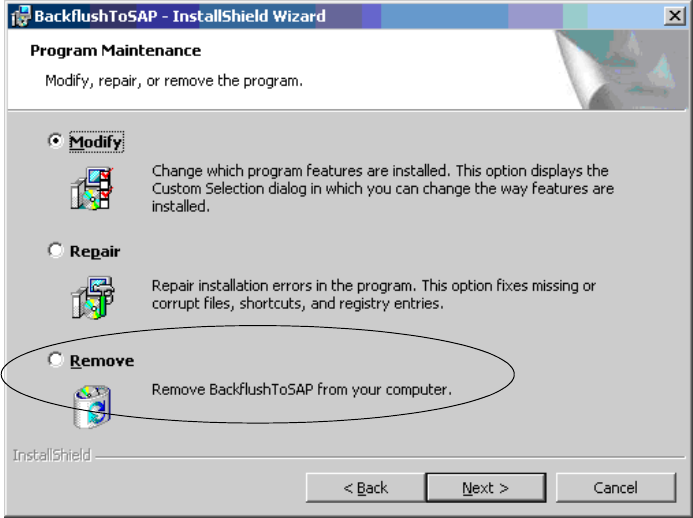
1.8.4 Deinstallation
Eine Deinstallation kann über Start/Settings/ControlPanel/Add-Remove Programs, markieren des
Programms und drücken des Remove Buttons vollzogen werden. 1
Der gleiche Vorgang kann über das Einlegen der CD und das Drücken des Remove-Knopfes voll-
zogen werden. 1
1
1
Application 1 Installationsanleitung Application Backflush 1.0 to SAP Data Converter
Ausgabe 04/2006
25
1.9 Überwachung des Programms
Ist das Programm ohne Fehlermeldung vollständig installiert worden, so sind folgende Punkte vor-
handen. 1
– Backflush - Aufruf im Startup-Verzeichnis
– Backflusher_200 in der Prozessübersicht
– BackflushToSAP Verzeichnis in angegebenen Installationspfad
1
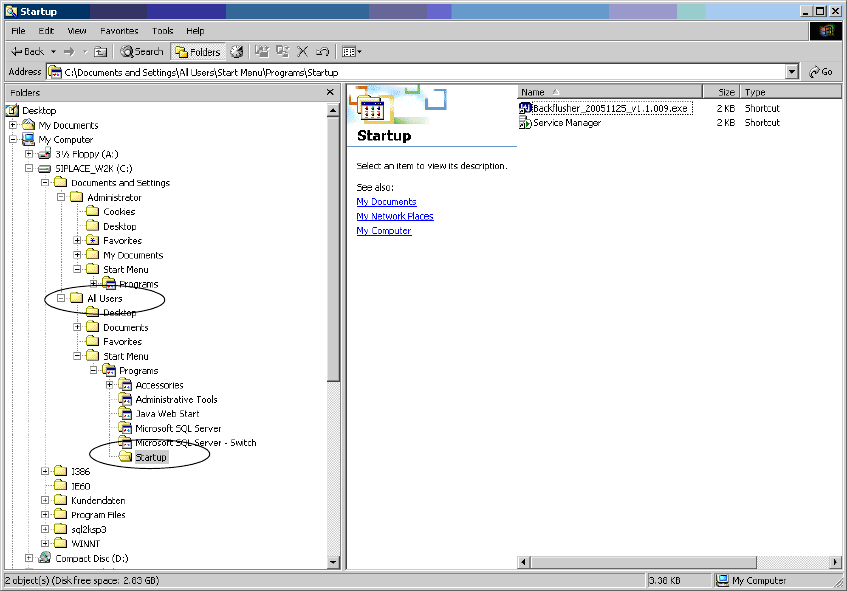
1.) Startup-Aufruf 1
Bei der Installation wird unter All Useres im Verzeichnis Startup der Startaufruf für das Backflush-
Programm eingehängt. 1
1
1
1
1
1
1