Application Backflush 1-0 to SAP Data Converter.pdf - 第46页
2 Installation instructions for the Backflush 1.0 to SAP Data Converte r application Application 04/2006 Edition 46 Step 4: 2 The next step is to agree to the te rms of the SIEMENS license agreement. 2 2 T o do this, you…
Application 2 Installation instructions for the Backflush 1.0 to SAP Data Converter application
04/2006 Edition
45
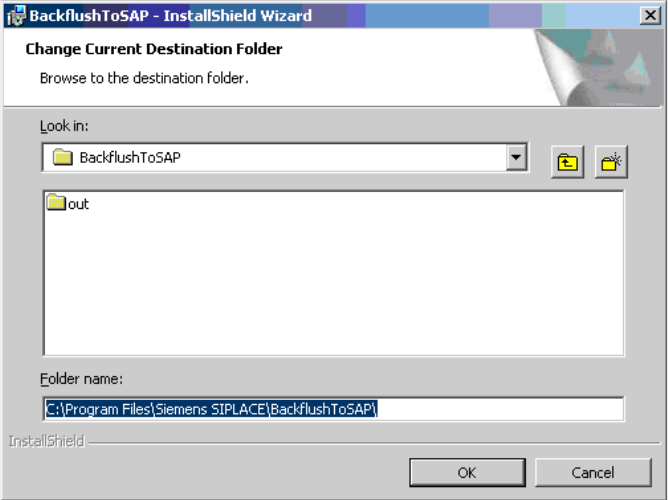
Step 3a: 2
If you press the Change button, the following selection appears and you can modify the installation
path. 2
2
Click on OK to confirm your selection. 2
2 Installation instructions for the Backflush 1.0 to SAP Data Converter application Application
04/2006 Edition
46
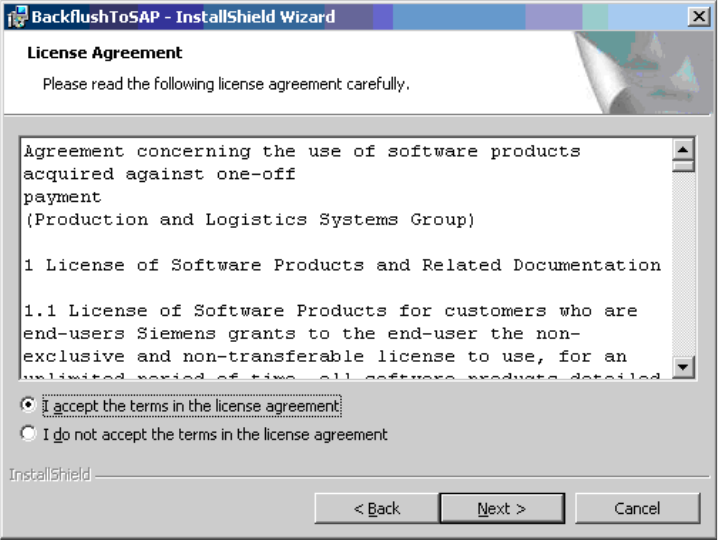
Step 4: 2
The next step is to agree to the terms of the SIEMENS license agreement. 2
2
To do this, you must activate the "I accept ..." radio button. 2
Application 2 Installation instructions for the Backflush 1.0 to SAP Data Converter application
04/2006 Edition
47
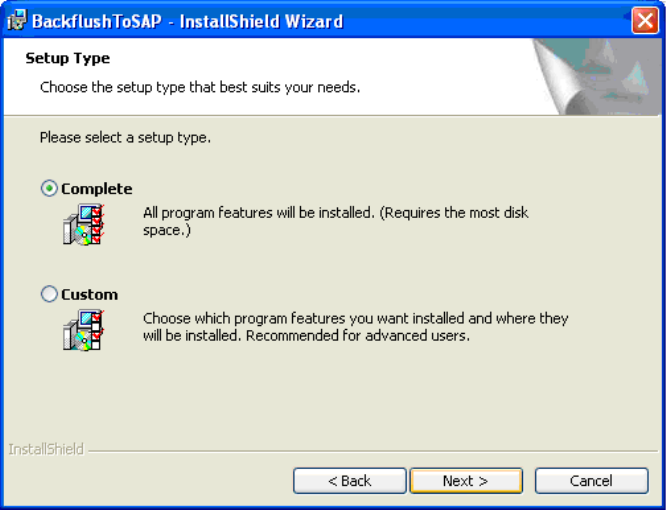
Step 5: 2
This step is used to decide whether 2
– the drive mapping file and the Backflush application should be installed together (Complete
setup)
or 2
– only the Backflush application should be installed (Custom setting)
2
2