Application Backflush 1-0 to SAP Data Converter.pdf - 第49页
Application 2 Installation instructions for the Backflush 1.0 to SAP Data Converter application 04/2006 Edition 49 Ste p 6: 2 This is the final screen. Click on Finish to close it. 2 2 Ste p 7: 2 After installation, the …
2 Installation instructions for the Backflush 1.0 to SAP Data Converter application Application
04/2006 Edition
48
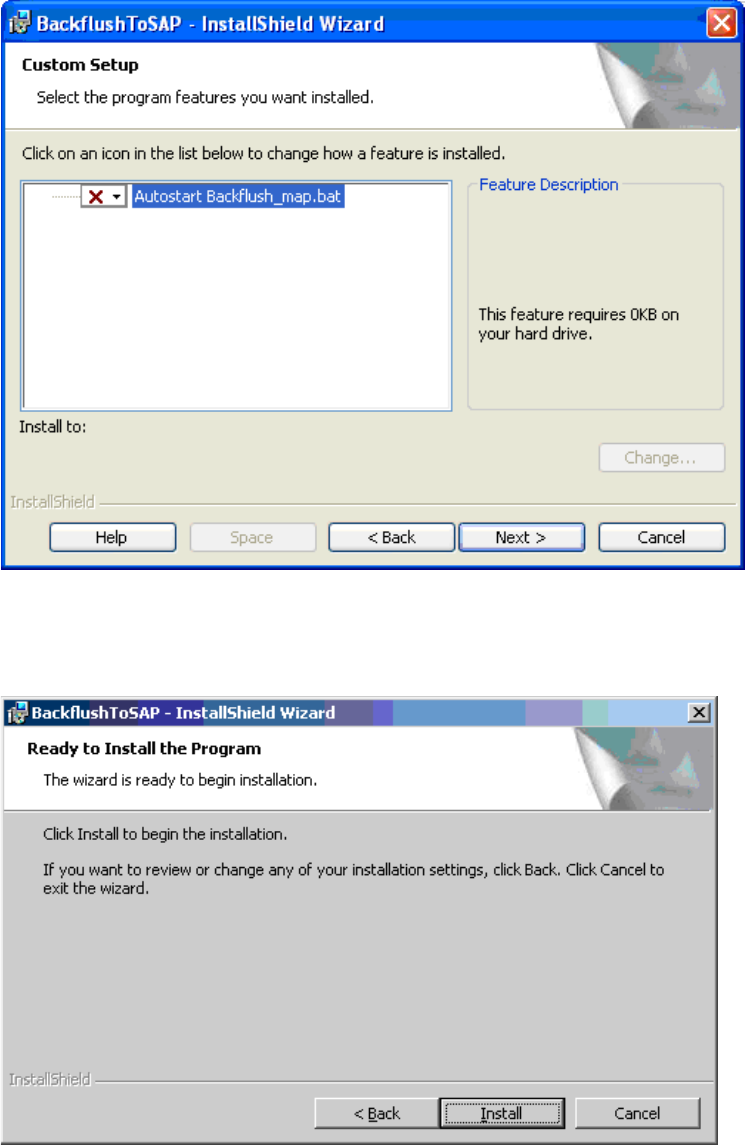
With this setting, only the Backflusher application is installed, without the Map file. 2
2
2
Once you have made all these settings, click on Install to start the actual installation. 2
2
Application 2 Installation instructions for the Backflush 1.0 to SAP Data Converter application
04/2006 Edition
49
Step 6: 2
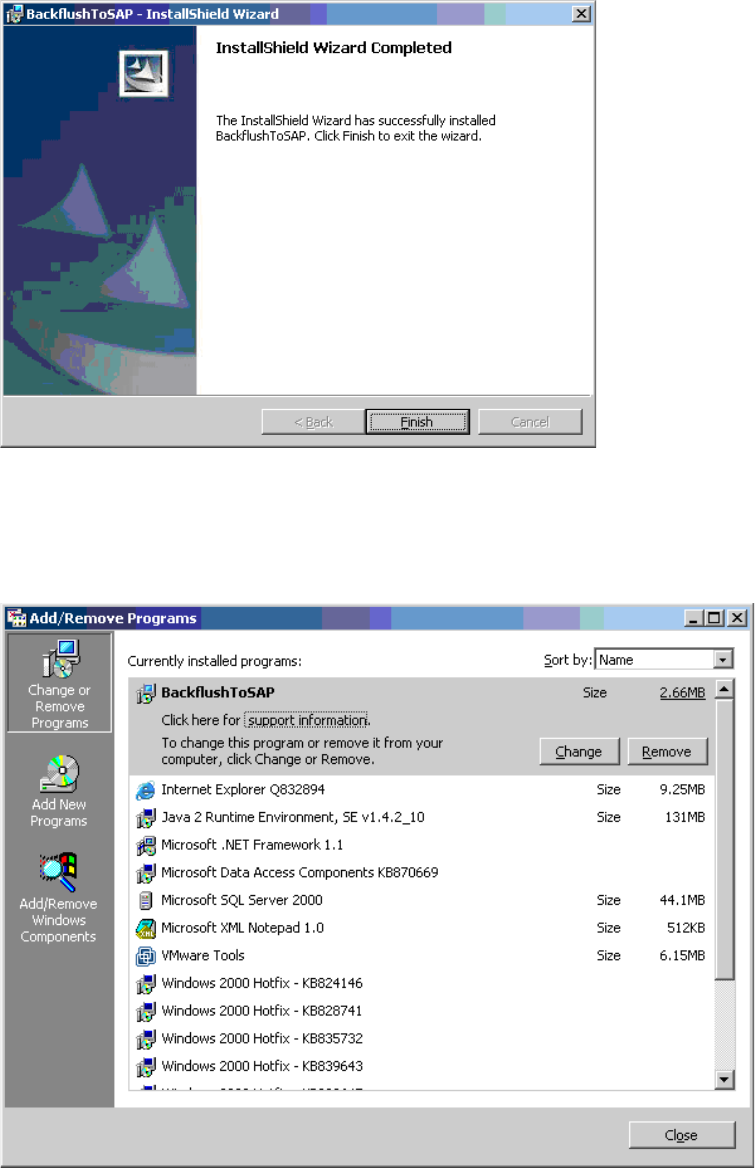
This is the final screen. Click on Finish to close it. 2
2
Step 7: 2
After installation, the installed program can be found under
"Start/Settings/ControlPanel/AddRemove“. 2
2
2 Installation instructions for the Backflush 1.0 to SAP Data Converter application Application
04/2006 Edition
50
2.8.4 Uninstalling
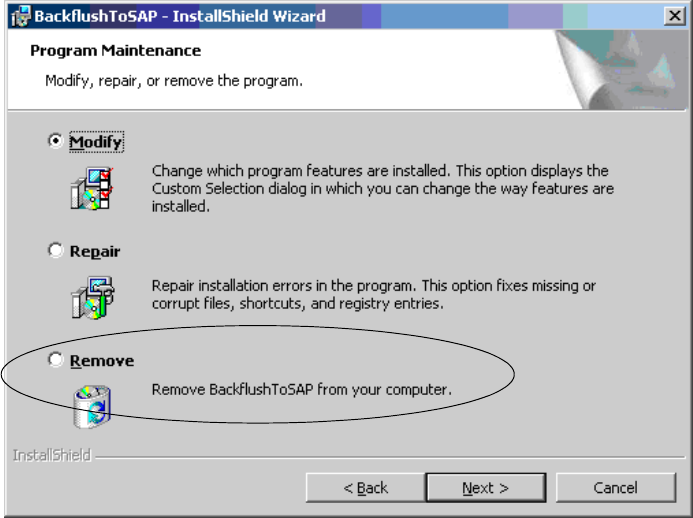
To uninstall the program, select Start/Settings/ControlPanel/Add-Remove Programs, highlight the
program and click on the Remove button. 2
You can also insert the CD and click on the Remove button. 2
2
2