Application Backflush 1-0 to SAP Data Converter.pdf - 第51页
Application 2 Installation instructions for the Backflush 1.0 to SAP Data Converter application 04/2006 Edition 51 2.9 Monitoring the program Once you have inst alled the complete program without an error message, you ha…
2 Installation instructions for the Backflush 1.0 to SAP Data Converter application Application
04/2006 Edition
50
2.8.4 Uninstalling
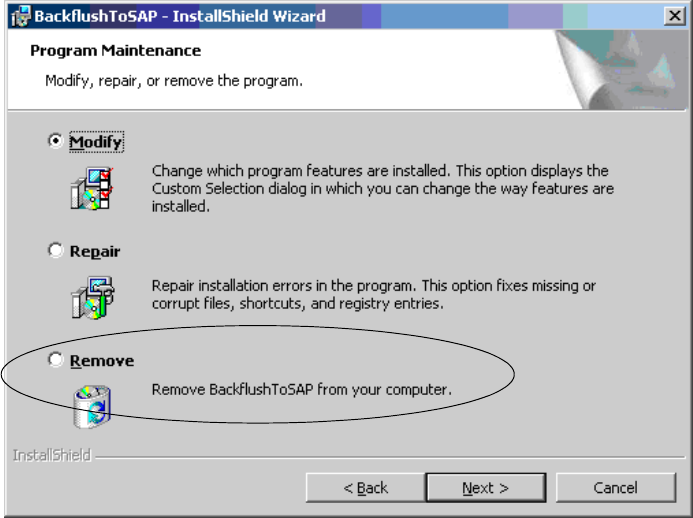
To uninstall the program, select Start/Settings/ControlPanel/Add-Remove Programs, highlight the
program and click on the Remove button. 2
You can also insert the CD and click on the Remove button. 2
2
2
Application 2 Installation instructions for the Backflush 1.0 to SAP Data Converter application
04/2006 Edition
51
2.9 Monitoring the program
Once you have installed the complete program without an error message, you have access to the
following items: 2
– Backflush call in the Startup directory
– Backflusher_200 in the process overview
– BackflushToSAP directory in the specified installation path
2
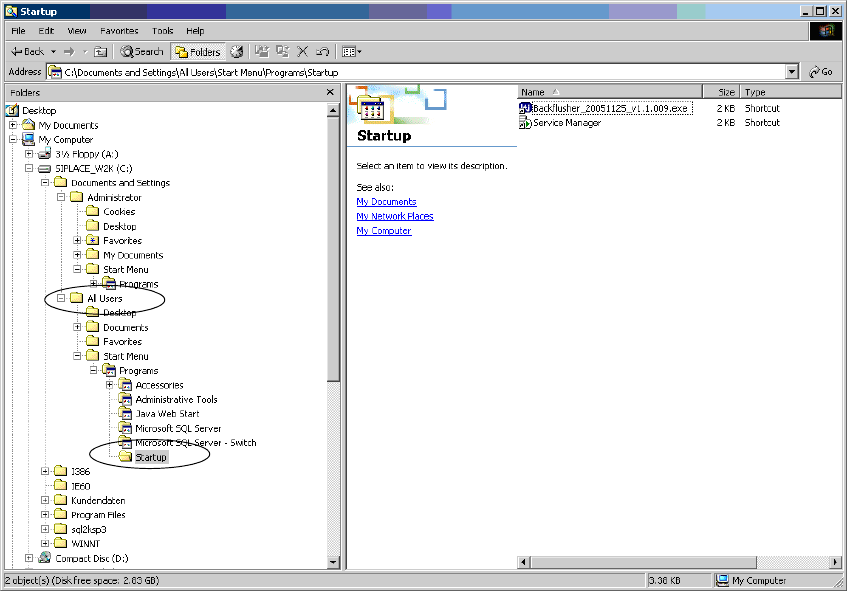
1.) Startup call 2
During installation, the call to start the Backflush program is added under All Users in the Startup
folder. 2
2
2
2
2
2
2
2 Installation instructions for the Backflush 1.0 to SAP Data Converter application Application
04/2006 Edition
52
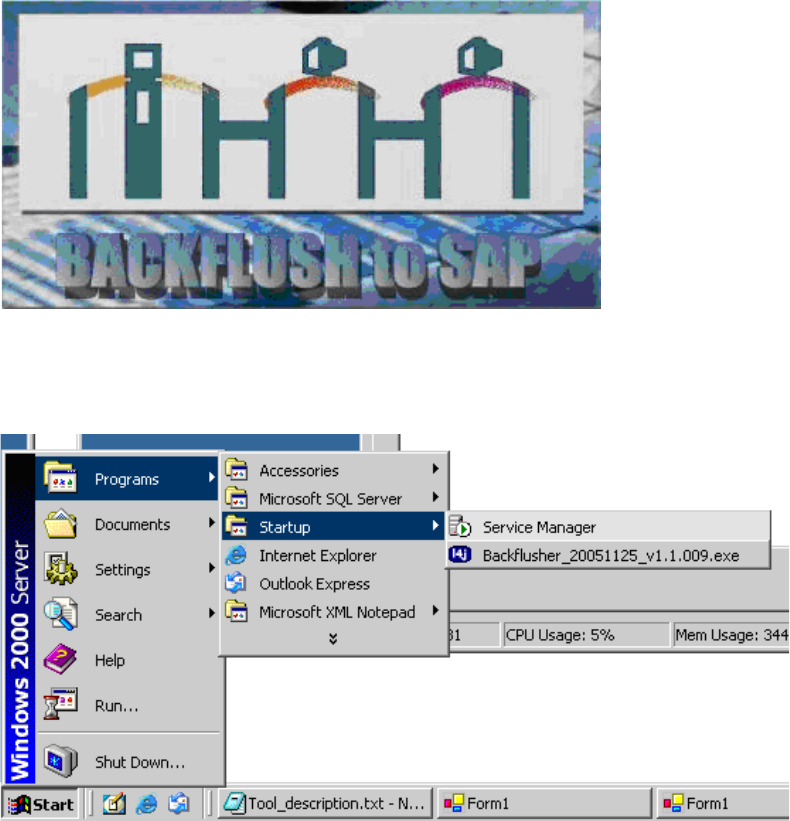
The Backflush program thus appears when the computer is started up and a user logs on. 2
2
2
It can also be started via the menu. 2
2
2
2
2
2
2
2
2
2
2