00194103-01.pdf - 第166页
6 Component handling User Manual S IPLACE F5 H M 6.5 Waffle-pack changer Software Version S R.408.xx 03/2006 US Edition 166 6.5.3.1 Sequence of functions W affle-pack trays with the a ssocia ted compo nents are d efined …
User Manual SIPLACE F5 HM 6 Component handling
Software Version SR.408.xx 03/2006 US Edition 6.5 Waffle-pack changer
165
6.5.3 Principle of the waffle-pack changer
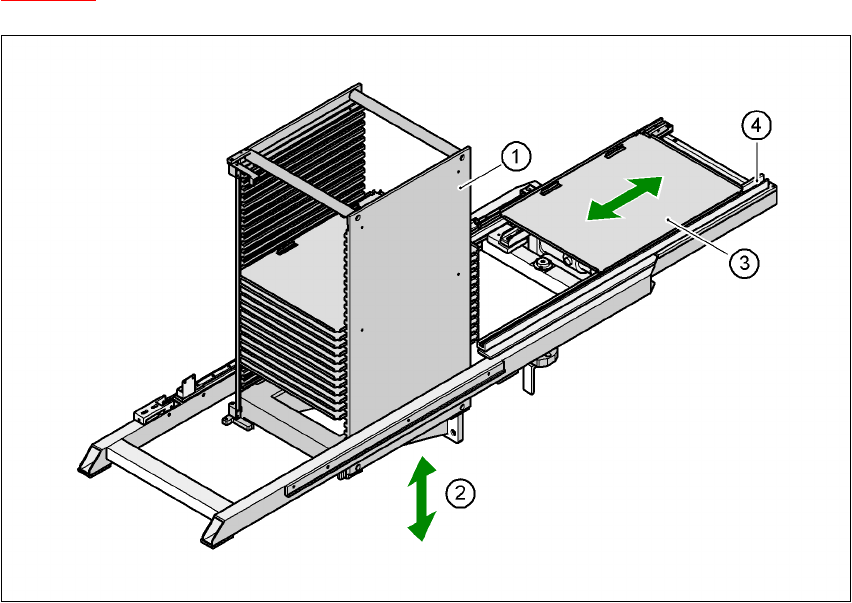
The waffle-pack changer can be used to store and change up to 28 waffle-pack trays fully auto-
matically. The magazine carriers (levels) for the waffle-pack trays are numbered consecutively in
ascending order from bottom to top (1 - 28).
The magazine storage unit moves vertically to the selected level within the traveling range of the
horizontal axis. The horizontal axis then grabs the magazine carrier from the level, and carries it
to within the access range of the placement head.
Fig. 6.5 - 2
below illustrates the principle of the waffle-pack changer.
6
Fig. 6.5 - 2 Principle of the waffle-pack changer
6
(1) Magazine storage unit
(2) Lift
(3) Magazine
(4) Horizontal axis
6 Component handling User Manual SIPLACE F5 HM
6.5 Waffle-pack changer Software Version SR.408.xx 03/2006 US Edition
166
6.5.3.1 Sequence of functions
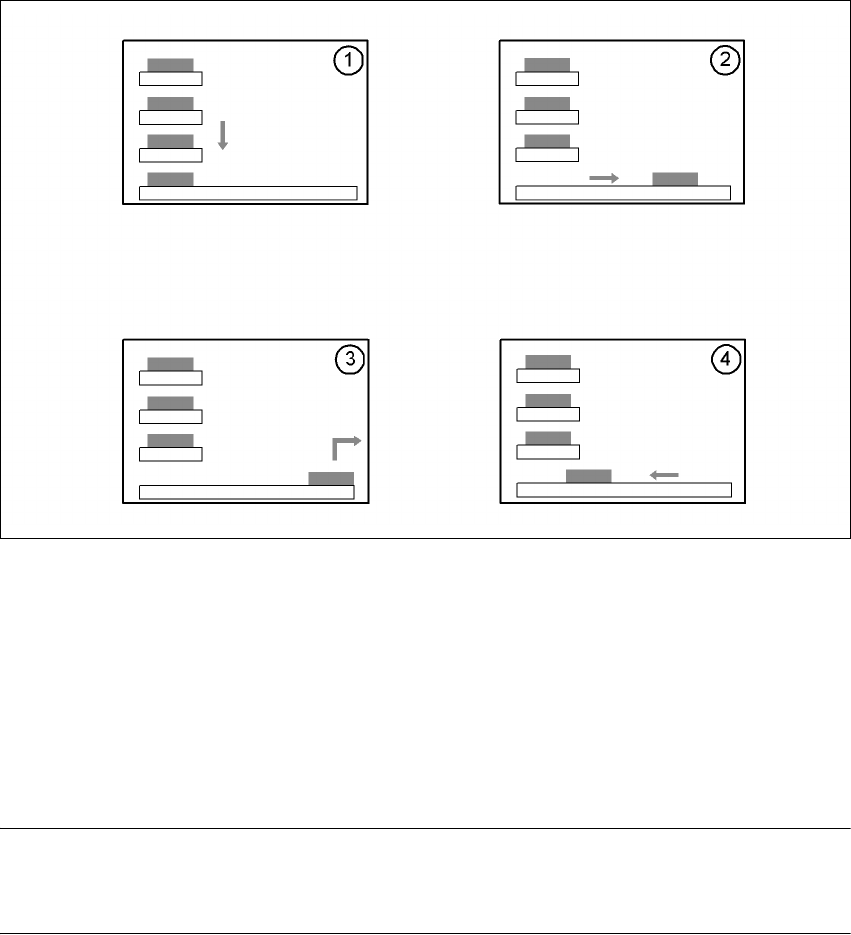
Waffle-pack trays with the associated components are defined in the set-up. Once the set-up has
been converted, the magazine storage unit performs a reference run.
6
Fig. 6.5 - 3 Sequence of functions
6
(1) The Lift of the magazine storage unit positions the selected magazine carriers level with the
horizontal feed axis.
(2) The magazine carrier is carried to the placement head's pick-up area.
(3) The components are removed.
(4) The magazine carrier is moved back into the magazine storage unit.
6
PLEASE NOTE 6
If the placement sequence is interrupted thus switching off the waffle-pack changer, the set-up
and the current fill level are stored. 6
The position of the waffle-pack tray carrier in the waffle-pack tray storage unit and the components
to be placed in the waffle-pack tray carrier are entered in the set-up.
The waffle-pack changer is defined as location 1.
User Manual SIPLACE F5 HM 6 Component handling
Software Version SR.408.xx 03/2006 US Edition 6.5 Waffle-pack changer
167
6.5.4 Inserting the magazine carrier
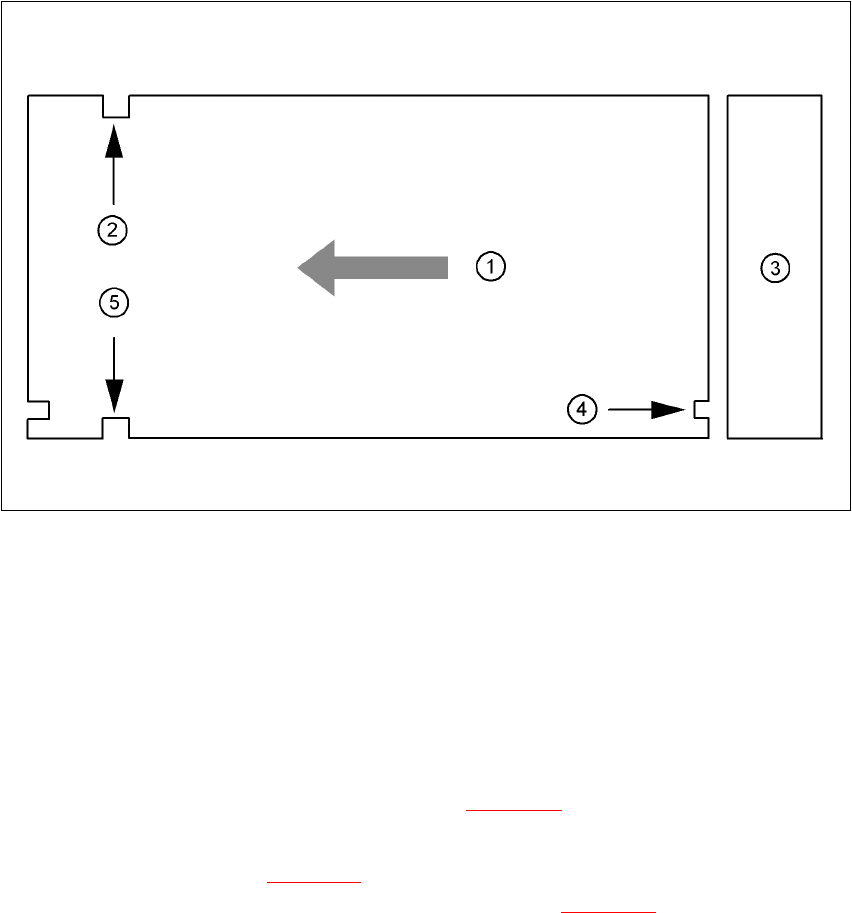
The magazine carrier is checked to ensure that it was inserted correctly.
6
Fig. 6.5 - 4 Position of the magazine carrier - plan view
6
(1) Transport direction
(2) Driving groove
(3) Magazine storage unit
(4) Control groove
(5) Driving groove
6
Make sure that the driving grooves (items 2 and 5 in Fig. 6.5 - 4) of the magazine carrier point
forward in the direction of travel.
The control grooves (item 4 in Fig. 6.5 - 4
) of the individual magazine carriers must be above one
another and point towards the magazine storage unit (item 3 in Fig. 6.5 - 4
).