00197279-03_SM_Glue-Feeder_EN.pdf - 第86页
Replacing Spare Parts Cartridge Holder Assembly 3.22.2 Fitting the Cartridge Holder 86 Service Manual SIPLACE Glue Feeder 3.22.2 3 . 2 2 . 2 F it t in g t h e C a r t r id g e H o ld e r Fitting the Cartridge Holder ► As…
Replacing Spare Parts
3.22.1 Removing the Cartridge Holder Cartridge Holder Assembly
Service Manual SIPLACE Glue Feeder 85
3.22
3.22 Cartridge Holder Assembly
Cartridge Holder Assembly
Required spare parts
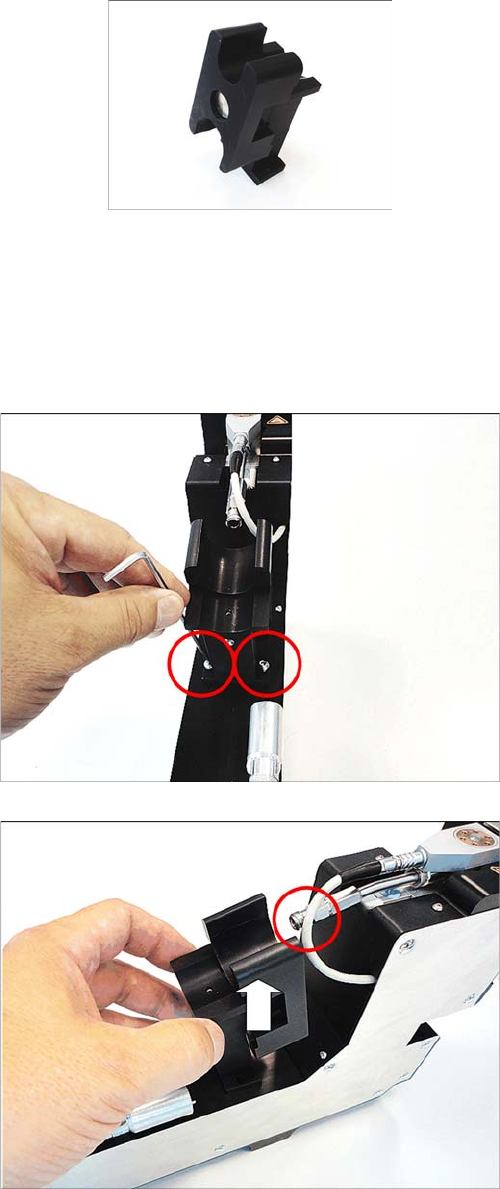
Cartridge holder assembly, item no. 03094060- xx
Required tools
▪ Allen key size 2.5
3.22.1
3.22.1 Removing the Cartridge Holder
Removing the Cartridge Holder
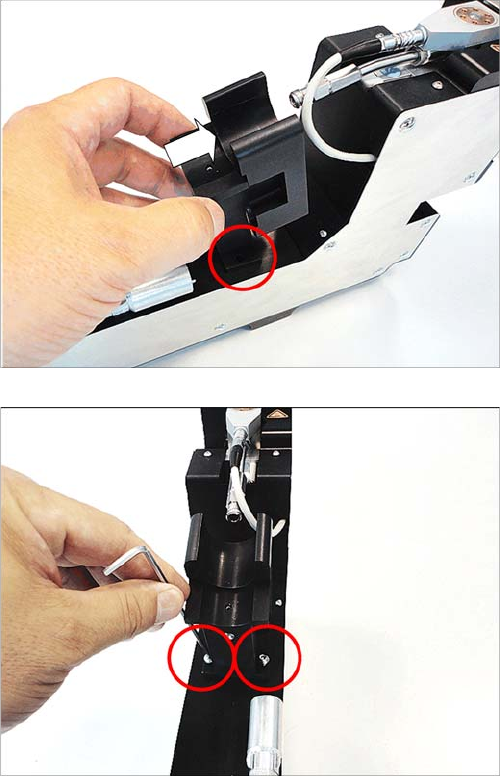
► Remove the two marked screws. Use a size 2.5 Allen
key for this.
► Carefully lift the cartridge holder off the glue feeder.
Make sure that the cartridge holder does not hit the
cartridge pipe.
Replacing Spare Parts
Cartridge Holder Assembly 3.22.2 Fitting the Cartridge Holder
86 Service Manual SIPLACE Glue Feeder
3.22.2
3.22.2 Fitting the Cartridge Holder
Fitting the Cartridge Holder
► As shown in the diagram, carefully fit the cartridge
holder onto the glue feeder.
Make sure that you position the cartridge holder so
that you can screw the cartridge to the cartridge pipe
afterwards.
► Use the two marked screws to fasten the cartridge
holder. Use a size 2.5 Allen key for this.
1. Fasten the first screw loosely so that the cartridge
base can still move a little, giving you room to fit the
second screw.
2. Tighten the second screw.
3. Now tighten the first screw.
Replacing Spare Parts
3.23.1 Removing the EDIF EDIF Secondary Assembly
Service Manual SIPLACE Glue Feeder 87
3.23
3.23 EDIF Secondary Assembly
EDIF Secondary Assembly
Required spare parts
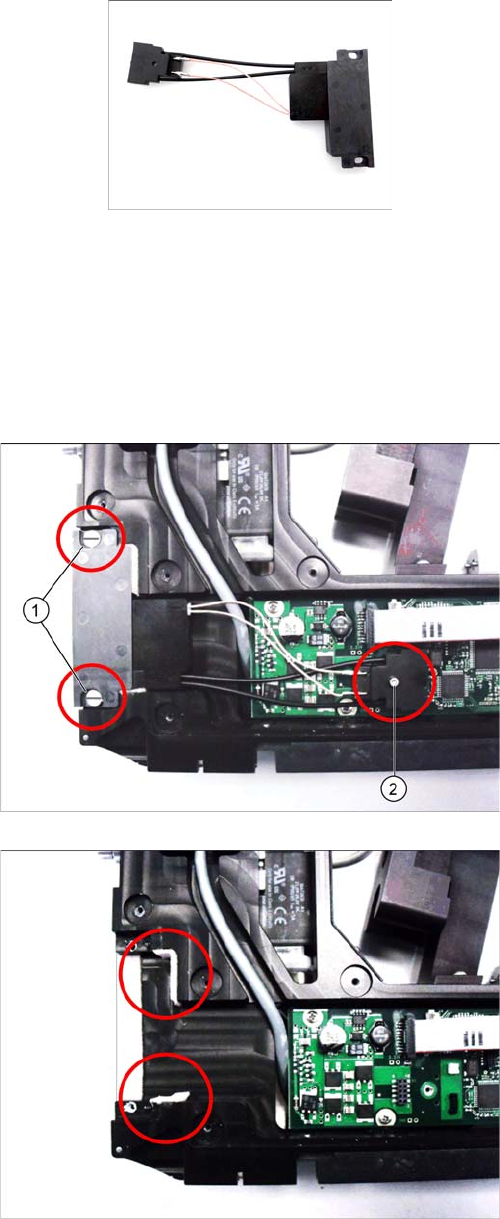
EDIF secondary assembly. /X2x8, item no. 03065209-xx
Required tools
▪ Flat bladed (slotted) screwdriver
▪ Allen key size 2
3.23.1
3.23.1 Removing the EDIF
Removing the EDIF
► Place the feeder on a stable, level and clean surface.
► Remove the left side cover (see "3.7.1 Removing the
Left Side Cover" [ ➙ 20].
► Remove the two collar screws. (1) Use a slotted
screwdriver to help you.
► Remove the screw (2) which fastens the connector to
the board. Use a size 2 Allen key for this.
► Lift the connector carefully off the board and remove
the EDIF.
► Check that the EDIF foam sealing at the top and bot
-
tom is not damaged or worn and replace if required.