mechanical reference xp141-1.2e - 第12页
2. Safety Rules for All Machine T ypes Safety Guidelines Edition 1.2 2 XP-141E Mechanical DANGER Do not approach moving parts during automatic or manual operation. ● Do not place hands or other body parts inside the mach…
1. About Symbols
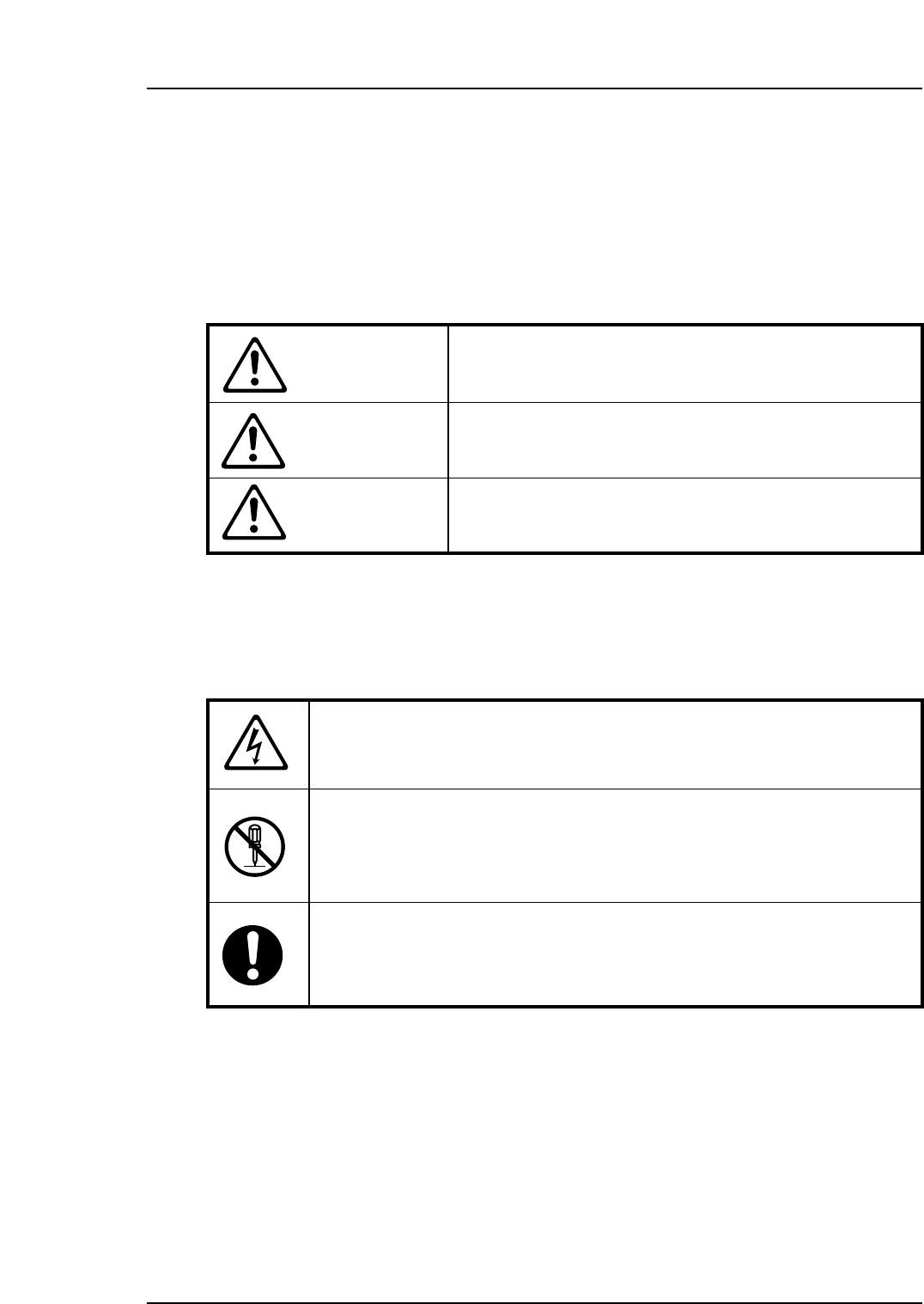
To avoid injury to persons and damage to the machine, Fuji employs a number of messages
and symbols that are used in manuals and on the machines. Be sure you understand the
meanings of these symbols before reading the manual.
Hazard warnings are divided into the following three classes:
Safety Guidelines
Edition 1.2 1 XP-141E Mechanical
DANGER
The hazard or unsafe practice will cause severe injury or
death.
WARNING
The hazard or unsafe practice may cause severe injury or
death.
CAUTION
The hazard or unsafe practice may lead to personal injury
or damage to the machine.
To distinguish the type of hazard, the following symbols are used in combination with the
ones above.
Hazard Alert
A triangle is used to draw your attention to a hazard. The symbol inside the
triangle indicates the nature of the hazard (in this case electrical shock).
Prohibition
A circle with a diagonal line inside is used to draw your attention to an
operation that is prohibited. The symbol inside the circle indicates the nature
of the operation (in this case disassembly).
A circle with an exclamation mark is used to draw your attention to a
mandatory action. In other words, you are required to carefully carry out the
given instructions.
2. Safety Rules for All Machine Types
Safety Guidelines
Edition 1.2 2 XP-141E Mechanical
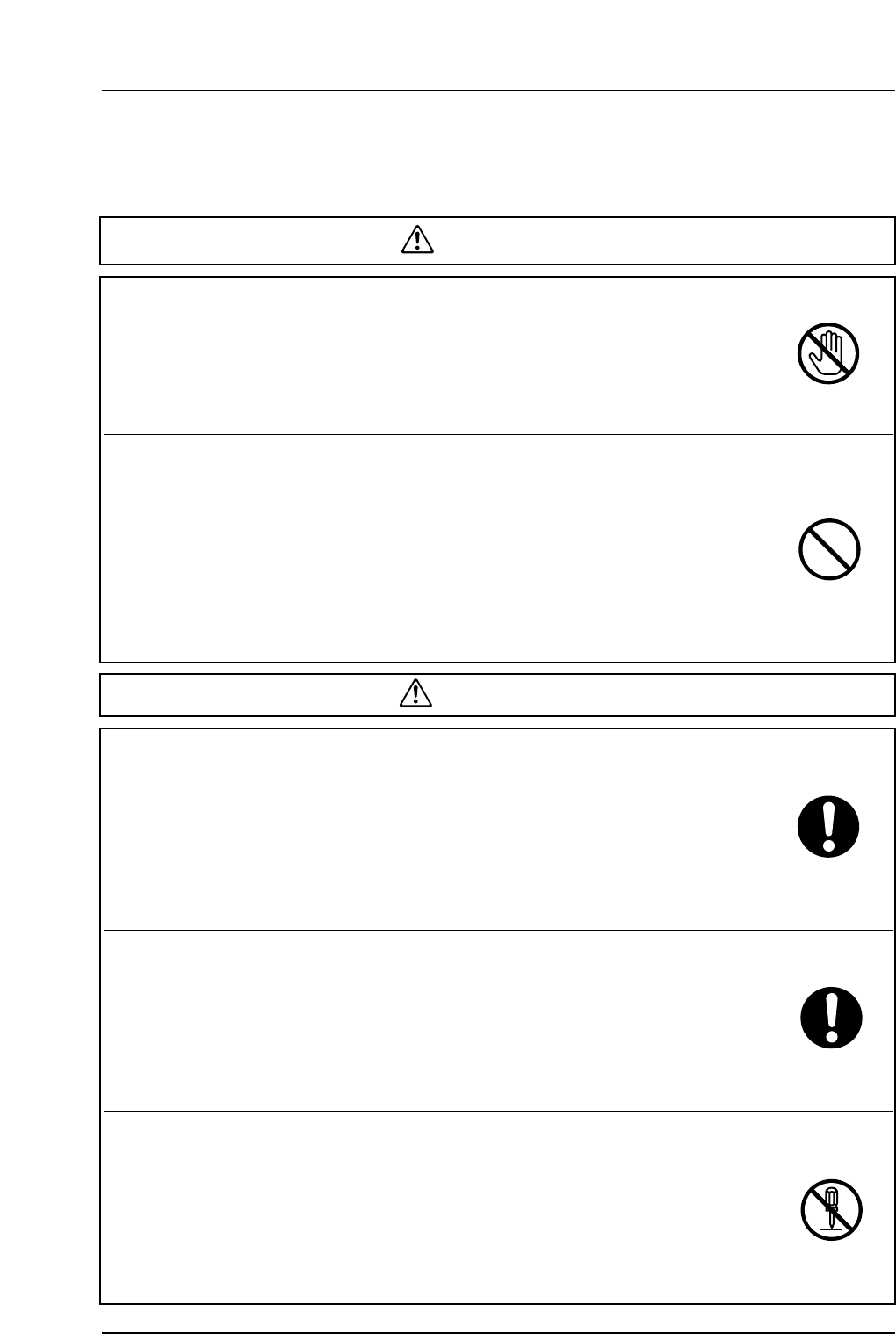
DANGER
Do not approach moving parts during automatic or
manual operation.
● Do not place hands or other body parts inside the machine during
automatic operation or positioning.
Body parts or clothing may be caught in the machine causing
personal injury.
Do not operate the machine with the safety covers or
doors open.
● Do not leave covers or safety doors open, except during
adjustment.
● When adjustments are completed, return the covers and doors to
their original (closed) position.
● When safety covers or doors are removed, body parts or clothing
may be caught in the machine causing personal injury. Always be
sure to replace the safety covers or doors.
WARNING
Always verify the position of the EMERGENCY STOP
buttons before operating the machine.
● Always be aware of the positions of the EMERGENCY STOP
buttons so that they can be pressed quickly in case of an
emergency.
● To reduce accidents and injury to a minimum, it is essential to know
the positions and understand the use of the EMERGENCY STOP
buttons.
Check the safety functions before starting operation.
● Before starting the machine check the operation of the
EMERGENCY STOP button, the safety switches on the acrylic
covers, the safety switch on the rear fence gate, the optical sensors
on the rear fence and all other machine safety features.
● Contact a Fuji serviceman immediately if any of the safety functions
fails.
Do not remove safety switches.
● Do not remove safety switches or disarm the safety functions.
● Disarming the safety switches may result in injury when others
unknowingly press the START button.
● Fuji does not take any responsibility when a machine is
disassembled without Fuji's permission, even if this results in
accidents or trouble.
Safety Guidelines
Edition 1.2 3 XP-141E Mechanical
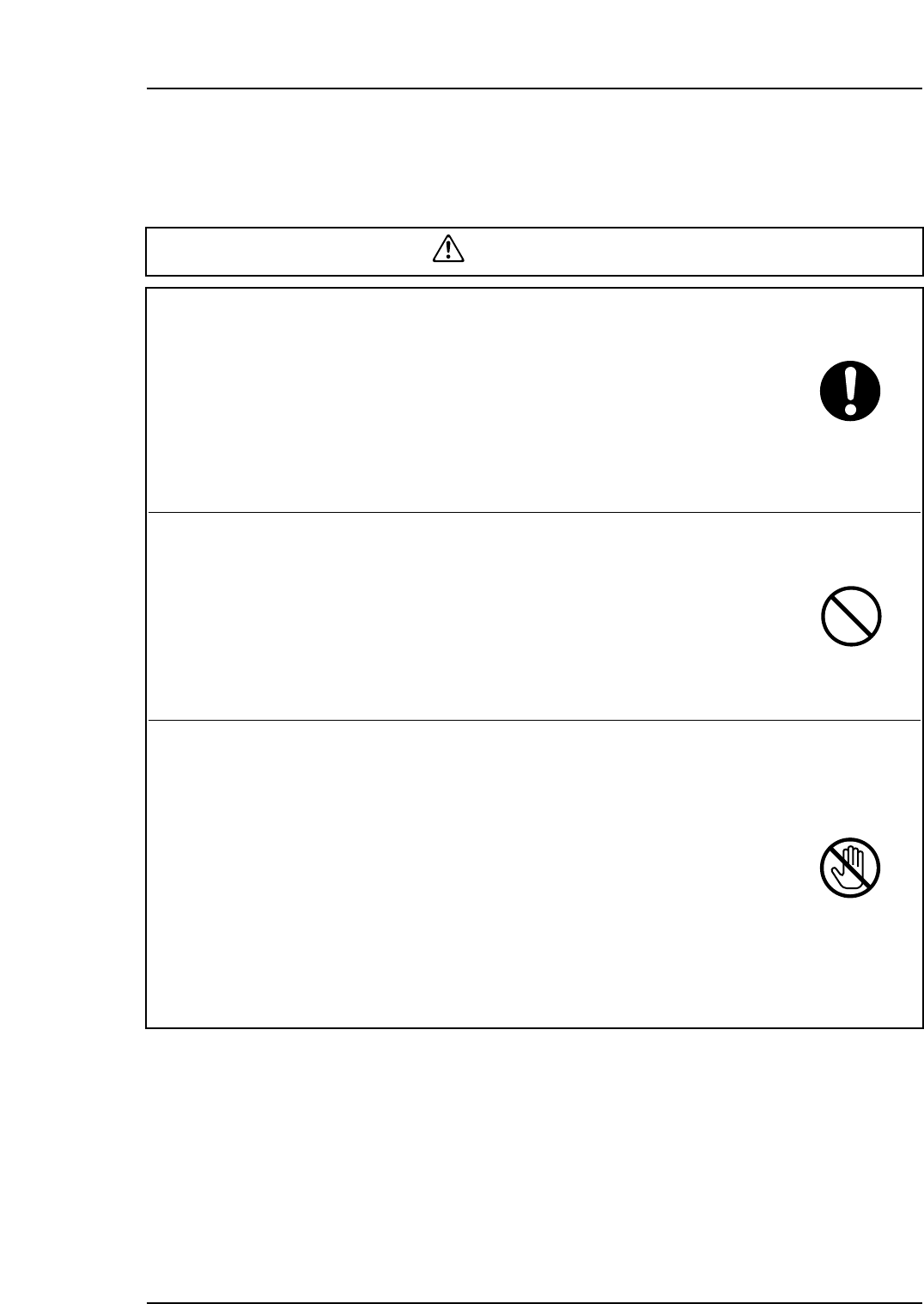
Check that there is nobody inside the machine when
working on the machine with two persons or more.
● Verify that nobody is within or near the machine before operating
the machine. Operating the machine may cause injury to the
person who is carrying out maintenance.
[Example]
If one person moves the device table while another person is
exchanging a feeder, the latter may be injured.
Do not close the fence when someone is inside the
fence.
● When the fence is opened, it is safe to approach the machine.
Closing the fence, however, will put anybody working inside the
fence in immediate danger when the RESET or START button is
pressed. Be sure to leave the fence open when anyone is inside
the fence.
Do not approach a machine that has stopped moving.
● There are times during automatic operation when the machine may
appear to have stopped while it is waiting for a board, waiting for the
next machine, reading marks, transmitting data, etc. In such cases,
once certain conditions are fulfilled, the machine will begin moving
again automatically, so care should be taken. Only approach the
machine after the EMERGENCY STOP button has been pressed.
When the message "Ready" displays at the machine display, the
machine will begin to move once certain conditions are fulfilled.
● Keep in mind that the machine will begin to move regardless of
whether these conditions are fulfilled intentionally or inadvertently.
WARNING