mechanical reference xp141-1.2e - 第19页
4. Safety Labels To warn the operator of hazards, safety labels are attached to the machine at the positions indicated in the figure below. Familiarize yourself with each label and its message before operating the machin…
Safety Guidelines
Edition 1.2 8 XP-141E Mechanical
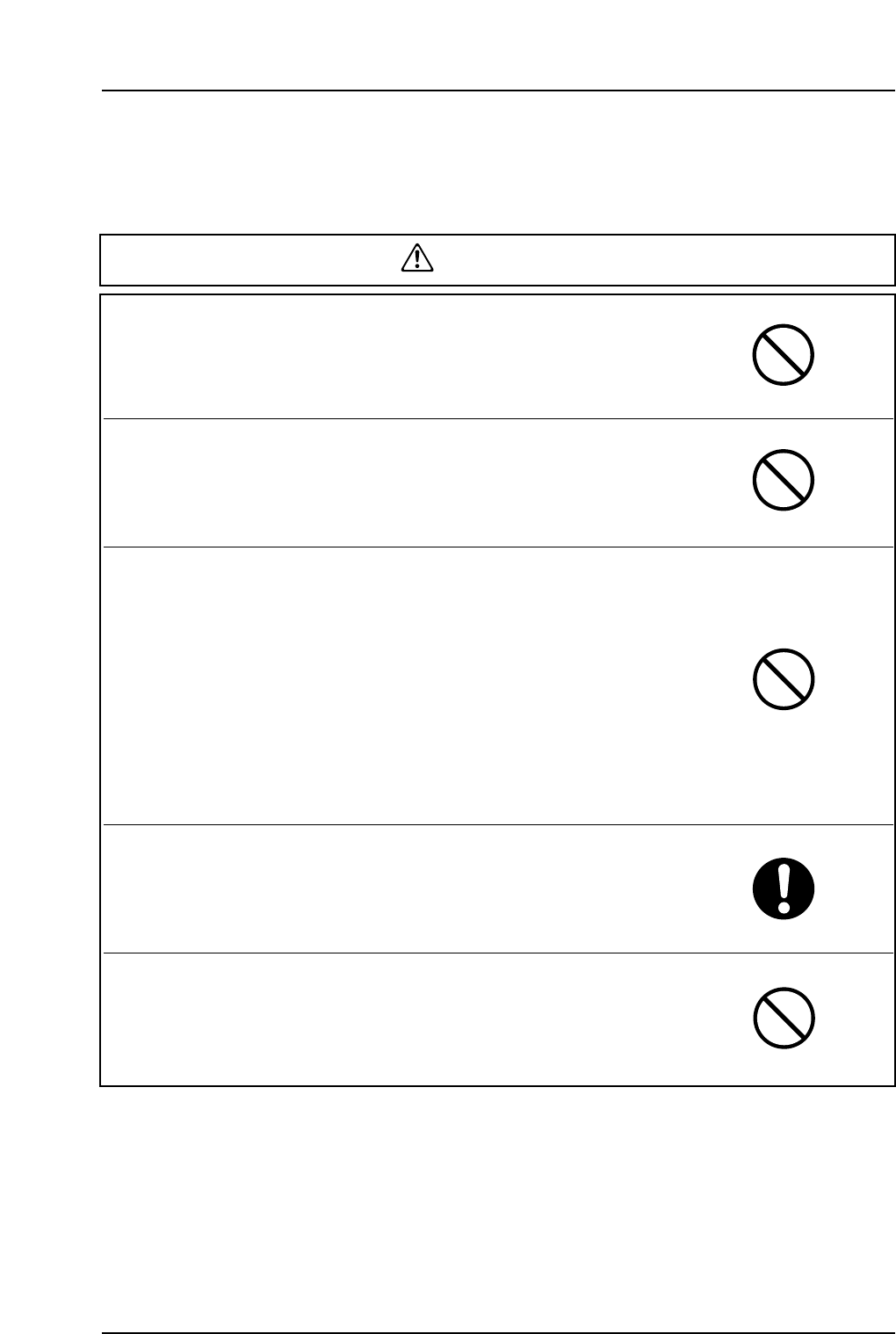
WARNING
Do not insert hands or other body parts into the
conveyor inlets.
● Body parts may get caught in the machine resulting in injury.
Do not operate the machine when the front/rear cover
has been removed.
● Body parts may get caught in the machine resulting in injury.
Do not disable safety switches and leave safety doors
open.
● Do not operate the machine with the safety switches disabled
(shorted), and the MTU detached. Body parts could become caught
in the machine, resulting in serious injury. After removing the MTU,
be sure to close the safety door.
● Do not short or remove the machine's safety switches. An
operation command could be executed by mistake while the safety
switches are disabled, possibly resulting in serious injury.
Before moving the MFU, be sure that path of movement
is clear of obstacles and persons.
● Careless handling could cause an injury or equipment damage.
Do not move the MFU by applying a sharp push and
then releasing the handle.
● Careless handling could cause an injury or equipment damage.
4. Safety Labels
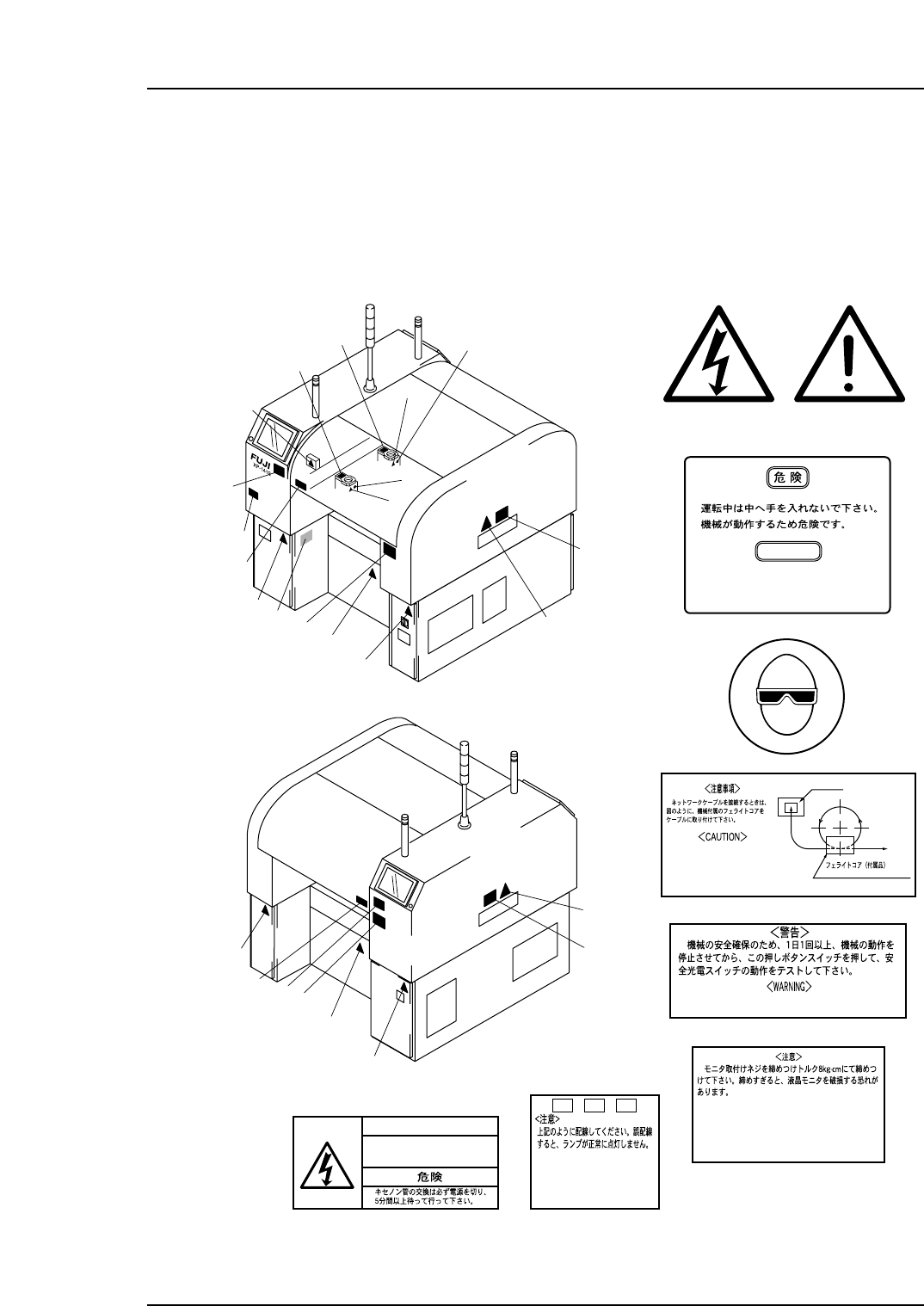
To warn the operator of hazards, safety labels are attached to the machine at the
positions indicated in the figure below.
Familiarize yourself with each label and its message before operating the machine.
1
8
8
4
1
4
1
6
9
7
5
1
1
1
1
2
2
3
3
3
3
7
9
XP1MO001b
1
1
1
2
3
4
5
6
7
8
9
Never insert your hand
inside an operating machine.
Moving parts may cause injury.
DANGER
ETHRNET
NETWORK
FERRITE CORE (ACCESARY)
ZCAT3035-1330, TDK
When connecting the network
cable, attach the ferrite
core as shown in the figure.
Stop the machine and press this button at least
once a day to test the machine's safety swiches.
<
CAUTION
>
Tighten the monitor fixing screws to
a torque of 8kg·cm Over tightening the
screws may damage the liquid crystal
display.
+
VH1
-
VH1TRIG*
<CAUTION>
Connect as shown above.
The lamp will not illuminate
property if not connected
correctly.
DANGER
Be sure to turn off the power
and wait five minutes before
replacing the flash lamp.
Front side
Rear Side
[High Voltage]
[Caution]
Safety Guidelines
Edition 1.2 9 XP-141E Mechanical
5. The EMERGENCY STOP Button
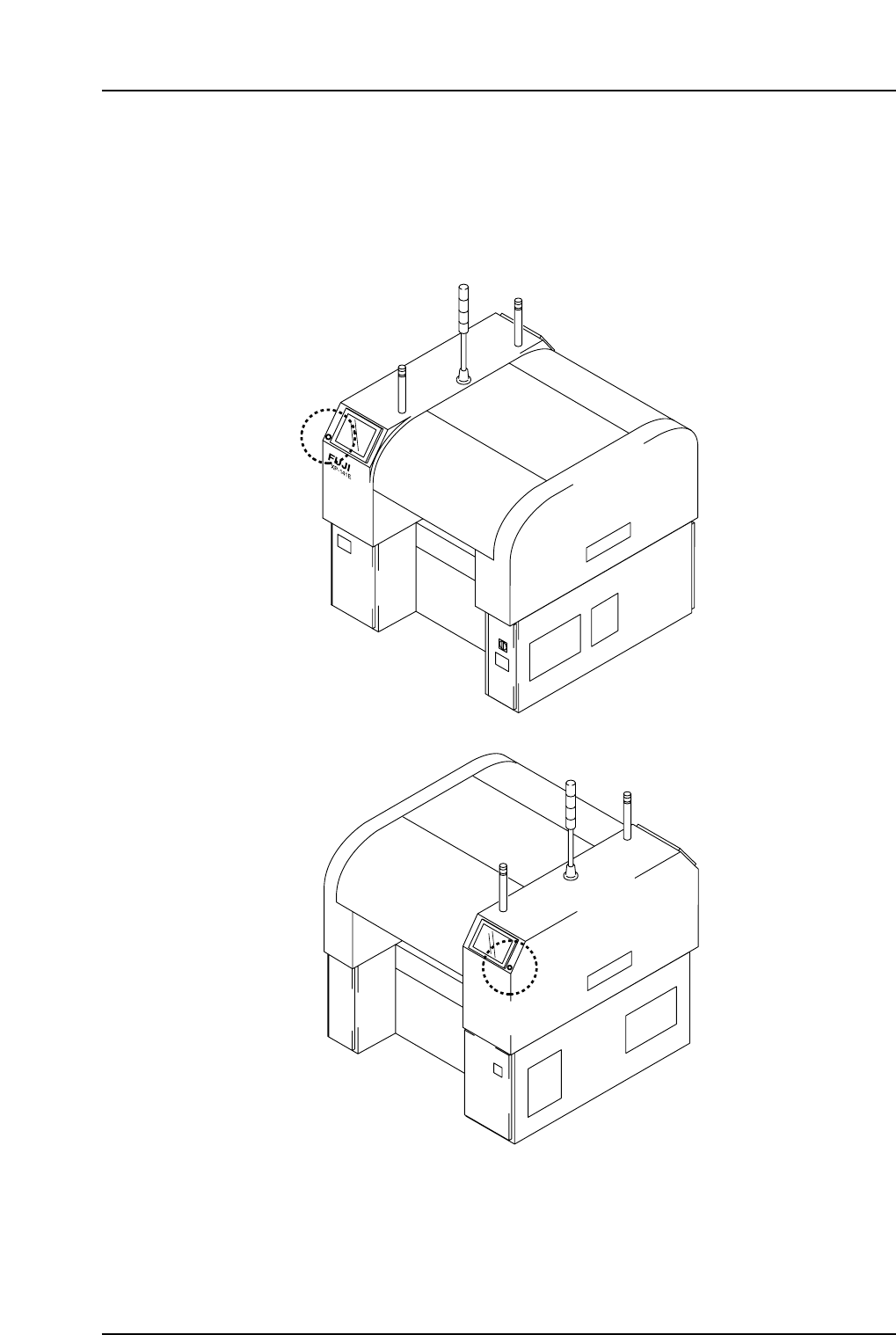
In the event of an emergency, press any of the red EMERGENCY STOP buttons located
on the machine at the positions indicated in the figure below.
XP1MO002
Front side
Rear side
Safety Guidelines
Edition 1.2 10 XP-141E Mechanical