mechanical reference xp141-1.2e - 第28页
Notes: Part 4 Chapter 5 Connecting the Data Transmission Cable (Ethernet) Edition 1.2 4-5-2 XP-141E Mechanical
5. Connecting the Data Transmission Cable
(Ethernet)
Point
The machine is connected to the host computer by means of an Ethernet twisted-pair
communication cable (class 5) which permits program transmissions and production log
collection.
Procedure
1. Register the XP-141E in the line descriptor file at the host.
Note: Refer to the host computer manual for details regarding the registration procedure.
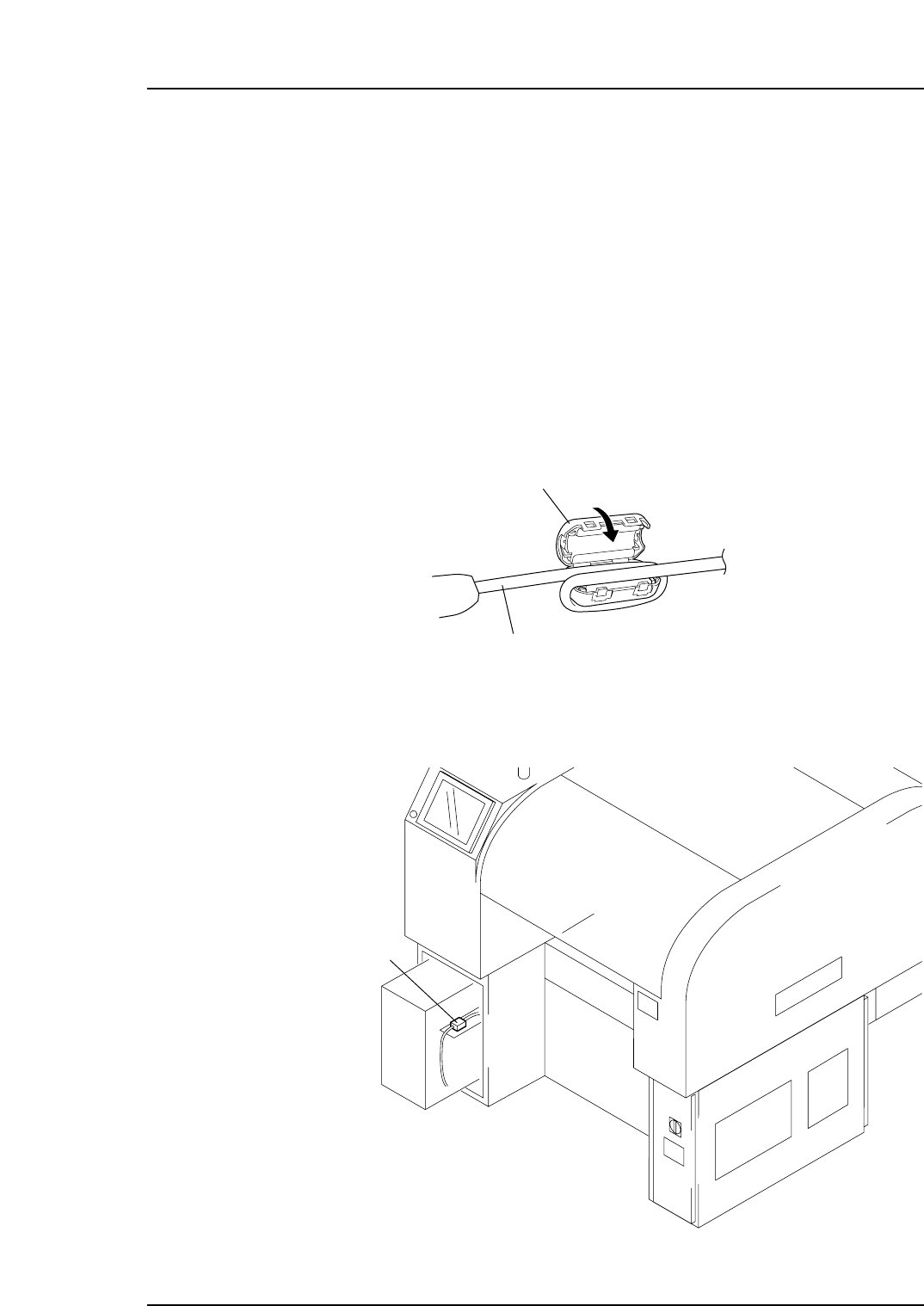
2. Attach the ferrite core to the Ethernet cable.
3. Connect one end of the transmission cable to the Ethernet connector at the host,
and connect the other end to the connector on the machine.
Ethernet connector
XP1MS005
Ferrite core (ZCAT3035-1330, TDK)
Ethernet cable
XP1MS008
Part 4 Chapter 5 Connecting the Data Transmission Cable (Ethernet)
Edition 1.2 4-5-1 XP-141E Mechanical

Notes:
Part 4 Chapter 5 Connecting the Data Transmission Cable (Ethernet)
Edition 1.2 4-5-2 XP-141E Mechanical

XP-141E Mechanical Reference
Edition 1.0 October 31, 2000
Edition 1.1 January 10, 2001
Edition 1.2 May 15, 2001
FUJI Machine Manufacturing Co., Ltd.
SMT Equipment
19 Chausuyama, Yamamachi, Chiryu,
Aichi Prefecture, 472-8686 Japan
Copyright 2001 by Fuji Machine Manufacturing Co., Ltd.
Printed in Japan
The FUJI Internet
Fuji Internet aims at providing information to our customers in
the most efficient manner. This site makes a range of services
available, from manual updates and FAQs, to online technical
reports. Fuji hopes that this site will be used as a source of
information in addition to the services provided by your agent.
Fuji’s website is located at http://smt.fuji.co.jp/
Fuji Internet membership is required to access the Technical
Information section of the site, contact your agent for details.
Any comments or opinions regarding this manual can be sent to
intnetqst@fuji.co.jp