mechanical reference xp141-1.2e - 第6页
Body The information needed to understand the workings of the machine and how to perform maintenance is explained using text and illustrations. Page number A three digit hyphenated number appears in the footer on each pa…
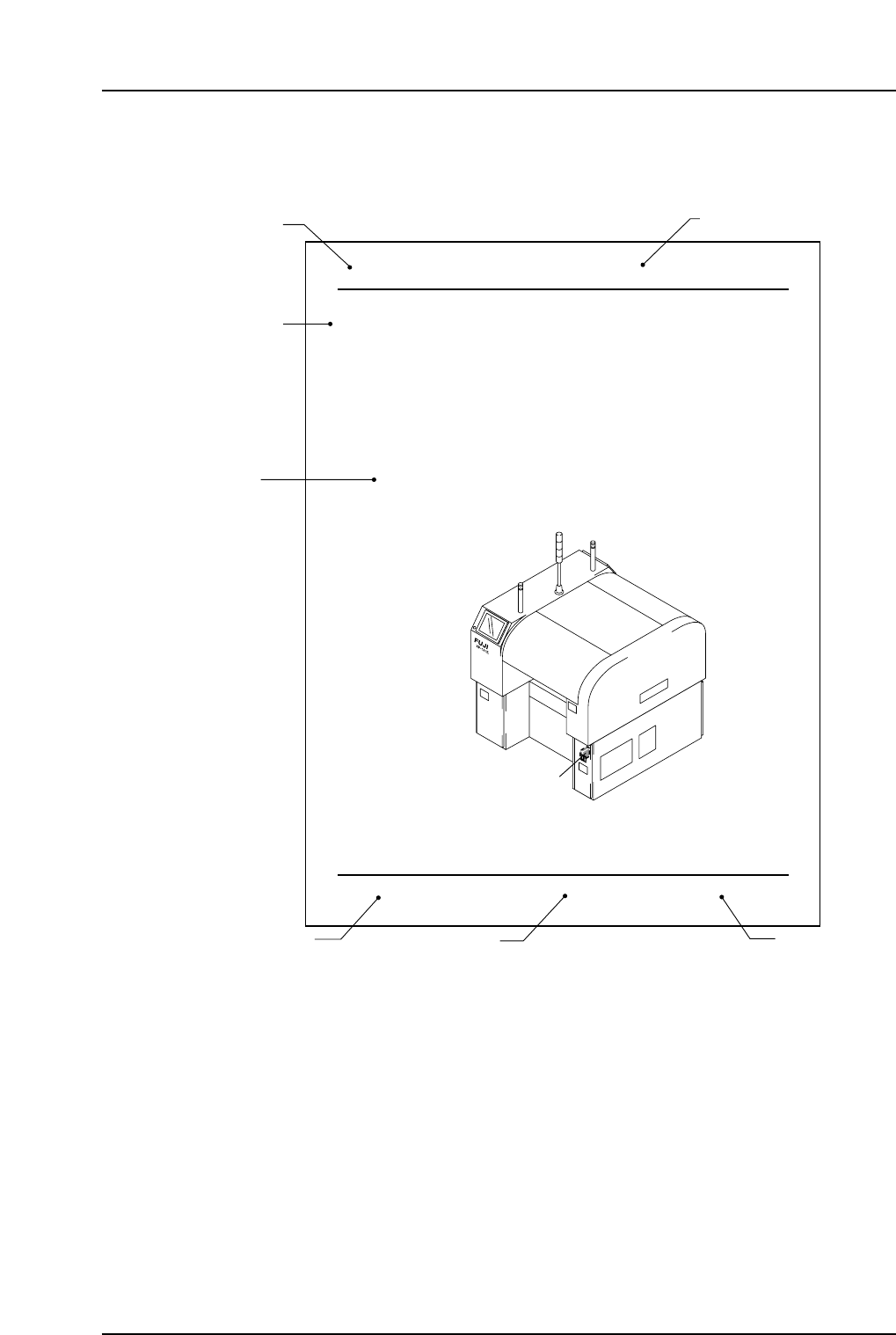
Page Layout
Each page indicates the part number, chapter title, section title , manual name, page
number, and the edition number of the manual.
Part number
The part number to which each chapter belongs is shown on the header on each page.
Chapter number and title
The title of each chapter is shown in the header on each page. Each part may contain one
or more chapters.
Section title
Each chapter may be divided into several sections. The section number is composed of
the number of the chapter to which the section belongs, followed by a sequential number
for each section.
4. Connecting the Data Transmission Cable
(RS-232C)
Point
The machine is connected to the host computer by means of an RS-232C communication
cable which permits program transmissions and production log collection.
Procedure
1. Register the XP-141E in the line descriptor file at the host.
Note: Refer to the host computer manual for details regarding the registration procedure.
2. Connect one end of the transmission cable to the designated port at the host, and
connect the other end to the connector on the machine.
Note: Shielded cables are recommended if cable types other than Ethernet are used.
XP1MS006
Data cable port
Part 4 Chapter 4 Connecting the Data Transmission Cable (RS-232C)
Edition 1.0 4-4-1 XP-141E Mechanical
Manual name
XP1MF001
Body
Edition number
Page number
Section title
Chapter number and title
Part number
About This Manual
Edition 1.2 ii XP-141E Mechanical

Body
The information needed to understand the workings of the machine and how to perform
maintenance is explained using text and illustrations.
Page number
A three digit hyphenated number appears in the footer on each page. The first digit of
each page number indicates the part number, the second digit indicates the chapter
number within the part, and the final digit is the sequential page number within that
chapter. Page 1-2-1, for example, indicates that this is the first page in the second chapter
of part 1.
Manual name
The name of the manual that appears on the cover is also shown in the footer on each
page.
Edition number
The edition number is updated each time the manual is revised, with the number
reflecting the scale of changes that were made.
Minor revision: Minor changes are reflected in the part of the edition number after
the decimal point, for example, a change from edition 1.0 to 1.1. This
change is made on the revised pages only, and these pages can be
downloaded as required from Fuji's website.
Major revision: If major changes are made, the edition number is increased by one,
for example, a change from edition 1.0 to 2.0. This change is made on
all pages.
About This Manual
Edition 1.2 iii XP-141E Mechanical

Notes:
About This Manual
Edition 1.2 iv XP-141E Mechanical