Release-R17-1-CS_Reporting_en.pdf - 第12页
SIPLA CE Pro - Ease of Use 2.1: Updating an existing Setup 8/8/2017 ASM Assembly Systems Page 12 1. Upload machine configuration - Create the new station / new line / new default setup in SIPLACE Pro Desk. - Click on the…

SIPLACE Pro - Ease of Use 2.1: Updating an existing Setup
8/8/2017 ASM Assembly Systems Page 11
In case customers change the hardware of a station or replace a station in a line all existing setups need to be updated manually.
With this feature SIPLACE Pro support to change a station type within an existing setup.
This feature consist of two parts.
1. Update of an existing Setup/Line/Station(s) by uploading the current station configurations with the same station types and line
layout. e.g. a camera has changed or the nozzles in the nozzle changer have changed
2. Copy of Feeder and Nozzle configuration between the setups of two lines with different number of stations and different station
types.
The user creates the new line (manually or automatically), creates an empty setup and can get the nozzle and feeder setup from
the old setup. The user can decide to copy only the nozzle changer configuration, only the feeder setup or both.
SIPLACE Pro - Ease of Use 2.1: Updating an existing Setup
8/8/2017 ASM Assembly Systems Page 12
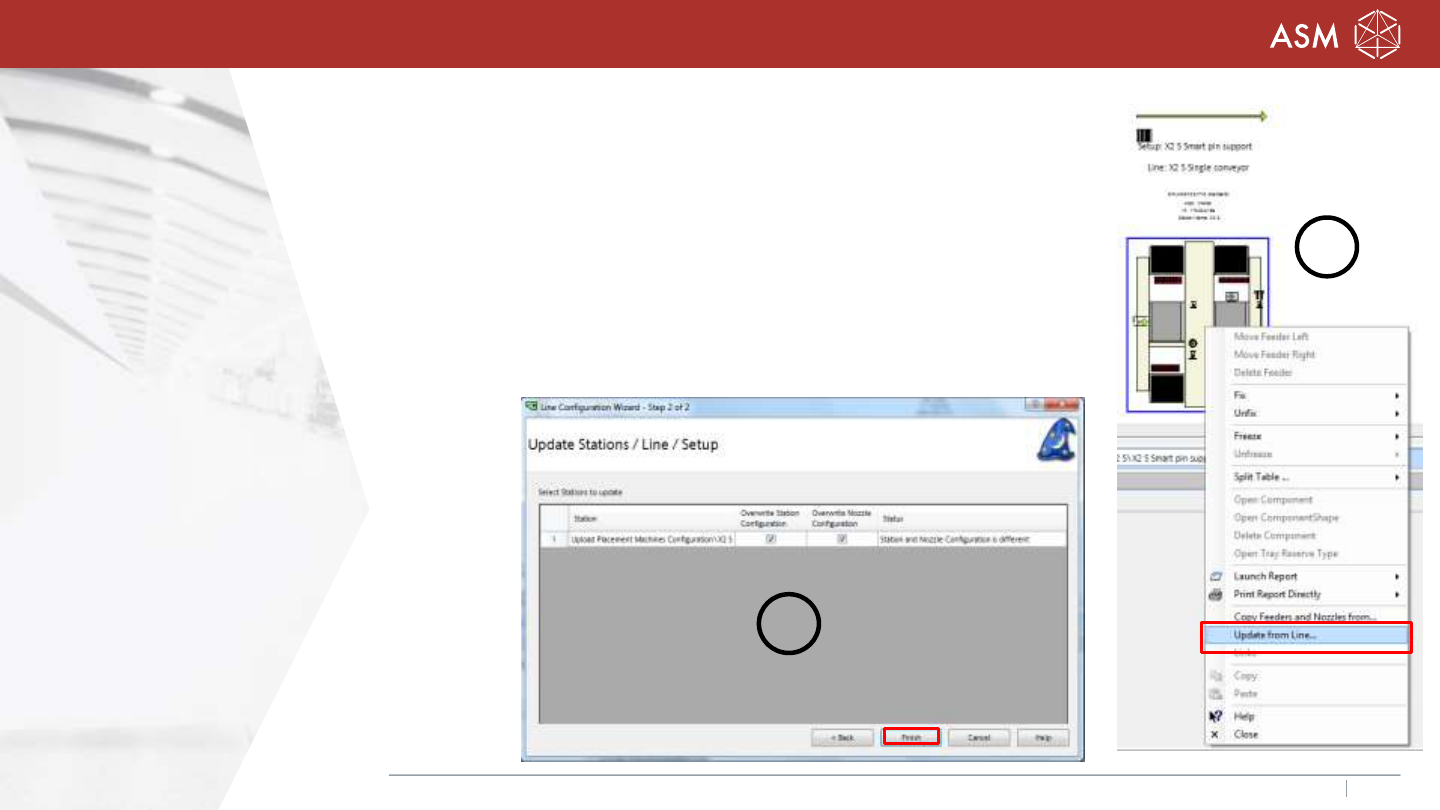
1. Upload machine configuration
- Create the new station / new line / new default setup
in SIPLACE Pro Desk.
- Click on the machine with the right mouse button
„Update from Line…“ (1).
- Choose the option „overwrite station configuration
and/or overwrite nozzle configuration (2).
- „Finish“
2
1
SIPLACE Pro - Ease of Use 2.1: Updating an existing Setup
8/8/2017 ASM Assembly Systems Page 13
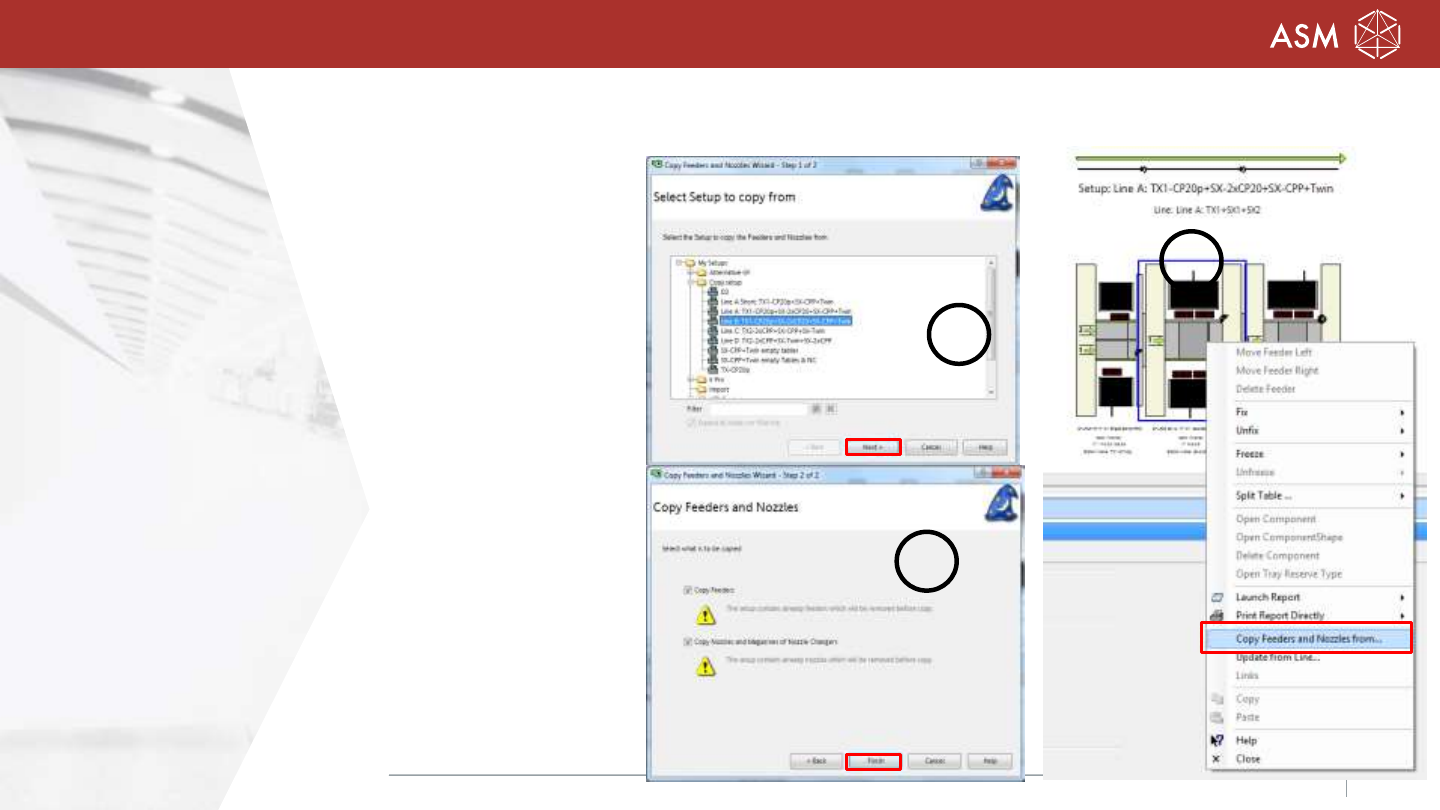
2. Copy Feeders and Nozzles
- Select the target setup and click the right mouse
button „Copy Feeders and Nozzles from…“(1).
- Desk open a dialog (2) to select the source setup.
- „Next“
- Desk checks, if the nozzle configuration can be
copied and if the feeder setup can be copied.
- Select Copy feeders and/or nozzles and magazines.
- “Finish” (3)
Note: Please note the restriction in the
Online Help of SIPLACE Pro!
2
1
3