00191369-02.pdf - 第121页
User Manual HS-50 3 Introduction and Basic Concepts Software Vers ion SR.501.xx 12/99 Issue US 3.3 User Interface - V iews and Menus 121 t I I t NOTE At "Operato r" acce ss lev el, it is only poss ible to activ…
3 Introduction and Basic Concepts User Manual HS-50
3.3 User Interface - Views and Menus Software Version SR.501.xx 12/99 Issue US
120
t IIt
3.3.2.3 "Options" Menu
The "Options" menu is only available in the main view. This menu contains all the supplementary
functions. 3
Å Click the required menu item and then make the appropriate settings or selections in the cor-
responding windows or dialog boxes.
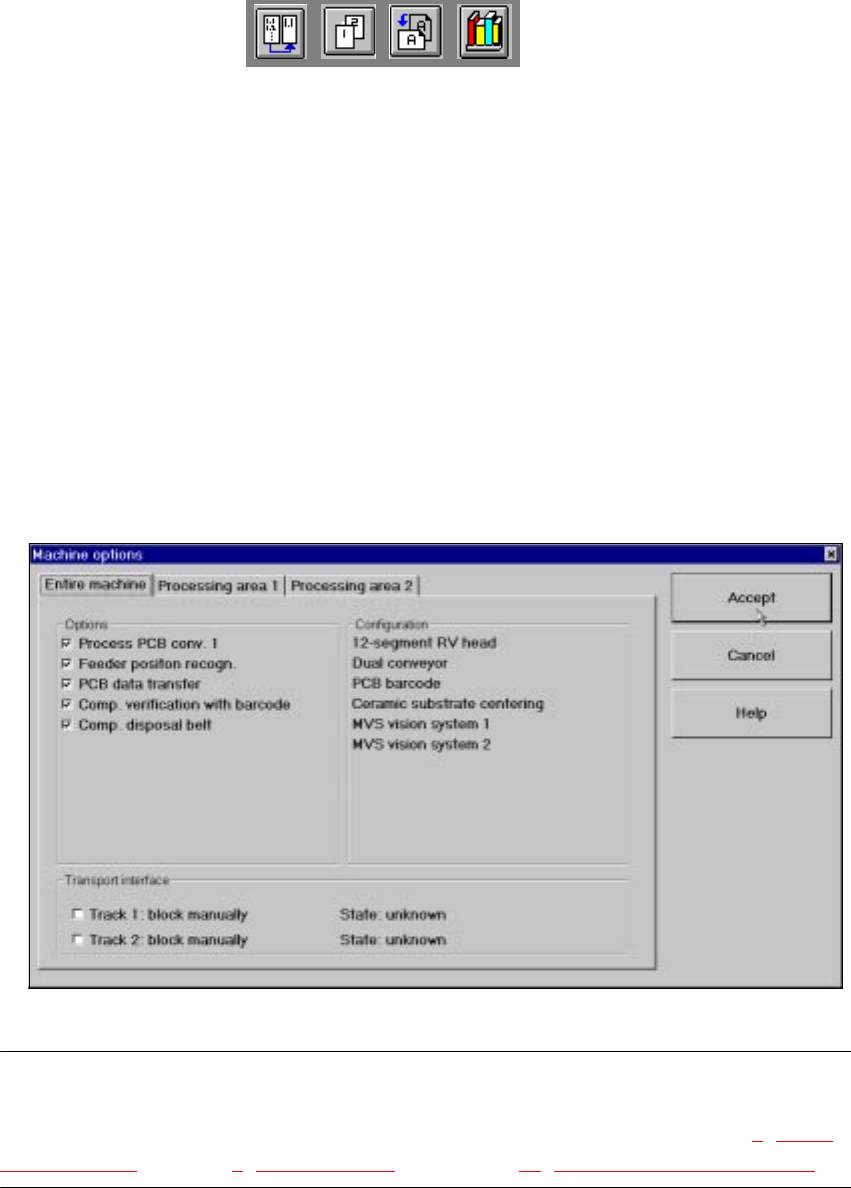
Machine options... 3
Depending on access level, you can obtain information about the station configuration ("Opera-
tor") or activate or deactivate the displayed machine options ("Line engineer", "Service"). 3
Å Click the menu item Machine options...
The following window is displayed.
3
NOTE
Only those machine options are displayed which are configured at the current station.
The different machine options and the associated functions are described in Chapter 4
"Place-
ment Functions", Chapter 6 "Vision functions" and chapter 12 "Station Extensions - Software“. 3
Å Click the checkboxes corresponding to the machine options which you want to activate or de-
activate.
User Manual HS-50 3 Introduction and Basic Concepts
Software Version SR.501.xx 12/99 Issue US 3.3 User Interface - Views and Menus
121
t IIt
NOTE
At "Operator" access level, it is only possible to activate and deactivate the conveyor interface op-
tions. 3
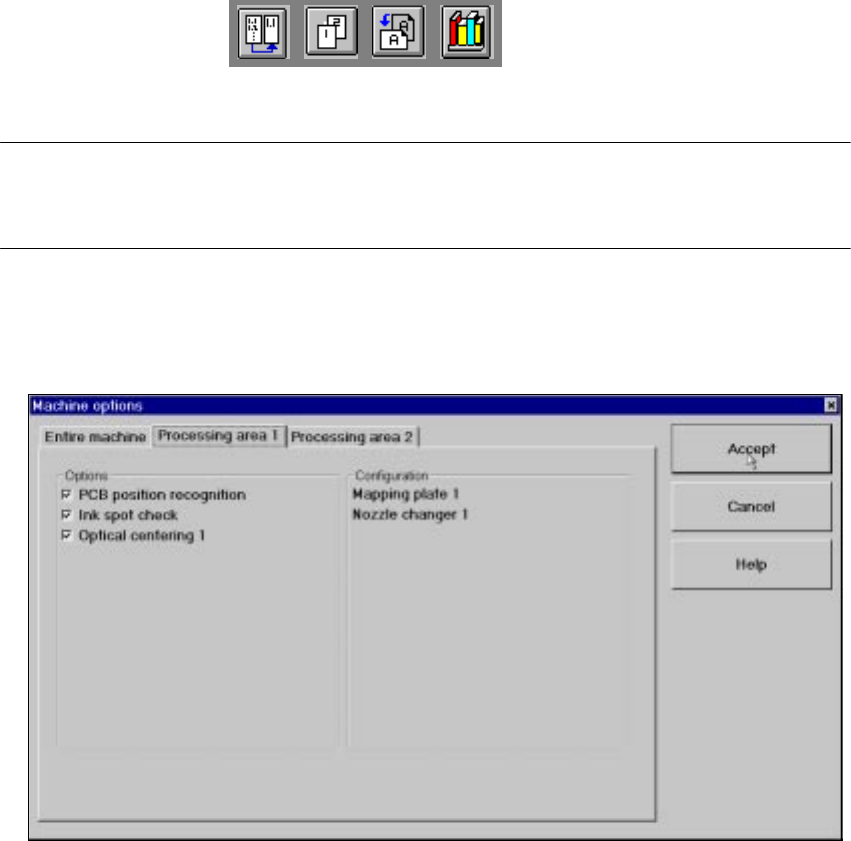
Å If you want to activate or deactivate the options for a processing area or view its configuration,
click the Processing area 1 or Processing area 2 tab to select the required area.
The display switches to the selected processing area (see example below for PA1).
3
Å Check/uncheck the boxes corresponding to the required machine options.
Å Click Accept to save the settings.
Access level... 3
It is possible to protect some user interface functions against unauthorized use by setting an ac-
cess level and allocating a password. Functions which are not accessible from a given access
level cannot be executed since the associated pushbuttons, radio buttons and menu commands
are either inactive or not displayed. 3
You can choose between the access levels "Operator", "Line engineer" and "Service". Passwords
can be allocated for the access levels "Line engineer" and "Service". 3
3 Introduction and Basic Concepts User Manual HS-50
3.3 User Interface - Views and Menus Software Version SR.501.xx 12/99 Issue US
122
t IIt
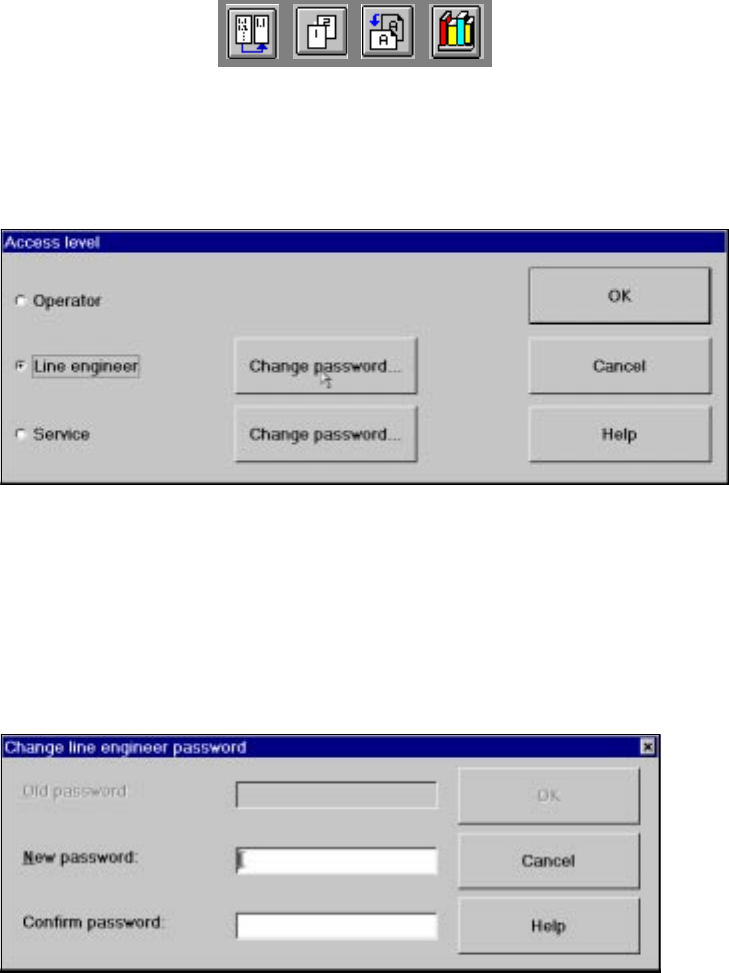
Å Click the menu item Access level ...
The "Access level" dialog box is opened.
3
Å Click the radio button for the required access level.
Å Click the "Change password" button to the right of the access level if you want to allocate a
password or change an existing password.
The dialog box for password entry is now displayed.
Example of initial password allocation 3
3
Å Click the "New password" text box and enter the required password.
Å Click the "Confirm password" text box and re-enter the password.
Å Click the OK button to confirm the password.