00191369-02.pdf - 第143页
User Manual HS-50 4 Placement Functions Software Vers ion SR.501.xx 12/99 Issue US 4.2 Error Display 143 t I I t – #E Error cou nter (see also Secti on 4.2.2.1 ) – T ext Descripti on of th e corres pondin g error 4.2.5 &…
4 Placement Functions User Manual HS-50
4.2 Error Display Software Version SR.501.xx 12/99 Issue US
142
t IIt
Vacuum errors 43 and 44 take the form of white bars. All other errors are shown as black bars.
The black error bars can be hidden, as required. 4
The track errors are
not
deleted when tracks or locations are filled, although they can be deleted
using the “Reset” button. The counter is reset when a new set-up is loaded. 4
The tracks are displayed, sorted in ascending frequency of errors, in the table beside the “Track
errors / Segment” bar chart. This provides the relevant data in a format suitable for error analysis.4
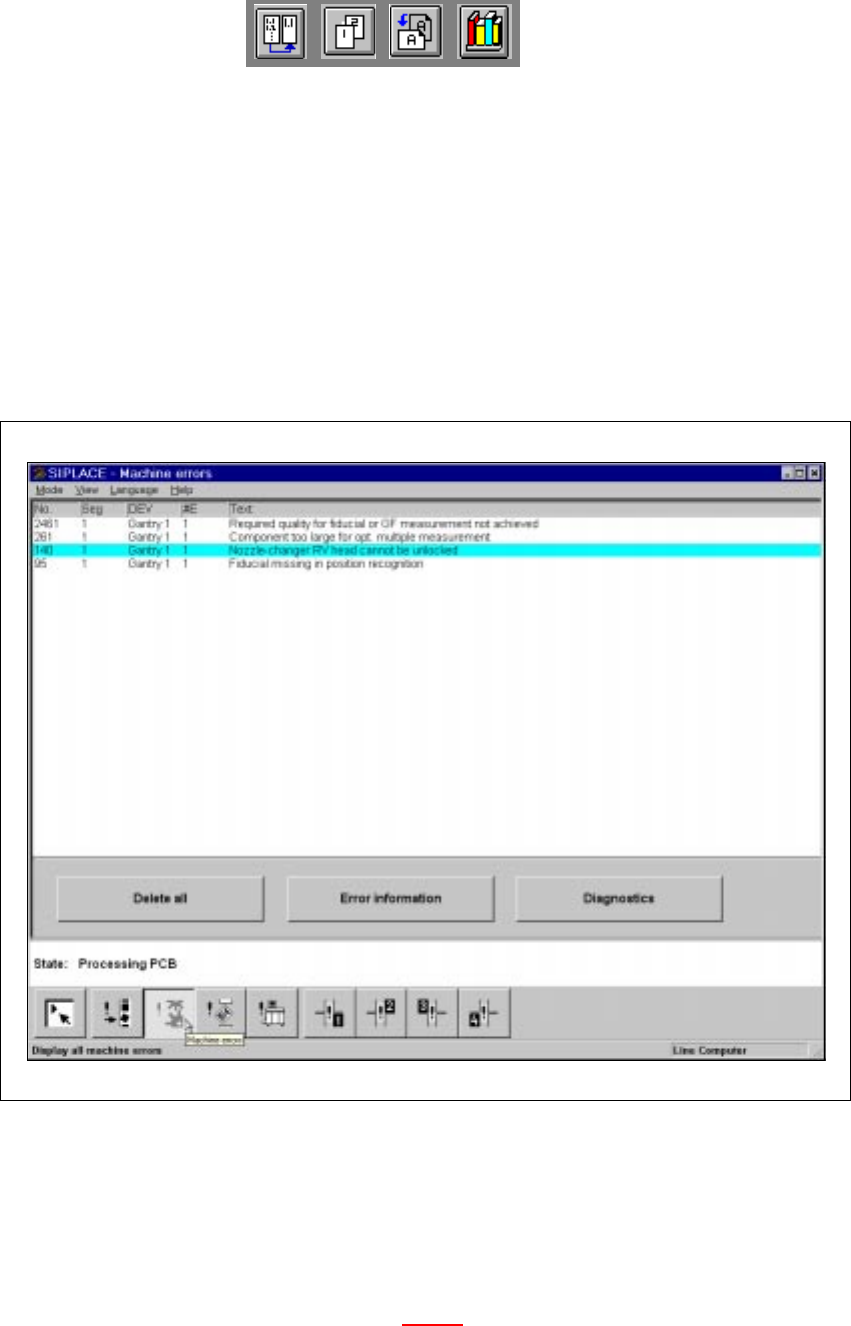
4.2.4 "Machine Errors" View
4
Fig. 4.2 - 3 "Machine errors" view
4.2.4.1 Meaning of the Entries in the Table for "Machine Errors"
– No
Error number of the corresponding error
– Seg
Number of the segment (see also Section 4.2.2.1
)
– DEV
Short description of the sender of the error (e.g. "MC1" of an error has occurred on gantry 1)
User Manual HS-50 4 Placement Functions
Software Version SR.501.xx 12/99 Issue US 4.2 Error Display
143
t IIt
– #E
Error counter (see also Section 4.2.2.1
)
– Text
Description of the corresponding error
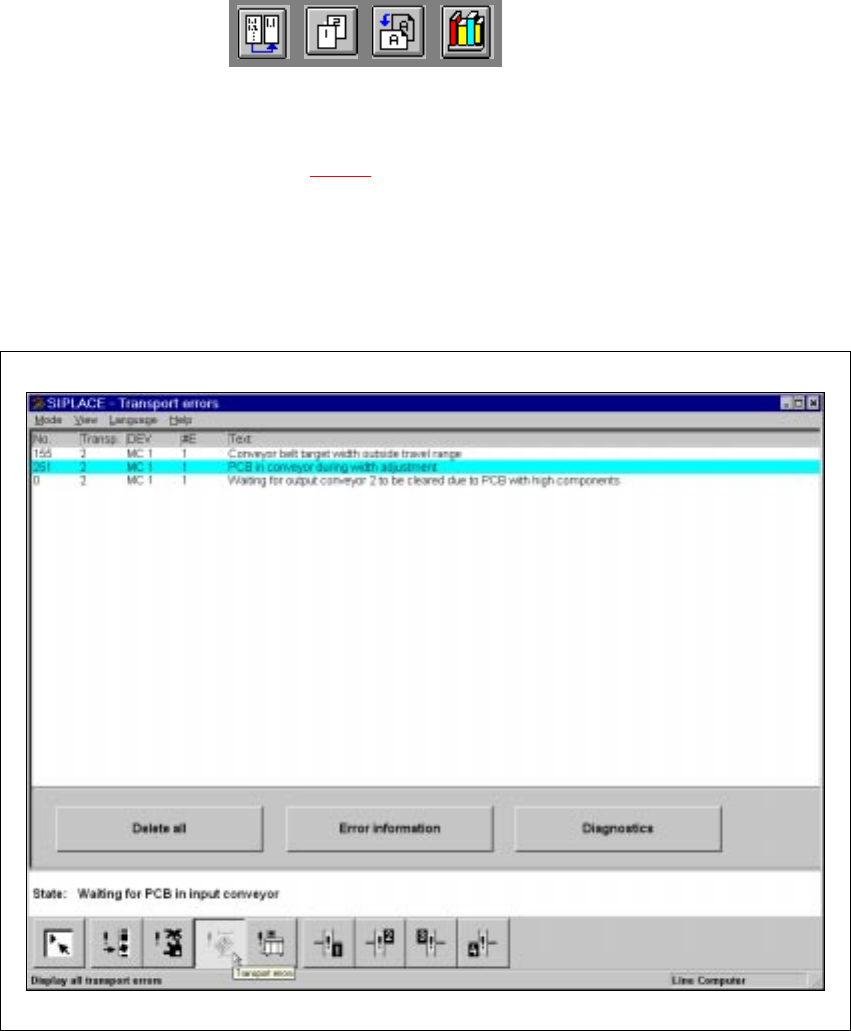
4.2.5 "Transport Errors" View
4
Fig. 4.2 - 4 "Transport errors" view
4.2.5.1 Meaning of the Entries in the Table for "Transport Errors"
– No
Error number of the corresponding error.
– Transp
The number of the transport in which the error has occurred is entered here.
1 = Transport 1 (Standard transport or right transport track for dual transports)
2 = Transport 2 (Left transport track for dual transports)
4 Placement Functions User Manual HS-50
4.2 Error Display Software Version SR.501.xx 12/99 Issue US
144
t IIt
– DEV
Short description of the sender of the error
– #E
Error counter (see also Section 4.2.2.1
).
– Text
Description of the corresponding error.
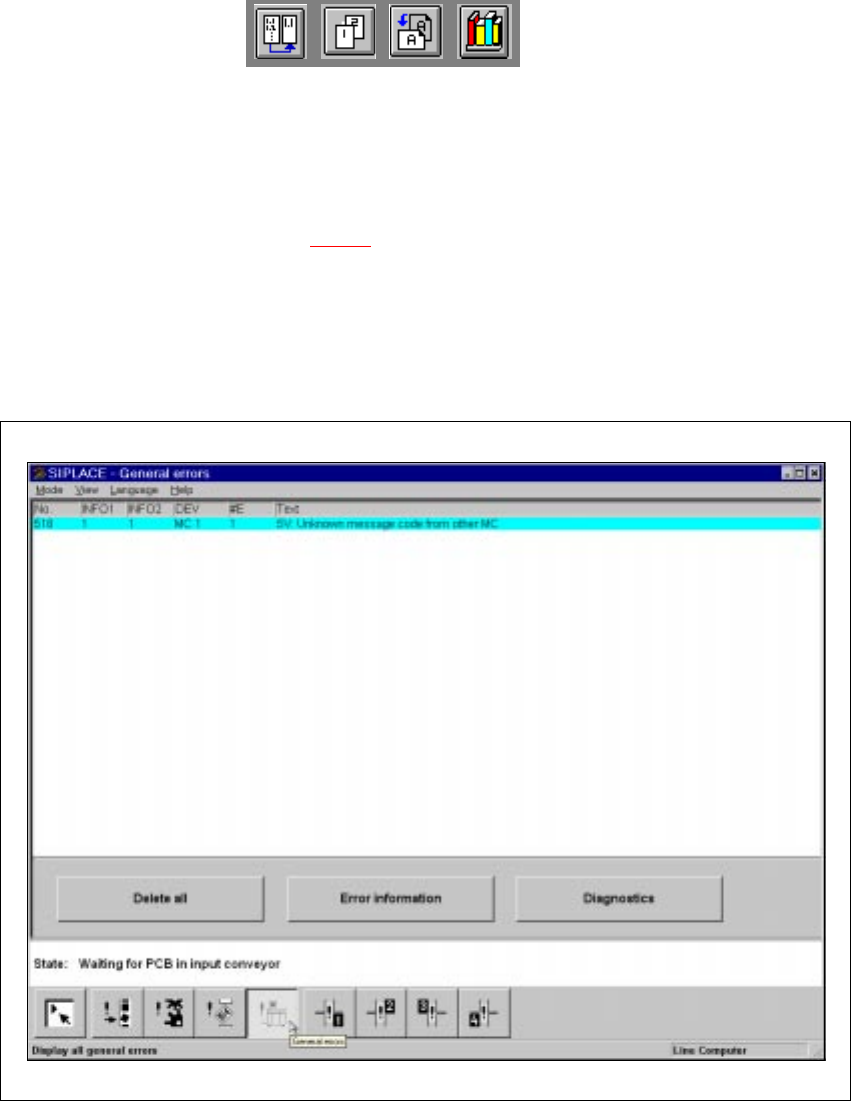
4.2.6 "General Errors" View
4
Fig. 4.2 - 5 "General errors" view
4.2.6.1 Meaning of the Entries in the Table for "General Errors"
– No
Error number of the corresponding error.
– Info1 / Info 2
These are only intended for internal use by Siemens.
– DEV
Short description of the sender of the error