00191369-02.pdf - 第17页
User Manual HS-50 1 Introduction Software Vers ion SR.501.xx 12/99 Issue US 1.1 General 17 t I I t 1 Introduction 1.1 Gen eral 1.1. 1 Over view These oper ating instruc tions pro vide a manua l or ref erence wo rk for 1 …

Index of figures User Manual HS-50
12/99 Issue US
16
t IIt
Fig. 8.2 - 1 Main view with error message . . . . . . . . . . . . . . . . . . . . . . . . . . . . . . . . . . . . . . . . . . . . . . . .344
Fig. 8.2 - 2 Example: Error type "transport error". . . . . . . . . . . . . . . . . . . . . . . . . . . . . . . . . . . . . . . . . . . 345
Fig. 8.2 - 3 Example: Error information on the current error . . . . . . . . . . . . . . . . . . . . . . . . . . . . . . . . . . 346
Fig. 8.2 - 4 Example: Additional information on the current error . . . . . . . . . . . . . . . . . . . . . . . . . . . . . .347
Fig. 9.1 - 1 Contents of the help system . . . . . . . . . . . . . . . . . . . . . . . . . . . . . . . . . . . . . . . . . . . . . . . . .352
Fig. 9.1 - 2 Example: Topic area "Help About Help" . . . . . . . . . . . . . . . . . . . . . . . . . . . . . . . . . . . . . . . .353
Fig. 9.1 - 3 Example: Help on the current view "Empty Tracks" . . . . . . . . . . . . . . . . . . . . . . . . . . . . . . .354
Fig. 9.1 - 4 Example: Help on the topic "Refilling Empty Tracks - Manually". . . . . . . . . . . . . . . . . . . . . .355
Fig. 9.1 - 5 Information on the station computer . . . . . . . . . . . . . . . . . . . . . . . . . . . . . . . . . . . . . . . . . . .357
Fig. 9.1 - 6 Example: Help on the "Display errors" icon. . . . . . . . . . . . . . . . . . . . . . . . . . . . . . . . . . . . . .358
Fig. 9.1 - 7 "Help Topics" window (Index) . . . . . . . . . . . . . . . . . . . . . . . . . . . . . . . . . . . . . . . . . . . . . . . .360
Fig. 9.1 - 8 "Help Topics" window (Find) . . . . . . . . . . . . . . . . . . . . . . . . . . . . . . . . . . . . . . . . . . . . . . . . . 362
Fig. 10.2 - 1 8 mm S II module. . . . . . . . . . . . . . . . . . . . . . . . . . . . . . . . . . . . . . . . . . . . . . . . . . . . . . . . . .364
Fig. 10.2 - 2 8 mm S II module. . . . . . . . . . . . . . . . . . . . . . . . . . . . . . . . . . . . . . . . . . . . . . . . . . . . . . . . . .365
Fig. 10.2 - 3 12/16 mm S module. . . . . . . . . . . . . . . . . . . . . . . . . . . . . . . . . . . . . . . . . . . . . . . . . . . . . . . . 366
Fig. 10.2 - 4 24/32 mm S module. . . . . . . . . . . . . . . . . . . . . . . . . . . . . . . . . . . . . . . . . . . . . . . . . . . . . . . . 367
Fig. 10.2 - 5 Linear vibratory feeder, type 3. . . . . . . . . . . . . . . . . . . . . . . . . . . . . . . . . . . . . . . . . . . . . . . .368
Fig. 10.2 - 6 Bulk case feeder . . . . . . . . . . . . . . . . . . . . . . . . . . . . . . . . . . . . . . . . . . . . . . . . . . . . . . . . . . 369
Fig. 10.3 - 1 Inserting 30 or 45 mm wide feeder modules on the component table. . . . . . . . . . . . . . . . . . 371
Fig. 10.4 - 1 Component table and tape container . . . . . . . . . . . . . . . . . . . . . . . . . . . . . . . . . . . . . . . . . .372
Fig. 10.5 - 1 Position of the used tape cutter. . . . . . . . . . . . . . . . . . . . . . . . . . . . . . . . . . . . . . . . . . . . . . . 373
Fig. 10.5 - 2 Used tape cutter . . . . . . . . . . . . . . . . . . . . . . . . . . . . . . . . . . . . . . . . . . . . . . . . . . . . . . . . . .374
Fig. 10.5 - 3 Feeding the used tape to the cutter. . . . . . . . . . . . . . . . . . . . . . . . . . . . . . . . . . . . . . . . . . . .375
Fig. 10.5 - 4 Removable waste tape container in the component changeover table. . . . . . . . . . . . . . . . . 376
Fig. 10.6 - 1 Safety instructions for the component changeover table. . . . . . . . . . . . . . . . . . . . . . . . . . . .377
Fig. 10.6 - 2 Changing the component changeover table . . . . . . . . . . . . . . . . . . . . . . . . . . . . . . . . . . . . . 379
Fig. 11.1 - 1 Position of the nozzle changer. . . . . . . . . . . . . . . . . . . . . . . . . . . . . . . . . . . . . . . . . . . . . . . .382
Fig. 11.1 - 2 Magazine and nozzle garages. . . . . . . . . . . . . . . . . . . . . . . . . . . . . . . . . . . . . . . . . . . . . . . .384
Fig. 11.1 - 3 Nozzle changer - position detection. . . . . . . . . . . . . . . . . . . . . . . . . . . . . . . . . . . . . . . . . . . .386
Fig. 11.2 - 1 Component barcode reader. . . . . . . . . . . . . . . . . . . . . . . . . . . . . . . . . . . . . . . . . . . . . . . . . . 387
Fig. 11.2 - 2 Set-up check with barcode . . . . . . . . . . . . . . . . . . . . . . . . . . . . . . . . . . . . . . . . . . . . . . . . . . 389
Fig. 11.3 - 1 Structure of the dual conveyor. . . . . . . . . . . . . . . . . . . . . . . . . . . . . . . . . . . . . . . . . . . . . . . . 391
Fig. 11.4 - 1 Feeder position recognition . . . . . . . . . . . . . . . . . . . . . . . . . . . . . . . . . . . . . . . . . . . . . . . . . .394
Fig. 11.5 - 1 Machine option: PCB data transfer . . . . . . . . . . . . . . . . . . . . . . . . . . . . . . . . . . . . . . . . . . . .395
Fig. 12.1 - 1 Connection of ISDN router to the local SIPLACE-LAN . . . . . . . . . . . . . . . . . . . . . . . . . . . . .399
Fig. 12.1 - 2 Connection to the customer’s site LAN . . . . . . . . . . . . . . . . . . . . . . . . . . . . . . . . . . . . . . . . .400

User Manual HS-50 1 Introduction
Software Version SR.501.xx 12/99 Issue US 1.1 General
17
t IIt
1 Introduction
1.1 General
1.1.1 Overview
These operating instructions provide a manual or reference work for 1
– operating and
– setting up
the HS-50 placement system. 1
The header of each chapter indicates the 1
– release and
– software version
from which these instructions apply. 1
1.1.2 For further information
If you have any questions concerning these instructions or would like further information on a par-
ticular topic, please contact your local Siemens dealer or write to us directly at: 1
Siemens AG
PL EA 1 V MC
Rupert-Mayer-Str. 44
D-81359 Munich 1
1.1.3 SIPLACE on the World Wide Web (WWW)
We also have our own site on the Internet. Why not log onto our SIPLACE home page at http://
www.siplace.com? 1
All the menus and other information are available in two languages: German and English. 1
1
1
1 Introduction User Manual HS-50
1.1 General Software Version SR.501.xx 12/99 Issue US
18
t IIt
1
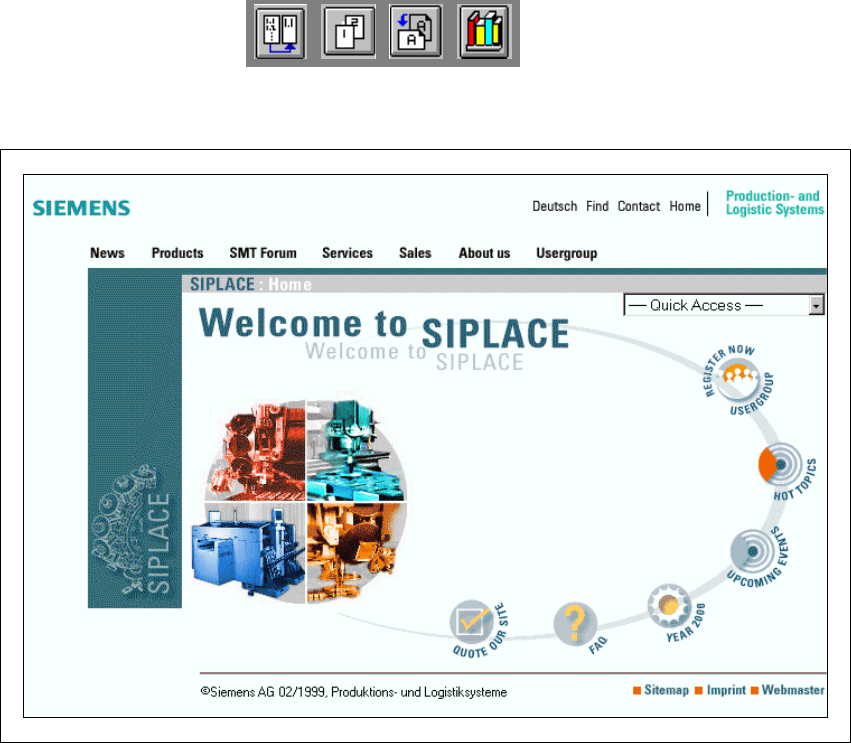
Fig. 1.1 - 1 The SIPLACE home page
The various headings contain information on 1
– our products
– services
– contacts, etc.
Registered customers can also access the SIPLACE User Group, where you can call up special
information on our placement systems, such as 1
– technical documentation
– Technical Infos
– spare parts lists, etc.
Registering for access to the User Group is sheer child’s play: 1
Å Click on the ‘Register Now user group’ button
Å Complete the registration form and just send it off.
You will then quickly receive access authorization with USER ID and a password. 1
1