00191369-02.pdf - 第18页
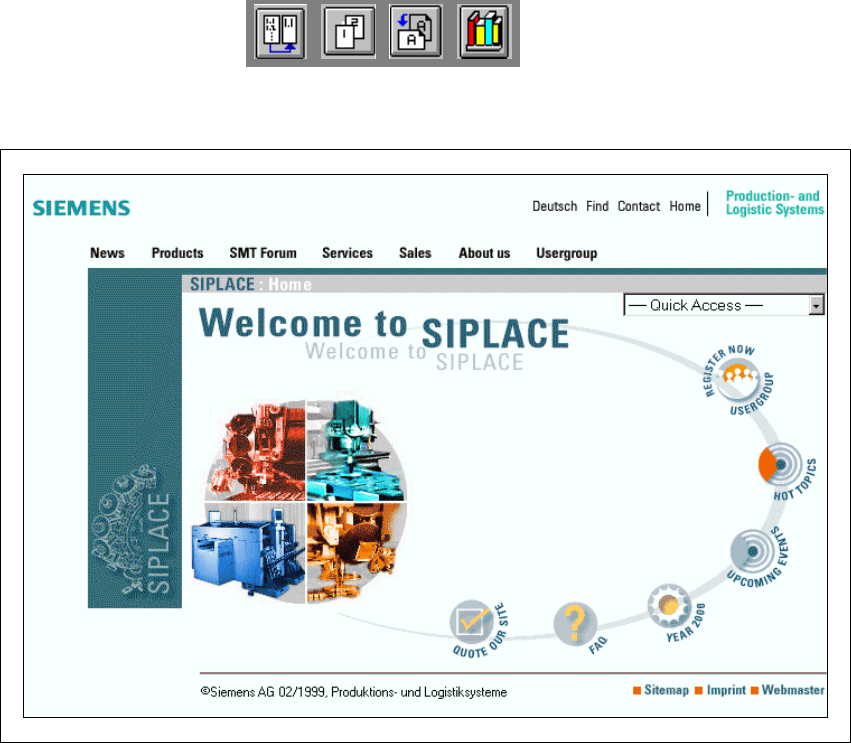
1 Introduction User Manual HS-50 1.1 General Software Version SR.501.xx 12/99 Issue U S 18 t I I t 1 Fig. 1.1 - 1 The SIPLACE hom e page The vario us headi ngs contain i nformati on on 1 – our produc ts – service s – con…

User Manual HS-50 1 Introduction
Software Version SR.501.xx 12/99 Issue US 1.1 General
17
t IIt
1 Introduction
1.1 General
1.1.1 Overview
These operating instructions provide a manual or reference work for 1
– operating and
– setting up
the HS-50 placement system. 1
The header of each chapter indicates the 1
– release and
– software version
from which these instructions apply. 1
1.1.2 For further information
If you have any questions concerning these instructions or would like further information on a par-
ticular topic, please contact your local Siemens dealer or write to us directly at: 1
Siemens AG
PL EA 1 V MC
Rupert-Mayer-Str. 44
D-81359 Munich 1
1.1.3 SIPLACE on the World Wide Web (WWW)
We also have our own site on the Internet. Why not log onto our SIPLACE home page at http://
www.siplace.com? 1
All the menus and other information are available in two languages: German and English. 1
1
1
1 Introduction User Manual HS-50
1.1 General Software Version SR.501.xx 12/99 Issue US
18
t IIt
1
Fig. 1.1 - 1 The SIPLACE home page
The various headings contain information on 1
– our products
– services
– contacts, etc.
Registered customers can also access the SIPLACE User Group, where you can call up special
information on our placement systems, such as 1
– technical documentation
– Technical Infos
– spare parts lists, etc.
Registering for access to the User Group is sheer child’s play: 1
Å Click on the ‘Register Now user group’ button
Å Complete the registration form and just send it off.
You will then quickly receive access authorization with USER ID and a password. 1
1

User Manual HS-50 1 Introduction
Software Version SR.501.xx 12/99 Issue US 1.2 Structure of the User Manual
19
t IIt
1.2 Structure of the User Manual
This User Manual is made up of the following chapters: 1
Introduction 1
The introduction contains an overview of the structure of this User Manual and the technical data
for the automatic placement system. It also contains notes on setting up the placement system,
an overview of the different modules and a description the functions of individual modules. 1
Operational safety 1
This chapter covers all safety-related matters. It includes, for example, conventions for the use of
safety instructions in this manual and rules to ensure safe operation of the placement system. The
safety equipment and safety circuits are described in detail. The chapter also contains important
information on the placement system’s energy state, which is needed for servicing and mainte-
nance work. 1
Introductory notes and basic terms 1
The automatic placement system’s controls and user interface are described in this chapter. Illus-
trations and flow charts are used to explain the structure of the user interface. 1
Placement functions 1
This chapter provides information on setting up the placement system. One section classifies the
various errors that can occur and describes the individual menus. In the "feeder modules" section
you will learn how to prepare the components and set up and check feeder modules. 1
Single functions 1
This chapter explains the individual gantry, placement head and PCB conveyor functions. After
reading this chapter, you will be able to test the operating statuses of these modules and analyze
errors that occur. 1
Vision functions 1
The functions and technical data of the PCB and component vision systems are described in this
chapter, which also contains a comprehensive description of the menus for optical PCB and com-
ponent centering and the vision parameters. 1
What to do when ... 1
Pass this chapter on to your machine operators. It contains valuable tips and tricks gained from
experience. For example, you will learn how to minimize downtimes by taking preventive action.1