00191369-02.pdf - 第255页
User Manual HS-50 6 Vision functions Software Version S R.501.xx 12/99 Issue US 6.6 Test Comp onent 255 t I I t 6.6.3.3 Save GF dat a Option Using thi s option y ou can save package for ms to gether with their ch anged p…
6 Vision functions User Manual HS-50
6.6 Test Component Software Version SR.501.xx 12/99 Issue US
254
t IIt
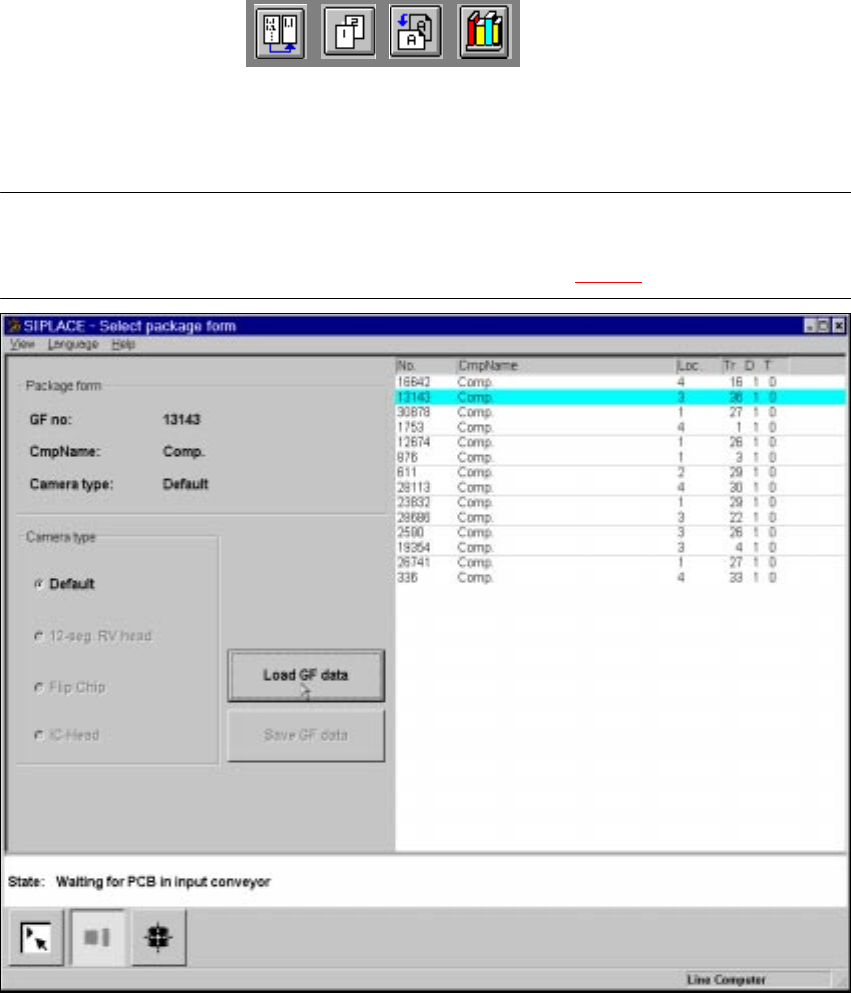
6.6.3.2 Load GF data Option
NOTE 6
When you call the Load GF data option, first of all the Save GF data box will drop down, pro-
vided that you have already processed a package form (see Fig. 6.6 - 10).
Fig. 6.6 - 12 Select package form menu, Load GF data package
If you wish to save your data, the package form file will be transmitted to the line computer. Fol-
lowing this inquiry the component which has just been processed will be rejected and the package
form number list updated. 6
Å From the list field use the mouse pointer to select a particular package form. The selected
package form will appear against a cyan-colored bar.
Å Click on the Load GF data button. In the Package form display field the package form and the
package form will be displayed.
The station computer will request the package form data of the selected package form from the
line computer. The interpreter edits the data and generates the teaching command. With this com-
mand the edited package form data is loaded into the MVS system (vision analysis unit). 6
User Manual HS-50 6 Vision functions
Software Version SR.501.xx 12/99 Issue US 6.6 Test Component
255
t IIt
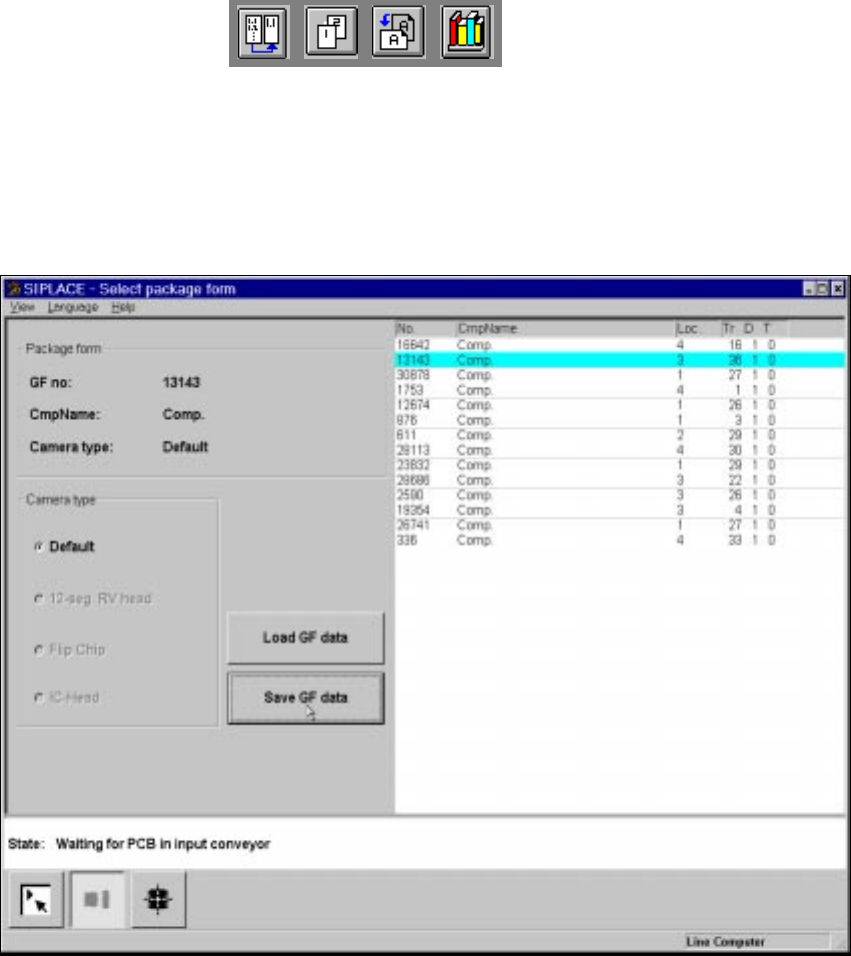
6.6.3.3 Save GF data Option
Using this option you can save package forms together with their changed parameters. The button
will only be active after you have modified the package form data. 6
6
Fig. 6.6 - 13 Select package form menu, Save GF data option
6 Vision functions User Manual HS-50
6.6 Test Component Software Version SR.501.xx 12/99 Issue US
256
t IIt
6.6.4 Test Component Menu
If you click on the Test component icon the corresponding menu will drop down. As the diagram
shows, the following options, organized by group, are available to you: 6
Component Edit GF data 6
–Pick up – Illumination
– Display – Package dimension
–Test – Pin dimension
– Measure – Ball illustration
– Store image – Transform
– Evaluat. time – Select component type (80 F machines only)
– Measure mode 6
NOTE 6
Buttons are active when the text on the button is black (rather than gray). This means that you
can launch the associated function by clicking on the button with the mouse.
If you have not yet loaded a package form all options will be inactive. 6
Å From the Select package form menu load a package form (see Section 6.6.3 on page 251).
The loaded package form will be displayed in the Package form display field with package
form number, package form name, and camera type. All options are accessible with the excep-
tion of Test, Measure, Store image and Evaluat. time. The Component type option is re-
served for the 80F machines only.