EasyOLP_V6.1中文说明书.pdf - 第289页
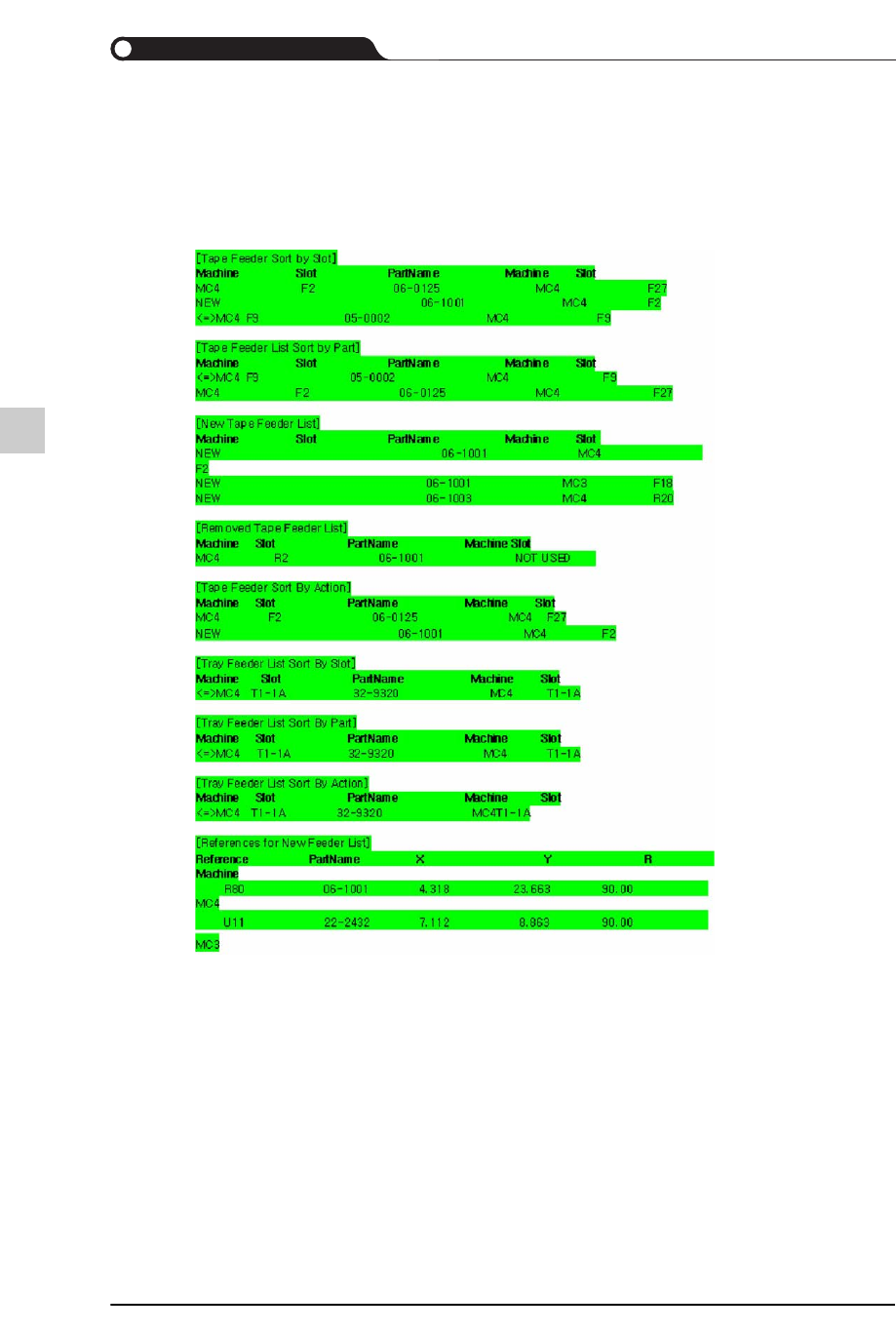
9-131 EasyOLP Figure9.11 Rebalance 报告的样式 MES 报告的功能 创建 MES report 时,用户 需要圈选 <Generate MES Report> 复选框。圈选了 <Generate Rebalance Report> 复选框后单击 <OK> 键时,以后在进行优化作业 / 创建 PCB 时 将在指定路径创建 MES 报告。 MES 报告可以根据用户…
9-130
lvswG}]
lvswG}]
9.6.16. 报告生成 ( Report Generation)
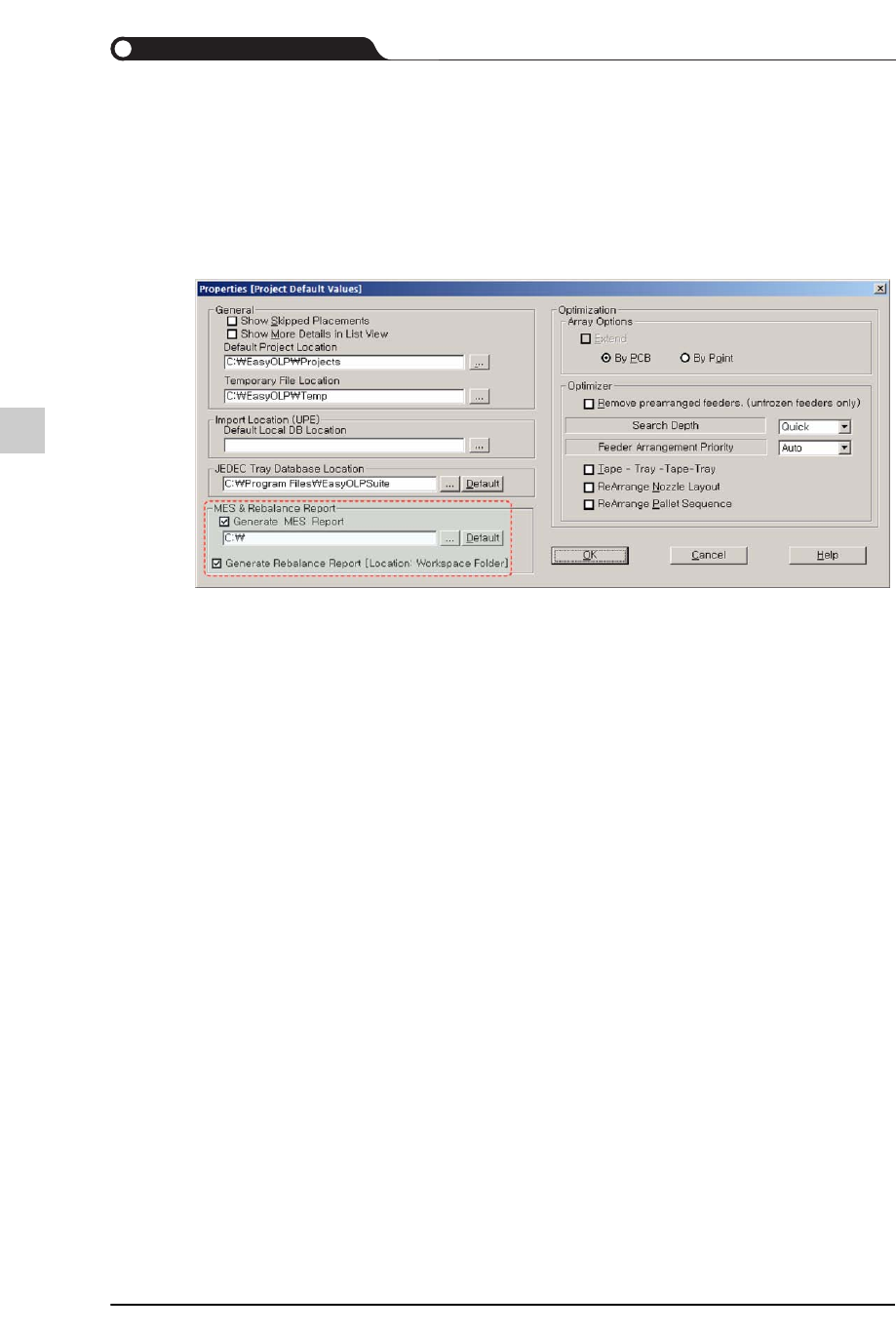
创建Rebalance报告时,用户需要圈选<Generate Rebalance Report>复选框。圈选
了<Generate Rebalance Report>复选框后单击<OK>键时,Rebalance作业时将在
工作区文件夹生成该报告。
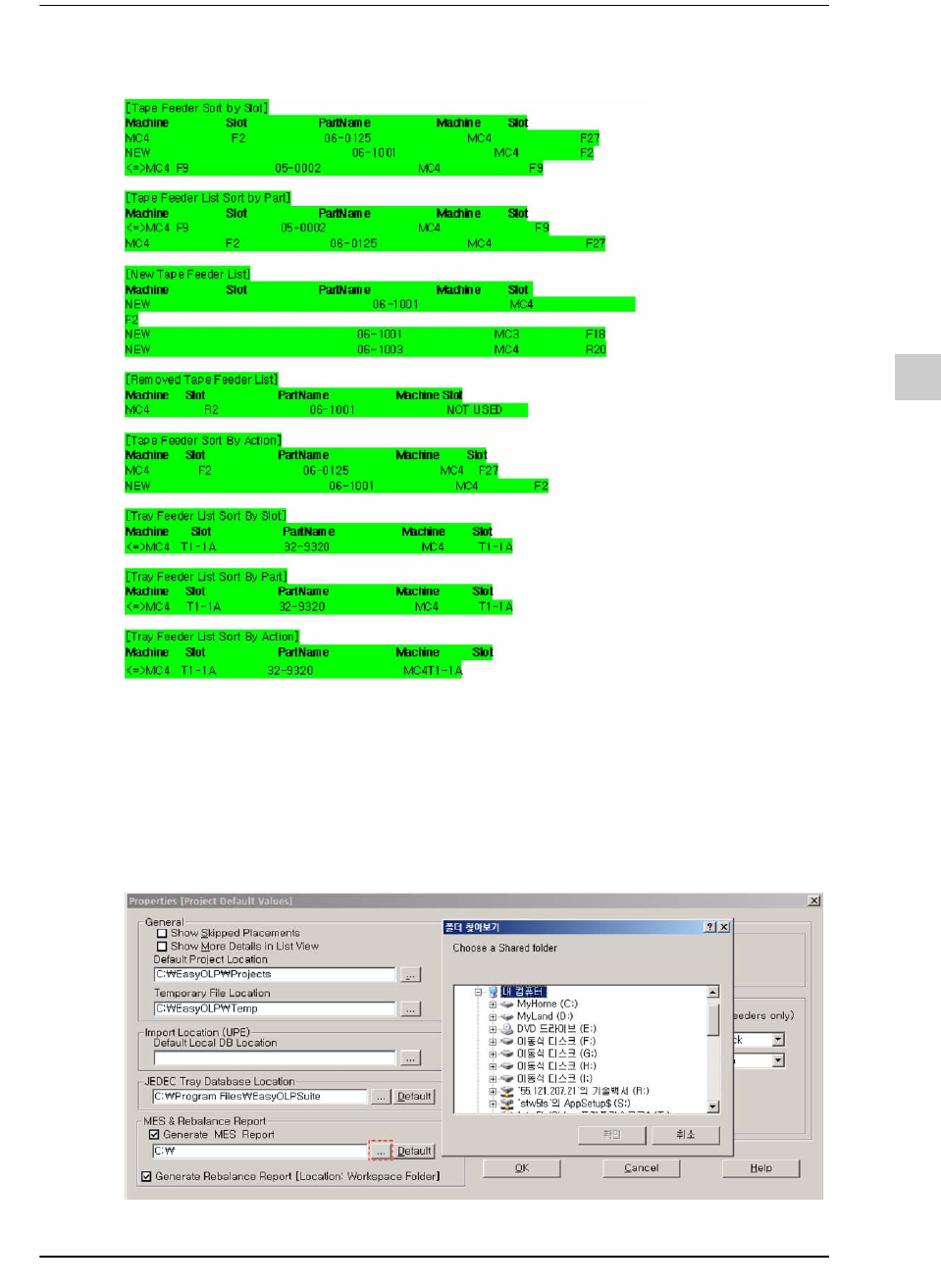
Rebalance报告的样式如下。
Gernerate
Rebalance
report
重新优化时,为了向使用者指示喂料器配置变更信息而在下列路径自动
创建后显示在画面上。
9-131
EasyOLP
Figure9.11 Rebalance
报告的样式
MES报告的功能
创建 MES report 时,用户需要圈选 <Generate MES Report> 复选框。圈选了
<Generate Rebalance Report> 复选框后单击 <OK> 键时,以后在进行优化作业 /
创建 PCB 时将在指定路径创建 MES 报告。
MES报告可以根据用户的指定内容而设定储存位置。
Figure9.12 Folder Browsing