SA_HF_intern_0194307-02_eng - 第39页
SIPL ACE HF-Ser ies Replacing the X -Drive (Prima ry) [00375245 -xx] Serv ice Gan tri es 3 Copy ri ght © 200 4 S ie m ens 0019 43 07- 02 Is su e 1 1/ 2004 3-25 Disassemb ly 5 5 1 4 3 2 1. X-drive (p rimary ) wit h head m…

3
Service
Gantries
SIPLACE HF-Series
Replacing the X-Drive (Primary) [00375245-xx]
3-24
00194307-02 Issue 11/2004 Copyright © 2004 Siemens
3.1.4 Replacing the X-Drive (Primary) [00375245-xx]
Required equipment
X-drive service pack (00375245-xx)
X-drive
4 x forcing screw
8 x locking screw (M4x60)
Metal templates for twin head and DLM2
6 grub screws M4x6-ST
Thickness gauge (plastic) 0.4 mm (approx. 50 cm long and 10 cm wide)
Foam mat 500 mm x 50 mm x 20 mm
Xenon flashlight (nonmagnetic)
Torque wrench with Allen key adapter
Loctite 241
SIPLACE HF-Series
Replacing the X-Drive (Primary) [00375245-xx]
Service
Gantries
3
Copyright © 2004 Siemens 00194307-02 Issue 11/2004 3-25
Disassembly
5
5
1 4
3
2
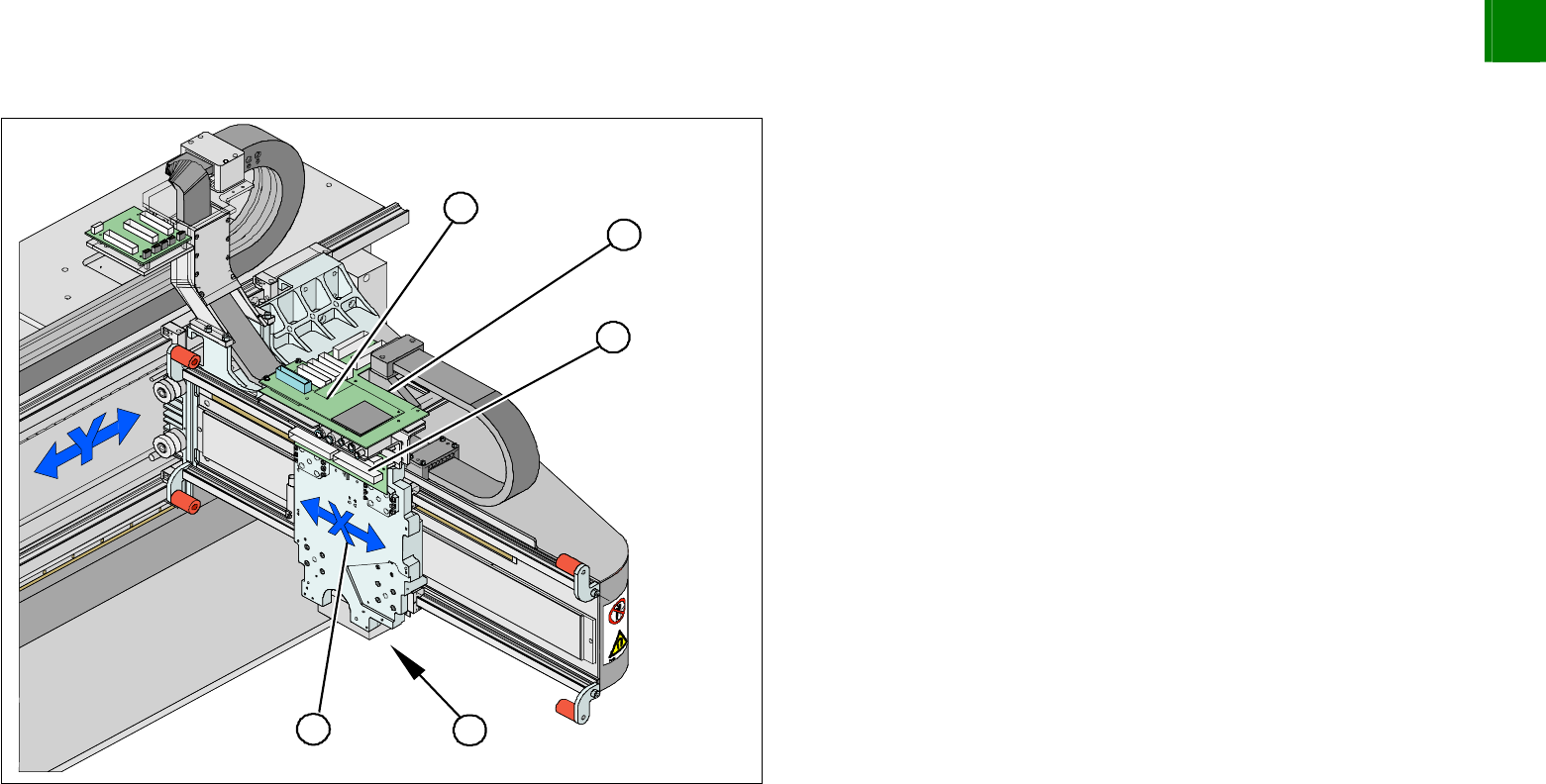
1. X-drive (primary) with head mount
2. X-mount with trailing cable
3. Head adapter board
4. Mount with PCB camera
5. Head board
Dismantle the placement head.
Remove the head adapter board (3). The X-mount fixtures are
now (2) accessible.
Unplug the following cables from the head board (5) and
remove them from the x-mount (2):
X motor cable
X-axis scanner head
Temperature sensor
3
Service
Gantries
SIPLACE HF-Series
Replacing the X-Drive (Primary) [00375245-xx]
3-26
00194307-02 Issue 11/2004 Copyright © 2004 Siemens
2
1
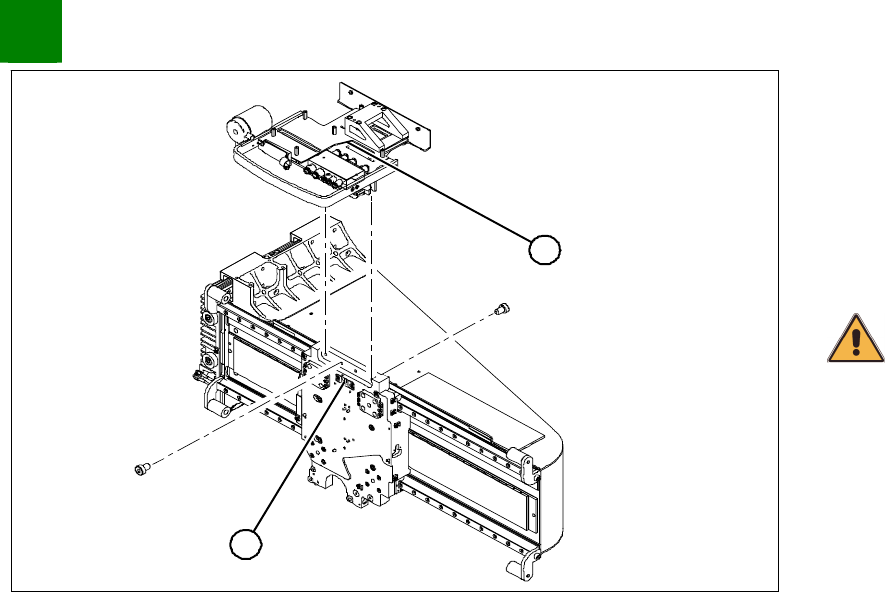
Unplug the proximity switch cable (2) and pull it forwards, out of
the head mount.
Undo the 8 screws (4 x at front / 4x at back) fastening the
x-mount (1) and pull these up and out, together with the trailing
cable.
Fasten the x-mount at a suitable point.
CAUTION
Make sure that the flat ribbon cable and the pneumatic hoses are not
rubbed against any parts or kinked. Watch out for sharp edges.