SA_HF_intern_0194307-02_eng - 第41页
SIPL ACE HF-Ser ies Replacing the X -Drive (Prima ry) [00375245 -xx] Serv ice Gan tri es 3 Copy ri ght © 200 4 S ie m ens 0019 43 07- 02 Is su e 1 1/ 2004 3-27 1 3 2 Undo the 4 screws fas tening t he PC B camer a mount…
3
Service
Gantries
SIPLACE HF-Series
Replacing the X-Drive (Primary) [00375245-xx]
3-26
00194307-02 Issue 11/2004 Copyright © 2004 Siemens
2
1
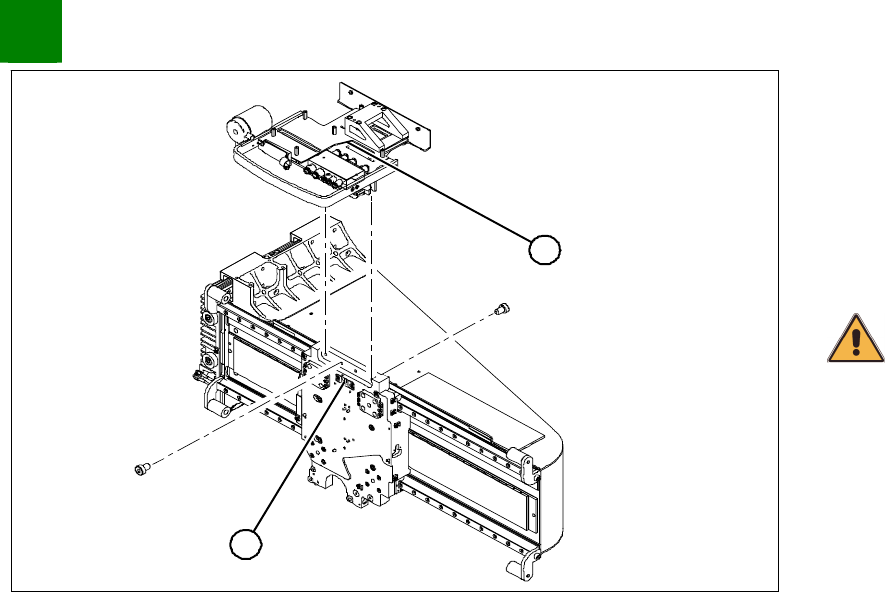
Unplug the proximity switch cable (2) and pull it forwards, out of
the head mount.
Undo the 8 screws (4 x at front / 4x at back) fastening the
x-mount (1) and pull these up and out, together with the trailing
cable.
Fasten the x-mount at a suitable point.
CAUTION
Make sure that the flat ribbon cable and the pneumatic hoses are not
rubbed against any parts or kinked. Watch out for sharp edges.
SIPLACE HF-Series
Replacing the X-Drive (Primary) [00375245-xx]
Service
Gantries
3
Copyright © 2004 Siemens 00194307-02 Issue 11/2004 3-27
1
3
2
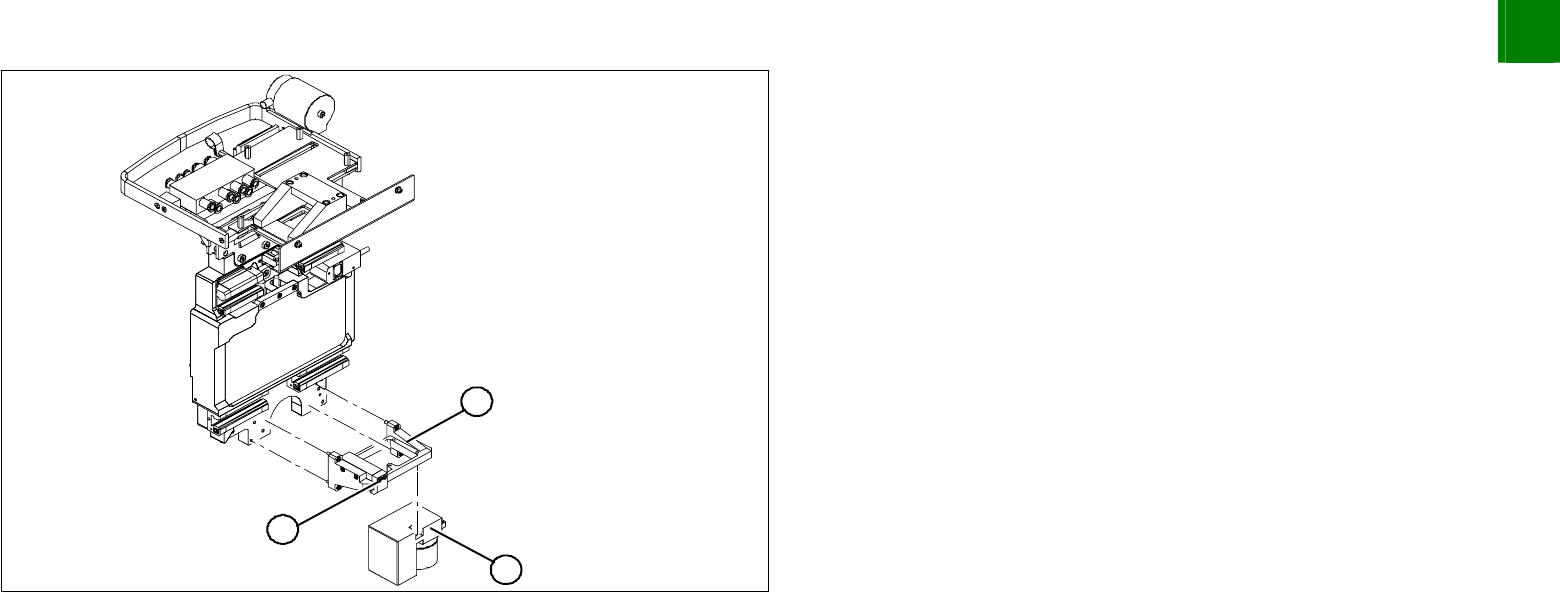
Undo the 4 screws fastening the PCB camera mount (1).
Remove the complete unit, including PCB camera (3) and
damping bracket (2).
Tie the mount (1) to a suitable part of the machine base. Take
care not to damage the camera.
3
Service
Gantries
SIPLACE HF-Series
Replacing the X-Drive (Primary) [00375245-xx]
3-28
00194307-02 Issue 11/2004 Copyright © 2004 Siemens
1
2
2
1
2
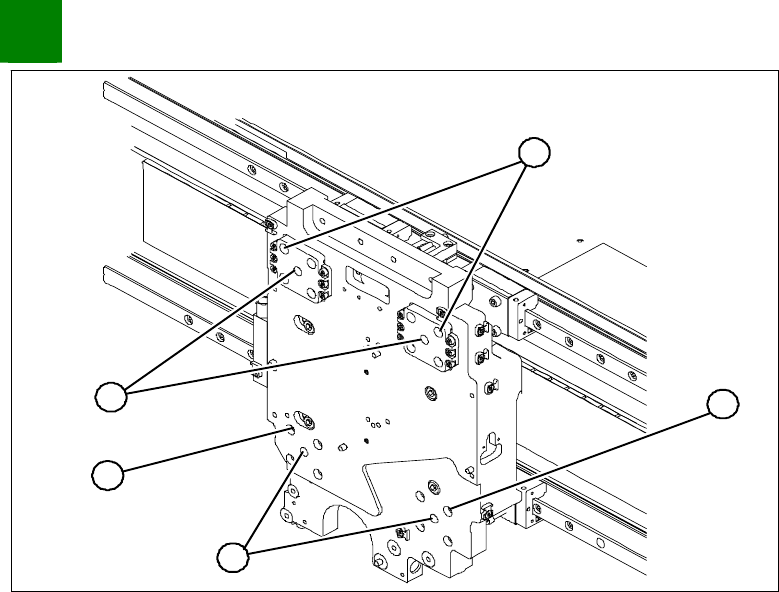
1. Insert 4 forcing screws.
2. 4 M4x60 locking screws
Screw 1 forcing screw (1) into each side, tightening until it
reaches the plate.
Remove one fastening screw (2) from each of the 4 sides.
Replace the fastening screw with a M4x60 locking screw. The
motor has now been secured against falling.