Introduction(CP45FV) Eng.pdf - 第103页
T ransfer & Installation Pr ocedur e 7-13 “ Warming Up ” dialog box is displayed. Figur e 7-1 1. “ W arming Up ” dialog box 1 2. Press <Start> button. Begin Warming Up operation after returning to the original …
Samsung Component Placer CP45FV Series Introduction
36. From the <Input Status> list box, check if the test board detecting sensors at each
point are operating correctly and whether other inputs are operating under normal
conditions.
37. Check the factory constant, factory debug and system constant value of the system
setup.
38. If all are in normal condition, begin operating the machine in accordance with the
manufacturing procedure.
Caution
To relocate the machine, first shut down PC on the
machine and turn off the main switch. Then pack it
following the reverse order of installation procedure(No.1~
No.27). When the machine is moved completely, Repeat
the installation procedure(No.1~No.38)
7.1. Warm-Up
Warming Up operation is performed prior to the placement step in order to enhance the
placement precision. Warming Up helps to maintain the system, parts and lubrication oil
at a normal temperature and during winter time prevents the reduction of placement
precision due to contraction of balls, screws, and other components. Approximately 10
minutes of Warming Up is preferable. Warming Up operation is not necessary if less than
2 hours has elapsed from the previous placement work.
Caution
To raise the level of placement precision, Warming UP
must be done.
To raise the level of placement precision, be sure to carry
out warm up before operating the machine.
Operational procedure
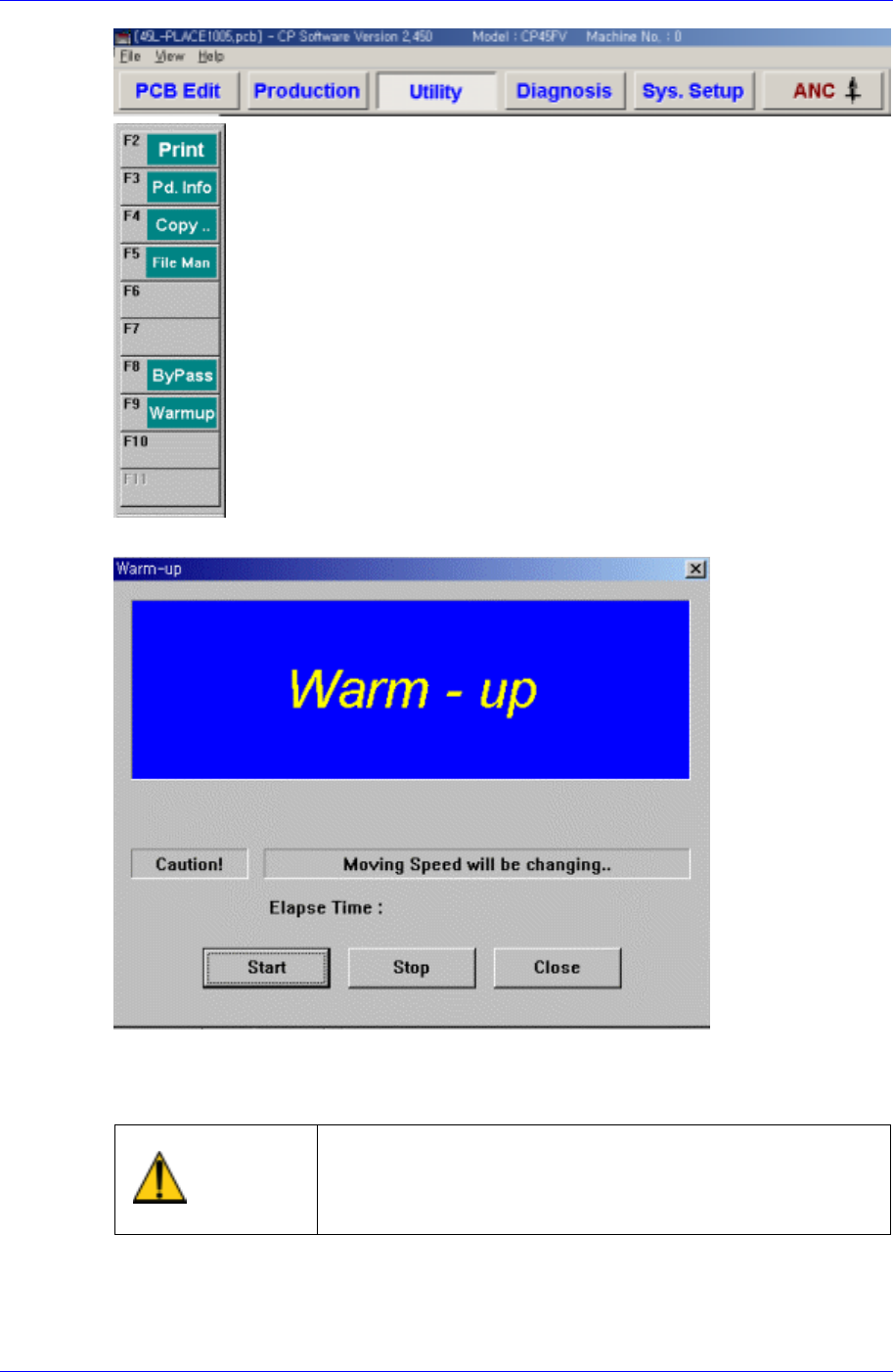
1. Select and press <Utility> from the MMI main menu tool-bar. Then select <Warm-
Up> command from the sub menu tool-bar on the left shown.
7-12
Transfer & Installation Procedure
7-13
“Warming Up” dialog box is displayed.
Figure 7-11. “Warming Up” dialog box 1
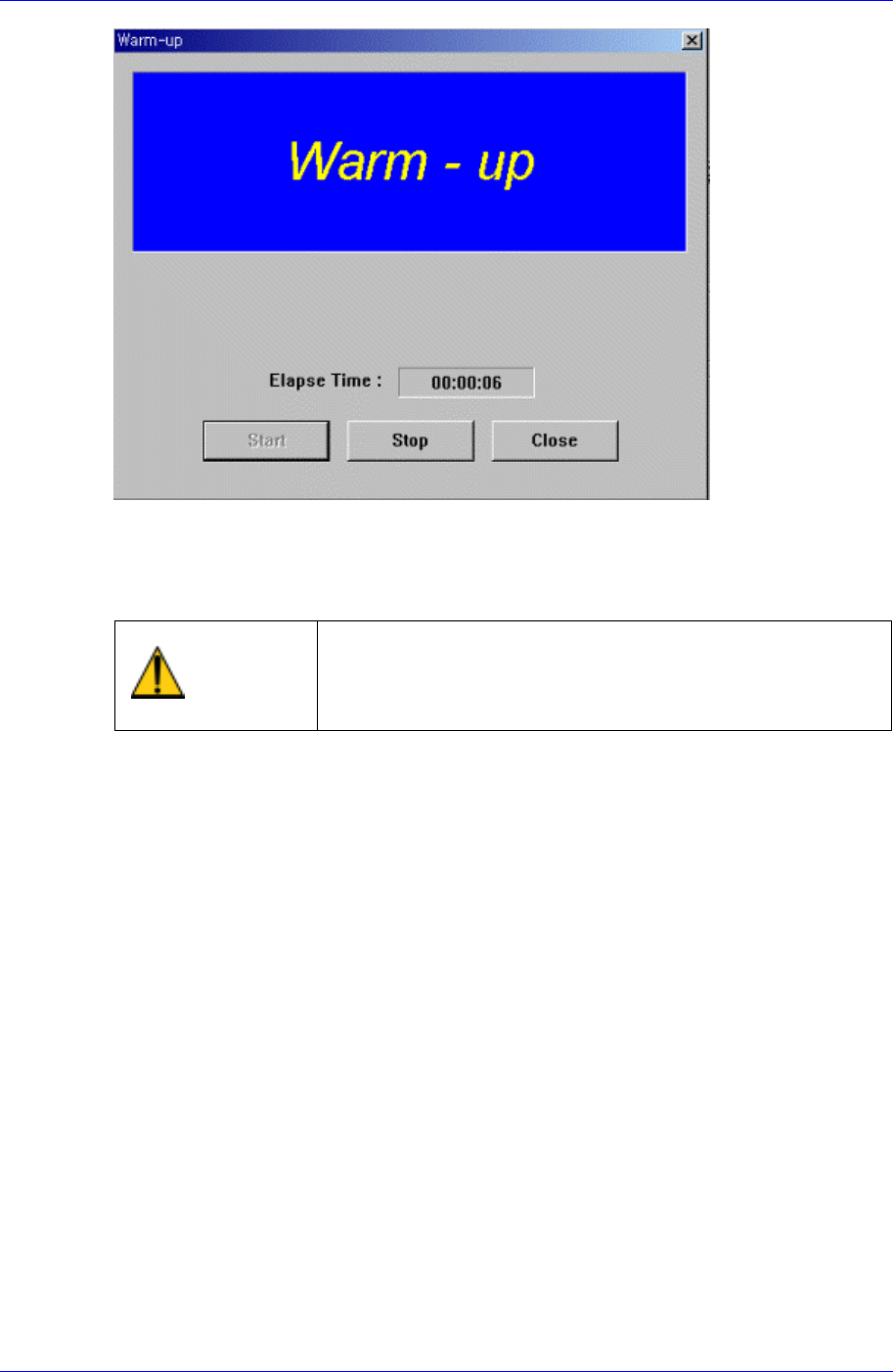
2. Press <Start> button. Begin Warming Up operation after returning to the original
position. The Elapsed time is displayed in the dialog box.
Warning
Inserting a part of body while the machine is in operation
or in temporary stop could result in severe injury.
Do not insert a part of body while the machine is in
operation or in temporary stop.
Samsung Component Placer CP45FV Series Introduction
Figure 7-12. “Warming Up” dialog box 2
3. Perform preparatory operation for about 10 minutes, then click on the <Stop> button
in the dialog box. The preparatory operation is terminated, and the system returns to
the standby status.
Warning
Adjusting the sensor or correcting an error while the
machine is ready could result in personal injury.
Be sure to adjust the sensor or correct an error in the stop
status after canceling the ready status.
7-14