Introduction(CP45FV) Eng.pdf - 第18页
Samsung Component Placer CP45FV Series Intr oduction T urn off the main switch in the lef t lower cover of the rear side and disconnect air before maintenance o r repair . Caution: Safety Colors and Contrast Colors Combi…
Preface
v
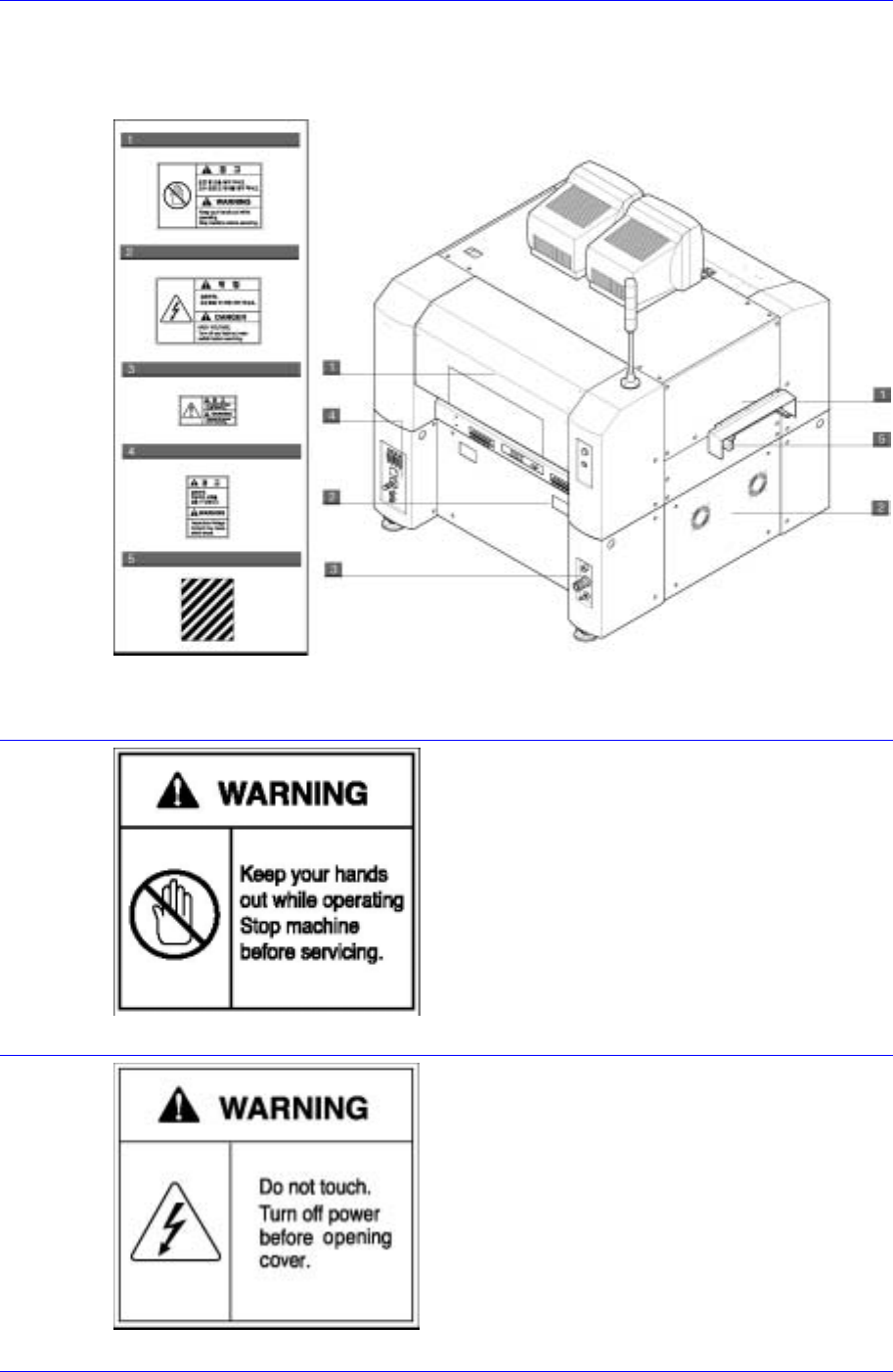
Rear View of the Machine
The following labels are attached on the rear part of this machine.
Figure 0-2. Safety labels attached on the rear part of the machine
Do not put a hand in during operation.
Part where this label is attached contains
moving parts, it is very dangerous if the
user disassembles any part or open the
cover when the moving part is
maneuvering.
Stop the machine before servicing.
Stop the machine before repair o
r
maintenance or error troubleshooting.
If the cover is removed from the area
where this label is attached, it could
result in an electric shock.
When it is necessary to remove the
cover for repair or maintenance, turn
off the main switch in the left lowe
r
cover of the rear side, wait a little
while, and remove the cover.
Samsung Component Placer CP45FV Series Introduction
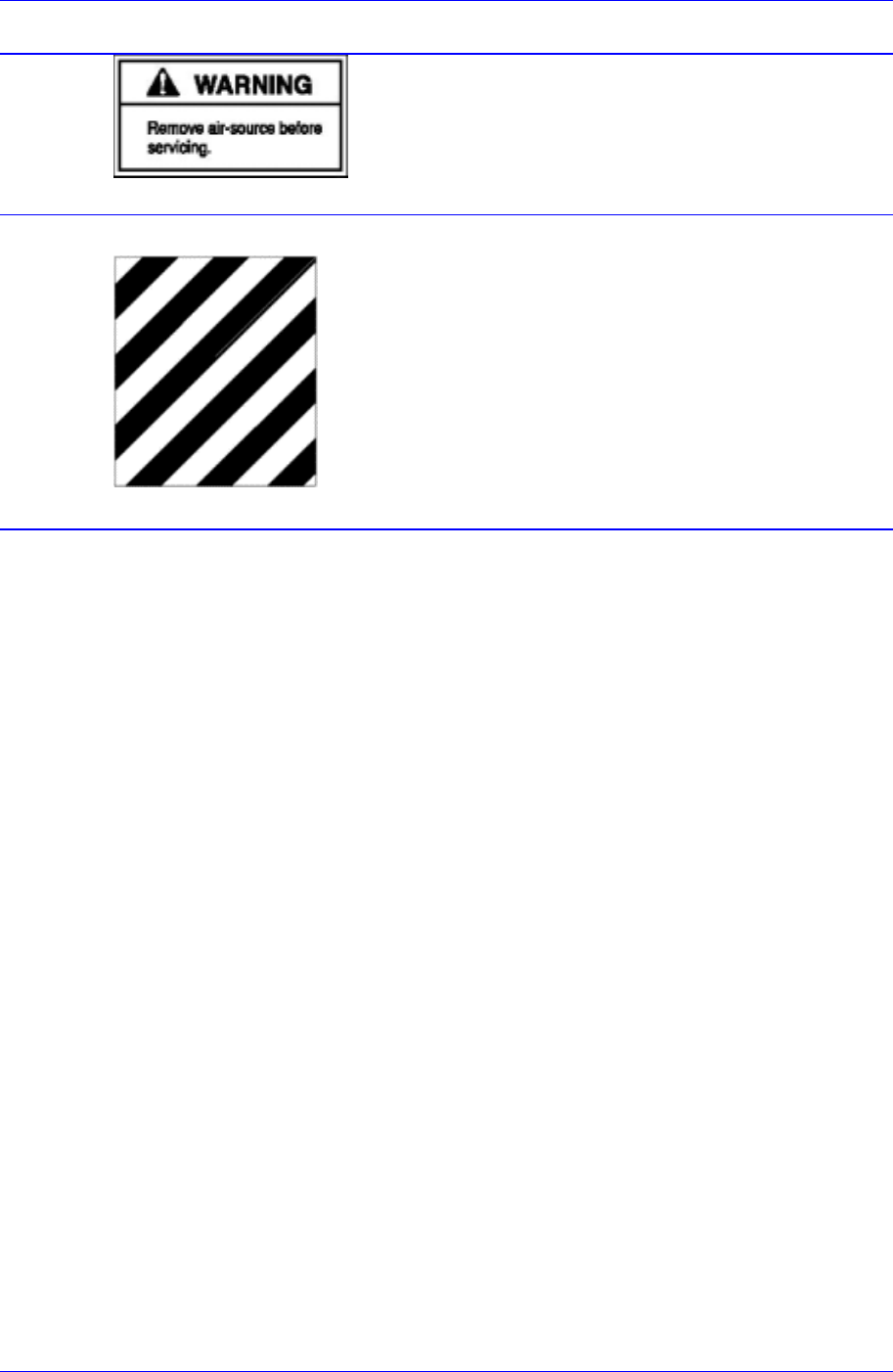
Turn off the main switch in the left
lower cover of the rear side and
disconnect air before maintenance o
r
repair.
Caution: Safety Colors and Contrast Colors
Combination of Safety yellow and blac
k
may be used to indicate temporary o
r
permanent risk locations. – locations where
there is moving part(Conveyor).
vi
Preface
vii
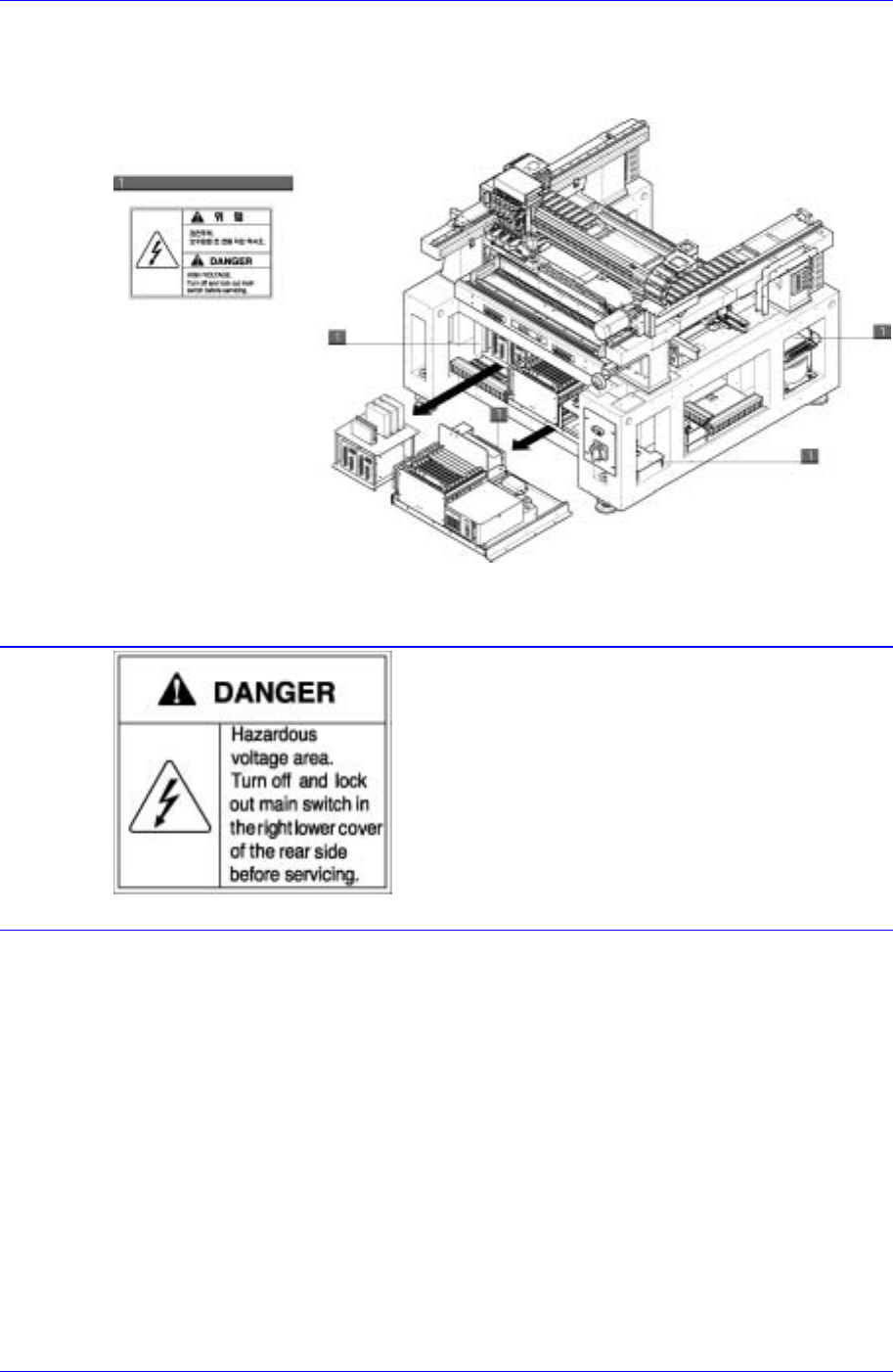
Internal Part of the Machine
The following labels are attached on the internal part of this machine.
Figure 0-3. Safety labels attached on the internal part of the machine
Where this label is attached is
hazardous voltage area, it could
result in an electric shock.
Before repair or maintenance, turn
off the main switch in the right lowe
r
cover of the rear side, wait a little
while, and remove the cover.