Introduction(CP45FV) Eng.pdf - 第56页
在线预览 Introduction(CP45FV) Eng.pdf PDF 文档。
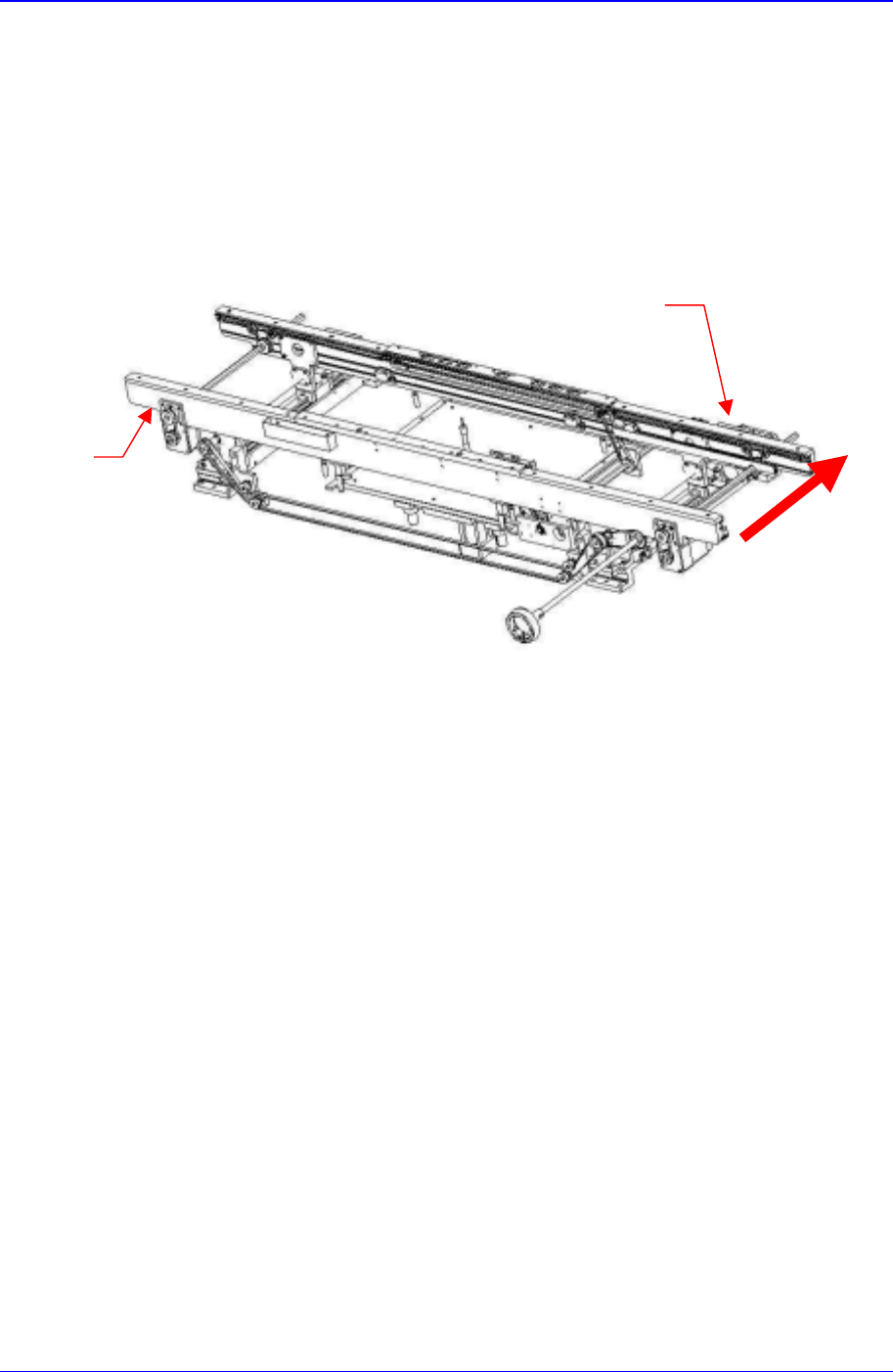
Configuration and Name of Machine
3-7
3.3.4. Conveyor Axis
Adjusts the conveyor width by moving the conveyor movable frame based on the
conveyor fixed frame.
Moving Frame
Fixed Frame
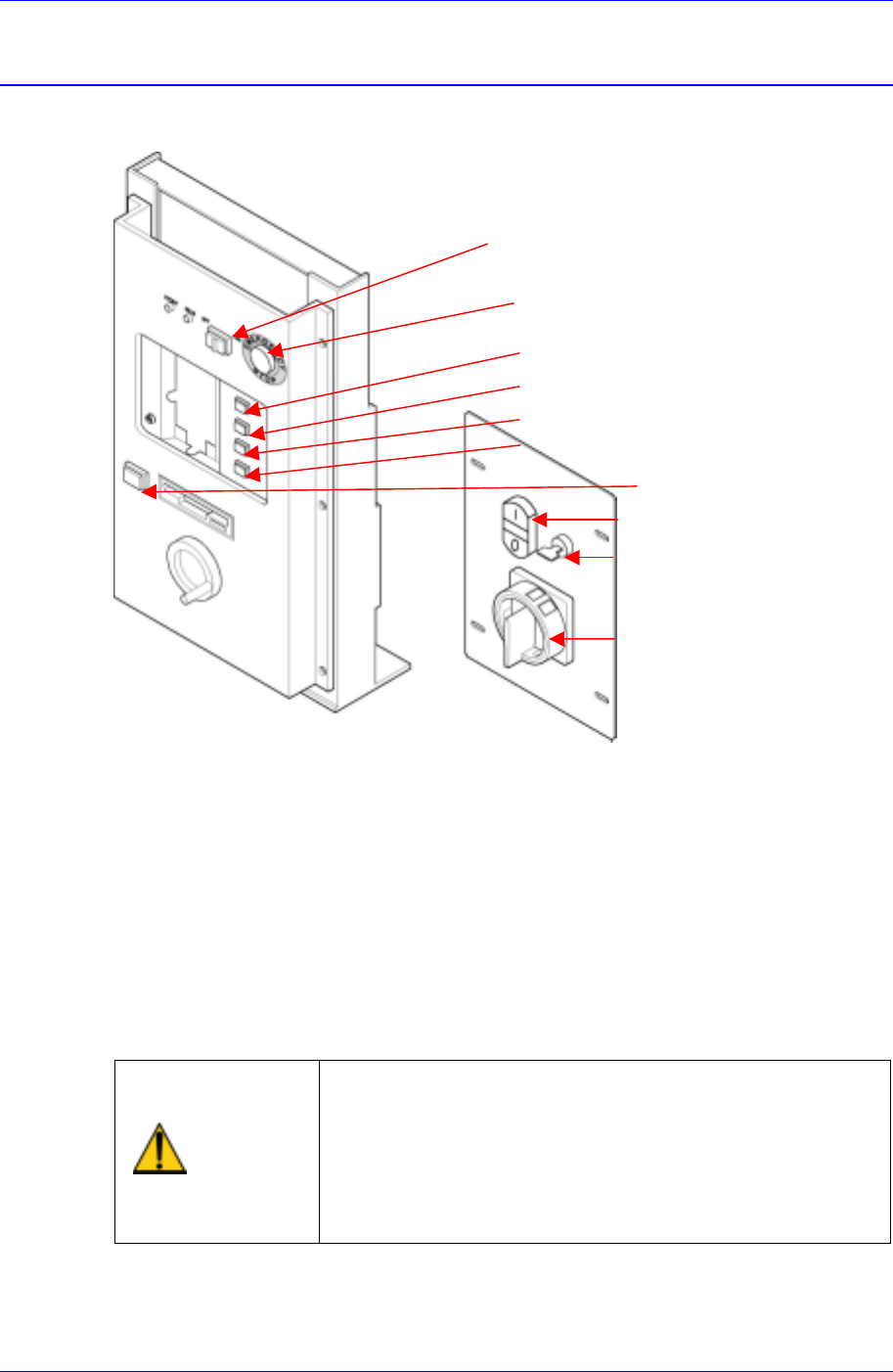
Panel Operations
Chapter 4. Panel Operations
4-1
4.1. Switching of Operation Panel
Emergency switch
Ready button
Start button
Stop button
Reset button
Front Feeder CHG. button
Front/Rear select switch (Option)
Main start switch
Safe Overide Key switch
Main switch
Figure 4-1. Operation Panel
Switching operation on the operation panel is described below.
Main switch
Has a function of supplying or stopping the main power to the machine. Power is
supplied to a controller by turning the switch. A power lamp is lighted and a working
screen is shown on the programming monitor after a short delay. During the initial
stage, power is not turned on for the drivers such as motor. The power should be
turned off only after terminating the MMI. If the power is suddenly turned off, the
data and the main body may be damaged and the machine malfunction may occur at
the next power up.
Warning
If power supply is cut off suddenly, it could result in the
damage of data and machine.
And the machine might be damaged due to abnormal
operation when power is supplied again.
Before turning off power, be sure to end the MMI, turn off
the main switch, then turn on the main switch after 5-10
seconds.
Main start switch (IO switch)
Power is supplied by first pressing the green switch of a main start switch in order to