MAN00000772_SI-G200BB_SVCPDFA.pdf - 第11页
WKGB-10101-01 Inst alling System Sof tw are 7. Click the Next button on the Setup T yp e screen. Installation of the system software is started. When installation is ended, Information dialog box appears. 8. Click the OK…
WKGB-10101-01
Installing System Software
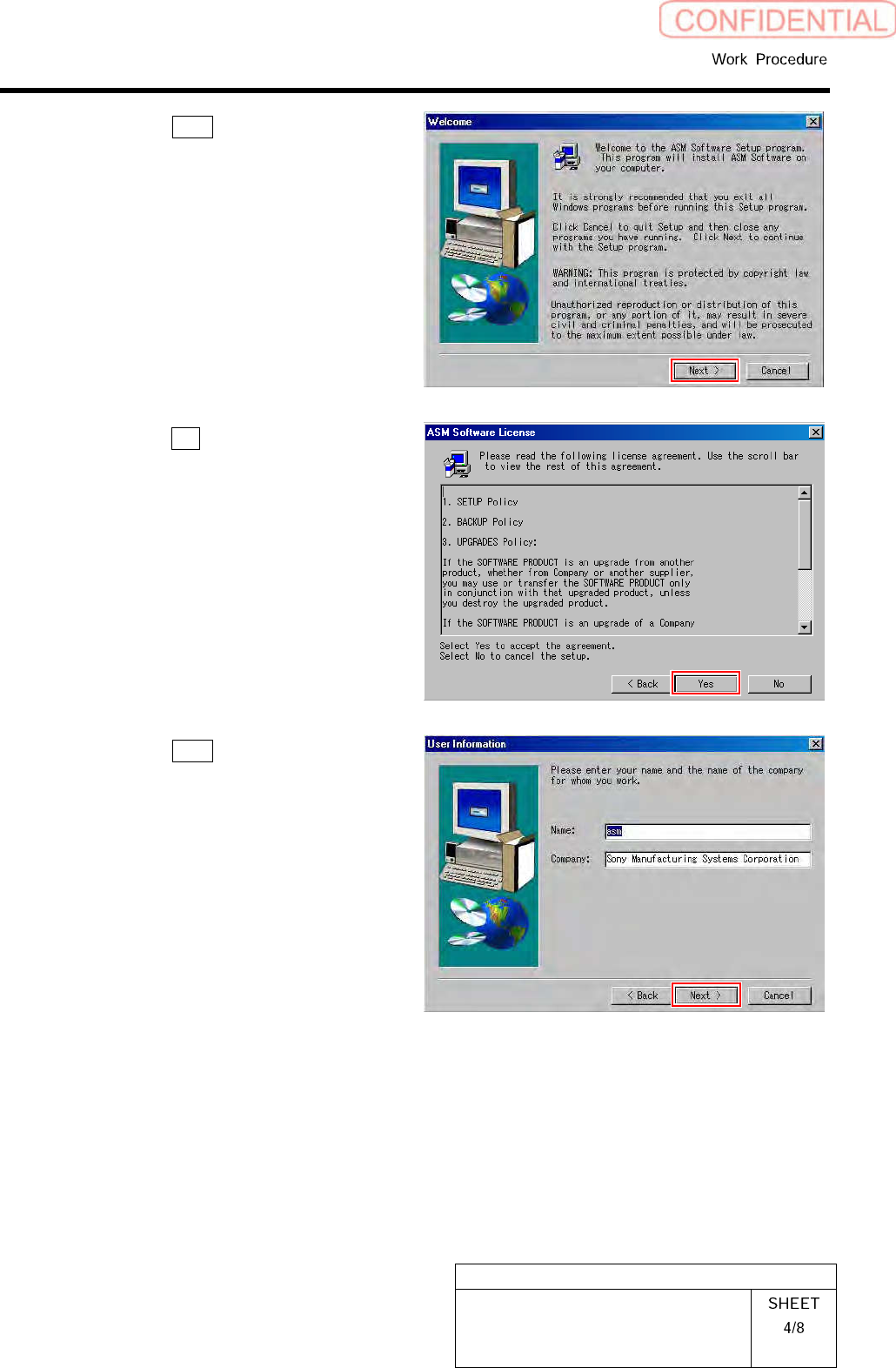
4.
Click the Next button on the Welcome
screen.
5.
Click the Yes button on the ASM
Software License screen.
6.
Click the Next button on the User In-
formation screen.
WKGB-10101-01
Installing System Software
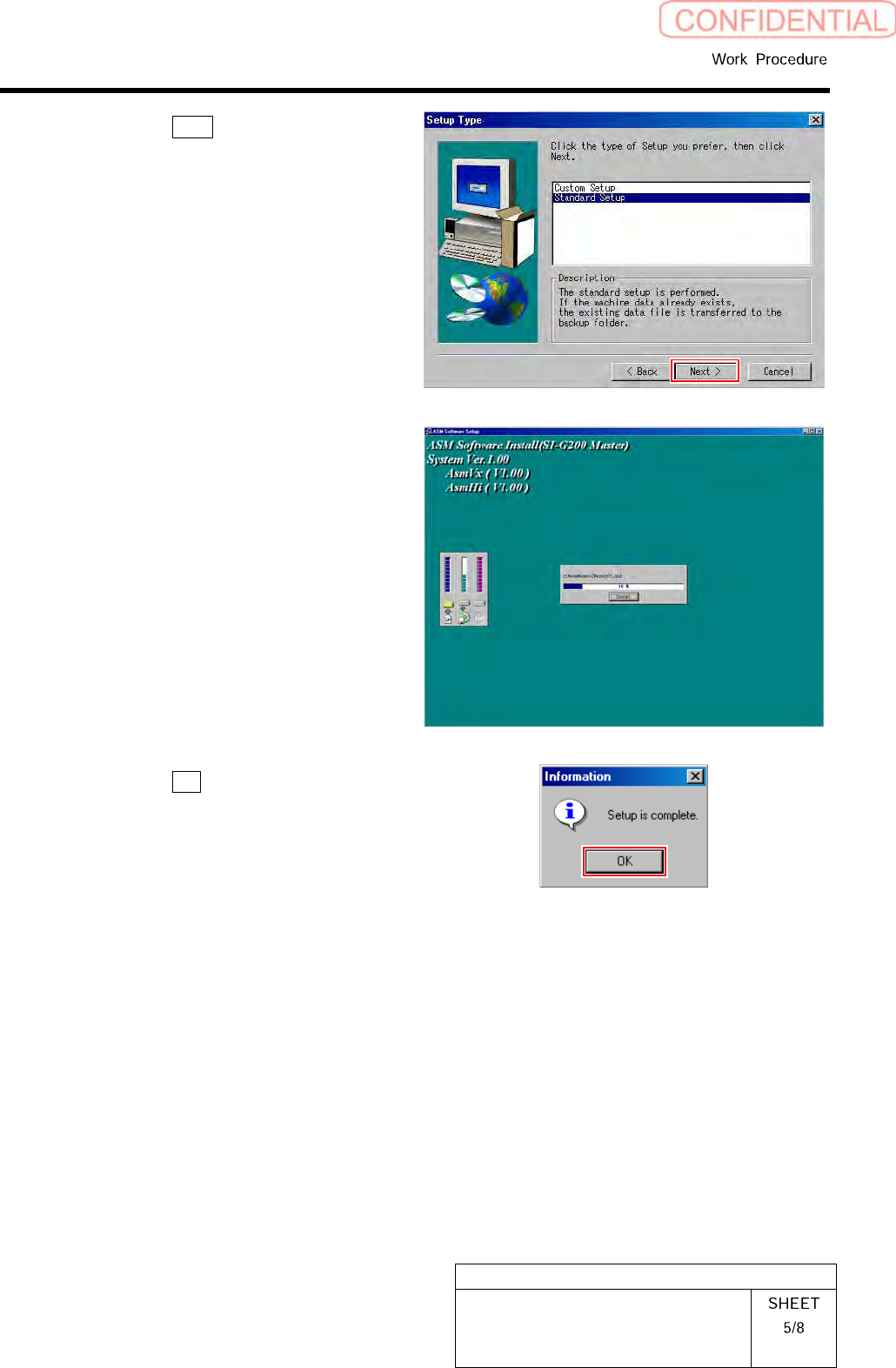
7.
Click the Next button on the Setup
Type screen.
Installation of the system software is started.
When installation is ended, Information dialog
box appears.
8.
Click the OK button on the Informa-
tion dialog box.
WKGB-10101-01
Installing System Software
7
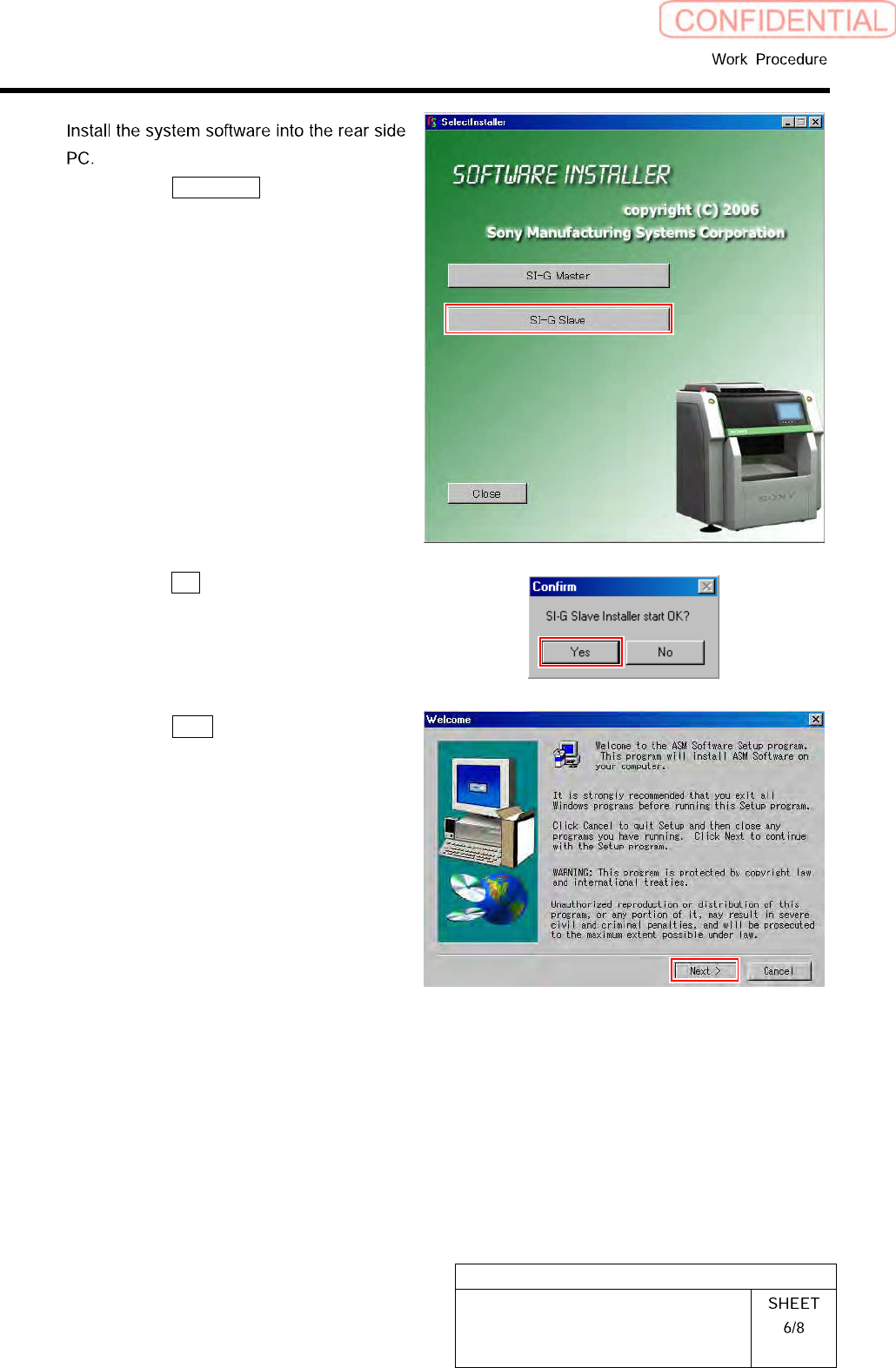
1.
Click the SI-G Slave button on the
Installer screen.
Confirm dialog box is displayed.
2.
Click the Yes button on the Confirm
dialog box.
3.
Click the Next button on the Welcome
screen.