MAN00000772_SI-G200BB_SVCPDFA.pdf - 第114页
Install Tray Unit (Re-setup after t ray unit moved) SEET 2/19 WKGB-10105-02 Installing Tray Unit (Re-setup after tray uni t mov ed ) [Connection with main body] 1 Connect the tray coupling I/F plate and S axis, V ax…
Install Tray Unit (Re-setup after tray unit moved)
SEET
1/19
WKGB-10105-02
Installing Tray Unit
(Re-setup after tray unit moved)
Install Tray Unit (Re-setup after tray unit moved)
[Necessary jig/tool]
・Spanner(17[mm],24[mm],30[mm])
・Hex-Wrench(10[mm])
・Scale(300[mm])
・ThicknessGauge(0.03[mm],0.1[mm],0.5[mm],1.0[mm])
Install Tray Unit (Re-setup after tray unit moved)
SEET
2/19
WKGB-10105-02
Installing Tray Unit
(Re-setup after tray unit moved)
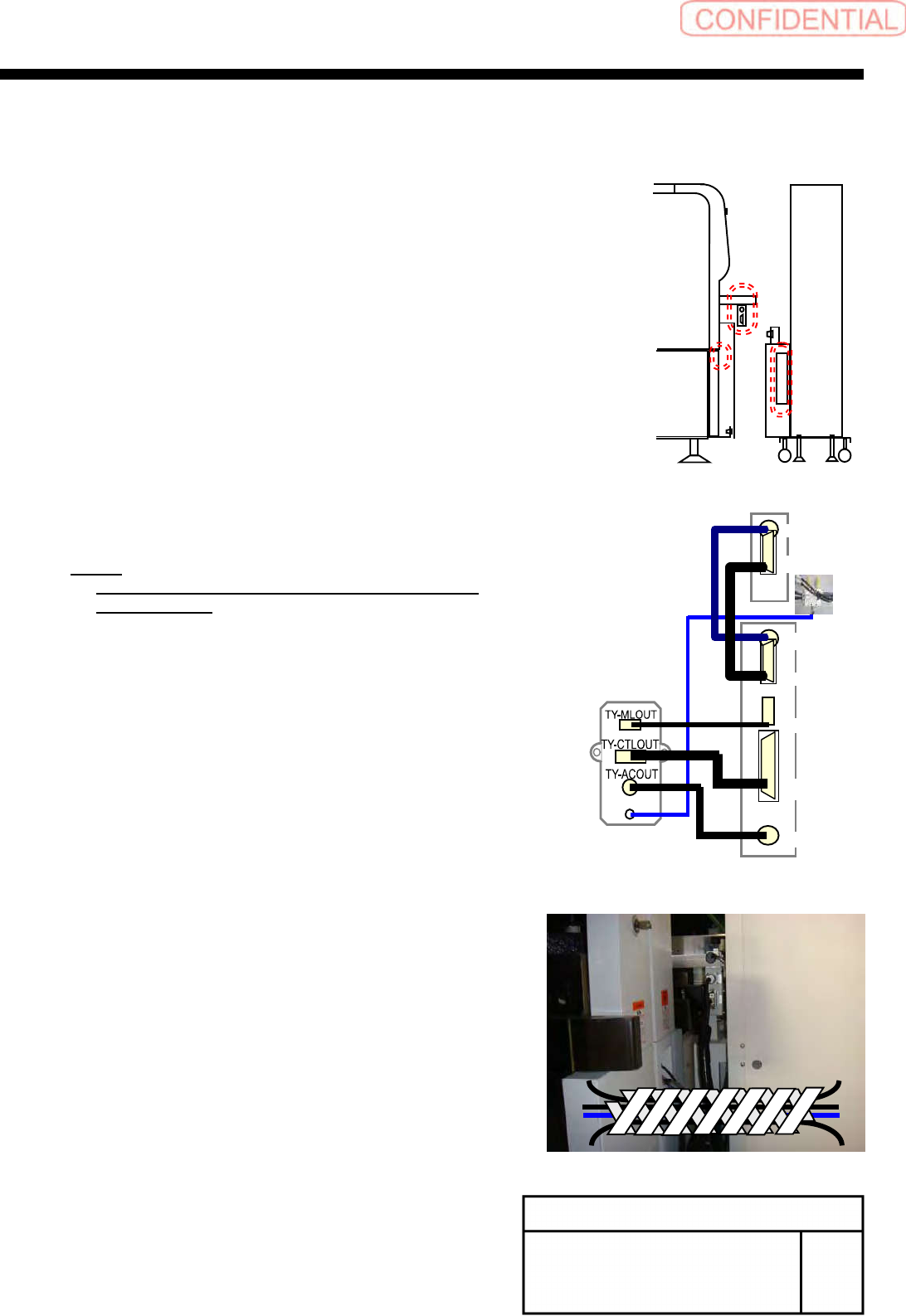
[Connection with main body]
1
Connect the tray coupling I/F plate and S
axis, V axis units.
1.
Connect the AIR tube on the tray I/F plate to the
manifold on the lower section of the S axis with air
tube ofφ6.
2.
Connect each connector on the tray I/F plate to
each connector on the V axis unit.
TY-MLOUT <======> CU-1
TY-CTLOUT <======> TY-CTL
TY-ACOUT <======> TY-ACIN
3.
Connect the S axis unit and the V axis unit.
S-SMT1 <======> S-SMT2
VD-IO <======> S-IO
NOTE:
At this time, do not dock the tray unit and the
main body yet.
2
Bind the cable with spiral tube after
connection.
AIR
CU1
TY-CTL
TY-ACIN
VD-SMT
VD-IO
S-SMT2
S-IO
Install Tray Unit (Re-setup after tray unit moved)
SEET
3/19
WKGB-10105-02
Installing Tray Unit
(Re-setup after tray unit moved)
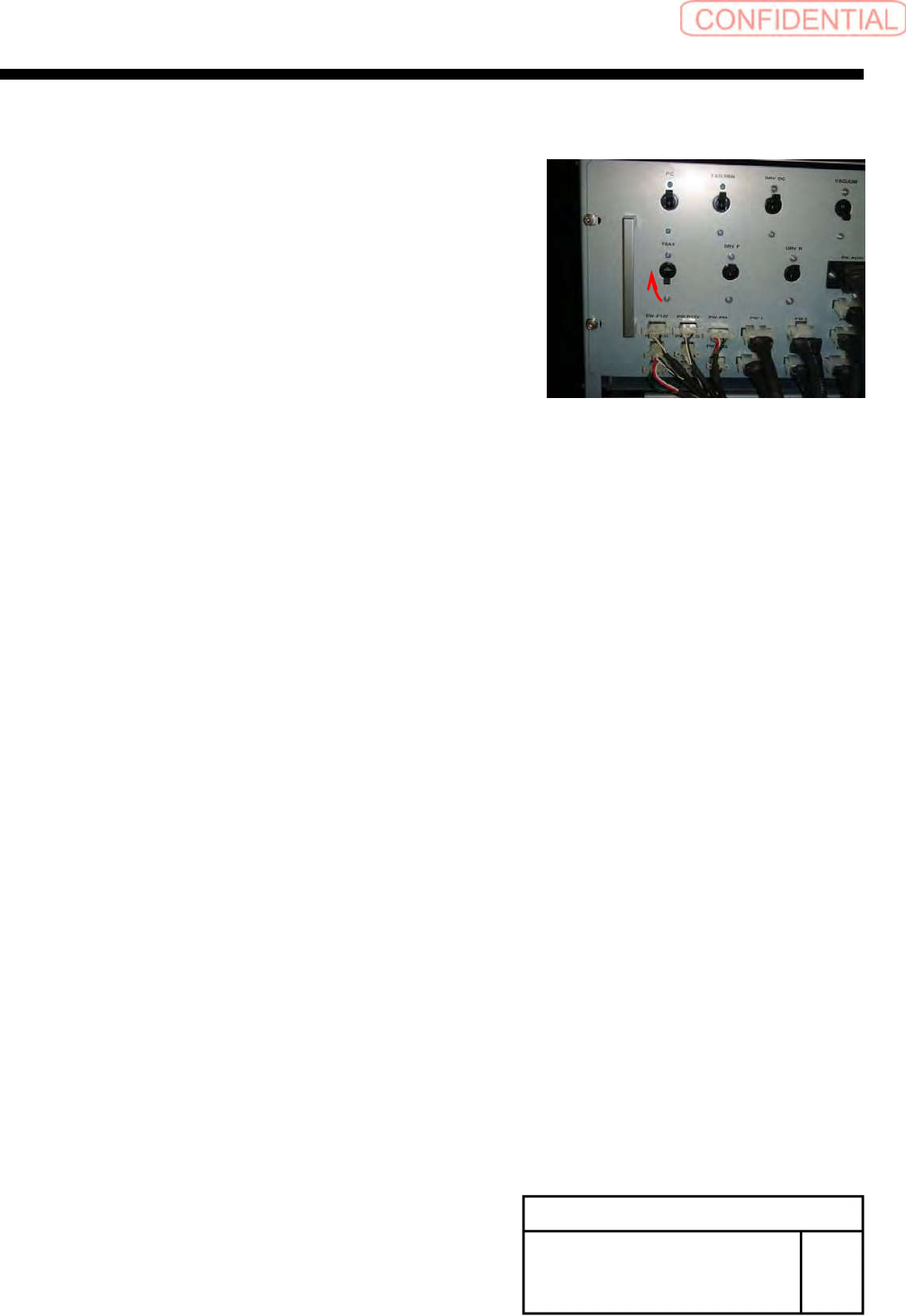
3
Turn ON the TRAY breaker for the rear
power unit.