MAN00000772_SI-G200BB_SVCPDFA.pdf - 第142页
System software clear installation process WKGB-10109-01 8. ASM Software Setup screen appears. Keep it until installation i s completed. 9. Information screen appears. Click OK button. 10. The installation is co mp…
System software clear installation process
WKGB-10109-01
Systemsoftwareclearinstallationprocess
10/11
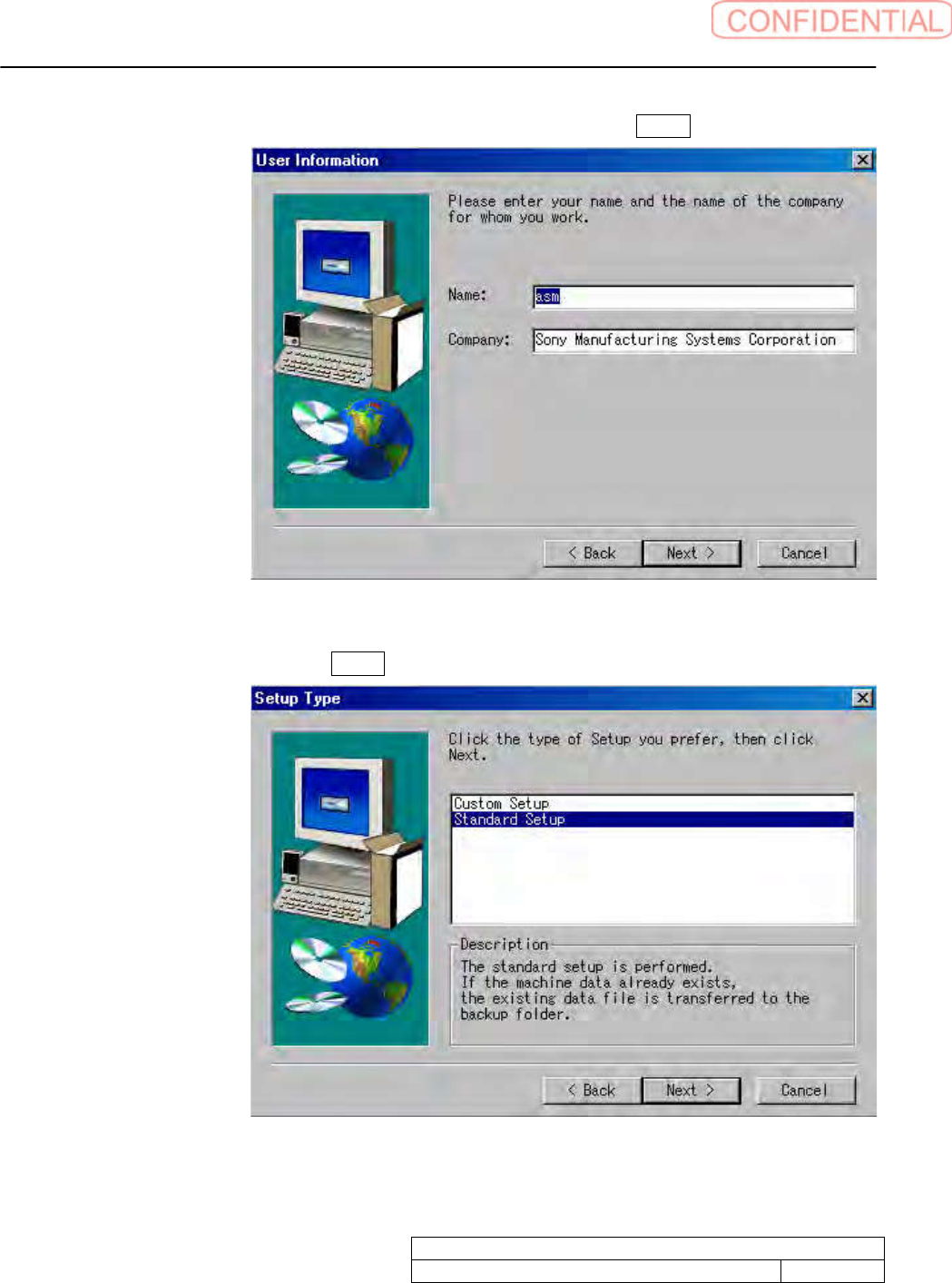
6. User Information screen appears. Input required information to click Next> button.
7. Setup Type screen appears. Click Next> button.
System software clear installation process
WKGB-10109-01
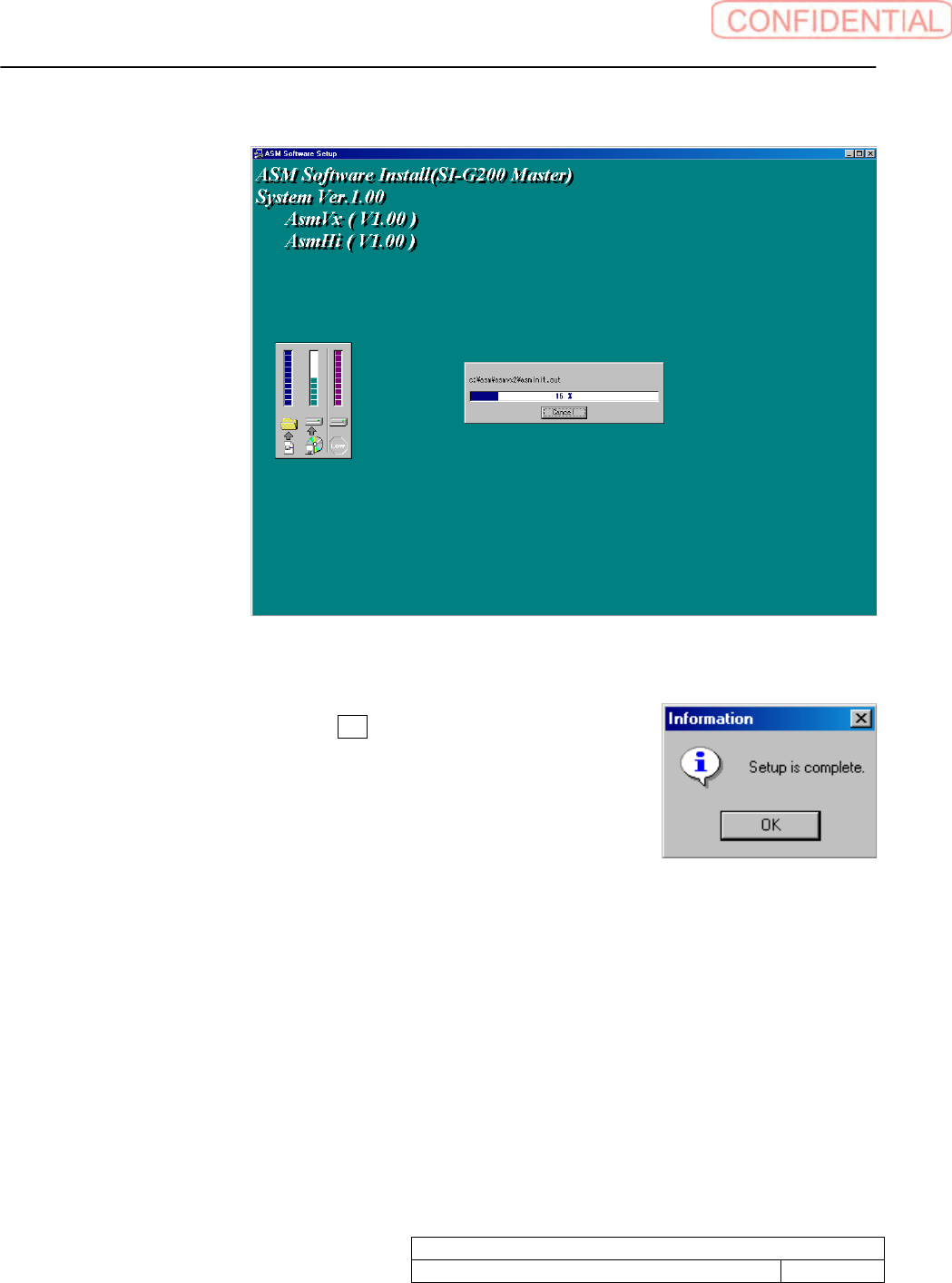
8. ASM Software Setup screen appears. Keep it until installation is completed.
9. Information screen appears. Click OK button.
10. The installation is completed.
Systemsoftwareclearinstallationprocess
11/11
OperationGuide WorkProcess PartsReplacement Maintenance
Intendeditem SI-G200AABB
Documentno.WKGB-20105-01
Page 1/8
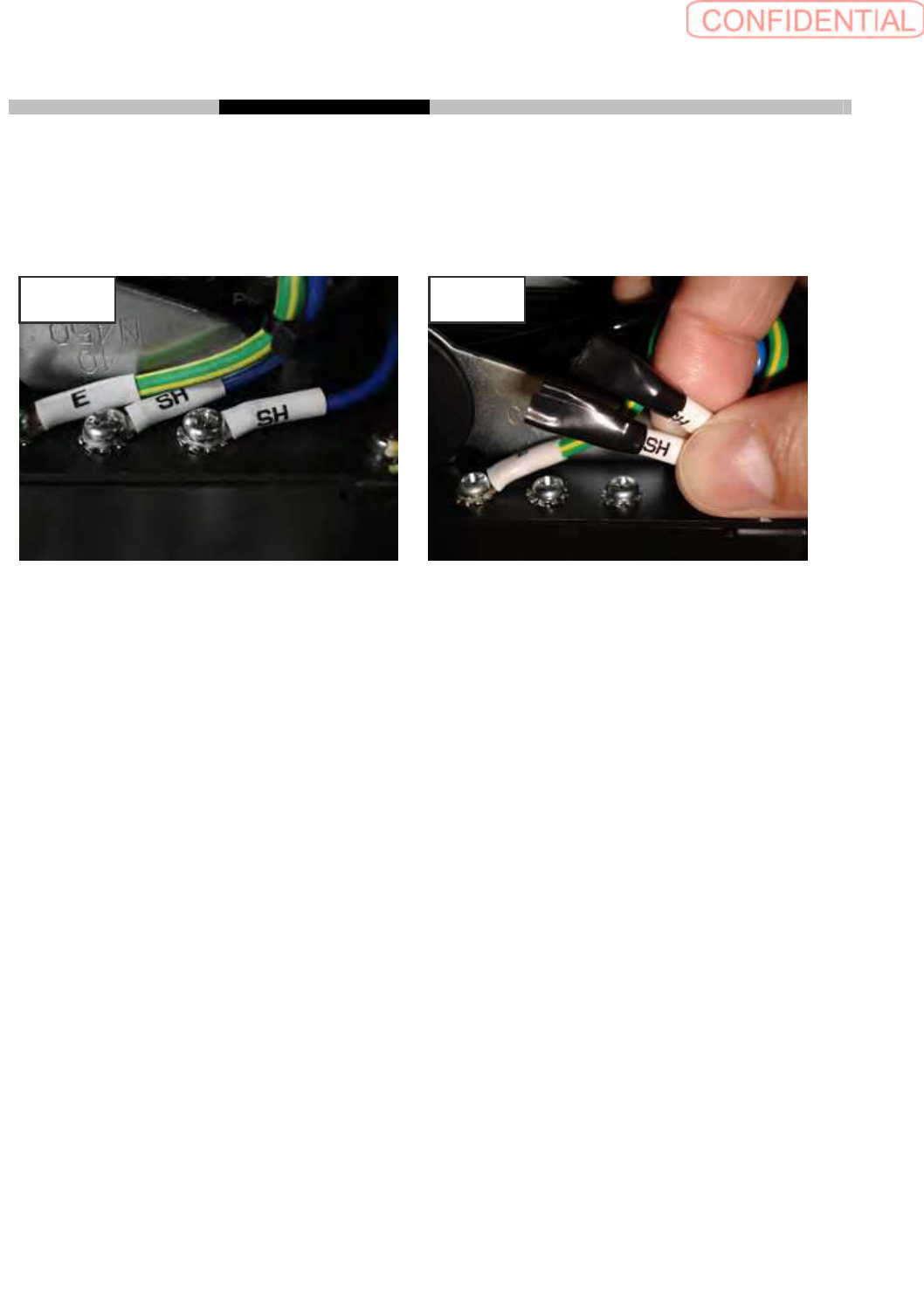
SI-G200 AA BB SH terminals separation to prevent ground relay
Take off SH terminal from machine frame and covers to insulate with plastic tape. After insulation fix
SH lines to prevent interfering during production.
CONTENTS
[Required equipments]...............................................................................................................................2
1. Before work...........................................................................................................................................2
2. Taking off SH terminals of feed cover ................................................................................................ 4
3. Taking off SH terminals of X-Y relay .................................................................................................5
4. Taking off SH terminals of upper frame ............................................................................................7
5. Return back original condition............................................................................................................8
Before After