MAN00000772_SI-G200BB_SVCPDFA.pdf - 第157页
HLGB-10101-01 Insta ll the Calibration Plate Jig
HLGB-10101-01
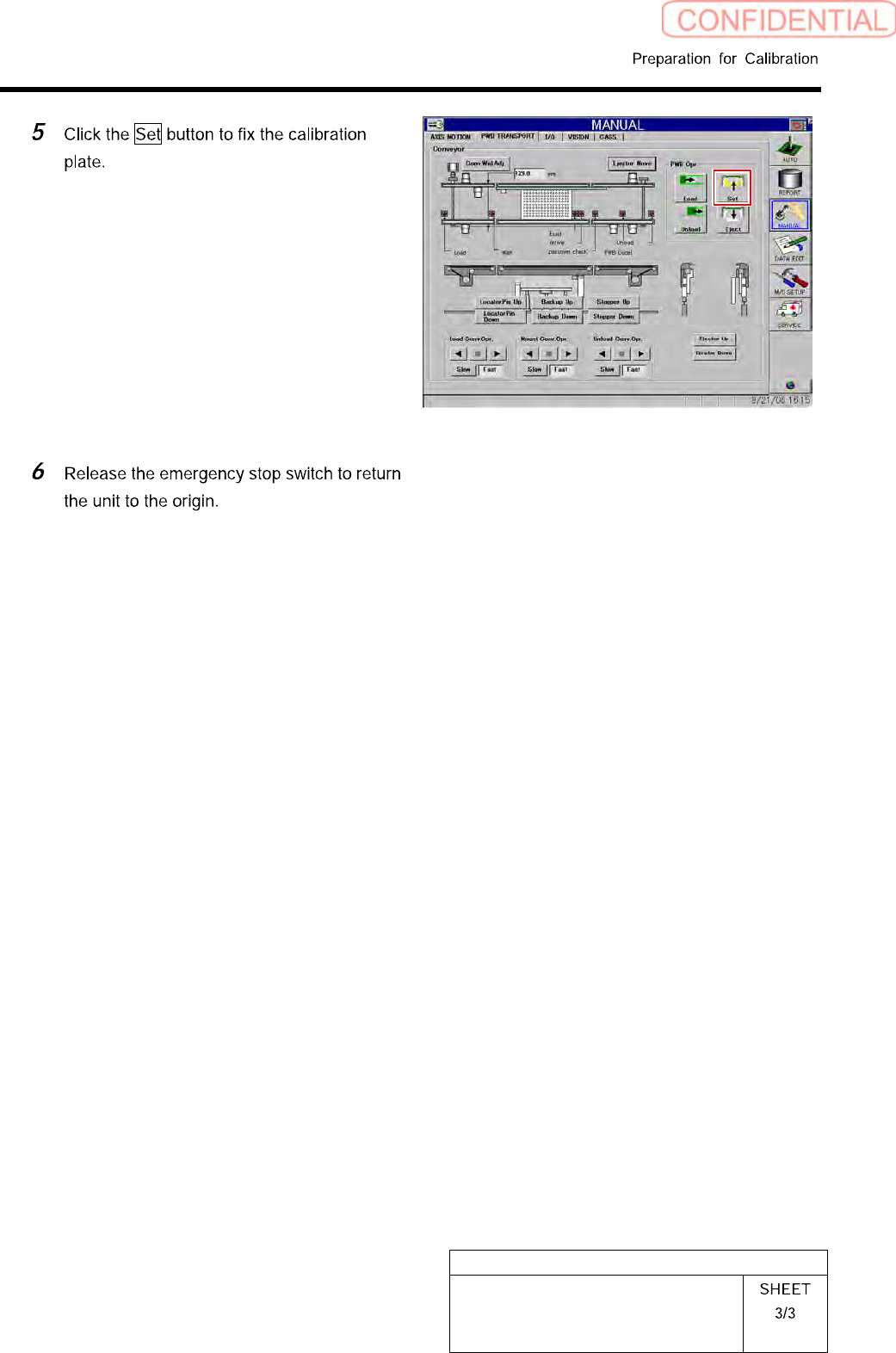
Install the Calibration Plate Jig
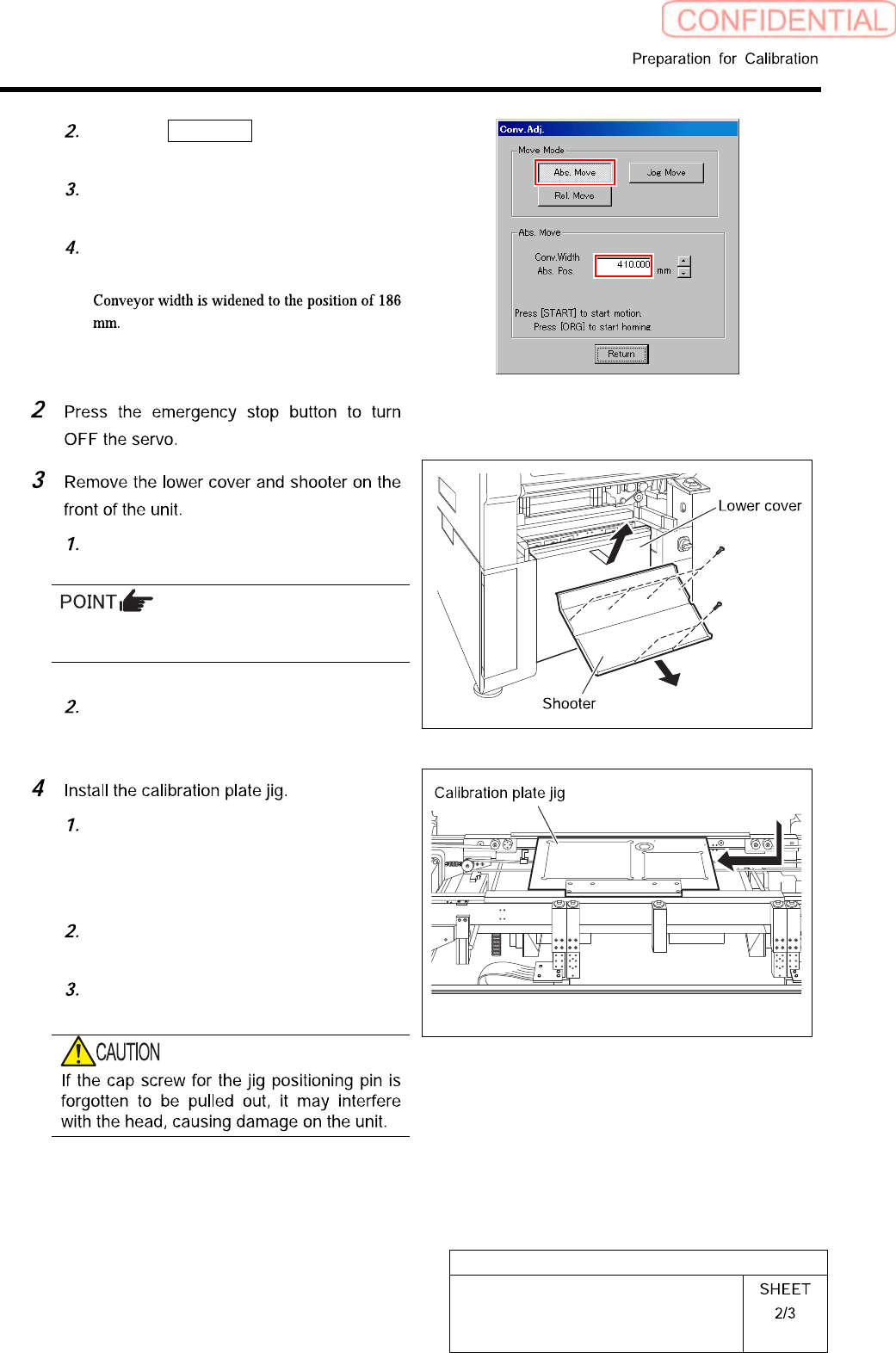
Click the Abs. Move button on the
Conv. Adj. screen.
Input “186” into the input box of the
Conv. Width Abs. Pos.
Press the [START] button on the
operation panel.
Loosen screw (2-+T4x8) to remove the
lower cover.
Tile the lower cover slightly toward you and
pull the fan cable to remove the lower panel.
Loosen screw (2-+T4x8) to remove the
shooter.
Place the calibration plate jig on the
rail on the right of the conveyor and
slide it to near the center of the
conveyor.
Insert the jig positioning pins (two)
into the calibration plate jig.
Remove the cap screw for jig
positioning pin.
HLGB-10101-01
Install the Calibration Plate Jig
HLGB-10102-01
Remove Production Nozzle
Remove the nozzle used for production according to the procedure in this section because it is not
used for calibration operation.
[Procedure]
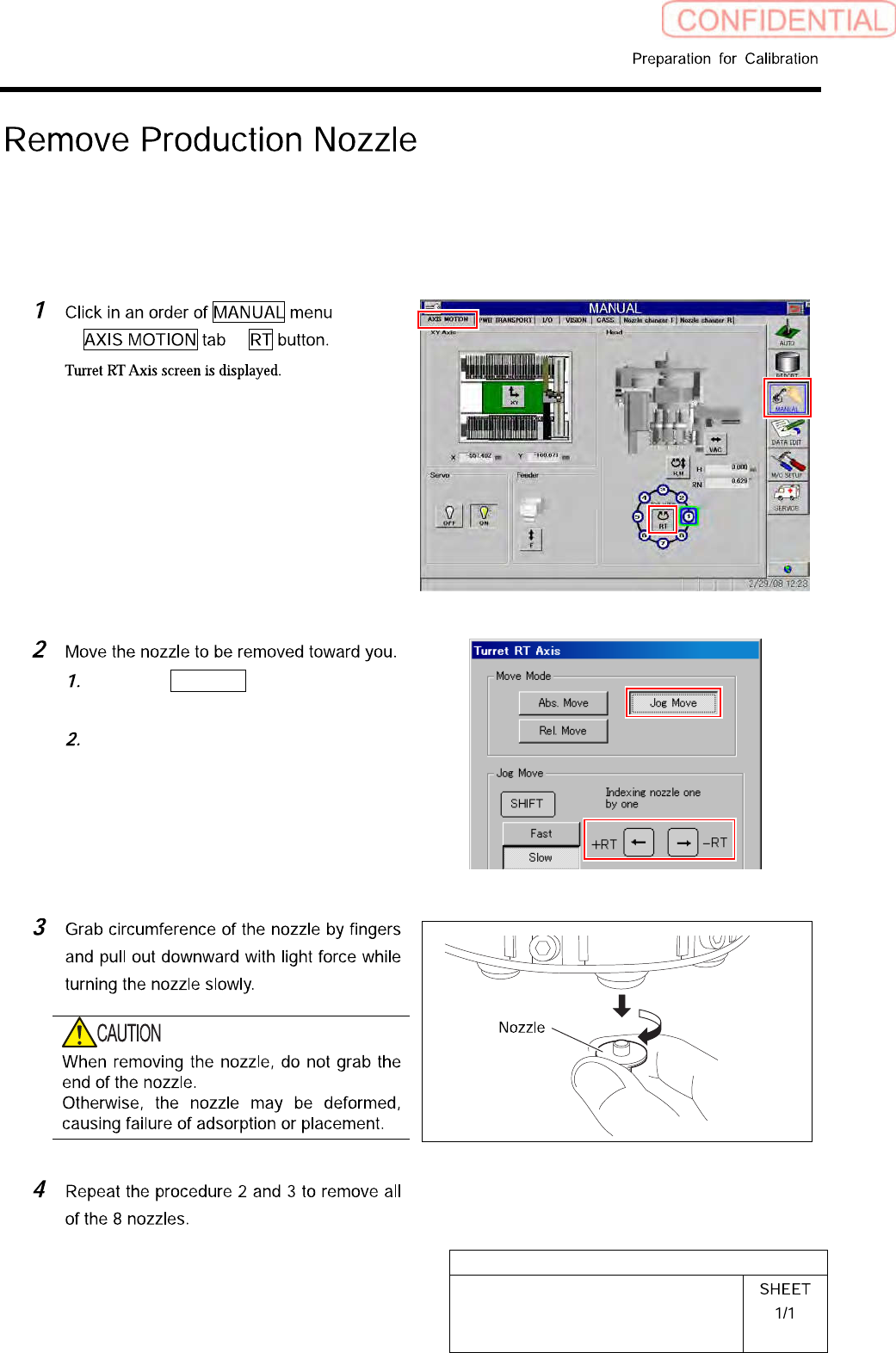
Click the Jog Move button in the move
mode.
Press the cursor key on the left and
right to jog move the nozzle to be
removed toward you.