MAN00000772_SI-G200BB_SVCPDFA.pdf - 第162页
HLGB-10104-01 Change in User Level T o display a screen used fo r calibration, it is necessary to change user level. This section describes a procedure to change user leve l. [Procedure] Click the b utton on the left upp…
HLGB-10103-01
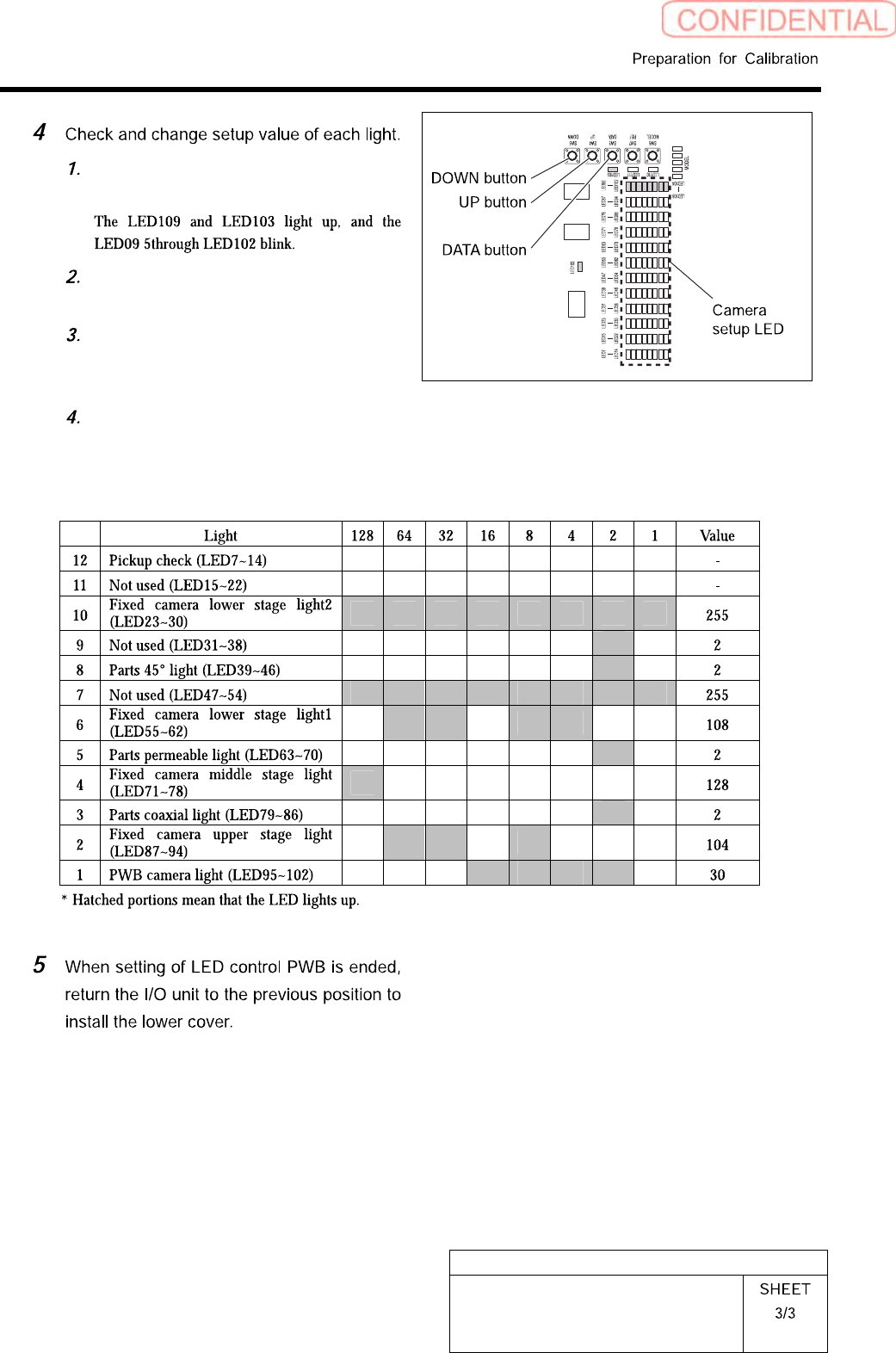
Front, Rear LED Control PWB Setup
Press the DATA button for three
seconds or longer.
Press the DATA button to select light
to be setup.
To change the setting, press the
UP/DOWN button to change so that
the camera setup LED lights up.
When ending setup, wait until the
LED lights off.
SI-G200BB
headlightsetupvaluelist
HLGB-10104-01
Change in User Level
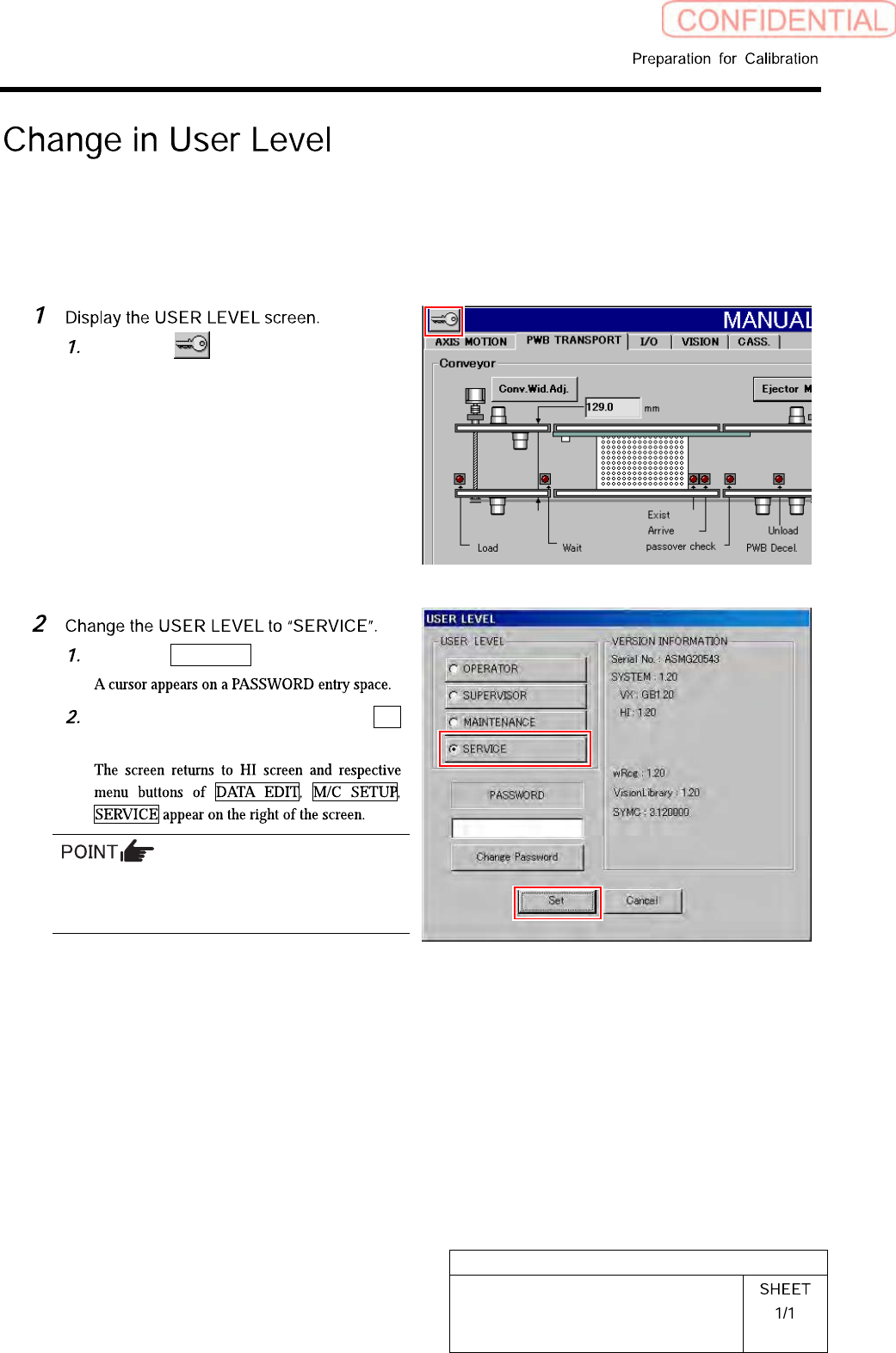
To display a screen used for calibration, it is necessary to change user level. This section describes a
procedure to change user level.
[Procedure]
Click the button on the left
upper of the screen.
USER LEVEL screen is displayed.
Click the SERVICE button.
Enter the password and click the Set
button.
To display the calibration screen, it is necessary
to change the USER LEVEL to
[MAINTENANCE] or [SERVICE].
HLGB-10105-01
Calibration Data Load
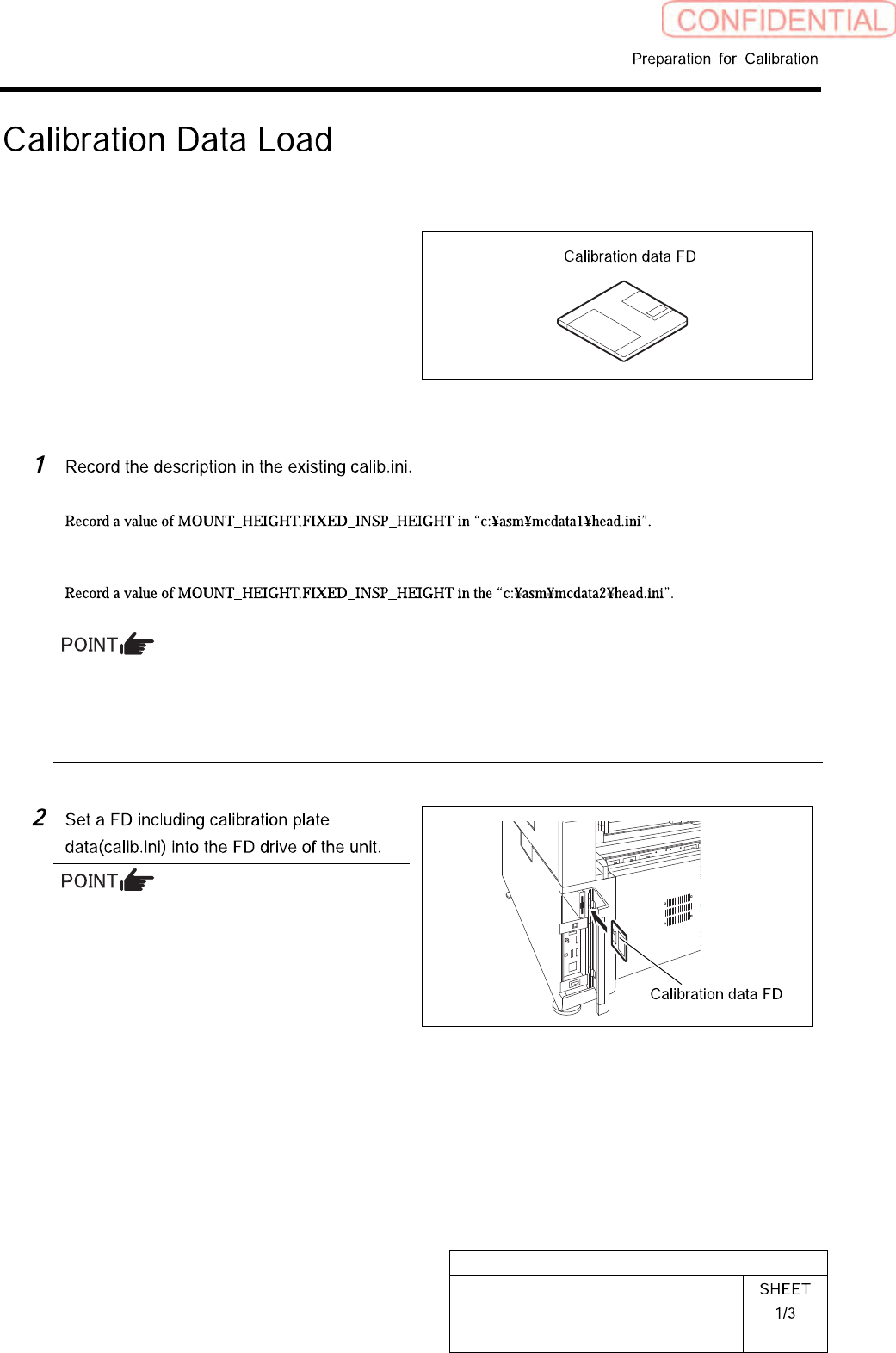
[Necessary jigs]
• Calibration data FD
[Procedure]
< When performing calibration for the front head >
< When performing calibration for the front head >
If there’s no description in Calib.ini, refer to the following.
Same value as MOUNT_HEIGHT in NOZZLE_S_TYPE_G = head.ini
A value obtained by subtracting “3” from MOUNT_HEIGHT in NOZZLE_T_TYPE_G = head.ini
A value of H of [FixedCamera] POS_XYH in FIXED_INSP_HEIGHT = head.ini
Use a FD having a same No as the ball point
jig.