MAN00000772_SI-G200BB_SVCPDFA.pdf - 第164页
HLGB-10105-01 Calibration Data Load <When the indicated jig No is different form jig No to be use d> Press the Use another jig button.
HLGB-10105-01
Calibration Data Load
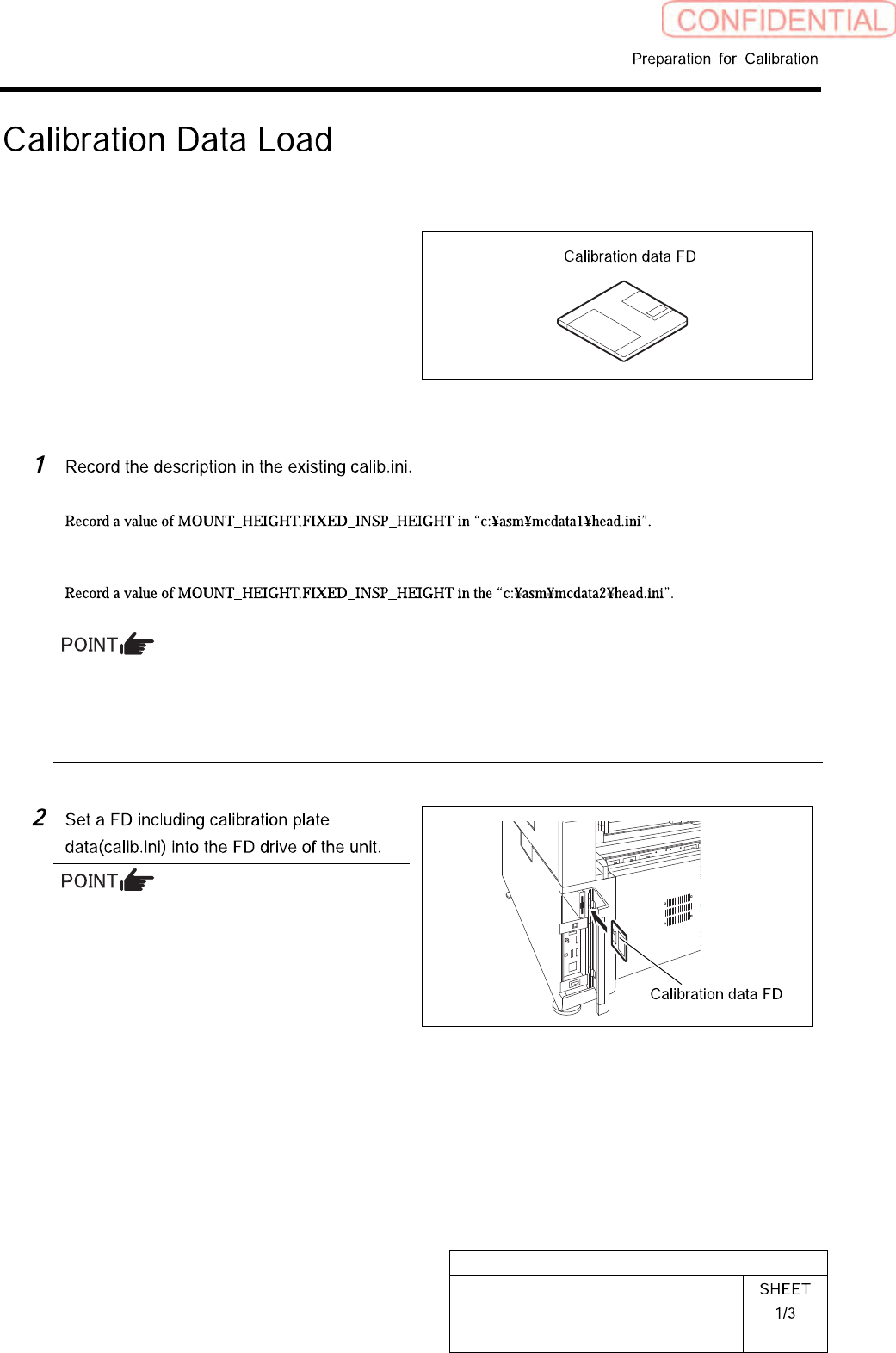
[Necessary jigs]
• Calibration data FD
[Procedure]
< When performing calibration for the front head >
< When performing calibration for the front head >
If there’s no description in Calib.ini, refer to the following.
Same value as MOUNT_HEIGHT in NOZZLE_S_TYPE_G = head.ini
A value obtained by subtracting “3” from MOUNT_HEIGHT in NOZZLE_T_TYPE_G = head.ini
A value of H of [FixedCamera] POS_XYH in FIXED_INSP_HEIGHT = head.ini
Use a FD having a same No as the ball point
jig.
HLGB-10105-01
Calibration Data Load
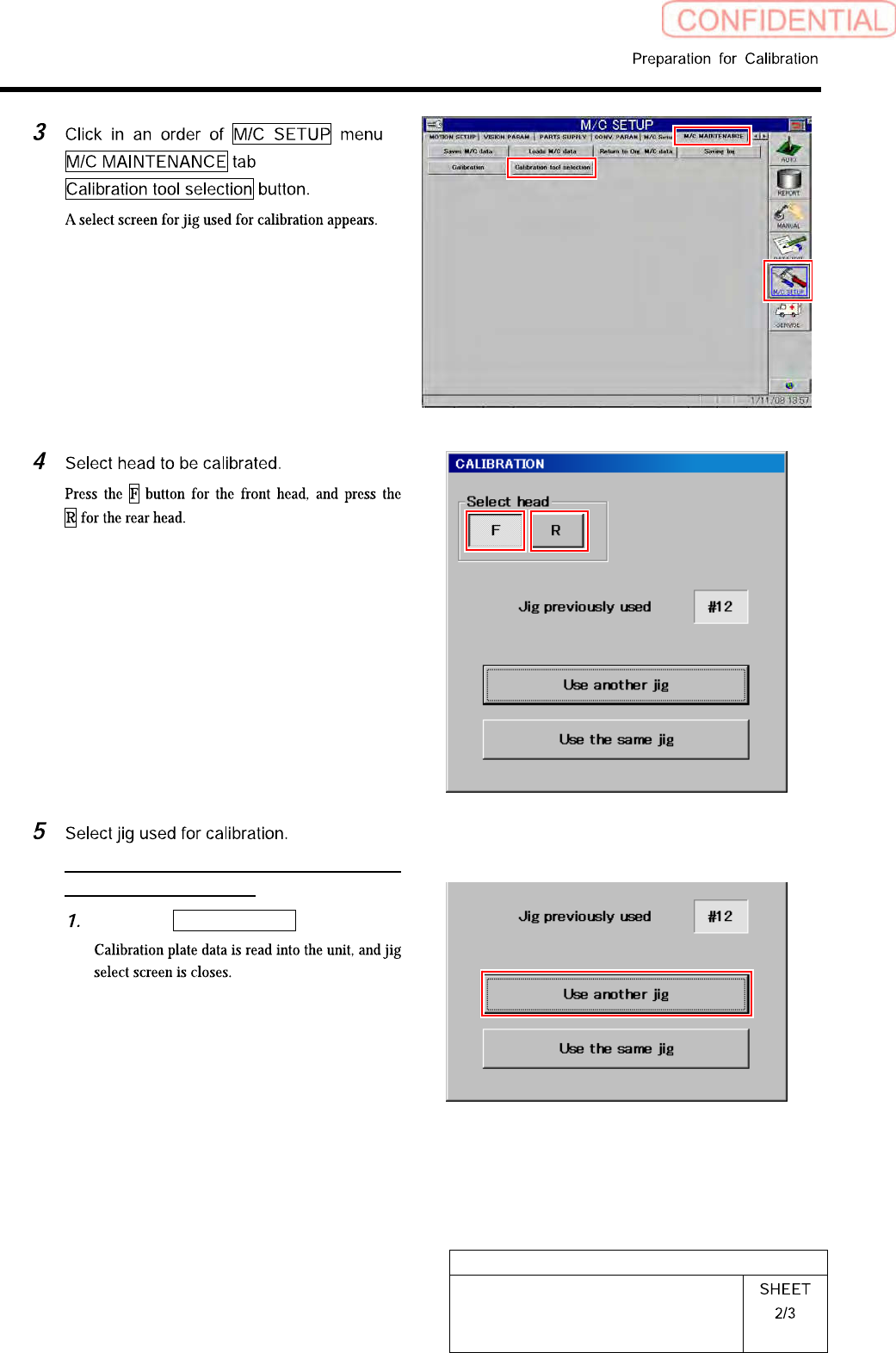
<When the indicated jig No is different
form jig No to be used>
Press the Use another jig button.
HLGB-10105-01
Calibration Data Load
After loading jig data, check the following description in Calib.ini.
・ Should be same value as MOUNT_HEIGHT in NOZZLE_S_TYPE_G = head.ini.
・ Should be a value obtained by subtracting “3” from MOUNT_HEIGHT in NOZZLE_T_TYPE_G =
head.ini .
・ Should be a value of H of [FixedCamera] POS_XYH in FIXED_INSP_HEIGHT = head.ini.
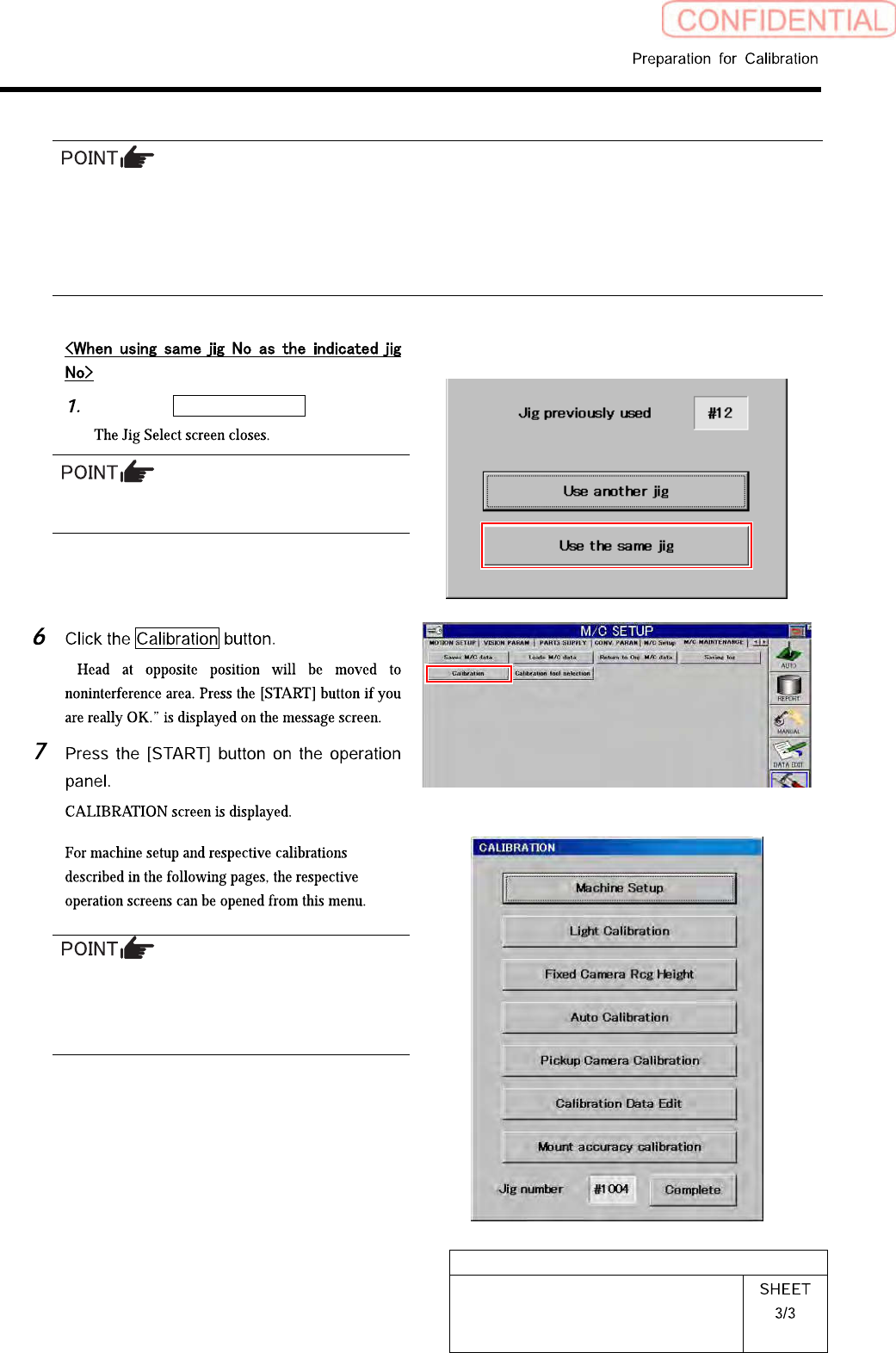
Press the Use the same jig button.
When performing calibration again, use the
previously used jig wherever possible.
“
Perform calibration sequentially from the
upper on this menu screen.
Any buttons displayed in gray become effective
by completing calibration items on the above.