MAN00000772_SI-G200BB_SVCPDFA.pdf - 第169页
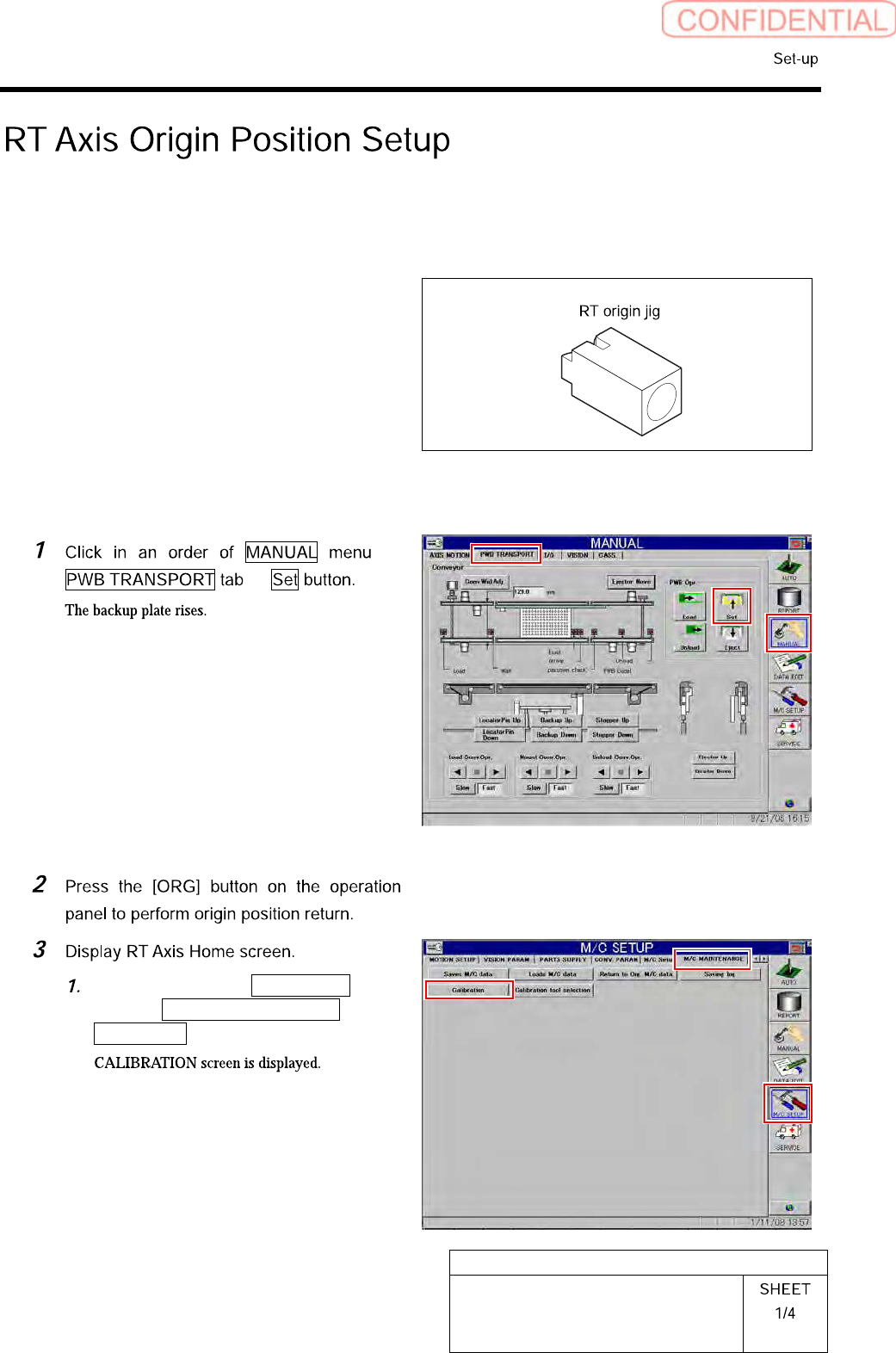
HLGB-10201-01 RT Axis Origin Position Setup Click the Machine Setup b utton on the CALIBRA TION screen. Click the RT Axis Ho me b utton on th e Machine Setup screen. Click the XY button on the RT Axis Home screen. Click …
HLGB-10201-01
RT Axis Origin Position Setup
Perform this working on both heads on the front side and rear side.
[Necessary jigs]
• RT origin jig
[Procedure]
Click in an order of M/C SETUP
menu M/C MAINTENANCE tab
Calibration button.
HLGB-10201-01
RT Axis Origin Position Setup
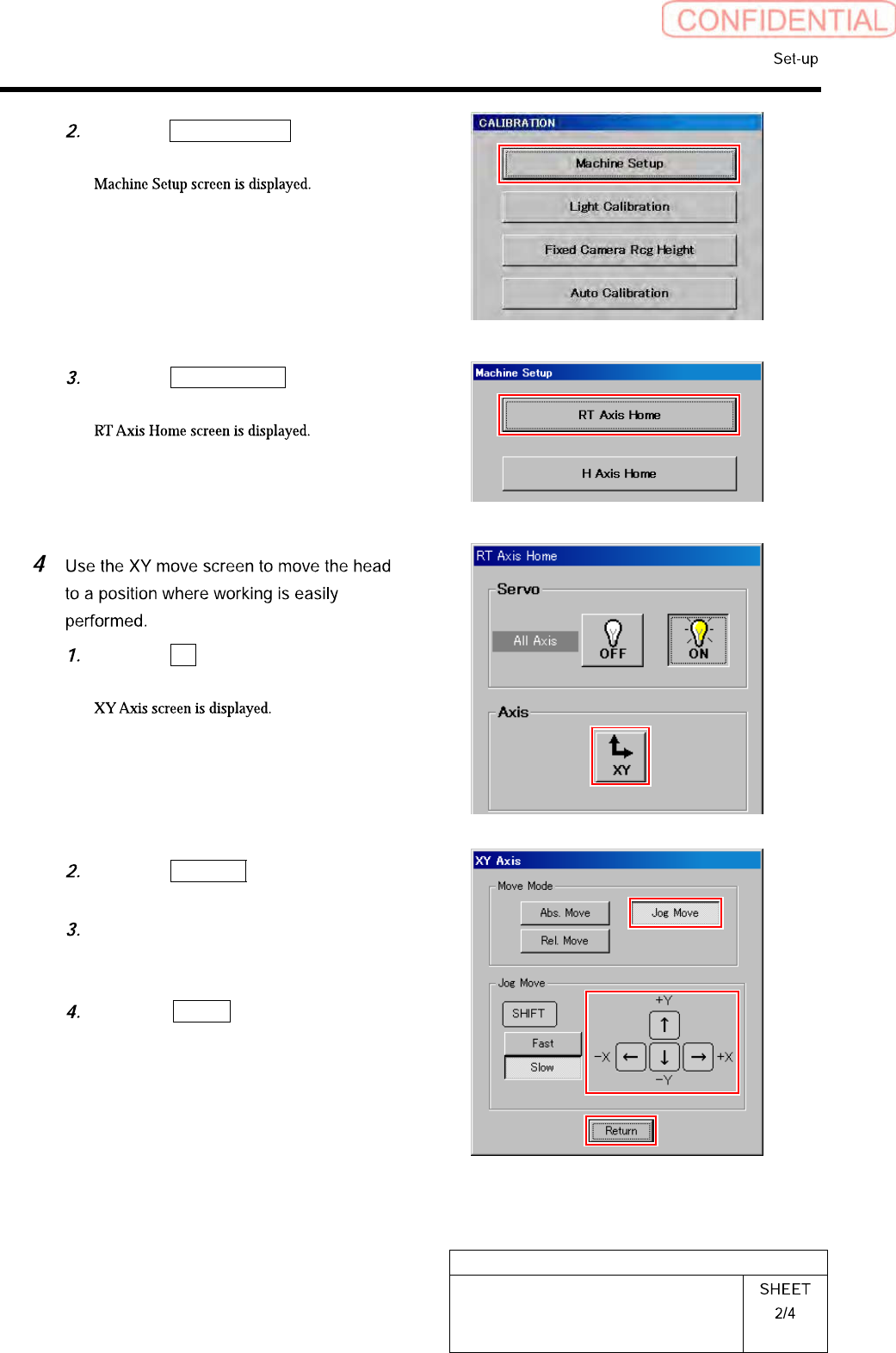
Click the Machine Setup button on the
CALIBRATION screen.
Click the RT Axis Home button on the
Machine Setup screen.
Click the XY button on the RT Axis
Home screen.
Click the Jog Move button in the move
mode.
Press the cursor key to move the head
to a position where working is easily
performed.
Press the Return button after the
head moves to close the XY axis
screen.
HLGB-10201-01
RT Axis Origin Position Setup
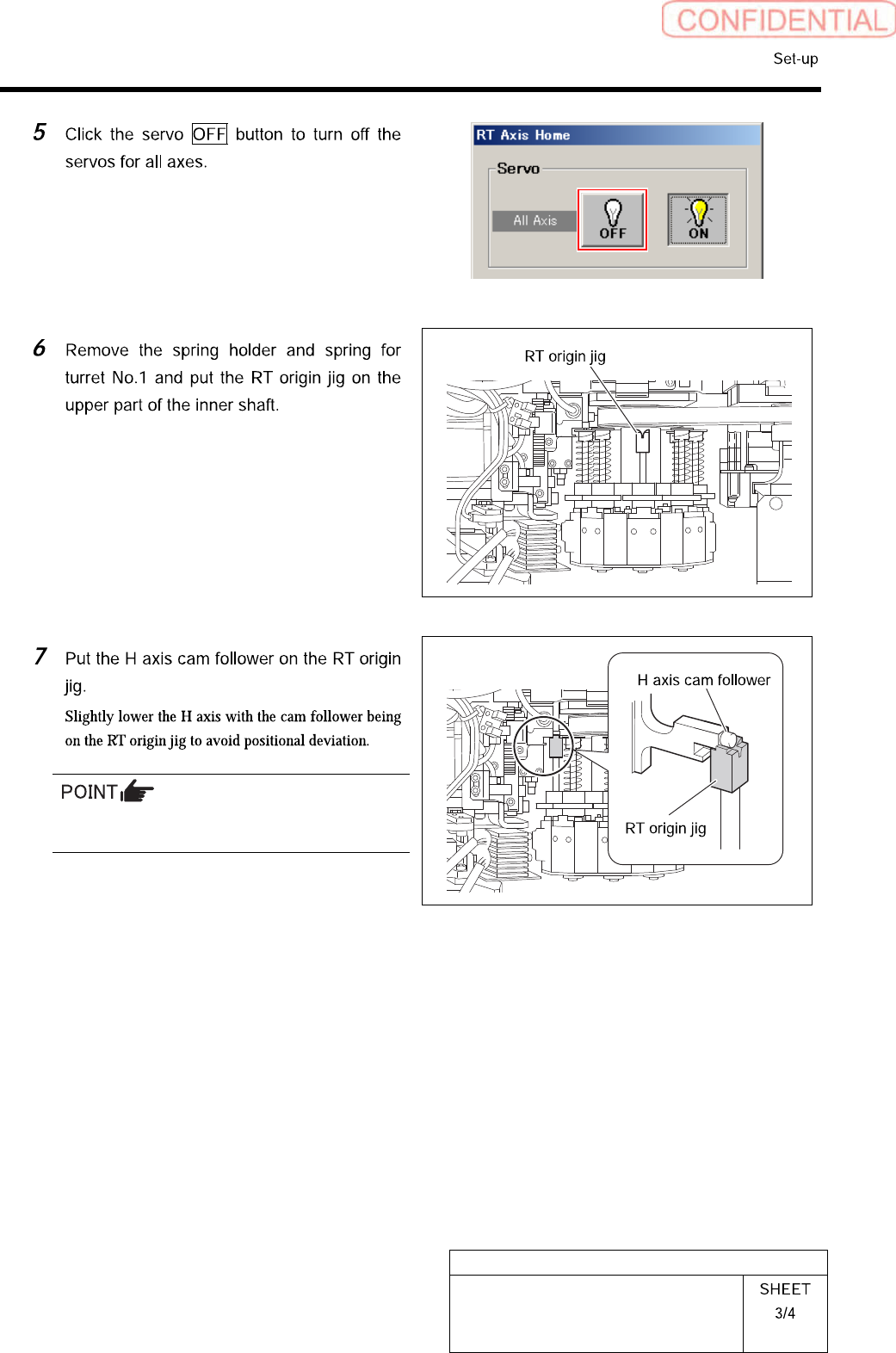
Be careful not to enter H axis OT and rotate the
RT axis.